We remain fully operational. Our teams are working around the clock to ensure your deliveries continue safely.
DOWNLOAD THE APP


Customer Services
Copyright © 2025 Desertcart Holdings Limited
DOWNLOAD THE APP
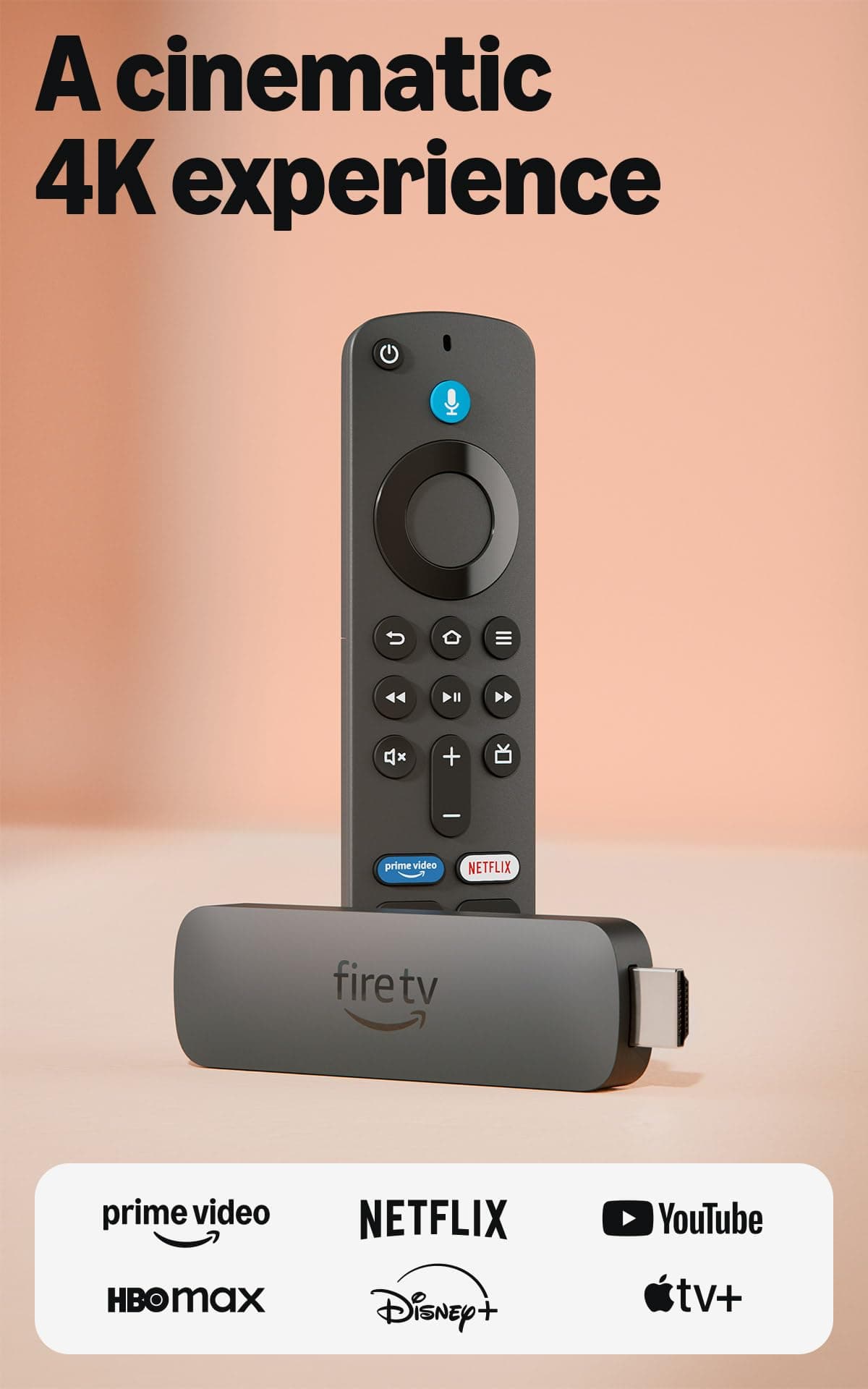

🔥 Stream smarter, play harder, and control your world with Fire TV Stick 4K Plus!
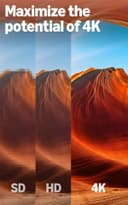
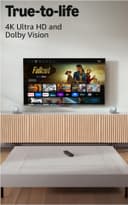
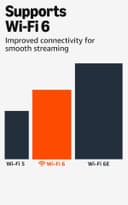
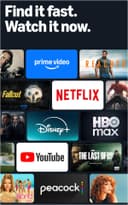
The Amazon Fire TV Stick 4K Plus is a compact streaming powerhouse featuring advanced 4K Ultra HD with Dolby Vision and Atmos, Wi-Fi 6 for seamless connectivity, and AI-driven Alexa voice search. It supports cloud gaming with Xbox Game Pass, offers access to over 1.8 million movies and shows including free content, and doubles as a smart home hub—all packed into a sleek, easy-to-use device.
| Size | 99 mm x 30 mm x 14 mm (only housing) 108 mm x 30 mm x 14 mm (including the connector) |
| Weight | 43.5 g |
| Processor | Quad-core 1.7GHz |
| GPU | 650MHz |
| Storage | 8GB |
| Wifi | Wi-Fi 6 dual-band: 802.11 a/b/g/n/ac/ax (2.4GHz and 5GHz) |
| Bluetooth | Bluetooth 5.2 + BLE |
| Voice Support | Yes, with the Alexa Voice Remote (included) or free Fire TV app (available for download on Fire OS, Android, and iOS) |
| IR device control with included Alexa Voice Remote | The included Alexa Voice Remote can control Fire TV Stick 4K and certain functions (such as power and volume) on a wide range of compatible IR-enabled devices, including TVs, soundbars and A/V receivers. Note: Certain functions may not be available on some IR-enabled devices. |
| Cloud Storage | Free cloud storage for digital content purchased from Amazon |
| Ports | HDMI 2.1 output with ARC input support, micro USB |
| Audio Support | Dolby Atmos, 7.1 surround sound, 2-channel stereo, and HDMI audio pass through up to 5.1. |
| 4K Support | To watch movies and TV shows in 4K Ultra HD, you need a compatible Ultra HD TV. All services may not be available in 4K/HDR. Certain services are subject to change at any time, may not be available in all areas, or in 4K/HDR, and may require separate subscriptions. Learn more about services. |
| Content formats supported | Video: Dolby Vision, HDR 10, HDR10+, HLG, H.265, H.264, VP9, AV1; Audio: xHE-AAC, AAC-LC, AAC+, eAAC+, AAC-ELD, MP3, AMR-NB, FLAC, PCM/WAV, Vorbis, Dolby AC3, eAC3 (Dolby Digital Plus), Dolby Atmos (EC3_JOC), Dolby AC4, Dolby MAT, Dolby TrueHD pass-through, MPEG-H pass-through, DTS passthrough, DTS-HD passthrough (basic profile); Photo: JPEG, PNG, GIF, BMP |
| Output resolution supported | 2160p, 1080p and 720p up to 60 fps |
| System requirements | High-definition television with available high-speed HDMI input, high-speed internet connection via wifi. Wi-Fi 6 router needed for Wi-Fi 6 support. Auto-Low Latency Mode is included in the HDMI 2.1 standard. |
| TV compatibility | TV must support minimum HDCP requirements for protected content playback. Compatible with 1) 4K UHD TVs with HDMI capable of 2160p at 24/25/30/50/60 Hz and HDCP 2.2 or 2) high-definition TVs with HDMI capable of 1080p or 720p at 50/60 Hz. Learn more about high-definition. |
| Warranty and service | 1-year limited warranty and service included. Optional 1-year, 2-year, and 3-year extended warranty available for U.S. customers sold separately. Use of Fire TV is subject to the terms found here. |
| Content availability | Certain apps and services are subject to change or withdrawal at any time, may not be available in all areas and languages, and may require separate subscriptions. |
| Accessibility features | VoiceView screen reader enables access to the vast majority of Fire TV features for users who are blind or visually impaired. Watch videos and TV shows with closed captioning displayed. Captions are not available for all content. You can also listen to Fire TV with compatible Bluetooth headphones. Learn more about compatibility. |
| Included in the box | Fire TV Stick 4K, Alexa Voice Remote, power cable and power adapter, HDMI extender cable for Fire TV Stick 4K, 2 AAA batteries, Quick Start Guide |
| Software Security Updates | Learn more about these software security updates. If you already own a Fire TV, visit Manage Your Content and Devices for information specific to your device. |
| Size | 38.68 mm x 141.3 mm x 17.6 mm |
| Weight | 45g (without batteries) |
| Batteries | 2 AAA (included) |
| Technology | Bluetooth |
| Compatibility | Fire TV Stick 4K (1st Gen and later), Fire TV Stick 4K Max (1st Gen and later), Fire TV Stick (3rd Gen) |
B**E
Love my Firesticks!
I had just moved into my new apartment and found some older flat screens off FB Marketplace. They weren't too old, but a little outdated and didnt have streaming apps on them, so I opted for getting a couple firesticks for them. Super easy to set up, no lagging from the devices, and pretty quick to set up too. Best decision I've made. They work great. Video quality is top-tier even if the TV quality itself isnt the best on the market. They're pretty solid but easy to hide behind your TV. Depending on your TV functions, the remote will also control your TV so you can ditch the main remote when you need to turn the volume up and down or the TV on and off. It doesn't offer input switch though.
G**O
Easy to use and great performance
This Fire TV Stick 4K has been a great improvement in my living room. It is super easy to install, connects quickly to Wi-Fi and the 4K image quality is excellent. In addition, voice control with Alexa works very well, which makes everything more comfortable.
M**D
⭐⭐⭐⭐⭐The BEST Streaming Device ✨ Surprisingly AFFORDABLE! Easy to use on any TV!
Firestick 4k works the best out of every streaming device I've used! Highly Recommended! I love that I can side load APK apps (Android apps) onto the firestick using Downloads app on Fire or using a file manager with LAN (to transfer APK from computer or device on the same network to firestick). Pretty easy to setup additional remotes, like my Android phone, and my Bluetooth keyboard with roller ball mouse works great for navigation and typing. Bluetooth is great also for connecting any Bluetooth speakers wirelessly-it always works for me without any extra work The 4k version seems faster than the HD firestick, and blows the Firestick Lite out of the water! When I use 4k firestick on a regular HD TV (1280x1020), I change the settings to steam at a lower resolution, which helps conserve bandwidth by not streaming higher resolution than needed-this is a huge benefit bc I prefer the 4k stick because it seems to work better for me than the HD & Lite versions. I sideload the Stremio app (configured w Real-debrid) by enabling developer settings > allow external apps to install > select the app used to download the APK (to allow the app to install external apps). Then install app onto firestick and login to your Stremio acct.I recommend setting up your add-ons using a phone or PC because the Stremio app updates all devices on the same account with the add-ons, including configurations that you setup using another device. It's almost impossible to sideload apps onto Roku and impossible on Apple & Google devices, so I prefer firestick because FireOS is a flavor of Android, which is why apps work perfectly on Firestick. The remote works great too. I use rechargeable batteries bc I dislike 1-time use batteries-they last a long time before needing to be recharged. Its compact size makes it simple to install, store and travel. I connect firestick into any HDMI TV and provide Internet using a travel router¹ whenever I stay at a hotel so I can stream my YouTube, Netflix, Prime etc without remembering to logout of my services at checkout (besides, I don't like to login to anything in a hotel - including smart TVs)! I recommend accessories like the power cable that turns the USB on your TV into a power source for the Firestick, and a double prong micro USB cable that allows you to connect a USB thumb drive that expands the drive GB or connect another device like Android phone or Windows PC to do developer tasks like adb debugging etc. The firestick has an intuitive UI making navigation and settings easy to use. I wish I could customize the UI and settings more, like colors, navigation of the app and how it recommends shows or movies, and I wish I could connect services like IMDb and others to track watched content and search for content using their parameters (like filters for date, actors, production Co, genre, producer, director etc), but it's not a deal breaker to search for stuff to watch on a web browser then look up the title in firestick Search or voice search. Almost forgot, I love Alexa and it works seamlessly with firestick-a simple voice command to watch my video cams on TV or play music through the Bluetooth speakers & woofer. I think you can even use firestick in separate rooms to begin watching in 1 room and continue in another. Anyhow, explore everything you can do with your firestick - you won't be disappointed! * ¹ a Travel Router is an affordable device I highly recommend. It connects to any WiFi network and rebroadcasts it as a new, secure WiFi that you can add password like your home network. This lets your devices connect securely without the risks of connecting your multiple devices to open or public WiFi. Firestick connects Internet automatically to the travel router after configuring it 1x (and connects to any available Bluetooth devices Automatically)!
D**L
Perfect!
I thought I’d have to replace my otherwise-perfect TV purchased in 2018 because it didn’t work with Amazon or Paramount+. This fixed the problem perfectly, allowing me to stream away. Nice to have an efficient easy-to-install solution with no additional monthly fees.
A**S
Great Streamer, But Remote Needs Work
I’ve been using the Firestick 4K for a while now and overall, I'm quite pleased with its performance and ease of use. The setup was a breeze, and I really appreciate the consistent user interface it provides across all my TVs, which is especially helpful for my wife. However, I have a serious issue with the remote. It feels cheap and flimsy, and honestly, the removal of the IR Blaster is baffling. I don't understand how this design made it to market, as it complicates setup for those of us with soundbars or surround systems that connect via optical cables. Additionally, the dedicated app buttons are a real annoyance. I often find myself accidentally launching other apps instead of streaming my preferred content on YouTube TV. I wish there were an option to disable them or even assign them to apps I actually use. If you're considering this device and can find it on sale for about $25, it's worth it for the streaming capabilities, but be prepared to navigate a frustrating remote experience.
D**S
“Still Works Perfect After a Year – Fast and Reliable”
I’ve been using this Fire TV for about a year now, and it still works perfectly. The performance has been smooth and reliable from day one, with no lag or issues at all. The interface is very easy to use, and I love how fast it loads apps like Netflix, YouTube, and Prime Video. Streaming quality is excellent, and everything runs without interruptions. The remote is simple and responsive, and the voice control feature is very convenient. It makes searching for shows and movies quick and easy. Overall, this has been a great purchase. After a full year of use, I can confidently say it’s a solid and dependable device. Definitely worth it!
A**R
Buy it if you haven’t already. One of the best investments I’ve made.
I wish I bought one of these sooner because I love it. I use it almost everyday and I’ve noticed no glitches or malfunctions at all which is great because in my area I’ve always had lots of issues with connectivity and WiFi in general isn’t the best here. But it still manages to work even in a snow storm. This product is also super easy to set up and just a very reliable and easy to use device. I would recommend buying immediately honestly.
Trustpilot
1 month ago
1 day ago