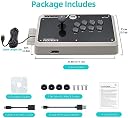

🎯 Elevate your game with the F500 Elite—where pro precision meets universal power.
The Mayflash F500 Elite is a premium USB video game controller designed for serious gamers seeking multi-platform compatibility across Xbox, PlayStation, Switch, PC, and more. Featuring high-quality Sanwa buttons and a precision joystick, it offers tournament-grade responsiveness and ergonomic design with a hefty 6.6-pound build to prevent sliding and joint fatigue. Its mod-friendly architecture allows full customization of buttons and joystick, while built-in Turbo functions enhance gameplay efficiency. Ideal for both casual and competitive players, the F500 Elite supports headset audio and works seamlessly with adapters for PS5 compatibility.


| ASIN | B07QJ1JJ7J |
| Best Sellers Rank | #10,631 in Video Games ( See Top 100 in Video Games ) #440 in Xbox Series X & S Accessories #587 in Xbox One Accessories #1,314 in Nintendo Switch Accessories |
| Customer Reviews | 4.6 4.6 out of 5 stars (1,634) |
| Date First Available | April 4, 2019 |
| Item Weight | 6.6 pounds |
| Item model number | F500 Elite |
| Manufacturer | MAYFLASH |
| Product Dimensions | 16.34 x 11.1 x 5.67 inches; 6.61 Pounds |
| Type of item | CD-ROM |
S**R
Great Gaming Stick
Still happy with the joystick after two years... After doing a fair amount of research into gaming pads and joysticks, I looked at many brands, including but not limited to, 8bitdo, console controllers, x arcade, hori, razer panthera, mayflash standard models, and others. I also looked at the design of the Mayflash compared to other gaming pads and joysticks to find the best ergonomic design, dimensions, and weight. Once I found I found the mayflash F500 elite I was quickly sold. Even though the price tag was at the higher end of what I wanted to spend, I am extremely happy with my purchase. I like the bigger design of the F500 elite compared to the F300 elite since it helps prevent joint problems that I have experienced getting back into gaming more recently. There is more space around the stick portion on the left hand side when compared to the other mayflash models which helps prevent joint problems. I can use this stick while gaming in my living room chair or at my desk without feeling like the stick with break easily or be jerked around because of its solid heft. It weighs in at 11 lbs, which is the size of a small infant. In other words, the unit is not going to slide around on you in your lap or on your desk. The case build is solid and high quality as well. The size of the stick is important as I have the real estate on the gaming stick to rest my hands when necessary to prevent joint fatigue. The sanwa buttons provide quick response and the plug and play functionality is great too. I like the elite because it came with the Sanwa buttons so I didn't have to swap them out like I would have in the standard F500 model. I am not into competitive fighting games where I would use this to enter a tournament so I can't speak to it's effectiveness in that realm. I also like the ability of the stick to work with other controllers (adapter purchase is separately required for this to work). The Dinput feature works great to game on PC and Raspberry Pi too. The turbo buttons are nice for games where you would otherwise repeatedly press the same button to keep firing. The potential to customize the artwork is a plus should I decide to do so in the future. The only feature I wish this joystick would have is wireless functionality built into the product. If you buy a separate dongle you can hook up an xbox or playstation controller directly to the stick and have wireless functionality. I would like wireless Dinput build into the stick.
B**R
Can't beat this one for this price. Hidden bonus I was happy with. Don't hesitate
Every other positive reviews you can read are correct. This stick is worth its price point. It's probably considered an "entry level" stick, but I'd say it's a mid tier stick at an entry level price. Pros: Sanwa parts, customization options, universality for multi-system use (and out of the box functionality for most systems), quality materials (nice and weighty), and lots of support from Mayflash on their website. Cons: Only one in my opinion, and not really a con but more an inconvenience. PS3/4 and Xbox 360/One require one of their original controllers for this to work on those systems. So you're basically plugging this stick into a regular controller, and that controller connects to your console as normal. It's basically just one extra connection, and it's honestly a breeze. There is even a way to avoid the extra wire and console controller alltogether. It's called the Magicboot (for PS4 or Xbox One, they are on Mayflash's website too and can be ordered through amazon). The fightstick has an USB port on the front of it for one of these dongles. The dongle "acts" as the original controller you need connected. Gets rid of all the clutter of using the console controller and reduces it to a little USB dongle sticking a half inch out the front of the stick. Bonus: Many reviews recommended getting a GT-Y octagonal restrictor plate for the joystick since the stick comes with a square gate. I opened my F500 Elite just 10 minutes ago and guess what I found, an included octagonal gate! I purchased the 8way gate I thought I needed because I didnt know this came with one. Mayflash should update their product description to reflect this if it is indeed included going forward. So yeah, stick is solid. Tournament grade parts to start with, can be tricked out as you like, and is universal. The 8-way restrictor plate was an added bonus.
H**N
Just what I needed
I was looking for an arcade stick that would work well across a variety of emulated systems running in RetroPie on my Raspberry Pi 4. I also wanted a stick with a high quality build. After a lot of research I decided to get the Mayflash F500 Elite. I have not been disappointed. I have successfully played numerous platforms: MAME, NEO GEO, Atomiswave, Naomi, Dreamcast, Super Nintendo, Sega Master System, etc. It works great for all of them, just requires a little bit of controller remapping in the emulator. My biggest concern was getting an arcade stick compatible with Neo Geo games (the 4 buttons across format) and the F500 Elite’s SNK Mode makes this possible with the flip of a switch. My only issue is that when I play Neo Geo games, I have to flip to SNK Mode, reboot RetroPie, then configure the controller all over again. This is the only way I can get the SNK Mode to work in RetroPie. But it does work properly after that. Not really a problem, just more of an inconvenience when I want to switch between several platforms in one gaming session. The build quality is very high. This is a very sturdy accessory that was built to last. The Sanwa buttons and joystick give it an authentic arcade feel with amazing responsiveness. It is very easy to swap out buttons or joysticks or to add a custom template. It comes installed with a 4-way joystick gate but installing the included 8-way octagonal gate was a breeze. Overall, I’m happy with my purchase. It fits my retro gaming needs perfectly and works well with the Raspberry Pi 4. I would recommend this to anyone looking for a quality arcade stick compatible with a variety of systems or emulators.
J**K
Damn cool controller!
My only problem with the stock fight stick is that the stick itself is too light. But I got this because it's so customizable. Just spend extra money on heavier weights for the stick and you're all set. Not done? Buy new buttons in fancy colors! But yeah this is probably a great beginner fight stick. Maybe even great for intermediate players. My favorite aspects of this are that it's compatible with a bunch of consoles and even PC (even though I only pluse it on my PC), and the cable can be stored in a small compartment on the side.
S**D
Good quality
Turned into a custom project, this product is sturdy, accurate, and easy to modify. Only one star docked because the color of the body is so hard to make look good with custom art. Still an amazing product and don't regret my purchase.
P**L
The best value universal arcade stick for multiple systems
Pros: Cable storage. However takes up internal space. Cable can be replaced. May flash sells replacement. Easy to mod/swap buttons/add artwork. Comfortable palm rest. Magnetic clear acrylic panel, also held down by the 8 buttons. You can replace that panel if damaged. Hardware mounting plate can be swapped for other layouts. However, finding a replacement panel for art would be impossible for a clean comfortable esthetic. Rubber pads are great so the stick doesn’t slide around on a surface. Modular PCBs inside can be removed if desired. Cons: No L3R3. Need to disconnect the 8 buttons and also remove the ball to change the panel artwork. Take a photo of the colored wires beforehand. Buttons don’t click in fully to the case, but it’s fine. Actually they click onto the acrylic panel. They won’t pop out on their own. Only comes in a Vewlix layout. Finding another 3rd party mounting layout plate is close to impossible. Rubber pads are fine to place on a surface. Would like to see a larger pad. But you can always add it yourself. Case color isn’t for most people. I’ve taken out the flat boring gray stock artwork. So it looks more industrial. You can paint it at your own risk. “Universal.” May flash is the best for stock universal sticks, but they still require some consoles to have a controller or adapter to be plugged in. Not competition friendly. You can’t use the USB port for charging. Could still be questionable if you’re getting genuine sanwa parts. That’s not mayflash’s fault. Sanwa has had some distribution problems in the past with knock off components. It has happened to Qanba, it could happen with these sticks too. No wireless option. Could add cost and complexity to the product. Some people would like to see all the PCBs in 1 board. Audio pass through with mute for some systems. I haven’t used it. What’s that not included vibration strap really used for?……. “Rez trance vibrator” now with wrist strap!
I**S
ELITE GAMING PAD
Incredible gaming pad, sturdy and reliable and very cost effective
B**I
Pleasantly surprised.
Started getting back into video games when my former bro in law hooked me up with a retro box with all the games from my youth. Fun stuff, except playing vintage Street Fighter on a pad has never been something I could get use to as someone who grew up playing fighting games in the arcade. Did a bunch of research, stumbled on this, looked like a solid option, and was pleasantly surprised to find out it is a solid option. One thing that takes some getting use to is the square gate. I get it, the octagonal gate is a training wheel gate for us yanks, but you're use to what you're use to. The good thing is my movements are getting a lot better, you'll be trowing fireballs in no time, with practice. Under the hood it's real easy to change things around, swap buttons, etc. So far I just swapped R2 and L1, but may switch that around so L1 & L2 are on the top row, which will help when it comes to Street Fighter A2 (SNES) where L is HP. and R is HK. Swapped the ball for a bat top and zoom. For ps3 everything runs great, for my retropi stuff I just plug in my ps3 controller, switch the input setting to controller and the stick setting to d-pad. Glad I opted for the larger size but may consider the smaller counterpart as a second controller. Summer 2020 Edit: Ended up getting an octagonal gate, also ended up swapping R1 and R2 for L1 and L2 like I mentioned above. Works perfect for the SNES versions of street fighter where L is hard punch and R hard kick, no more having to change buttons in the menu. Still 5 stars.
Trustpilot
1 month ago
3 weeks ago