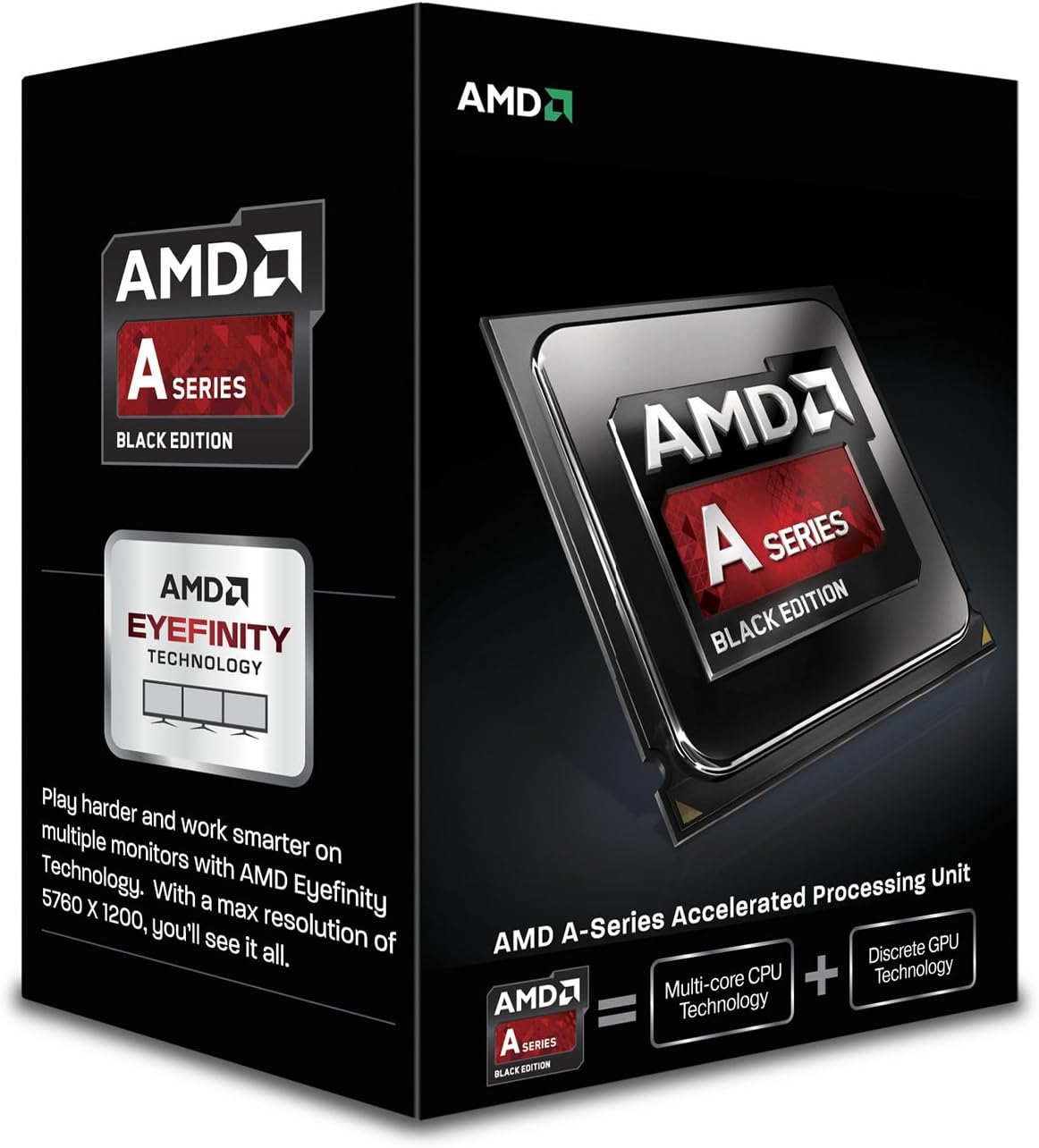
AMD A6 Series Processor 3.9 2 AD640KOKHLBOX
Product ID: 1325147
Details
- BrandAMD
- CPU ManufacturerAMD
- CPU ModelA-Series A6
- CPU SocketSocket FM2
- CPU Speed3.9 GHz
⚡3.9 GHz Dual-Core Speed
🎥AMD HD Media Accelerator
🖥️AMD Eyefinity Multi-Display Support
⚡ Unlock productivity and media magic with AMD A6 – power that fits your pace!
The AMD A6-6400K is a budget-friendly dual-core processor running at 3.9 GHz with AMD Turbo Core 3.0 technology. Featuring AMD Eyefinity for multi-display setups and an HD media accelerator for enhanced video and photo quality, it’s ideal for everyday computing, casual gaming, and media streaming. Its unlocked design offers some overclocking potential, making it a versatile choice for professionals seeking reliable performance without overspending.
| ASIN | B00CPLGFM4 |
| Best Sellers Rank | #1,387 in Computer CPU Processors |
| Brand | AMD |
| Built-In Media | Processor |
| CPU Manufacturer | AMD |
| CPU Model | A-Series Quad-Core A6 |
| CPU Socket | Socket FM2 |
| CPU Speed | 3.9 GHz |
| Cache Memory Installed Size | 1 |
| Customer Reviews | 4.4 out of 5 stars 563 Reviews |
| Global Trade Identification Number | 00899658566798 |
| Item Weight | 0.25 Kilograms |
| Manufacturer | AMD |
| Mfr Part Number | AD640KOKHLBOX |
| Model Number | AD640KOKHLBOX |
| Platform | Windows |
| Processor Brand | AMD |
| Processor Core Count | 2 |
| Processor Count | 2 |
| Processor Number of Concurrent Threads | 4 |
| Processor Series | A-Series Quad-Core A6 |
| Processor Socket | Socket FM2 |
| Processor Speed | 3.9 GHz |
| Secondary Cache | 1 MB |
| UPC | 014444444610 899658566798 |
| Unit Count | 1 Count |
| Wattage | 65 watts |
O**E
Great value.
I'm not a mad gamer, not really a power user, but I have run this processor through a few different uses and I'm impressed. My Box--Ubuntu 12.04. A6-6400k stock fan/heat sink. Corsair CX430 PSU. 8 Gig Kingston 1600 Mhz DDR3. Western Digital Blue 1Tb HDD. Gigabyte GA-F2A85XM-D3H AMD MoBo. Very good graphics on board the A6, no need for a graphics card. I use this mostly as a DAW (digital audio workstation) and so far no issues running KXStudio/Ardour/LMMS. I've ripped some DVDs using Handbrake without any issues. Played some games on Steam--no issues. Runs XBMC and VLC no problems. Plays FTL no problem (not at all a game that loads the APU). Open Arena plays smoothly even on the highest settings. No serious lag issues. Having a few issues getting Gimp to not randomly crash, but I don't think the problem is processor related. One item worthy of note--I have 8 gigs of RAM installed, as seen by the BIOS on start up, though when the OS is running, it sees just over 7 gigs. The best explanation I have found is about a gig of RAM is used/set aside for the GPU. No problems as far as I can detect caused by this... Seems like a great deal for the price. Quite pleased.
T**M
Excellent bang for the buck for HTPC build
Upgraded an aging AM2+ dual core based HTPC wtih this APU with some more RAM (4GB to 8GB), and decent mATX mobo (Gigabyte GA-F2A78M-D3H). Had a discreet GPU with the old system - I allocated 2GB to the integrated GPU (8 total), and so far the hardware upgrade has been flawless. Streams Netflix and Prime videos nicely, plays DVDs / BluRays without any issues. I have not done any gaming on it, but I'm sure it could handle quite a bit of "fun" stuff should the need arise. Pros: - Cheap - Low power - Decent OEM cooling, no need to get anything else - Great integrated Graphics - Works very will with SSD Cons: - Not "top of the line" - Not bleeding edge - Not free (no "real" cons...) UPDATE 2014-12-11: Have been running this APU in the HTPC for just about a month now and everything is working quite well. Ran into snag upgrading to the latest Catalyst drivers -- could not really pinpoint where the issue was, but it's not the APU as it's all working now. Something odd in Windows7 (ended up uninstalling, driver clean, re-installing and lots of reboots - which from experience is NOT hardware related). Now using full HDMI to a Pioneer VSX-824 receiver, and it's working well. Ran stress tests and it never really pushes the APU - it has been handling it's HTPC duties fine and dandy.
F**U
Cheap for it's awesomeness
Once you figure out how to use an nvidia card without it crashing your bios on start up, then it's awesome. The onboard card isn't bad either. Temperatures were high which startled me but realized later that's just how these CPU's work, and bought a 10 dollar fan that brought it down significantly. I didn't try the duel capabilities because I don't like AMD video cards (bad experience in the past..) and I only use Nvidia. A BIOS update and I finally got nvidia to work without freezing the bios :) Now it's beautiful!
N**V
Decent Civ 5 experience
I needed a Windows machine to run Quicken, so why not build something that can competently play Civ 5 while I was at it? So with an eye toward future upgrade-ability, I paired the A6-6400k (stock fan) with the Asus A88XM-Plus/CSM and AMD R9 2400 Gamer Memory. Initial result was an easy boot and OS install and fair gaming experience on standard size maps. But once I clicked a few options on the Asus UEFI to enable GPU Boost and overclocking everything just sort of started to run. 4.4Ghz and 2400 RAM stable. I'm playing standard maps on all High settings with very enjoyable results and temps averaging nicely below 50 degrees C. I built this setup constrained by a budget, and had planned on upgrading later on when I had the $. But given the performance I am getting now, I might not upgrade until the next generation of APU comes along. Curiously (to me, at least) the temp seems to spike when the city states and barbarians are having their turn, and this spike appears to bottle neck the CPU function of the APU, as opposed to the GPU. So I'm thinking the best use of my limited upgrade budget at this point would be an OC capable CPU cooler as opposed to an A10-7850k. (not dis'ing the A10-7850k, its just that I can scrape $35 together much quicker than $175!) This is my first build, so I relate the above as best as I understand it. If there's flaw in my logic/ design just keep the feedback professional. Intel lovers don't be hating, I just can't afford your brand of love.
G**N
An EXCELENT processor with an GREAT price!!
I installed this into my new Asus A88X-Pro Mobo and it is an Excellent Processor to be sure! This processor, in the midst of all the over priced units, stands out as being quite a performer in it's own right. It runs just over 4 GHZ without any board tweeking or boosting of voltages on auto mode: it runs smoothly, has no seeming weaknesses at all, and is an excellent buy for the money paid!! This processor is much under rated and under valued...... that will save you money. From the many AMDs I have used and worked with, this one stands right up there with my 8 chip processor running at 4.1GHZ...... no real advantage to the higher priced units until you really tippi-toe on the egde I guess.... and since I don't go there because......... reliability is paramount to me......... this is an EXCELLENT choice. Enjoy!
M**O
Works Amazingly Well
The "Box" variety of the A-Series APU has all of what you need to do a clean installation of the unit. Heat sink w/fan included, instructions included, Warranty included, one box, that's all. I for one really appreciate a processing unit with useful graphics built-in and this thing at 3.9GHz is fast and even faster when you turn on the turbo feature 4.1GHz. If you really want a bigger bang for the buck, than this if for you. I am presently in the process of torturing my new build with processor heavy loads, a little added heat, and 64 bit programs that froze-up my previous builds. So far this APU is proving to be up-to the challenge. I used a mid-sized tower case, a 450w continuous power supply, 8Gs of memory, an SSD, Windows 8.1 full version OEM operating system, and two case fans. I am a very happy camper indeed.
J**O
Great Chip
At this point in time, this CPU is now a generation old. AMD has released the new Kaveri core earlier this year. I built my PC with this chip and I am very happy with it. I put this on the Gigabyte GA-F2A85X-UP4 motherboard with a Coolermaster Gemini CPU cooling fan and 8GB of DDR3 1600 RAM. It is my everyday PC and the benchmarks are in-line with basic day-to-day tasks. On Geekbench 3, this CPU scored 2172 Single core and 3322 Multicore on the Windows 64bit benchmarks. It scored 2002 and 3140 on Windows 32bit benchmarks. I suppose the best indication of the usefulness of this CPU (its called an APU because it includes a video processor built into the chip) is that I recently ordered the A10-6800K (Richland) for another PC build. Speaking of it being an APU, it is a nice budget-saving feature because I did not have to buy a separate video card. You can, however, use a separate video card if you want to. Overall, you can't go wrong with this for an everyday computer.
C**.
What a deal!
Love it! I've used the amd apu's for customers and friends before. Mostly quads, now this is the second dual core Ive used and It's amazing. All you'll ever need for surfing and movies. I put in some gskill 1866 mem sticks (gskill always works with amd) and the mother board saw it and overclocked itself to run it at 1866. This cpu runs auto at 4.1 with stock heatsink and fan and the mem timings spot on without getting hot what so ever. Gskill 1600 is all you need for surfing and vids, but I went total ssd and plan on buying the radeon 280x vid card so I want my mem to be a lil faster between the two. This is the greatest lil invention for htpc users ever! As for me? If this doesn't cut the mustard with my 280x, then I lost almost nothing with an upgrade to the quad.....that to will have dropped in price. I went this route inorder to have pcie 3.0 for my card. What I'll be using it for is dependent on the graphic card and not the cpu. The motherboards for these cpu's have pcie 3.0 and I didn't want to go near intel at all........way to much!
S**F
Fantastic Value - Highly Recommended!!
OK, they have made a mistake in the description which says it's "quad core" when in fact this A6 6400K chip is a "dual core". It's understandable that someone would be a little let down or upset when the item arrives and it's not what it says on the tin. However, having said that, if you're not aware of what exactly it is that you're buying (no offense intended), then the chances are you will never fully realize the potential of a quad core cpu. It's not a big secret that almost all the games on the market are incapable of taking advantage of four cores. So don't fret and think that gaming or photoshop or even your word processor are going to be sluggish because it has only two cores. It won't. Now, having said all that, I have to tell you that this is indeed a fantastic value for money. It's a "black edition", which means that several of the overclocking features haven't been zapped with a laser at the factory and disabled. It used to be that these features were intentionally disabled to prevent people from destroying their cpu with excessive heat. New safety features built into chips these days will shut down the cpu before it melts so "black edition," cpu's have become a fairly trendy marketing strategy trageted at the the "home builder" who likes to tinker. It runs on 65watts instead of 100+ like it's big brothers, the A8 or A10, so it's fairly "green" and will use less energy. It will run cooler too. The transistors are spaced at .32 nanometers which probably impresses god himself and on top of that it even gives you reasonably good gaming graphics with an 800mhz core running 190 pixel pipelines. You just don't know how good you've got it when you consider what was available two or three years ago. It get even better. If you want to turn it into a real gaming beast then you have the option to spend an additional 50 pounds on a HD 6570 graphics card. You can run both internal and external graphics together. Remember though it has to be an HD 6570. Dual graphics support won't work with any other card except it's little brother the HD 6450. This holds true for all FM2 cpu's. Each cpu is designed to run in dual mode with a specific video card for that particular cpu, so always check to see what cards are compatible before you spend any money. Amd tells you which cards are compatible right on the side of the tin, err, I mean box. The real advantage you get here is to increase your "pixel pipelines". As mentined, this cpu has 190 pixel pipelines so if you add in another couple of hundred with an additional card.. well you get the picture. One drawback though is that none of the HD 6570 graphics card come with DDR5 memory but my impression is that it's not a big performance boost. You'll need to spend more money on an A8 or A10 to get DDR5 graphic card compatibility. So do your research before you spend your money. The graphics cards which support DDR5 memory cost the same as the older DDR3 video cards. Something to consider. Also, as I mentioned before, the graphics in this cpu run at 800mhz. About two years ago I spent well over $150 (usa dollars) on a graphics card that boasted that it could be overclocked to 700mhz. Most of the mid-range cards were still running around 600-650mhz on average. If you wanted 800mhz then you would have to spend at least $350. It had a massive fan that sounded like a vacuum cleaner. My whole computer generated so much heat that I had to leave the side case door off or else it could have very well burst into flames. I wore out the fan on the video card in only 3 months of gameplay. It eventually gave out a noise that sounded like tossing a hand full of kids glass marbles into an F16 jet fighter engine. I should also point out that when you buy this cpu and find yourself in a position to find just the right kind of DDR3 memory for your motherboard, you might be surprised to find that the speed of the memory is limited to 1866mhz. You can install some of the faster memory but it will still be limited. I opted for 8gigs of Crucial, "LT2CP4G3D1869DT1TX0CEU Tactical 8GB Kit (4GBx2), Ballistix 240-pin DIMM, DDR3-1866 PC3-14900 Memory Module by Crucial" I found it here on amazon. I gave it a stellar review. It comes in a totally unique canary yellow. It's beautful looking memory. It can be overclocked but here it runs at 1866mhz maximum. 8 gigs for 60 clams is kinda pricey i'll admit but you have to remember that gaming performance of this cpu will be partially determined by the latency and clock speed of the motherboard memory. The big question is, "how do I set the latency settings in my bios?" I can't help you here. But I can tell you that it's not as difficult as it sounds. If you look in your bios, you'll see that it has a myriad of memory settings, but in fact you'll only have to adjust 3 or 4 of those settings in order to set the latency correctly. I wish could help further but it's beyond the scope of this review. I paired both of these up with a Gigabyte mini-itx motherboard. The F2A88XN-wifi Ultra-Durable motherboard. I always wanted to explore the world of mini-itx and I'm so glad I did as this system is just amazing. The Crucial memory has very short low profile heat spreaders which were necessary to fit next to the cpu heatsink. And this memory is recommended and tested 100% compatible with the motherboard. All and all for 50 bucks this is a fantastic value. I overclocked the cpu to it's factory recommended "turbo speed" of 4.1ghz and then later pushed it to 4.5ghz doing nothing more than increasing the multiplier and it's turned out to be the greatest "bang for your buck" I've ever built. I did however put it back to 4.1ghz as I'm running the stock fan. In the back of my mind I wonder if I should have spent the extra money for an A8 to get a video card that runs DDR5 memory but the cpu runs over 100watts and the power supply in my mini-itx case (like most mini-itx cases) is only 300 watts. So if you're not running mini-itx it's really an option to consider. But I haven't seen overwhelming rave reviews on those video cards so perhaps it's just a bit of hype. It's easy to get carried away when building a computer so I always try to keep in mind the "law of diminishing returns". You reach a point where you're needlessly spending a lot of money for very little performance gain. You have to know when to say "enough is enough." At the end of the day, after purchasing a 21.5" 1080p dvi-d monitor for 80 pounds, the total investment was just slightly over 300 pounds. I feel like I've built a great system that will last me 2 or 3 years. If you find my review useful please indicate by hitting the button! :-) I most certainly recommend this to you without reservation.
C**A
Maravilla a bajo costo
Llego muy rapido el envio y en perfectas condiciones. En si el procesador Trabaja Excelente forma y el discipador es muy silencioso. Lo acompañe con la Mobo ASUS A88XM-E y 4gb de RAM 1333 son una maravilla por el precio. Actualmente jugando HoTs 60 FPS Low, Terraria 60Fps, Minecraft 60Fps, Sims4 30Fps Medio. Recomendado para Gaming LowProfile o para Videos en HD.
M**C
amd a6-6400k
Con meno di 50€ si dispone di un' ottima cpu dual core con scheda grafica integrata, con cui si può fare in pratica tutto ciò che concerne un utilizzo ordinario di un pc ,e anche di più. L'ho installata con estrema facilità (la pasta termica è compresa e già applicata sul dissipatore) su una scheda madre, che recensisco a parte, ASUS A88X-plus già predisposta per upgrade futuri con le nuove APU di AMD (attualmente le top sono le "Kaveri") che acquisterò tra qualche anno e credo ad ottimo prezzo e ottimi risultati. Configurazione attuale: MB= ASUS A88X-plus- CPU= APU amd a6-6400k RAM=Kingston HyperX Fury Memory Blue Memoria RAM DIMM 4 GB 1866 MHz, DDR3, Classe 10, HD primario = OCZ VERTEX 2 SATA 2 SSD 90gb. Vi assicuro che il pc è MOLTO FLUIDO E PERFORMANTE, dà impressione di grande potenza ed è anche MOLTO SILENZIOSO, Credo che queste APU associate a memorie veloci e di qualità lavorino meglio di molte CPU Intel e con un notevole risparmio. Sono veramente soddisfatto
Y**G
Buena relacion calidad-precio
Lo tengo en una placa ASRock FM2A88M-HD+ con 4 GB DDRAM3 Kingston Hyperx Fury a 1600 Mhz, con Windows 8.1 64 bits y va bastante bien, al menos para ofimática y navegar por Internet, que es lo que suelo hacer, es una manera de tener un Pc de bajo coste con un rendimiento más que decente, además te ahorras tener que montar una tarjeta gráfica, puesto que la que lleva incorporada es mas que decente. Un detalle importante a tener en cuenta, al menos a mi así me pasó, es a la hora de montar el disipador, puesto que yo le he dejado el que venía con el procesador, pues es que viene con la pasta térmica ya aplicada. Yo lo monté así y se me calentaba un montón, no sé si la pasta que traía era de pésima calidad o qué, el caso que tuve que volver a desmontar, limpiar el disipador y aplicar pasta térmica medio decente, ahora no se calienta, lo he monitorizado varias veces y no sube de 35 º C aproximadamente (si vas a darle mucha caña con juegos y eso suelen recomendar un disipador más potente), pero para un uso normalito no está mal el disipador y ventilador que trae. El ventilador es silencioso y controlado automaticamente por la placa base, lo dicho, que si no le vas a dar mucha caña, no hace falta comprar otro.
T**D
AAAAAAAA+++++++
AAAAAAAA+++++++
Trustpilot
3 weeks ago
2 weeks ago