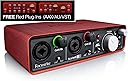
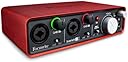
🎶 Elevate Your Sound Game with the Scarlett 2i2!
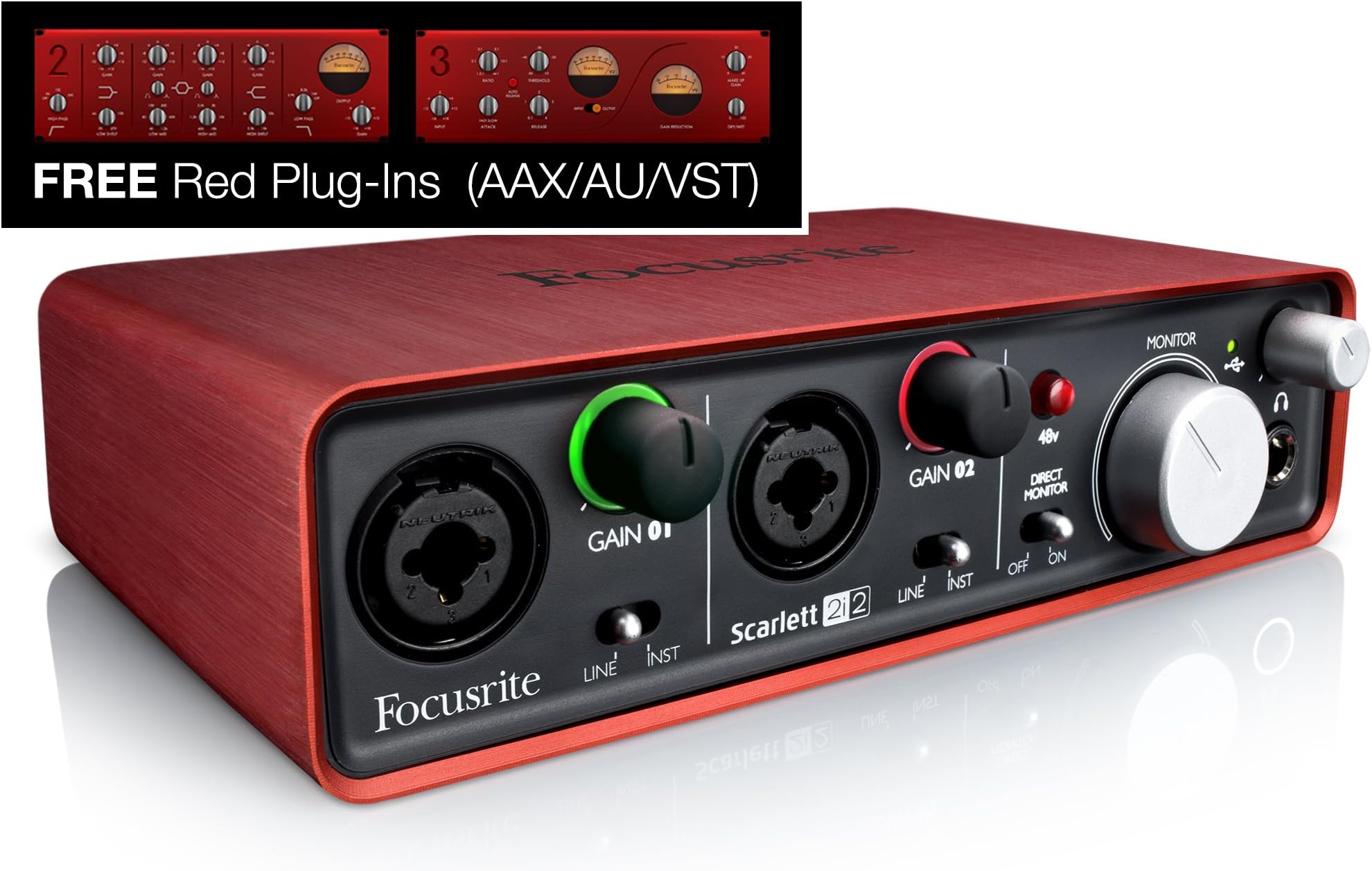
The Focusrite Scarlett 2i2 (1st Gen) USB Recording Audio Interface is a high-performance audio interface designed for musicians and podcasters. It features high-quality mic preamps, excellent digital performance, and a rugged metal unibody case, making it both portable and durable. The package includes an authorization code for Ableton Live Lite and a suite of premium plug-ins, providing everything you need to start creating professional-quality audio.
| ASIN | B005OZE9SA |
| Audio Input | XLR, Instrument |
| Best Sellers Rank | #136,077 in Musical Instruments ( See Top 100 in Musical Instruments ) #872 in Computer Recording Audio Interfaces |
| Brand | Focusrite |
| Brand Name | Focusrite |
| Compatible Devices | Personal Computer |
| Connectivity Technology | USB |
| Customer Reviews | 4.5 out of 5 stars 1,449 Reviews |
| Global Trade Identification Number | 00815301008170 |
| Item Weight | 2 pounds |
| Manufacturer | American Music and Sound |
| Manufacturer Part Number | SCARLETT2I2 |
| Maximum Sample Rate | 96 KHz |
| Model Number | SCARLETT 2i2 USB |
| Number of Channels | 2 |
| Number of Items | 1 |
| Number of Packs | 1 |
| Operating System | Windows, macOS |
| Supported Software | Ableton Live Lite, Focusrite Studio |
| UPC | 815301008170 133587589580 |
| Unit Count | 1 Count |
| Warranty Description | 2 years. |
D**H
High quality construction, easy to use, no problems whatsoever
After several months of intermittent use I have no complaints whatsoever about this audio interface. It does exactly what I need, and from all the ones I looked at seems to be a great value for the price. The construction is really nice - the case (red part) is smooth and feels high quality. All the controls are easy to operate and turn nicely. The driver was easy to download from Focusrite's website and install, in my experience. So far I mainly use it to play my electric guitar through amp modeling software (Guitar Rig) on my computer. If you're going to do this, you might experience noticeably high latency in the software until you lower the buffer rate in the Focusrite Audio Control Panel. At least that's what I had to do. My latency in Guitar Rig was around 50ms at first - definitely noticeable while playing, to the point that it threw me off. Once I lowered the buffer rate from 10 to 2 my latency dropped to around 12ms, which isn't noticeable to me. I got the 2i2 specifically because it provides phantom power to microphones that require it. I don't use it yet, but it seems like it'd be silly not to have that. The "direct monitor" switch on the front is useful sometimes, too. I saw some audio interfaces that didn't have either of those features. While I probably wouldn't buy this audio interface to use only as a computer soundcard, I do enjoy having it even just for listening to music/watching videos on my computer. I feel like I can tell a difference in sound quality vs when I had my speakers/headphones connected directly to my motherboard. It's also handy having the volume knob right on my desk within arm's reach - quicker and easier than changing volume in Windows or on my speakers. Plus I get to look like the world's most simple DJ. Oh, and I switch back and forth between my computer speakers and headphones by swapping which device is plugged into the 2i2 headphone output port - faster than going into the Windows audio menu and changing the default device, in my opinion. And you get the nice, tactile feedback of unplugging/plugging in audio cables. All in all, I'm very pleased with my 2i2 and will probably go with Focusrite again if I ever buy more gear in the future.
C**K
Full Video Review of the Scarlett 2i2
The Focusrite Scarlett 2i2 is a 2 input, 2 output XLR amp that plugs into via USB to a computer. I upgraded to using it about 4 months ago and I'm glad I did. If you're using an XLR microphone or instrument to record onto a computer, this is a perfect entry level pro amp to start with. It has two XLR inputs on the front, which you can manually control the gain of individually. These gain controls also show the colors that correspond to the peak levels of your audio. Green, Amber, and Red. Setting It Up To set it up, you run your XLR microphone, in this case my Heil PR-40, into port #1. Then turn the gain to roughly 2 or 3 o clock, switch direct monitor to on, plug in headphones (using a 1/4 to 1/8 stereo headphone jack adapter) to monitor yourself. Lastly, just plug in the USB cord into the back of your Scarlett and your computer. Now you're almost ready to record. Using it for Both Input & Output When using the Focusrite make sure to set it for the input and output device for my system (which on a Mac you can easily do by option clicking the volume icon). This way all of computer's sounds will go through the Focusrite. I do this all the time actually, specifically because that little hiss sound you get in your headphones when no sounds are playing on your computer doesn't happen with the Focusrite. Skype Settings Now, you won't be able to properly monitor yourself unless you turn the volume way up on the Focusrite, which when you're talking to someone over Skype, may make them extremely loud. To fix this, go into your Skype settings, then to the Audio/Video tab and turn down the Skype volume. You can also do this by pressing option + command and the up and down arrow keys. Mono Check Depending on what application you're using to record, input 1 and input 2 may both come through as mono left and right. So double check that you've changed the settings in your app to dual mono before exporting the file. 48 Volt Power I co-hosted a Google Hangout on Air and also recorded a quick interview via webcam with Pat Flynn using the Focusrite and two lavalier microphones, and the Audio Technica AT899 lavaliers that I use need external power or a battery to run. Luckily this Focusrite can provide 48 volt power through the XLR ports. Monitor Speakers Another cool feature of this Scarlett 2i2 is that you can plug in Monitor style speakers (which means they are higher quality and havezero latency so that what comes out of them doesn't get picked back up by the microphone). The plugs on the back aren't your typical RCA outputs though. They are ¼" TRS Jack outputs, so make sure the monitor speakers you buy have those inputs. Some monitor speakers that I'd recommend are either the M-Audio Studiophile AV 40's or the KRK Rokit's. Final Thoughts That's it for this review. I really like this Focusrite. It is sleak, small, sexy, and sounds great with my Heil PR-40. For just over a hundred dollars I highly recommend it. If you're interested in picking it or anything else I mentioned up, links to them all are above. For more gear recommendations from me, including all the equipment I used to make this video, go get my free gear guide. http://calebwojcik.com/gear Other equipment mentioned: Heil PR-40 - http://amzn.to/1pLK83B Audio Technica AT899 - http://amzn.to/1m8NaZS 1/4" to 1/8" Stereo Headphone Jack Adapter - http://amzn.to/1u1uW1S M-Audio Studiophile AV 40's - http://amzn.to/1fqdRdX KRK RP5G3-NA Rokit 5's - http://amzn.to/1fqdRL0 For the full transcript + links to items mentioned in this review, read the full post » http://calebwojcik.com/blog/focusrite-scarlett-2i2-review
E**X
Top quality, very easy to use, LOVE IT!
This interface takes two XLR or Line In inputs and, well, outputs them to either separate (left and right) channels via USB and Line Out or two separate mono tracks via USB. It requires no external power other than that USB A to B cable, yet can still deliver 48v Phantom Power and a strong output to a pair of monitoring headphones. Did I mention it’s really small, too? 48v can be turned on or off with the push of a button, you have volume control knobs for monitoring microphone input and audio playback via the USB ASIO driver, and you can even turn off direct microphone monitoring. The Scarlett 2i2 is built quite nicely with a lovely red, or Scarlet metal made to look like brushed aluminum, nice rubber no-slip feet, and even has a Kensington lock. Don’t let me forget the audio quality itself - the interface provides a super clean and great-quality signal to your recording software. It’s flexible in allowing either dual mono streams or left and right track stereo recording. This is perfect in my studio where we have co-op recording but need the ability to balance and process the individual microphone inputs separately. We have a Rode Procaster dynamic broadcast microphone and a Behringer C-1 condenser microphone hooked up to the interface. It has no trouble providing Phantom Power just to the condenser mic and not affecting the Dynamic. Best of all, when I need to do solo recordings, I can just turn off the Phantom Power and record in mono without having to worry about any noise coming from the other microphone. The secondary output - the line out - is also pretty clean, and very loud. We have this running to our second pc rig, and we’re able to do so and record with it as if it was the main machine! This is not something we’ve been able to do with any of our previous mixers or interfaces without many ground loop isolators to remove electrical interference and quite a hefty amount of noise removal. Depending on the 1/4" to 3.5mm adapter I use, the headphone jack can feel a little loose and wobbly sometimes, though I’ve not noticed this to cause any sort of audio feedback or glitches. The headphone monitoring for microphone input is very very quiet. My dynamic microphone requires my Gain to be set pretty high (around 80% or so rotation), but even with the dynamic mic and Condenser mic active and us talking loud into them, it’s very hard to hear the monitor loopback. I literally have the knob turned up to 100%. Audio playback from the computer over USB is incredibly loud, however. (I recommend using the CloudLifter CL-1 or similar pre-amp with this interface.) Also, the Scarlett 2i2 uses a very specific driver, which isn’t compatible with all software. I’ve not ran into any deal-breaking issues yet, but to record and monitor efficiently, I need to have Adobe Audition set to ASIO mode for the FocusRite Scarlett driver, which records from the interface and plays audio back to it. This is great and convenient when I am strictly recording and editing audio - for voiceover sessions or commentary, but when I’m editing audio while also editing video and doing other things, switching headsets around can be quite frustrating. Overall, the FocusRite Scarlett 2i2 is an amazing audio interface. I had all but given up on getting clean audio from my setup, but I threw a few dollars at this product and gave it a try, and it has been nothing but amazing to me.
B**S
The best inexpensive+simple audio computer interface?
Purchased to provide professional level I/O for recording from mixers etc. Works very well for that purpose; also and probably especially useful as location recorder with just a laptop and condenser microphone(s). The bus powered connection is as simple as it can possibly get, and the package is about the size of a fat paperback book. Inputs provide for microphone(phantom powered or not), instrument, balanced line on TRS, and balanced line on XLR connector. Tested with bass and guitar via instrument input also sounded very good indeed, and dead silent. Output of high quality material also sounds superb ... and compares well with other very high quality gear. Everything about this unit is a cut above the units from its competitors in this (crowded) price point. Though lacking lots of the I/O and routing options you get with more expensive units, this device, unlike most other products in this price range, has a quality feel to its enclosure, jacks and controls. Drives headphones, even inefficient ones, to satisfying levels cleanly. The input controls have a helpful feature wherein if you have set things too "hot" the color changes briefly to red -- helpful to bring your attention to your proper metering (in SW) to adjust your levels. Re computers and drivers: almost all the tests went well. On two laptops running Windows 7, installed the latest drivers from the focusrite web site and initial tests of playback and recording went great. One of these recorded perfectly also. The other, which has a core 2 duo processor (FWIW), had issues recording properly, and no matter which of the three possible usb drivers were installed, and I tried them all, this problem remained. So, for certain windows laptops, you may want to hang onto the receipt until you verify proper operation throughout. This issue is why four starts rather than five. On a happier note this interface "instantly worked", with absolutely no installation, on a linux desktop running ubuntu studio 12.04 "precise". So for linux users this may be a very attractive option. Lastly documentation and bundled software is "light"; this is fine if you know what you are doing but it would not hurt focusrite to provide a bit more substance in their user guide for novices connecting various types of gear - guidance re best practices etc. But this is a nit -- overall a superb value provided your computer interfaces happily.
A**N
PIP PIP CHEERIO, FOCUSRITE!
I purchased this interface because my aging 2008 mac pro was getting a bit snippy about running my even older M-Audio 1814 Firewire interface. In fact, I think Avid stopped writing new drivers for that old M-Audio device about the time my mac was purchased. I wasn't thrilled to replace the old gal but I got over 10-15 years of near daily service out that thing. I was reluctant to try the Scarlet 2i2 but based on many excellent reviews and the Focusrite reputation, I thought this could work for me. And it did! Installation on my mac was dead simple. Open the box, remove the interface, plug in the USB cable and bingo! I was up and running. Logic Pro recognized the hardware without incident and I recorded a voice over project the next day. Comparative to my previous recordings, there was no audible difference. So I tempted fate, reduced my latency sample rate from 512 to 256 and changed my preferences to record at 196k/24bit. Amazing. Not a single pop or stammer. I'm not putting out a higher quality product with no discernible strain on my aging system. Tech heads will want to know that I'm running a 2008 mac pro early version with 3.0 processors and Yosemite installed. I have not yet used the included plugins with any regularity but my tests showed them to be excellent quality and easy to use. I am very pleased with this purchase. If I could make any negative comment, it would be that I much prefer to have cable connections on the back on an interface. For a desk top unit, this helps keep the cables and clutter to a minimum on my desk. As a portable unit, this thing is perfect for a laptop based set up. It's compact and lightweight form factor make it easy to dump in a bag and carry to gigs. The pre-amps are excellent and the value is outstanding. I may buy a second one to dedicate to mobile recording...
C**I
Read Good Reviews and after purchas was not Dissapointed
Really like this unit. I hesitated to buy for some time, but glad I finally did. I also have the Roland-Octacapture which is superior in sound quality and input/output options, but the Octacapture is at a radically different price-point so that is understandable. My problem was that I use many different softwares to prototype music. Many demanding software programs demand exclusive use of the Octacapture. Although the Octacapture has 8 inputs and outputs, those inputs and outputs are all physical electrical ins & outs. It is a different story when we consider USB-inputs and outputs, the digital ins & outs. Turns out that the Octacapture, with it special patented cutting edge technology can only accept ONE USB-input and output at a time. It refuses to share when the client software is a heavy-hitter like Cakewalk-Sonar, PG-Music-Band-in-a-Box or ImageLine-FL-Studio or such. I have found that, with minor client software, the Octacapture has no issues with multiple clients or in other words multiple USB-inputs/outputs. However, this means when I run Sonar, I cannot not run Band-in-a-Box simultaneously and output them both through the Octacapture. This led me to want a second Audio Interface which is this Focusrite Scarlett 2i2. This unit is very good and I am happy that I discovered it by reading these Amazon Reviews like this one that I am writing. That is why I am writing this one. Because the Scarlett 2i2 is not as complex as the Octacapture, it does not have the same problems hosting more that one software client even if they are the heavy-hitters. But I do not have to do that because now I have more than one USB-digital output anyway. The sound is great, not up to the Octacapture standard, but not in the same price-league either. The Scarlett 2i2 is stable, never have seen it crash or glitch out. The sound is clean. Happy I bought it.
A**T
Wow.
Wow. Ok, first off, this took me less than 10 minutes to work, from cutting open the box it was shipped in to actually recording through it. It was such a breeze. Works GREAT in Reaper. What I really want to say though is that the preamps in this thing sound amazing. I've owned some decent preamps before, and just earlier this week, I was recording in a pro studio using a neumann u67 through a avalon 737. Last night I compared those recordings to a recording I made through a SP C1 (ebay: $150-180 I think) and this little scarlett 2i2, and without question, the C1>Scarlet combo sounded better. More present, more clear. I thought I was crazy so I did a blind test with a few friends, and 3 out of the 4 liked the Scarlet more than what I did in the $75/hr studio. Of course, recording engineering and what sounds pleasing to our ears is subjective, so take it as you may, but good heavens. I am sold on this thing. Personally, I have owned the DMP3, FMR RNP, and a DAV BG1. The preamps on this sound better than any of them in my opinion. Or maybe the SP C1/Scarlett combo just has some magical synergy. Don't know, don't care. All I can say is that for the first time ever, I am really satisfied with the sound I am able to produce in my home studio. Just as a side note too: Don't be fooled into thinking that pricey gear is always better than cheaper gear. I sold my Bluberry mic ($1,000) because my SP C1 (~$250ish new) sounded at worst as good, and at best, better.
D**V
Incredibly clear!
The focusrite 2i2 was one of a handful of interfaces in the $150 price range that I looked at, and I finally decided on it due to the massive popularity. It was definitely not a bad move! The signal is crystal clear and the direct monitoring is amazing after previously having to monitor through software which was much less reliable. I do however have a couple cons. Before the 2i2, I was using the ASIO4ALL driver on my Win8.1 PC. Everything worked great, and the midi delay was so small that it was virtually nonexistent. Once i got the 2i2 and installed the focusrite driver, I noticed there was a slightly longer delay with my midi keyboards. I'm not a professional and didn't anticipate that, and would have possibly considered the 2i4 which has midi built in had I known about it. Luckily this slight delay is insignificant enough that I don't really care; I only really notice it at all when I switch between asio4all and the focusrite driver. My second comment is that the levels seem a bit low sometimes for certain microphones, specifically my shure SM58. The signal to noise ratio is low enough that this isn't really much of a problem, but I often feel like the gain knob could go a little higher. The interface works very well for mics, clean guitar, and bass. I see some reviews saying people experience clipping with their guitar signal but in going directly from the guitar to the input, I haven't really had a problem. I use the 2i2 for all the audio coming from my computer now, in both recording, or just watching videos/ listening to music. I certainly recommend this product if you want great clean audio from a recording interface in the $150 price range
A**B
Great interface for both the beginner, and the user whom requires mobility.
As it was fulfilled by Amazon, the product was shipped and delivered at a very speedy and efficient (but safe) way. No damage was inflicted on transit. The packaging was subtle but very easy to open and the items inside were well-contained. The interface itself is beautiful, easy to clean, and sturdy. The pads on the bottom are extra helpful for grip and keeping the interface positioned how you would like it to be. Knobs are easy to use and move without resistance on the outgoing volume for monitors and headphones, so adjustment is easy. XLR and line in inputs I have found to have some resistance, but only to the point where it allows you to be precise and accurate in the ingoing gain you'd like for your microphone or source. The grip on these knobs is appreciated as well to compliment the resistance and make it still easy to control without slipping. The overall interface is very simple and easy to understand, while simultaneously providing splendid sound transferring to your computer system (or other) as if it was a much more expensive product. The size of the interface makes it the go-to for mobility, transportation, and diversity. Everything you need for recording audio to your DAW right there, and it can fit in the majority of bags and possibly even some pockets of coats and such if you tried, for the always busy and travelling musician, engineer, vocalist, producer, or band. The plug-in and effect packs (Red and Scarlett) that come with the 2i2 are extremely helpful for the beginners in music who would like to take their sound to the next level. As far as latency goes, listening to the on-board feedback for inputs is immediate without delay both in monitors and the headphones. I do notice a very small delay doing the same in a DAW compared to the interface, although there are many factors that can go into account here. This interface is bus-powered and runs USB 2.0, but I think the small sacrifice is an okay price to pay for the otherwise top notch quality of this product in the price range for beginners and moving users. Focusrite continues to prove themselves with their line of interfaces in the audio world, and I am for sure glad I made this purchase. Looking forward to upgrade some day to an even more advanced interface by them. Thank you!
A**R
Excellent, great value interface
I had to buy a new USB interface to replace my old firewire one when I realised my new Alienware laptop doesn't have a firewire port After reading all the reviews I went for this one and I'm glad I did, audio quality is excellent for the price, even when just playing music mp3's through it I was impressed with the greater clarity it produces compared to the onboard sound. Used with a decent set of headphones (I use the Sennheiser HD598 - [...]) it produces a greater soundstage and really brings out detail in the music that you don't notice with the onboard chip. My wife doesn't usually appreciate audio quality but when I passed her the headphones to have a listen to an mp3 through the Focusrite Scarlett she said "wow I could really get lost in that" which is high praise coming from her ! Used with Cakewalk Sonar it copes with a latency of 5ms with no problems, not quite as low as the 2.8ms I was using with my firewire interface, but certainly plenty low enough for my purposes Recordings from microphone are very clear My only gripe is that if I close my laptop, when I reopen it and it wakes up from sleep mode the sound is horribly fuzzy and distorted and I have to unplug the interface from the USB socket and plug it back in again to reset it. It's a very minor irritation though, knowing what Windows is like with sleep mode issues it's no doubt Windows / driver related. Incidentally the same thing happens if you try to use the interface for the first time having just installed the drivers without doing a re-boot. I spent ages trying to work out why I was getting an awful distorted noise from it then found out all that was needed was a re-boot after installing the driver software - the software doesn't actually prompt you to. Oh and it looks superb too - matches a treat with my red laptop, and feels very sturdily built.
A**Y
Ottima scheda audio!
5 stelle perche questo prodotto soddisfa in pieno tutte le aspettative! Solida è la struttura dell'oggetto in questione, necessita soltanto di un filo per alimentazione, già presente nel pacco. Posso dire che è molto semplice ed intuitivo, basta infatti solo collegare la scheda al computer o al mac, configurare l'output tramite dispositivi di registrazione ed è fatta. E' possibile anche aumentare o diminuire i volumi dei strumenti collegatbili, come: la tastiera, chitarra acustica o elettrica, microfono ecc. Un mixer di facile utilizzo permette di gestire tutto il lavoro senza riscontrare difficoltà. In contemporanea si possono collegare due periferiche esterne. Consigliato molto a chi cerca una scheda audio a buon prezzo ma con caratteristiche avanzate. Registro le mie tracce con questa scheda e un microfono Rode NT1A e devo dire che mi sto trovando davvero bene..
F**F
Guter DAC mit gutem Mikro Eingang
Habe mir den Scarlett 2i2 geholt zum anschließen meiner Kopfhörer und meinem Rhode NT1a. Hauptsächlich bin ich Gamer und höre viel Musik am PC. Kopfhörer die ich daran betreibe: MMX300 mit 600 OHM Impedanz, AKG 702, Beyerdynamic T90 und den Beyerdynamic DT 1770. Für das MMX300 so wie auch AKG 702 brauchte ich leider einen extra Kopfhörerverstärker um auf eine angenehme Lautstärke zu kommen, klanglich arbeitet der DAC aber sehr gut, einen Stern für die geringe Ausgangsleistung werde ich nicht abziehen, da diese vom Hersteller auch angegeben war und ich wusste das ich evtl einen Kopfhörerverstärker extra benötigen werde. Mein Rhode NT1a klingt am Scarlett einwandfrei, kein Rauschen. Win Volume steht bei 100 % und de Mic Eingang ist auf 3/4 aufgedreht. Um im Spiel zur Kommunikation und zum aufnehmen das Mikro wie ein Stereo Mic verwenden zu können, verwende ich ein XLR Y Kabel. Siehe Bild. Die Lautstärkeregler für die hinteren Monitor so wie auch für den Kopfhörer Ausgang arbeiten ohne knistern beim verstellen der Lautstärke. Daher weil das Gerät einfach perfekt arbeitet 5/5 Sternen, das einzig negative wäre das der Kopfhörerausgang scheinbar nicht bombenfest verlötet ist. Aber ob das ein Problem sein wird wird die Zeit zeigen, vor allem glaube ich nicht das ich betroffen sein werde, da ich zum anschließen meines KHVs die hinteren beiden 6,35 MM Klinkenanschlüsse für rechts und links nutze. Außerdem gibt es ein Problem mit dem Win Schnellstart welches sich aber sehr leicht beheben lässt: [...]
C**N
perfecta para homestudio
plug & play. La uso con mac y ni siquiera necesita drivers. La característica de direct monitor para reducir latencia está genial La única pega que le pondría es que los knobs de volumen son de rosca y no hay manera de saber exactamente a qué ganancia grabaste algo luego de haberlos modificado para grabar otra cosa.
Trustpilot
2 weeks ago
1 month ago