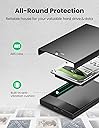
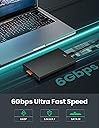
🚀 Unlock lightning-fast storage freedom—your data’s new best friend!
The UGREEN USB C Hard Drive Enclosure is a sleek, portable solution that converts any 2.5" SATA SSD or HDD into a high-speed external drive. Supporting USB 3.1 Gen 2 with 6Gbps transfer rates and UASP acceleration, it ensures rapid data access and backup. Compatible across Windows, macOS, Linux, and gaming consoles, it features tool-free installation, EVA foam shock protection, and supports drives up to 6TB, making it the ultimate upgrade for professionals seeking reliable, fast, and versatile storage expansion.
| ASIN | B0851B6TCC |
| Best Sellers Rank | #857 in Enclosures |
| Brand | UGREEN |
| Built-In Media | 1 x USB C to SATA External Hard Drive Enclosure 1 x USB C Cable 1 x User Manual |
| Color | Black |
| Compatible Devices | Laptop |
| Customer Reviews | 4.6 out of 5 stars 7,684 Reviews |
| Data Transfer Rate | 6 gigabits_per_second |
| Hard Disk Form Factor | 2.5 inches |
| Hardware Interface | USB 3.1 Type C |
| Hardware Platform | Windows |
| Item Dimensions L x W x H | 5.27"L x 3.21"W x 0.62"H |
| Item Weight | 0.13 kg |
| Manufacturer | UGREEN |
| Memory Storage Capacity | 6 TB |
| Mfr Part Number | 80556 |
| Model Number | 80556 |
| Product Dimensions | 5.27"L x 3.21"W x 0.62"H |
| Supported Devices Quantity | 1 |
| Unit Count | 1 count |
R**I
Perfect & Cool product
My laptop main board is gone. This enclosure helped me to recover my data from my 2.5 hard drive by using USB-C from another PC. All the partitions in this hard drive is shown as multiple drives in another PC. Works great! Portable and easy to use. Great value.
P**R
Fast Data Transfer, Perfect Snug fit for SSD's
The data transfers to this device are wonderful and work just as the specs state. I use it for a backup SSD, and as a way to copy drives. The inside has a left and right foam bumper that gives the SSD a snug fit - this foam will help with anyone that still uses mechanical drives as it helps reduce vibration and damage to the drive if dropped. Once the enclosure is popped on, it will not pop off easy - great product!
B**Y
Works great
Works great
T**N
2 for 2 keepers
I have used the Ugreen USB 3.1 Gen 2 (version 1) with good results. The Enclosure is a very simple device (it should be!) that is easy to install the SSD into, and once that is done just plug into a USB 3.1/3.2 (10 GPS) cable and port and go. The 10 GPS is more than is needed for the 6 GPS SATA interface, but it does ensure you get the best performance (throughput wise) for the SATA SSD device. There are quite a few of these devices available, and I have tried several others with limited success. Many times you will find problems with USB disconnects, odd performance differences for read and write, windows not ejecting/releasing the drive for clean removal, BSOD in the middle of a benchmark, etc. Now I have both the version 1 and the newer version 2 of the Ugreen enclosures, both have worked flawlessly thus far, none of the above problems!! Performed many benchmarks, stress tests, plugin->eject->unplug->plugin cycles with never an error. I am either lucky or this is a very good enclosure. Just a note: I actually prefer the version 1 of the enclosure. Looks better, easier to open and insert a drive, the activity light is on top so you can see it, and performs the same as the version 2.
J**E
UGREEN USB C Hard Drive Enclosure, USB C 3.1 Gen 2 to SATA Adapter for 2.5" SATA SSD HDD 6Gbps
I needed an enclosure and this fit the bill. I'm using it as an external hard drive with a Sansung SSD. Seems to be fast on read / write. It was a little hard to open to install the drive, but since I really don't want the cover to be loose and open on its own, I'm fine with a little hard to open.
K**A
Connected to a Win 10 laptop with zero issues using USB C
Really push down on the end as instructed and it should come apart, I mean really push! First time I thought I would never get it open, but I was being way to nice. This is about as easy a drive install as you could ever have, the drive fits snug between two bits of foam to give it some isolation with spinner drives, and protect them as well. The speed improvement from what I had before was way better using the same WD black drive out of my old laptop. Connected to a Win 10 laptop with zero issues - comes with cable and enclosure and instructions.
C**.
Works perfectly and keeps the SSD in place
The case is nicely made and sturdy. It comes with a tab to easily open it. Inserting the SSD is pretty straight forward and it just works right away. I saw no issues with loose connectors and everything is working fine.
S**.
Works great, easy install
Seems about perfect. Just removed the HDD from the laptop, removed the plastic rails from it, and proceeded to figure out how to open this neat little case. It slides open. Slides all the way like a drawer. When paired with a quality short high speed usb-c cable data transfer speed seems really fast still- like it was still in the laptop. Can't ask for more, at least for my purposes.
J**P
La forma más barata y sencilla de montarte un NAS casero
Buscaba una carcasa que fuera totalmente estable para dejarla conectada 24/7 al router y usarla como servidor de archivos (NAS) sencillo, y la verdad es que esta de UGREEN ha superado mis expectativas. Muchos otros adaptadores que he probado se desconectan al entrar en reposo o dan errores de lectura cuando el router intenta montar la unidad, pero esta carcasa va fina desde el primer momento. La he conectado al puerto USB de mi router y la reconoce instantáneamente, permitiéndome acceder a mis archivos desde cualquier dispositivo de la casa sin complicaciones. Lo mejor para este uso: Estabilidad: La conexión es sólida y no me ha dado ni un solo error de montaje hasta ahora, incluso dejando el disco encendido todo el día. Plug & Play: Es conectar y listo. Si tu router tiene soporte para gestión de discos vía USB, no vas a tener ningún problema con esta caja. Diseño: Es compacta, no se calienta en exceso y, al no tener tornillos, si algún día necesito sacar el disco para otra cosa, tardo literalmente cinco segundos. Un consejo técnico: Si la vas a usar para lo mismo que yo (como NAS conectado al router), os recomiendo aseguraros de que el disco que metáis dentro sea un SSD si queréis que el acceso a los archivos sea fluido y no tarde en "despertar" al entrar al router. En resumen: Si estás buscando una forma económica de tener tus archivos accesibles en red sin gastarte un dineral en un NAS dedicado, esta carcasa combinada con un SSD/HDD viejo es la solución perfecta. Por el precio que tiene, no le puedo pedir más. Producto 10/10.
N**1
SATAのSSDに
他のパソコンのアップグレード等で余ったSATAのSSDに利用しています。他にも安価なのはあるけど他社のを使用していて突然死した事もあるので信頼できそうなこの製品にしました。今のところ順調です。
C**P
Works with my phone and tablet
This has been a great upgrade from my old microUSB 3.0 hard drive caddy. The caddy is easy to open as it's held closed by tension instead of screwed shut. The hard drive fits firmly in place, and the USB C connectivity leads to faster transfer speeds. The USB C to USB C cable has increased its functionality as now I can connect it directly to my phone and tablet, as well as my laptop now. Conclusion: The build quality and transfer speed make this easily worth the £16.99 price.
H**E
Perfect
Great item for my small hdd. Working great in Linux Mint, Apple and Win.
A**R
Ok for data transfer. Useless for gaming and OS.
Poor performance, slower than an usb-a to SATA 3.0 cable. Half the performance on random memory access. Performance are ok as advertised if you're moving large chunks of data, but extremely poor when reading/writing small data (which matters if you're gaming from the disk or even OS operation).
Trustpilot
2 weeks ago
2 months ago