Desertcart purchases this item on your behalf and handles shipping, customs, and support to Finland.
๐ Elevate your DIY game with the ultimate Raspberry Pi starter kit!
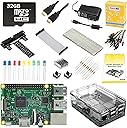
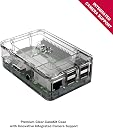
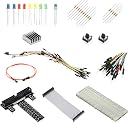
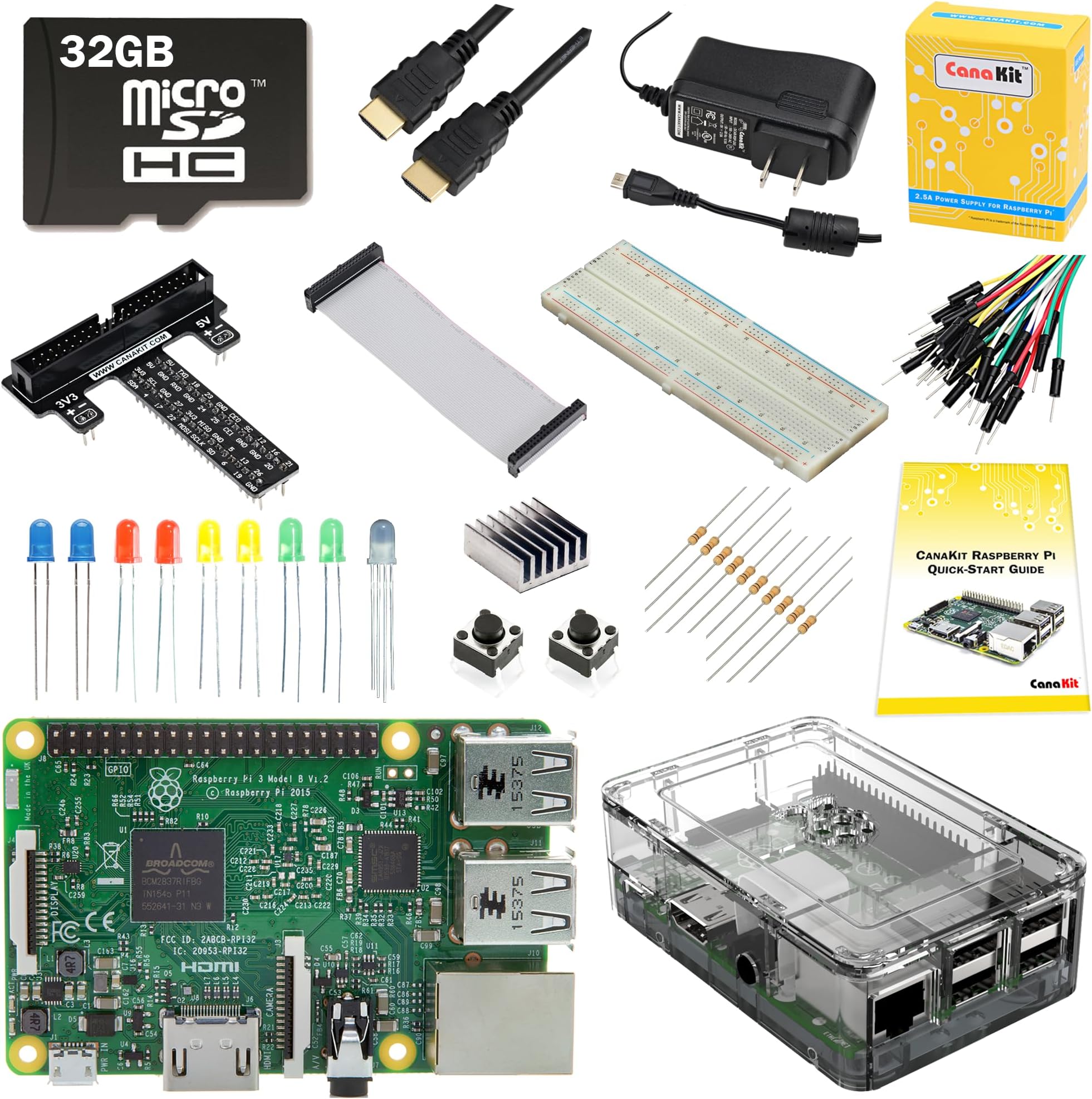
The CanaKit Raspberry Pi 3 Ultimate Starter Kit (32 GB Edition) is a comprehensive, ready-to-use bundle featuring a quad-core 1.2 GHz Raspberry Pi 3 Model B with 1 GB RAM, pre-loaded 32 GB Class 10 MicroSD card, on-board WiFi and Bluetooth, and a full suite of electronic components including a breadboard, jumper wires, LEDs, and push buttons. Designed for makers and professionals, it includes a noise-filtered 2.5A power supply, high-quality case, heat sink, and detailed guides to ensure a smooth, powerful, and versatile prototyping experience.
| ASIN | B01C6Q4GLE |
| Best Sellers Rank | #2,419 in Single Board Computers (Computers & Accessories) |
| Brand | CanaKit |
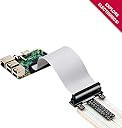
| Built-In Media | Pi 3 (RPi3) Model B, 32 GB MicroSD Card pre-loaded with OS, CanaKit 2.5A Power Supply with Noise Filter (UL Listed), Raspberry Pi 3 case, Display Cable (6.5 feet cable), Heat Sink, CanaKit GPIO to Breadboard Interface Board, GPIO Ribbon Cable, Full-Size Large Breadboard, 32 x M/M Jumper Wires, 10 x M/F Jumper Wires, RGB LED, 2 x Red LEDs, 2 x Green LEDs, 2 x Yellow LEDs, 2 x Blue LEDs, 2 x Push Buโฆ |
| CPU Speed | 1.2 GHz |
| Compatible Devices | breadboard projects |
| Connectivity Technology | GPIO, HDMI, USB |
| Customer Reviews | 4.6 out of 5 stars 543 Reviews |
| Item Dimensions L x W x H | 9.5"L x 7.6"W x 2.1"H |
| Item Weight | 1.3 pounds |
| Manufacturer | CanaKit |
| Memory Storage Capacity | 32 GB |
| Mfr Part Number | 99151 |
| Model Name | RPi3 |
| Model Number | 99151 |
| Operating System | Raspberry Pi OS (possibly Raspbian) |
| Processor Brand | Broadcom |
| Processor Count | 4 |
| Processor Speed | 1.2 GHz |
| RAM Memory Installed | 1 GB |
| RAM Memory Technology | LPDDR2, LPDDR3 |
| Ram Memory Installed Size | 1 GB |
| Total Usb Ports | 2 |
| UPC | 682710991511 |
| Wireless Compability | Bluetooth |
W**H
Wow - great little computer for using / experimenting
Enjoying everything in this kit - my introduction to the amazing Raspberry Pi. Includes just enough documentation to get you going - the website has good information available. Have downloaded the Arduino IDE and been able to compile and flash those boards as well. It would be nice if a better browser ran (at least I haven't figured out to get that yet), but I am able to watch movies, browse the web, program in Python, view photos and videos from a camera (not included); mostly do things you'd expect on a - well - "regular" computer! And even able to 'blink' a LED and input a switch button too! The prototype board is very nice, and interfaces well with the kit. The box lid needs a rubber band to stay on with all the cables coming out, but without camera or prototype board it is fine. I've put in a 32Gb memory chip which is tons of space for activities (at least at this point it is). I have used a TV with HDMI input to get the video, and re-purposed an old iMac keyboard and Logitech usb mouse for the input - worked with no configuration at all, out of the 'box'. I've run two variants of OS on it without issue. Great fun if you enjoy this stuff. Go for it!
D**N
I'm developing a taste for Raspberry Pi
I actually built myself a Heathkit H-89 computer back in the early 1980s. It took at least a month and involved a lot of coding to get it to do what I needed. It ended up costing over $3000, including a 9-pin dot-matrix printer and an extra floppy drive unit. It paid for itself in a couple of months. Now, 30 years later, I thought I'd liven up retirement by going hand-to-hand with a computer again. So I bought a CanaKit Raspberry Pi 3 starter kit and had it out of the box and working in under an hour for less than $100. I'm delighted with the way the RPi Foundation manages to combine sophistication with simplicity in the computer and delighted with the quality and design savvy of the kit components from CanaKit. I'm amazed at the amount of available software and the imagination and playfulness of the projects and how easy it is to find help and tech support (not that I've needed any yet). I want to thank everyone involved for giving me something to take my mind off politics and furnish me with plenty to keep me cheerfully busy through the winter.
G**S
Great Pi Starter Kit
Typical for CanaKit - the hardware is top-notch, the packaging is excellent but the documentation is always 'a little light'. Still, that is far better than most microcontroller parts and kit sellers so CanaKit gets 5 starts for this product. The 'Pi' is the Raspberry Pi 3. I've been an Arduino fan (and Netduino fan) for years. This is my first foray in to Pi hardware and Pi software. Because of past experience with CanaKits, I chose there kit for getting my feet wet in Pi development. Everything I needed was in this kit. I like the breakout cable, connectors and layout. There was some issue over GPIO numbers (documentation was 'light') but trial and error soon set me straight. The bootable Micro SD card allowed me to easily install Windows 10 IoT. Talk about lack of documentation. Microsoft provides no hardware information to go with their 60 some code samples. I did not know Linux (Raspbian) was still using the circa 1980's command line to do most things. Today on a smart phone you can touch to focus, touch to shoot stills or video but with Raspbian you type and type and type some more to operate the Pi camera. Thanks to this great CanaKit I learned a lot about Raspberry Pi. It's not for me but I'm pleased with my CanaKit.
J**R
Great assortment of items, clear documentation, and exceptional service. And a TIP for WiFI connection problems (read).
An outstanding assortment of accessories for the RPi experimenter. Clear, well-written instructions (color, in proper grammatical English, with photos no less!), items are individually packaged, with all the accessories and extras a beginner needs. The company even followed up with a courtesy email after a week, asking if there was anything I needed. To me, that is exceptional service! This is a thoughtful assortment of items - a nice breadboard (with bank bridges already installed- wow!), some microswitches, some LEDS, the GPIO breakout board, some large color resistor charts, a micro-USB adapter, a FAST class-10 microSD card preloaded with software, power supply, video cable, a sturdy case for the Rpi (though there is no slot for a camera -- you'll want to cut a slot for the ribbon cable to pass through). It's everything you need to get started, from a company that knows what it's doing. Very pleased. 5 Stars. NOTE: If you are having difficult getting your RPi3 to connect to a WiFi network, this is the solution: First, Ensure your wifi is not on channels 12 or 13 (in your router setup). Next, run "sudo apt-get update && apt-get upgrade", "sudo apt-get -y dist-upgrade" to update debian, then "sudo apt-get install rpi-update" followed by "sudo rpi-update" to update the firmware to the latest. Click on your network icon in the toolbar, select your network, enter your WiFi password ...and all should be well. :)
R**H
The only kit to buy!
I have been actually using my raspberry pi for about 1 month now. It is fantastic for learning coding. The Cana kit was definitely the correct choice for a starter kit. It comes with just enough hardware as far as breadboard and cables to get you playing around and learn the basics on how the circuitry and software communicate. What I didn't like about the kit was there was little instructions on have to setup the raspberry and as a result I turned to YouTube. And then the case has some loose tolerances. It works and stays together but the three pieces have a couple millimeters of play. Overall I will buy this kit again as gifts to friends and my dad.
L**N
Pi2 but so much better
Better than 5 stars. the Pi 2 was 5 stars and this is only better. No need for a wifi dongle, faster bootup, and still endless projects. Bought this so my little cousin could start getting hands on with computers (beyond ipads). I'd recommend printing off directions or buying a 12$ book off here so you have something they can visually follow along with as you go. So far so good. Got some LED's to turn on and off via command line (make sure cathode and anode are on the proper side or itll frustrate the lil ones) and starting coding our first python game. Great value and cool toy to get kids into computers. I own 2- Pi2's and have used them for everything from security cams and arcades to home media centers and coding practice, this is an updated pi2. If you want to do something on one of these, literally google "how to (insert what you want to do) on raspberry pi" and countless forums will have the info. Ill be buying another one, but the barebones model without the added project options.
Y**R
Awesome starter kit
My immediate goal for purchasing this kit was to set up a DIY Alexa enabled device, soon to be followed by projects in the connected, smart home space. While I could have used an old PC, the Raspberry Pi has such a small footprint that I practically hid it somewhere between the TV and media center. To complete the project, I purchased VAlinks(TM) Mini Flexible Plug and Play Home Studio USB Mic Computer Microphone for PC Laptop and Mac Chatting, Skype, MSN, QQ, Yahoo Recording Compatible with Windows 7 / 8 / 10, Mac os, Raspberry Pi and XBOOM Mini Portable Capsule Speaker with Rechargeable Battery and Enhanced Bass+ Resonator - Black . Set up was really easy. The Canakit website has a helpful video for inserting the Pi inside the case. The included SD card has the NOOBS software that helps install the Raspbian operating system, or choose among a few other specialized operating systems. Raspbian Jessie (latest version as of Nov 2016) installation is a breeze and the Pixel desktop environment is refined and clean. The Pi has 4 USB slots and one 3.5 audio jack. WiFi is built in. Adequate cables (including HDMI), resistors, jumper wires, LEDs, switches, heat sink, breakboard, etc. are plenty to get started. I will definitely add to this review as I make progress.
S**.
Highly Recommend skip buying a Raspberry Pi 2 and go for the 3 Now
This is my 1st Raspberry PI and friends told me this is the one to get Raspberry Pi 3 with Wifi and Blue Tooth on Board. The included 32G SD card made it easy to set and get running. The Canakit Quick Start Guide gave execellant instructions. Read the guide twice before connectioning the Included Power suppply. I put the Clear Case Round the RP3. Then I connected a powered USB Hub I had then plugged in my USB Mouse and Keyboard to powered Hub. Inserted SD Card. Attached a HD 24 inch TV with the included HDMI Cable. Then turned on the power to the TV selected the HDMI input. Finally after everything else was connected then I plugged in the 2.5 amp power supply to the RP 3. I watched as the Raspbrian OS was installed.. Within a few minutes I had function Raspberry PI 3 with GUI up and displaying. Explored the Menu and some Command Line inputs.. Yes having been a Unix Admin in past life helped me go faster but the Raspberry Pi for Beginners book I had purchased months before had also helped. With out reading the instrucitions I pulled the Menu down to connect to the Internet. I noticed some activity in the upper right hand corner of the screen. I clicked on the icon was promted for my Verizon Home WiFi access password entered it. Typed in gmail.com on the brower address line and was prompted for my Gmail user name and password. Enter them and was ready to send my 1st email from my new Raspberry Pi in less than 45 minutes after opening the box. I highly recommend getting the New Raspberry Pi 3 skip the Pi 2 and the extras . With the Pi 3 having the WiFi built in i's snap to use.
Trustpilot
5 days ago
1 month ago