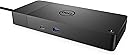
⚡ Power your productivity with the dock that means business.
The Dell WD19S Dock is a professional-grade USB-C docking station delivering 130W power, dual 4K monitor support via HDMI and DisplayPort, 6 USB ports, and Gigabit Ethernet. Designed for seamless single-cable connectivity, it boosts productivity with fast charging and a modular design that evolves with your tech needs.


| ASIN | B08XNH3BR6 |
| Are Batteries Included | No |
| Best Sellers Rank | 1,984 in Computers & Accessories ( See Top 100 in Computers & Accessories ) 15 in Docking Stations |
| Brand | Dell |
| Colour | Black |
| Computer Memory Type | DIMM |
| Customer Reviews | 4.1 4.1 out of 5 stars (12,257) |
| Date First Available | 27 Feb. 2021 |
| Guaranteed software updates until | unknown |
| Item Weight | 585 g |
| Item model number | WD19S |
| Manufacturer | Dell |
| Number of HDMI Ports | 1 |
| Product Dimensions | 20.5 x 9 x 2.9 cm; 585 g |
| Series | Dell Dock, WD19S, 130W |
| Wattage | 90 watts |
M**A
Amazing. Turned out better than I expected.
First off - unfortunately it is poorly advertised (and marketed on the box) as a 'dock', which isn't true. In the traditional sense that you don't 'dock' the laptop into it and it therefore doesn't provide power to your laptop. I knew this from the off so it didn't come as a surprise. It is purely a gadget into which you plug your devices and displays allowing you to connect to everything via a single USB cable into your laptop. That said, it works great. I was apprehensive at some of the reviews but honestly, it's flawless so far. Before I continue, my laptop: It's a Dell Ultrabook with 8GB RAM with a Corei5 CPU. I read somewhere (I'm sure it was on the Dell site) that it recommends a Core i7. That seemed a little odd to me and thankfully that isn't the case. Setup: Download the Windows 10 drivers from the DisplayLink website. The ones Dell provide on their site didn't allow connected monitors to work in Windows 10. If you do install them by mistake however, Windows 10 should show a pop-up that you need to update the drivers. Once I'd run the DisplayLink driver installer and rebooted, everything came to life. I have 2 23" 1080p monitors connected. You need to go into display settings and use the box that lets you drag the monitor positions around. Once you have that set up, you're away. I also have a stereo amplifier plugged into the device and my audio is now much better as my laptop output jack was playing up previously. People mentioned display lag: For me there is none at all. I'm pleasantly surprised at how flawless it all is. I use a Lenovo X1 Carbon at work (expensive ultrabook) with a Lenovo device which does a similar job to this D3100 and I get lots of display lag on that. Tip: Turn off the Windows 10 screen 'snap' system. It's buried in settings under System > Multi-tasking > Snap (or search snap in the start menu). Otherwise every time you drag a window onto one of your external monitors, the window will try to snap into place at the bottom of the external screen. FY: I haven't tried the displayport connection or 4k and I'm not using the wired ethernet port so I can't comment on the performance of those. I have 2 1080p monitors connected via HDMI, a stereo amp via 3.5mm jack, a mouse and an external hard drive and all work perfectly. No screen lack or dodgy connections. I'm over the moon that I went ahead. I used to have a gaming PC connected up and sadly it's now so old and my laptop is much faster. This device has at least made my laptop a good device to use at my desk.
J**E
Months of frustration resolved by this piece of kit.
First, some background.. I have a high performance Dell 7510, Xeon processor, 64GB ram, 4k screen with M.2 SSD's it is the bomb.. It also has 1x HDMI and 1x mini Display port. Despite all this, when connecting my 2 x 4k wide screen monitors directly from the laptops HDMI and Display Port I can never ever get the colours on both looking right. HDM and Display Port will give different colours and contrast, you need to have both HDMI or display port. I even got an adapter to go Display port to HDMI so they was both connected via HDMI. But this was also no good. I spent months frustrated with poor image quality, colours and ghosting on the text. (yes all my drivers was up to date) I plunged for the USB 3.0 HD Triple Video adapter. (I refuse to call it a docking station as you do not dock the laptop on it) This small piece of kit is simply amazing, Before plugging in the adapter via USB, first visit displaylink.com and download the latest driver for your OS. I then plugged in the the adapter and plugged both my monitors, 1 with HDM and one with Display Port. Oh know!... I still have crap looking screens... But Wait.. this adapter has 2 HDMI ports so why not try going directly from HDMI to HDMI.. I connected both monitors via HDMI, the max output gave me 1920x1080 on one monitor and a max of 2560×1440 on another. You can only output 2560 on one monitor. This was fine for my needs, I use the higher resolution for photo editing and the other screen for emails and docs etc.. What was so perfect was the fact (despite different screen resolutions) I finally had 2 perfect matching screens both showing the same colour and contrast / brightness with no ghosting what so ever! If my laptop had 2 HDMI ports then I would not have needed this so if you are in the same position or similar then do not hesitate to try this. To sum up, The HDMI ports are full HDMI, there is no midi HDMI. The Display port is also a full display port not a mini display port. The extra USB 3 ports come in hand as does the network port. Get it.. It just works..
M**N
Easy to set up but only drives one 4K display
I used this on a Windows 10 pro Dell M3800 laptop and wanted to use it with two 4K Samsung U28E590 monitors instead of the laptop display and 1 monitor. It feels like a quality product and is easy to set up (just go to Dell website and download driver before connecting). My only disappointment was that I missed the fact that it can't support two 4K monitors at the same time, only a 4K on one port and lower resolutions on the others. I had looked at several and by the time I found "Ultra HD Triple Video" thought it supported up to three 4K monitors. Well, it does, but not with them actually at 4K. It's true that had I downloaded the spec first or read all the questions the information was there but I think the description is misleading. As far as its specification goes, it works well, I use the USB 2 and 3 ports and the Displayport to a 4K monitor running at 3480x2161 plus an HDMI port to another 4K monitor running at 2560x1440. I gave 4 stars based on the 5 for quality and working smoothly but 3 for description.
M**A
Ich benutze das Dock für 3 verschiedene Laptops, einen älteren precision, einen älteren latitude und einen aktuellen precision. Das Dock funktioniert prima. Das Kabel ist etwas kurz aber sonst ist alles prima. Dell halt. Es ist sogar ein gutes Netzteil dabei. Das steam Deck funktioniert auch prima an dem Dock und auch iPad wird erkannt.
S**N
Works really well with my two monitors and was very easy to setup.
Y**Y
Very fast delivery. Work good.
S**N
Worked perfectly.
K**N
I bought this device in June 2023, DELL offered 3 year Basic warranty on this product. It died in 2024 (after 1 year) and got it replaced in Warranty, Replacement took 45 days.. Now in 2025, it again died. I am chasing DELL support for a replacement. 1. Disappointing Product Quality. 2. Disappointing Customer Service. 3. Not worth for the Cost. Considering the Cost, Quality and Service Experience, I'd not recommend any DELL products.
Trustpilot
2 months ago
1 month ago