Buy anything from 5,000+ international stores. One checkout price. No surprise fees. Join 2M+ shoppers on Desertcart.
Desertcart purchases this item on your behalf and handles shipping, customs, and support to Finland.
🎬 Edit smarter, not harder — the ultimate speed boost for your creative flow!
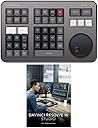
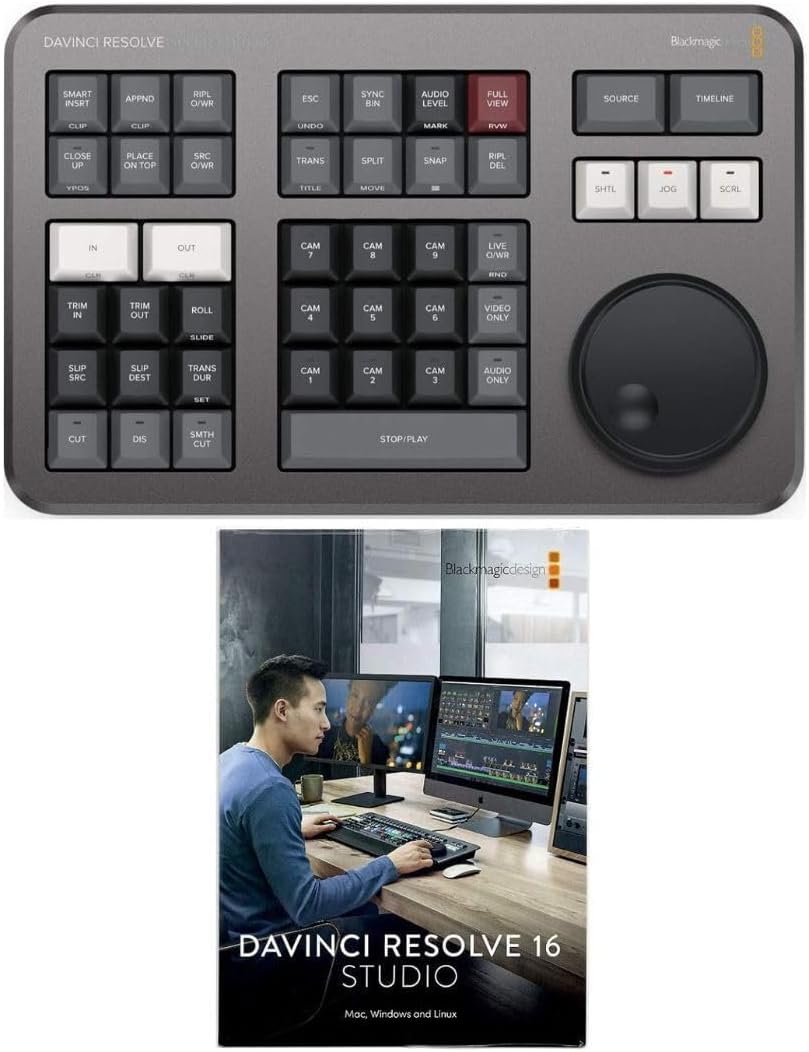
The Blackmagic Design DaVinci Resolve Speed Editor Pack combines a compact, high-quality editing keyboard with a precision search dial and Bluetooth/USB connectivity, powered by a built-in rechargeable battery. Bundled with DaVinci Resolve 17 Studio software featuring advanced AI color grading and audio tools, it delivers a professional-grade, portable editing solution that accelerates workflows for both seasoned and emerging video editors.
| ASIN | B08QLN4ZZN |
| Antenna Location | Video Editing |
| Box Contents | USB Cable |
| Brand Name | Blackmagic Design |
| Button Quantity | 17 |
| Colour | Black |
| Compatible Devices | PC, macOS, Windows |
| Connectivity Technology | USB |
| Customer Reviews | 4.7 4.7 out of 5 stars (612) |
| Enclosure Material | Plastic Metal |
| Generation | 17 EU |
| Hand Orientation | Ambidextrous |
| Item Dimensions L x W x H | 31L x 25.7W x 17H centimetres |
| Keyboard Backlighting Color Support | Single Color |
| Keyboard Description | Wireless |
| Keyboard Layout | QWERTY |
| Manufacturer | Blackmagic Design |
| Mechanical Keyboard Switch Model | Tactile Mechanical Switch |
| Model Name | DaVinci Resolve Speed Editor Bundle |
| Model Number | DV/RES/BBPNLMLEKA-K2 |
| Number of Batteries | 1 |
| Number of Keys | 17 |
| Number of Sections | 1 |
| Power Source | Battery Powered |
| Product Features | Backlit |
| Series Number | 17 |
| Style Name | Modern |
| Switch Type | Tactile |
| Theme | video editing |
| UPC | 783079144775 783079144782 |
| Unit Count | 1.0 count |
| Water Resistance Level | Not Water Resistant |
F**Y
Shockingly good
Since the price of the Studio license is around €300 I was expecting this to be a cheap flimsy bit of tat thrown in as a sweetener. I couldn't have been more wrong. It is a sturdy, weighty, professional piece of kit which oozes build quality. It makes editing a joy and you can see that the Davinci software and hardware people work closely together to make an amazing end product. Something a lot of other companies could learn a lot from!
R**N
Very well built
I'm still very new to video editing, and most tutorials teach you how to do everything in the edit page, but this device is designed for use mostly on the cut page which I was initially resistant to. However, I quickly discovered that with this device editing is quicker on the cut page. The device itself is also well built, the wheel is smooth and the keys do not feel light and cheap. Overall, a great addition to great software.
M**.
Game changer
I'm so glad I added this. It makes the cut page make sense and I now do the bulk of my editing in there. Fast, efficient and fun
D**E
Definitely helps
Definitely makes editing more speedy. Nice well built Keyboard with good layout. Practice Practice, and the keyboard will become second nature.
C**L
MERVEILLEUX, j'adore et les touches sont silencieux et tendre au toucher, je n'hésiterais pas en racheter un autre, donc le recommande
P**A
Great device and totally worth the money - came in a bundle with DaVinci's studio version, which alone is sold for $300. I'd recommend the speed editor to anyone looking to save time and optimise their editing process. It takes some time getting used to, but once you build these new brain-to-hands connections, it's a game changer and saves you tons of clicks. Arrived on time and securely packaged.
A**T
Reçu dans les temps. Produit conforme
A**O
envio rapido ,llego antes de la fecha de entrega , buena compra
G**H
After seeing a lot of Youtube videos about the Speed Editor, and wanting to get into video editing myself, I was convinced, "I've GOT to get me one of these!!!!" I found the Speed Editor bundled with a software license for the Studio version of Davinci Resolve. It was Amazon Prime Days, and so I was able to buy it at about $150 less than the advertised price. That was too sweet of a deal to pass up! It was delivered to my house the very next day! A lot of people have suggested when first learning how to use Davinci Resolve, that you skip the cut page and go straight to the edit page. It is my opinion that if you are first getting started with Davinci Resolve and wish to have one of these Speed Editors, that you do the exact opposite; Start by learning the cut page first instead of the edit page. This way it will probably be much easier to get used to the speed editor once yours arrives. The edit page has great features, however it's easy to become spoiled and you might be hesitant to switch over to the edit page. Old habits can be hard to break out of. The speed editor DOES work with SOME of of the features on the edit page, but it was designed to be used in the Cut page. That's where it shines. It is designed to work exclusively with Davinci Resolve, and probably won't work with any other product. This is probably not a gadget you can learn how to use in just one session. It may take some time to learn what all the buttons do, and to become used to using the scroll wheel. I've used the old school clunker VHS video editing consoles that have the left and right shuttle knobs. The Speed Editor shuttle knob has a completely different feel compared to those old VHS consoles. Unlike the consoles which have spring-loaded shuttle knobs that return to the center position after you rotate and let go, the Speed Editor knob turns freely, and will rotate all the way around. You can spin it. It has no click or indentation feel, there is no "center" position. This takes some getting used to. There are three different speeds for the control knob. I'm still learning the different ways to trim and edit clips in the cut page. For example, when to use the "place on top", "trim in", "trim out", "roll", "slide", "split", etc. It can seem overwhelming and confusing at first. Best suggestion is to simply open up Resolve, go to the Cut page, load some footage, and just play around with it. Experiment and learn as you go. Also there are lots of tutorials on Youtube about this product. It will connect via bluetooth OR you may connect it to your computer via the USB "C" cable which was included. (If your computer doesn't have a USB "C" jack, you may get an adaptor cable.) After playing around with this gadget for a few days, I'm really starting to like it. I love how the control knob feels, and how quickly I can navigate across the timeline and clips. Even my cat is fascinated by the control knob LOL Heads up; keep your kitty away from it, because, like I said, the wheel moves freely, there's no click/indentation feel, and it's quite sensitive. I like the multi-cam features, and the ability, with the press of a button, to turn on or off audio or video on individual tracks. The in and out buttons are large, making it easy to use without having to look down to see where your hands are placed. This is a well-built quality device. I think this gadget is well worth it, and is a good investment, whether you're just getting started with video editing or have been doing it a while.
Trustpilot
1 week ago
3 weeks ago