Desertcart purchases this item on your behalf and handles shipping, customs, and support to Finland.
🚗 Diagnose smarter, fix faster — the future of DIY car care is here!
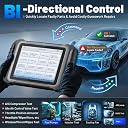
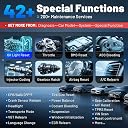
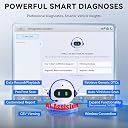
The XTOOL D8S is a professional-grade bidirectional OBD2 scanner featuring an 8-inch touchscreen, AI-assisted diagnostics, and topology mapping for full-system vehicle analysis. Powered by a Quad-Core 1.8GHz CPU and a 5000mAh battery, it supports 42+ service functions, ECU coding, and works on over 10,000 vehicle models with 3 years of free software updates, making it ideal for both DIY enthusiasts and professional mechanics.
| ASIN | B097R8Q122 |
| Automotive Fit Type | Vehicle Specific Fit |
| Best Sellers Rank | #66,381 in Automotive ( See Top 100 in Automotive ) #369 in Code Readers & Scan Tools |
| Brand | XTOOL |
| Brand Name | XTOOL |
| Customer Reviews | 4.4 out of 5 stars 577 Reviews |
| Included Components | D8S Tablet Scanner*1, D815 to OBD2-16 Main Cable*1, Power Charger*1, Charger EU*1, Charger US*1, Charger UK*1, USB 3.0 Cable*1, Tool Carrying Case*1, User Manual*1 |
| Item Dimensions L x W x H | 10.78"L x 1.33"W x 6.89"H |
| Item Highlight | 42+ Resets, ECU Coding, Topology Mapping, PMI, All System OBD2 Scanner for Car, Pre & Post Scan, FCA/CANFD/DoIP |
| Manufacturer | XTOOL |
| Manufacturer Part Number | XTOOL D8S |
| Manufacturer Warranty Description | 2 Years Warranty |
| Model Number | D8S |
| Number of Items | 1 |
| Operating System | Android 10.0 |
| Power Source | Battery Powered |
| Product Dimensions | 10.78"L x 1.33"W x 6.89"H |
| Screen Size | 8 inches |
| UPC | 789605296895 |
B**N
D8s was able to determine the reason for my crank no start on 2002 Chevy Silverado 2500Hd duramax
Reading the reviews I decided to give this scanner a try, I got the scanner and was able to set it up and download all the updates in about 15 minutes. The quality seemed very good and the case and how the tablet sits is rather satisfying to know my investment is protected. Got it hooked up and went through different features, there is a lot that I will need to learn the complete functionality of the tablet. I even reached out to xtool about the features provided for my vehicle and they responded by the next morning. The topology feature is quite nice to look at and get an idea of how much is going on, the built in search that takes you straight to related topics in the web is rather astounding, so far it’s got more features than the 5000 dollar snap on tablets I had been borrowing from my coworkers, so I’d say the value for what you pay is probably higher than a lot of other products. The interface is very simple as well. I think my only gripe thus far is it is definitely more geared towards foreign rather than domestic vehicles. But the features for my Chevy are still plentiful. The kick stand on the back makes it so you can set the tablet on your steering wheel while you work so you can multitask. The battery came charged and charged while you have it plugged into the vehicle so there is no need to consider battery life compared to other devices if your purchasing a diagnostic tablet. The case on the tablet itself is also cery robust and simple. And it’s a good feeling holding it, it makes you feel rather proud to own it jsut in the satisfactory way it looks and feels to using it. The code list also can be paired with a technition website like all data in the web browser so you can switch between the diagnostic program and the web program and go through diagnostics in a simple manner, and you can connect to hot spots without any issue when your outside or in an area without WiFi available. With the type C outlet I hooked my phone to it and had it charge from the tablet to keep it from dying with the hotspot on and the tablet battery didn’t even take a hit while hooked to my truck. It gave live readings while the motor was cranking over telling me what’s going on. I could control multiple different devices in my vehicle to see if my BCM was being connected to and communicating with the vehicle itself. The cable is easy to store and put back into the foam cut out in the case when your done giving you a hassle free storage, I will say tho undoing the tablet side screws and the obd2 adapter screws isn’t the most efficient way to make the cable, but I think it has something to do with foreign vehicles so it’s neither here nor there. I would recommend completely powering the tablet down tho as I have heard it making sounds within the carrying case which could be draining the battery so now I just keep the shut down while not in use instead of simply hitting the power button. All around, for the price and what you can get from other tablets in the budget range on YouTube reviews, it’s a good tablet all around
V**.
A critical tool if you want to DIY modern cars
I purchased the D8S because I was frustrated in not knowing what was causing the error messages on my 2024 Ford Ranger. All these errors were with the various control modules and my old OBD scanner was not able to help. Despite being marketed to professional techs, I found the D8S very easy and intuitive to use. The on screen instructions were easy to understand, and allowed me to start scanning my Ford within 30 minutes of unboxing. What was a welcome surprise was that the on board battery was already charged to 40% which allowed me to get to work right away. You will need a wi-fi connection to do the initial setup and to create a user account. The code that was set, was related to the 'terrain management' module and it really put me to ease knowing that this was not a serious issue and I can continue driving my car. This was a huge time saver since I know I don't have to bring it in to the dealer right away. A welcomes surprised was the AI assistance provided with each DTC code. This feature provides a starting point to understand and diagnose a trouble code so that you don't have to go in blind. In exploring other functions, I found that this device provided a wealth of live data that updated very quickly with my inputs to the car. A constant battery voltage meter for the car's electrical system is a great addition since it provides me with real-time indicator the car's 12 volt system. In addition, you will get 3 years of updates included with this device. Once a update is selected, it will download and install automatically. If any update or diagnostic function is taking up too much space, you can delete it if you are not using and download it later. At this price, I think this provide tremendous value.
M**G
Amazing bi-directional scan tool for the price! Worked great for 8th gen civic!
I'm the family mechanic and I pride myself on my ability to properly troubleshoot and fix my families cars while saving cash and ensuring the job is done right the 1st time! I purchased this tool primarily because I needed to clear stored learned data in the PCM/ECM on a 2006 Honda Civic EX (Sedan), but also because I've been wanting a bi-di diag tool for years! I called multiple shops in my area, including the Honda dealer to get this simple task completed. The two independent shops I called could not help me. One said their "Launch" brand diag tool was broken and awaiting warranty repair. The other shop didn't even want to attempt the job since I had done a lot of recent service work on the vehicle myself. The dealership service department claimed this year/model Honda didn't support such a feature. They wanted $200.00 just for a system diagnostic before they would even recommend a solution. Nothing but incompetence and I was beyond irritated at this point and done asking others to do the job. I found out about XTOOL through various YT car channels I follow as well as recommendations and discussions on vehicle forums. I decided to give it a shot after reaching out to XTOOL sales asking which model supported the feature I needed for the PCM/ECM stored data reset/clear on a Honda. I received a response within a few hours and purchased the D8. Out of the box, the system came nearly fully charged and was easy to get setup. I downloaded all the updates, which took about an hour (over 100 packages!). It connected straight up to my Honda and communicated with the PCM/ECM without issue. Right away I noticed this tool is fast! It scans fast and the menu navigation has little to no hesitation. I was able to quickly access the feature I needed to clear the data, literally took a few seconds to sort through the menu system and follow the process. Afterwards I was able to properly execute the idle relearn (10 minute procedure after vehicle is warmed up) and verify it was successful by monitoring the live data on the D8. All told, about 15 minutes of actual work at the vehicle. About 5 minutes to warm up the car and clear the data and another 10 minutes to complete the idle relearn (I was quoted $200 from the dealer for something that should take 15min!). The Honda Civic now idles smoothly where it should (670RPM) and shifts into D and R without surging. No more 800+ RPM idle, no more 12-15mph creep while in D without touching the gas! This is an amazing tool for the price. Nearly every feature I have used so far works great. Keep in mind not all vehicles support all features or actuation tests so your mileage may vary. That being said, most late model vehicles are heavily computer controlled, this tool will most likely be able to handle the troubleshooting task you need. Support for older vehicles (1997-2002) will most likely be minimal. I tried the tool on a 2000 Acura RL and it had very limited capabilities. Not because the tool is bad, but because the vehicle is so old. So far I have used this tool on a 2006 Honda Accord (4dr), 2008 Acura RDX, 2007 Toyota Tundra, 2016 Toyota Corolla, 2006 Nissan 350Z, 2014 Dodge Ram, 2006 Honda Civic EX (4dr, one in my story), and 2000 Acura RL. I have been able to communicate with all the vehicles without issue. I did notice some odd behavior on the 2000 Acura RL, but I suspect again because that vehicle is old, back when OBDII ports were still a new thing. In summary, give this tool a shot! I think you will be happily surprised. With a few more uses, it will more than pay for itself!
M**E
Very good tool for what it is capable of
Diagnostic tool: XTOOL D8 (Wired Not Bluetooth) Test Vehicle: 2004 Yukon I bought my XTOOL D8 some time before this review, and that was so I could test it enough to do a proper review. I was not in a position to test it on any issues but was able to go through it enough to see how it will be better at diagnosing any issues then a basic OBD II code reader can ever do. The device was on sale is what made my decision, finally got to that point that I felt I would need one soon and bought this XTOOL D8 These tools are hard to find exact information for the reason that so many vehicles and different configurations are out there. Though for the functions they should have a better break down and description detailing its full capabilities for that option. What it can do as well as cannot do with a particular function. The first time I used it, I was impressed – to see all the modules that my truck has. Becoming more familiar with the menus and recommend to anyone to first explore the tool menu and functions regular so when an issue does arise you spend less time trying to navigate – it is very detailed in what you can see with your vehicle. I would have liked more programing options or special functions at this price like being able to READ more vehicle Pin Codes for adding extra key but probably why the higher models are more expensive. Over-all I am happy with my XTOOL D8, I'm sure it will pay for itself. RATING: Cost: 4/5 Construction: 5/5 Support: 4/5 Function: 5/5 Quality:5/5
N**3
Xtool D8S: Detailed Video Review - Great Value for a Great Scanner from a Great Company!
XTool D8S Review: I was in the market looking for a Bi-Directional Diagnostic Scanner for my DIY car garage. I knew what cars I had at home and didn’t want to pay extra for bells and whistles that really wouldn’t apply to my needs. I did my research and came across the XTool D8S. For me, it seems so far to do everything I need on my cars and a whole lot more. Below are the pros and cons that I have encountered (so far) from this great device. First, while in the process of doing my research for a Bi-Directional scanner I contacted a couple of different companies’ support teams with various questions about their products. XTool’s support team did such an excellent job replying to several of my emails very quickly and with prompt and detailed answers. They gained my trust, and I felt that this was a company that would stand behind their products. Secondly, the 3 years of free updates that comes with the device and the 2 years of warranty was also a big selling point for me. This way, I knew that if I had issues with the software or hardware, their support team would be there and provide help down the road (if I needed it). Lastly, after I received the D8S, I realized how sturdy and well built the device is. It has a large 8-inch screen, a fast Android 10 operating system, new topology layout, a Quad core CPU, and software that will pretty much do “almost” everything a home DIY car mechanic would need from a Bi directional scanner. I ran the auto scan and found a few errors on my machine. I have included a photo of it. This device really can compete with scanners twice its price and hold its own and I love the Topology structure system representation in the software. I have created a lengthy 20+min informational “box opening” video review of the device (uploaded in Video section of product page with NG33 name). Take a look at it if you are in the market for an auto diagnostic scanner. I do not think you will be disappointed with this D8S model or other XTool products. Also, if you have any questions about what tests this scanner can complete on your specific cars, do not hesitate to contact their support team via email and ask your questions before making the purchase. I will update my review as I further test this product in the future, with regards to how it holds up over time and my experience with the company. So far, it has been great!
C**7
Best scantool ever!! Great customer service too.
I own a shop and bought this scanner a yr ago. Its my fav scan tool now. The full system scan feature is priceless and ive been able to successfully use all features including new module and key programming. A few weeks back the scanner stopped communicating and xtool sent me a new replacement. Cant beat that kind of customer service. I highly recommend this scanner for high volume shops.
T**E
Completely impressed
I was not impressed at first. It does have a bit of a learning curve for non- mechanics. But the success of this device is on a serious upward trend. I own four cars and on car #1 I isolated a bad ABS sensor to the correct wheel instead of “bad and sensor” on other models. Then programmed two spare keys when we only had one now we have three. On car number two I isolate a fuel issue. Reset the memory and saved THOUSANDS! (Bad fuel at a gas station). Pro. It does a LOT. It’s allows you to easily isolate faults, run test, view live data and program simple fixes like, tpms, spare keys, and so on. It’s on an android system allowing you to search the internet for help with the click of a button. Battery life is great. Cons The menus require a lot of learning. You have to drill down to really find stuff. Linking faults to the correct submenu would be helpful. There are several sub menus that deal with fuel. You have to leave one section to drill into another to find the solution. Just link them all under the topo menu. The device is slower on the processor side. Sometimes typing requires patience. The connection to the vehicle will not stay plugged in. The connector is way to loose. Not all vehicles are listed. A 2011 F250 with a diesel engine does not look like it’s available. Unless you skip F250 on the manual screen and choose F-Series (generic). Over all I would buy it again and recommend to family.
D**S
Longtime XTOOL User Deeply Disappointed – Poor Design and Zero Support
As a professional automotive technician, I’ve owned and used several XTOOL products over the past few years. Up until recently, I would’ve gladly given this particular scanner a solid 4 stars. I got it at a fair price and initially used it as a companion to my Autel Ultra, which I rely on daily in a shop environment. Out of the box, the scanner felt promising. The build quality seemed decent, with textured grips that felt comfortable and ergonomic. While the screen resolution was noticeably on the lower end, the interface itself was responsive and smooth to navigate. I used it regularly for everything from system scans to output control testing and even dabbled with its ADAS capabilities—though I’ll note that those functions are quite limited compared to premium-tier tools. Where this scanner really shined was on VW/Audi platforms. It handled secure gateway access impressively well and allowed me to reset airbag modules—even in situations where my Autel had failed. The topology mapping was another standout feature that helped with system overviews and workflow efficiency. But unfortunately, things took a serious turn for the worse. After just a few months of very light use, the scanner abruptly stopped communicating with any vehicle. No matter what I connected it to, I kept getting a prompt to “connect to vehicle” despite the cable being securely plugged in. I even tried a replacement cable—same issue. I reached out to XTOOL product support and, at first, received a reply asking for photos and a detailed description of the issue. I responded promptly with everything they asked for—but then the communication went completely dark. No follow-up, no support, and no resolution. By the time I realized they weren’t going to respond, my support window had closed. Despite numerous follow-up emails, I was completely ignored. Feeling frustrated and out of options, I decided to open up the device to inspect the issue myself. What I discovered was deeply concerning: the OBD-II port had completely separated internally. Even worse, the two mounting nuts (which the OBD connector screws into) were not secured with washers and were instead mounted directly to the circuit board. This is a clear and dangerous design flaw. With no reinforcement or isolation from torque or stress, it's only a matter of time before the internal connection fails—as it did in my case. I take very good care of my diagnostic tools, and this failure happened under extremely light usage. What’s more disappointing than the hardware issue itself was XTOOL’s complete lack of support or accountability. I wasn’t asking for much—just a repair, a replacement, or any kind of meaningful response. I would have gladly paid to have the unit repaired if they’d been willing to work with me. But instead, I was left with a bricked tool and radio silence from the company. As someone with an engineering background, I can confidently say this failure was due to a weak and poorly thought-out internal design, not user error. I’ve been a loyal XTOOL customer for years, but after this experience, I can no longer recommend their products to fellow techs. I’ve since replaced this unit with a Launch X431 scanner, which has proven to be a far more reliable tool from a company that stands behind their product—and at a lower price point, no less. If you’re considering this scanner, I highly encourage you to look elsewhere. I don’t know how other models from XTOOL hold up, but the company’s unwillingness to support a loyal customer or take responsibility for a known hardware issue speaks volumes. It's one thing for a tool to fail—these things happen. But it’s how a company handles those failures that truly defines them. Sadly, XTOOL has shown they’re only around for the positive feedback—not when it really matters. I wouldn’t want anyone else to experience what I did.
P**L
Very powerful tool
Only used it a couple of times so far, but it appears to be a well thought out and pretty comprehensive scan tool. Time will tell but so far very happy.
Trustpilot
2 months ago
3 weeks ago