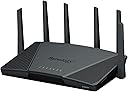
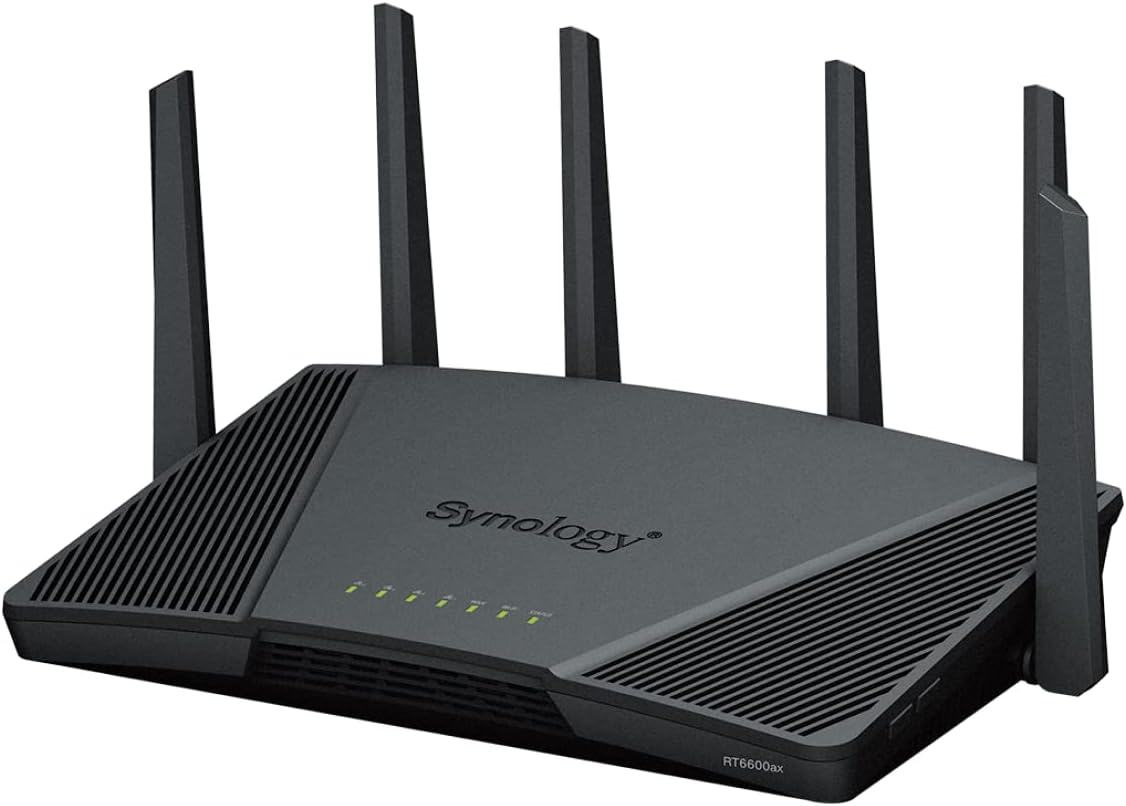
🚀 Elevate your network game with Synology RT6600ax — where speed meets smart security.
The Synology RT6600ax is a premium tri-band WiFi 6 router featuring a configurable 2.5 GbE WAN/LAN port, support for the new 5.9 GHz band, and advanced network segmentation. Designed for high-density environments, it offers robust parental controls, traffic management, and real-time monitoring through Synology Router Manager, making it ideal for professionals demanding reliable, secure, and high-speed connectivity.


| ASIN | B09XXJDZ2X |
| Are Batteries Included | No |
| Best Sellers Rank | 11,186 in Computers & Accessories ( See Top 100 in Computers & Accessories ) 77 in Routers |
| Brand | Synology |
| Colour | Black |
| Connectivity Type | Wi-Fi |
| Customer Reviews | 4.2 4.2 out of 5 stars (191) |
| Date First Available | 14 April 2022 |
| Guaranteed software updates until | unknown |
| Item Weight | 1.85 kg |
| Item model number | RT6600AX |
| Manufacturer | Hypertec Ltd |
| Operating System | Synology Router Manager |
| Product Dimensions | 32 x 17.5 x 20 cm; 1.85 kg |
| Series | RT6600AX |
| Voltage | 100 Volts |
| Wireless Type | 802.11ax |
C**N
Fantastic router!
I switched from a UniFi setup to a synology mesh, and as I found the UniFi dashboard, whilst visually appealing, doesn’t accurately report on what’s actually happening on your network. The Synology router, on the other hand, allows you to see domain level connections in real-time, which can be helpful; the trouble is, for all the reporting could be, it’s a little clunky, and the phone app shows some statistics that you just can’t get from the web dashboard.. This router is the successor to the RT2600ac, and whilst there are years between their releases, very little has really changed. The processor has been upgraded, the memory increased, Wi-Fi has been upgraded to AX, and several useful features have been removed (the SD card, for example), the software and features remain aligned between the two, but even then, it still feels like a worthwhile upgrade. My network is stable; I run a lot of high traffic boxes, and it never skips a beat, but the same can be said of the RT2600ac. Highly recommended, but if the price is putting you off, it’s worth considering the RT2600 instead.
M**G
About time Synology
Have been waiting a while to replace our old Netgear N7800 router. This is a typical Synology product, great form factor & build, and a GUI like all other Synology NAS products. Have set our up with no issues. It has allow me to customize our network with +70 wired/wireless devices as need easily without any issues. The Wi-Fi 6 is great improvement if your use to an older router, and the ability add Synology NAS apps for file station and download station on an external usb3 device. If your bit of geek you will like this router.
M**N
OK in modern house
I initially purchased this as I wanted something that I could controll the Wifi with Parental Controls built in, and not have to subscribe to down the line - I had used synology GUI in NAS drives at work and found it easy going so took the plunge. The next Bonus is that it had WAN port up to 2.5gb which was great as I have 2gb fibre to the house. Setup was easy and just followed instructions, The Parental Control is excellent you can set individual divices on a profile or make a profile called eg "Child 1" and add their devices to it so Bedroom TV,Phone,Tablet,Gaming Consol and then set the rules you want including time limits say 3 hours a day between the hours of 9am and 8pm (for e.g.) . There are differnt levels of filter for Youtube and then you can even block social media should you feal the need on just an individuals device. It is easy to set up additional WiFi bands allowing Guests / IoT / Adult only if you want to set up a seperate unrestricted Wifi - So overall a plethora of options to the admin user. So why have I knocked the Star off you may ask as it did everything you wanted !!! The Range in our house was not the best - Its 120 years old accross three floors and it just did not hit areas of importance - I did expect that ! so Synology RT6600ax can create a Mesh Wifi by adding additional Synology routers so I purchased an MR2200 so extend / improve my range this is when the unit let itself down - Set up was easy and I though great - unfortunately the Range between the routers is limited by our house walls and Even placing the unit next room the uplink was not the most stable and everything hooked up to it would stop hooked up but then no internet. - Whole family moaning is not worth the hassle - You could always run ethernet cables between the units which would resolve that, but I dont want that hassle being an hold house ( plus the old BT Hub with wifi disk worked fine without ) If you are in a new build I believe this would be an ideal choice with / without Mesh option especially with the Parental controll built in ( If thats what you are looking for )
A**R
Wicked Router. SRM rules...
I moved from TPlink AX11000 v1.0 and I'm happy with that change. I does things better and software updates from Synology are very frequent. Recommended.
J**K
Not a reliable product
It lasted 8 months before it suddenly gave an orange "not booting" light. Despite following the reset instructions, the only thing wanting to show any signs of life was if course the orange light, a similar issue had by others. I have never had a USB or hard drive connected to it. Having used other Synology products for business purposes, I had been hoping this router would do me well at home, it didn't. In the region of £250 for a router, I expect a reliable product that will last several years not 8 months. Fortunately Amazon provided this product with a 2 year warranty, as opposed to a single year from Synology, although failing so soon meant that the junk could go back. Googling this issue shows other users with the same problem. Sorry Synology but I think I will go back to Asus, as you have been unable to offer support to anyone with this issue and your customer support stance is "buy another one". p.s. software interface was good, while it worked.
A**A
Mixed feelings as I was expecting better range than a lot cheaper routers I've used
I got this expensive router because I've used Synology NAS personally and for business for nearly 10 years and have always been happy with the quality and performance. However, after replacing my Asus RT-AC68U with with router I am getting even weaker signal at ends of my flat when the old router was still able to connect. It could be because Wifi 6 like 5GHz is much shorter range than 2.4Ghz. Nevertheless, I see my iPhone 11 Pro Max often dropping Wifi signal and then reconnecting while staying in the same spot. I will try to play with the configuration when get time but out of the box the signal strength for this price is a bit disappointing.
R**Y
Really good router
Easy to setup great interface user really happy to switching to netgear to Synology !
J**B
Je l’ai reçu il y a quelques années, et dès l’installation (super simple via l’interface Synology), tout a bien fonctionné. Le Wi-Fi 6 délivre vraiment une connexion fluide, même avec plusieurs appareils branchés en même temps, jeux, streaming, télétravail, tout ça sans latence qui fait rager. Ce que j’apprécie aussi, c’est la fonction Mesh : plus besoin de couper le Wi-Fi en passant d’une pièce à l’autre, tout reste stable. Les fonctionnalités de sécurité et de contrôle parental sont un plus non négligeable pour protéger les connexions des enfants ou limiter certains appareils. Un petit bémol : il manque peut-être une application mobile encore plus intuitive (mais l’interface web est déjà pas mal du tout). Et pour le prix, c’est un peu haut si on cherche juste un usage basique… mais si tu veux vraiment de la performance et une couverture sans coupure, c’est largement justifié. Au final, je recommande ce routeur à ceux qui veulent du Wi-Fi costaud, fiable, et une maison bien connectée ça fait le job.
B**L
It was relatively easy to set up for basic home use, but to take advantage of some of its more sophisticated features takes a bit of time and trial end error
A**R
Produkten är bra, men jag avskyr att handla hos oärliga leverantörer: Överenskommet och kontrakterat pris höjdes med över 6% - utan att jag meddelades!
R**É
Das Gerät ist als Ersatz für eine Fritzbox 7490 angeschafft worden. Die Fritzbox hat bisher ihren Dienst wunderbar geleistet, als wir noch Festnetz-Telefone eingesetzt haben. Mit den günstiger werdenden Mobilfunk-Tarifen hat sich das nun auch erledigt. Maximal VOIP für den Festnetz-Anschluss mit Soft-Phone wird noch aktiviert. Damit haben sich für die Fritzbox allerdings auch alle Alleinstellungsmerkmale erübrigt. Fritzbox ist aus meiner Sicht eine Geräteserie - bedingt durch die Weboberfläche (Version 7.29) - die für Normalanwender ohne bestimmten Konfigurationsanforderungen ausgelegt sind. Allerdings entspricht dies nicht mehr meinem Profil. Ich habe zudem einen Ubiquiti ER-X Netzwerk/Router, der allerdings auf Grund der Komplexität zwar extrem viele Einstellungsmöglichkeiten bietet, dabei aber auch sehr viel Potential einer Fehlkonfiguration zulässt. Zudem besitzt der Ubiquiti kein WLAN, was den Einsatz einschränkt. Auch habe ich einen ASUS Router, der aber auf Grund seiner Oberfläche und der Einstellungsmöglichkeiten auch nur eingeschränkt für meine Anforderungen nutzbar war. Nun bin ich also seit knapp zwei Wochen beim Synology WRX560 gelandet und bereue diesen Schritt in feinster Weise. Anforderungen waren für mich: aktuellen WLAN-Standard und mehr Flexibilität in der Netzwerk-Konfiguration. Da ich bereits Synology Disk Stations im Einsatz habe und die Oberflächen der Geräte kenne und schätze, habe ich den Schritt in Richtung Synology auch bei den Routern gewagt. Mit waren bisher aber die Antennen der Vorgänger suspekt und unnötig, daher kam der schlanke und optisch ansprechendere WRX560 mir deutlich mehr entgegen. Ich muss keinen P$&%s-Vergleich durch 6 Antennen haben ;) :D Da für mich weniger die Hardware interessant ist, konzentriere ich mich auf die Software, die für mich den funktionalen Unterschied zu einer Fritzbox ausmacht. Die Oberfläche Synology Router Management (SRM) ist an die Oberfläche von Synology Disk Station mit der DSM-Oberfläche angelehnt. Wer Synology Geräte bereits im Haus hat, fühlt sich umgehend wohl. Die Einrichtung der Routers war innerhalb weniger Minuten abgeschlossen. Selbst die Übernahme der Regeln für Port-Weiterleistungen oder IP-Bereiche war ohne Probleme möglich. Einzig die Trennung zwischen LAN- und WLAN-Modul war anfänglich etwas "sonderbar", geht aber später leicht von der Hand. Was mit positiv aufgefallen ist: • Das LAN-Modus ist die zentrale Konfiguration. Hier werden alle Basis-Angaben gemacht. Diese Konfigurationen sind wie bei einer Fritzbox zu tätigen • Das WLAN-Modul definiert das Haupt-Netzwerk- und das optionale Gast-Netzwerk - wie auch bei einer Fritzbox. Allerdings können bei der Synology nun auch weitere Netzwerke definiert werden, die mit einer eigenen SSID arbeiten. So ist beispielsweise ein WLAN nur für IoT-Geräte möglich, die in Eurem Haupt-Netzwerk nichts zu suchen haben. Das funktioniert natürlich nur mit Geräten, die nicht per WLAN direkt gesteuert werden, sondern über einen Remote-Zugriff (können). Diese Trennung von Netzwerken lässt sich im übrigen auch im LAN einstellen, so dass z.B. die Anschlüsse auf der Rückseite alle ein eigenes LAN bekommen. Zudem können diese LANs von einander getrennt (segmentiert) werden, so dass ein übergreifender Zugriff nicht möglich ist. Das könnte interessant werden, wenn ihr z.B. Netzwerkgeräte von Außerhalb erreichbar machen möchtet, aber den Zugriff auf Euer LAN nicht möglich sein soll. Was aber eine Synology auszeichnet sind die Pakete. Durch Zusatzprogramme kann die Funktionalität erweitert werden. Nun darf (und sollte) man aber nicht erwarten, dass es vielzellige Pakete gibt. Gerade bei einem Router wäre ich auch vorsichtig, die Funktionalität auf Biegen und Brechen zu erweitern, nur weil es geht. Aber: das Paket "Threat Prevention" wird von Synology angeboten und kann nachinstalliert werden. Dieses erfordert einen USB-Stick, auf dem die Datenbank für Bedrohungen sowie die Protokolle gesichert werden können. Nachdem aber ein USB-Stick angeschlossen ist, ermittelt das Modul eingehende und ausgehende Bedrohungen und verwirft diese, sollte diese anhand ihrer Signatur als gefährlich eingestuft werden. Diese Funktion ist für mich ein unheimlicher Mehrwert, da ich nun erkennen kann, was aus dem Internet auf den Router und das interne Netz "einprasselt". Ich frage mich, wie die Fritzbox das in der Vergangenheit gehandhabt hat?! Die neue Transparenz schafft mehr Verständnis, was gerade auf der Leitung passiert. Alleine dieses Paket ist für mich ausschlaggebend, nicht mehr zur Fritzbox zurück zu kehren. Wermutstropfen: mit der Nutzung des USB-Sticks und der 2.4GhZ-WLAN-Modus wird aus Performance-Gründen der USB von 3.x auf 2.0 herunter gestuft. Da aber hier nur wie gesagt der Stick für das Threat Prävention Paket eingesteckt ist, lege ich keinen Wert auf USB3-Performance. Da AVM mit der Oberfläche der Fritzbox sich aus meiner Sicht keinen Gefallen getan hat, bereue ich den Schritt in Richtung Synology derzeit nicht. Das Gerät bietet für Anwender mit etwas mehr Bedarf und Erfahrung sicherlich die ein oder andere Möglichkeit mehr (z.B. auch SSH-Zugang). Durch die Oberfläche SRM können aber auch Anwender ohne tiefer gehende Erfahrungen hier sich schnell zurecht finden. Aus meiner Sicht ist der WRX560 eine klare Kaufempfehlung.
J**R
Con este router mi instalación ha mejorado sustancialmente en flexibilidad y capacidad de gestión. Ahora tengo Libertad para configurar todo lo que quiero cosa que con el de Movistar no podía por sus limitaciones. Y monitorizar la red de verdad. Gran compra.
Trustpilot
3 weeks ago
2 months ago