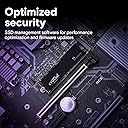
🚀 Upgrade your speed, storage, and style — don’t get left behind!
The Crucial P3 500GB PCIe Gen3 NVMe SSD delivers lightning-fast 3,500MB/s read speeds and reliable 3,000MB/s write speeds in a sleek M.2 form factor. Designed for seamless compatibility with PCIe Gen3 desktops and laptops, it offers ample 500GB storage for everyday apps and media. Built with durable Micron 3D NAND technology and backed by a 5-year warranty, this SSD ensures long-lasting performance. Plus, it comes bundled with Acronis cloning software and a 1-month Adobe Creative Cloud subscription, making it the perfect upgrade for professionals and creatives seeking speed and reliability without breaking the bank.


| ASIN | B0B25LQQPC |
| Additional Features | Data Recovery Service |
| Best Sellers Rank | #60 in Internal Solid State Drives |
| Brand | Crucial |
| Built-In Media | P3 PCIe 4.0 3D NAND NVMe M.2 SSD |
| Cache Memory Installed Size | 500 |
| Color | Black |
| Compatible Devices | This drive is compatible with desktops & laptops that accept PCIe NVMe Gen 3.0 drives |
| Connectivity Technology | NVMe |
| Customer Reviews | 4.8 out of 5 stars 29,934 Reviews |
| Data Transfer Rate | 3500 Megabytes Per Second |
| Digital Storage Capacity | 500 GB |
| Enclosure Material | Information Not Available |
| Form Factor | M 2 |
| Global Trade Identification Number | 00649528918758 |
| Hard Disk Description | Solid State Drive |
| Hard Disk Form Factor | 2 Inches |
| Hard Disk Interface | Solid State |
| Hard-Drive Size | 500 GB |
| Hardware Connectivity | ATA, PCI Express x4 |
| Installation Type | Internal Hard Drive |
| Item Dimensions L x W x Thickness | 3.15"L x 0.87"W x 0.09"Th |
| Item Height | 0.87 inches |
| Item Type Name | NVMe M.2 SSD |
| Item Weight | 5.6 Grams |
| Manufacturer | Crucial |
| Media Speed | 3000 Megabytes Per Second |
| Model Name | Crucial P3 NVMe SSD |
| Model Number | CT500P3SSD8 |
| Number of Items | 1 |
| Read Speed | 3500 Megabytes Per Second |
| Specific Uses For Product | Business, Gaming, Personal |
| UPC | 649528918758 |
| Unit Count | 1.0 Count |
| Warranty Description | Limited 5-year Warranty |
M**.
Still reliable even for a Gen 3 in 2025
If you're looking for a budget-friendly NVMe SSD with solid performance and generous capacity, the Crucial P3 2TB is a compelling option. Designed for PCIe 3.0 systems, it delivers fast read/write speeds and efficient operation, making it ideal for general use, gaming, and storage expansion. The Crucial P3 2TB is a smart pick for users upgrading older systems or adding a secondary drive for games and media. While it’s not built for heavy-duty write tasks, its speed, efficiency, and affordability make it a standout in the PCIe 3.0 category. If you're not constantly writing large files and just need fast, reliable storage, this drive hits the sweet spot.
M**N
Perfect Budget NVMe Speed for a Boot Drive
I bought this Crucial P3 500GB SSD specifically to use as a primary boot and application drive, and it’s excellent for the price. The 3500MB/s speed makes Windows boot up instantly, and programs load lightning fast—it's a massive upgrade from a standard SATA SSD. It was easy to install in the M.2 slot on my motherboard (paired with the Gigabyte A520I AC). If you need reliable, fast NVMe performance without breaking the bank for large storage, this is the perfect budget choice. Excellent speed and proven reliability.
R**L
Works great in the 2013 Mac Pro!
I got this 4TB Crucial P3 NVMe SSD as an upgrade to the original 512GB Apple-OEM SSD in my 2013 Mac Pro (otherwise known as the "trash can" Mac Pro). Using a Sintech NGFF M.2 NVMe SSD Adapter Card, I was able to connect this Crucial P3 directly to the 2013 Mac Pro's NVMe slot without any fuss. After formatting the Crucial P3 to APFS in Disk Utility and installing a fresh copy of macOS Monterey, I was in business. The Crucial P3 was very easy and pleasant to install. (Note that for anyone wanting to use a Crucial P3 in their 2013 Mac Pro, you MUST install and run macOS Monterey prior to installing the Crucial P3 due to the NVMe-related firmware that macOS Monterey installs. The reported firmware version after installing macOS Monterey on the 2013 Mac Pro is 481.0.0.0.0.) Blackmagic Disk Speed Test reports 1280 MB/s write and 1350 MB/s for this Crucial P3, which is the expected result given the 2013 Mac Pro's PCIe 2.0 bottleneck. This is still a major improvement over the OEM Apple SSD, which only achieves around 900 MB/s write and 940 MB/s read, respectively. For older machines that are stuck with PCIe 2.0 or 3.0, the Crucial P3 is an excellent value for the capacity. Just don't expect to run it in a professional setting -- the P3 is really meant for casual users that want good storage per dollar without the expectation of slinging terabytes of data around on a daily basis. The Crucial P3 doesn't have any DRAM cache, nor does it have a heatsink. While the Crucial P3 doesn't run too hot unto itself, you may still want to consider thermal management in the case where you do want to run sustained loads on the SSD through PCIe 3.0 or Thunderbolt 3/4. However, if you are running PCIe 2.0 or are just using the Crucial P3 casually, then you can safely get away without using any thermal management since the Crucial P3 will run cool enough by itself. If you are running PCIe 3.0 or Thunderbolt 3/4, then don't expect the P3 to perform at its best on large sustained data transfers. But if you are running PCIe 2.0 like I am with my 2013 Mac Pro, then these weaknesses are mitigated due to the PCIe 2.0 bottleneck. If you do decide to use the Crucial P3 in an NVMe enclosure, be sure to use an aluminum enclosure that can act as the Crucial P3's heatsink. I used an ACASIS TBU405 Pro 40Gbps Thunderbolt 3/4 NVMe enclosure for my initial testing with the Crucial P3, and it works like a charm. Running the Crucial P3 in the ACASIS TBU405 Pro enclosure connected to my 2019 MacBook Pro i9, Blackmagic Disk Speed Test reports 2300 MB/s write and 2240 MB/s read. These numbers are on the slower side compared to the more expensive PCIe 3.0 and 4.0 NVMe SSD drives, which clearly demonstrates the budget performance of the Crucial P3. You get what you pay for. But for the casual use case, the low cost per gigabyte of the P3 backed by the support of Crucial, a respectable brand that I have bought plenty of RAM and SSDs from in the past, is why I am giving the 4TB Crucial P3 a 5-star rating. It does what it needs to do, which is to provide big storage for an affordable price, all within a convenient NVMe package. And if you can get the Crucial P3 on sale like I did, then it easily becomes a no-brainer purchase. As long as you keep your performance expectations within reason, the Crucial P3 will serve you well. My 2013 Mac Pro has never felt better!
F**O
Fast and good SSD
Works fine. Boot times are super fast now. Loading times in games is also fast. Haven't had issues so far.
R**L
🚀 Crucial P3 NVMe SSD: Making the Pi5 Sing!
I bought this for my Raspberry Pi 5, and it was totally worth it! It works great, and actually running the OS from here makes it much faster. It did require a peripheral board, but once installed, it made this thing sing, and now the Pi5 is a pretty awesome tool. With up to 3,500MB/s read speeds, this SSD is the perfect upgrade to unleash the full potential of the Pi5 for any serious project.
E**S
Fast Storage, but Gen3 Shows Its Limits
Fast Storage, but Gen3 Shows Its Limits I’ve been running the Crucial P3 2TB in a mid-tier desktop build, mainly as secondary storage for games and media. Installation was straightforward—standard M.2 slot, no tools beyond a screwdriver. Windows recognized it immediately, and I was up and running in minutes. Performance is solid for day-to-day use. Boot times, app launches, and game loading are all snappy. The advertised read speed of up to 3500MB/s feels accurate in real-world use. Large file transfers are quick, though not as blazing as higher-end Gen4 drives I’ve used. This is where the P3 shows its limits—it’s Gen3, so if you’re on a newer system with Gen4 slots, you won’t get the fastest speeds available today. Heat management is fine. Even after extended gaming sessions, the drive stayed stable without a heatsink. That said, I’d recommend a motherboard with some passive cooling if you’re pushing it hard. The 2TB capacity is a sweet spot—plenty of room for modern AAA games, video projects, or a large photo library. Price-to-storage ratio is good, which makes it an easy choice for bulk storage. Things to keep in mind: this is a DRAM-less design. That means under heavy sustained writes (like moving hundreds of GB at once), you may see speeds dip. For typical consumer use, this isn’t a big issue, but if you’re doing video editing or massive data transfers, you’ll notice the slowdown. Bottom line: A reliable, affordable Gen3 NVMe drive with solid everyday performance. Great for expanding storage, but not the best pick if you want bleeding-edge speeds or do heavy professional workloads.
T**N
Unleashing Speed and Capacity
I recently upgraded my computer storage with the Crucial P3 4TB Gen 3 SSD, and I am thoroughly impressed with its performance. Here’s why I believe this SSD is a standout choice for anyone looking to boost their system’s speed and storage capacity: Massive Storage Space: The 4TB capacity is a game-changer, providing ample room for all my files, applications, and games. It’s a luxury to have this much space on an SSD, allowing for seamless access to large media libraries and extensive software suites without worrying about running out of room. Impressive Speed: The Gen 3 SSD technology delivers fast read and write speeds, significantly reducing load times and improving overall system responsiveness. Whether I’m transferring large files, booting up the system, or loading games, the speed is consistently impressive. Reliable Performance: The Crucial P3 has proven to be a reliable workhorse, handling heavy workloads and multitasking with ease. I’ve experienced no hiccups or slowdowns, even under demanding conditions. Easy Installation: Installing the SSD was a breeze, thanks to its standard 2.5-inch form factor and straightforward setup process. It was a simple plug-and-play upgrade that instantly breathed new life into my computer. Great Value: Considering its capacity, speed, and reliability, the Crucial P3 4TB Gen 3 SSD offers excellent value for money. It’s a cost-effective way to enhance your system’s performance without breaking the bank. Compatibility: The SSD is compatible with a wide range of devices and operating systems, making it a versatile choice for both desktop and laptop users. In conclusion, the Crucial P3 4TB Gen 3 SSD is an excellent investment for anyone looking to upgrade their storage solution. Its massive capacity, impressive speed, reliable performance, easy installation, great value, and broad compatibility make it a top choice for enhancing your computing experience. Whether you’re a gamer, content creator, or just looking for a fast and spacious storage option, the Crucial P3 is sure to exceed your expectations.
D**E
Crucial Screwed Me and I'm Happy about it!
I bought this drive during the Amazon "Prime Day in October 2023" event alongside a Sabrent M.2 external USB enclosure. I just finished writing an unnecessarily long winded and convoluted positive review of that Sabrent product and recommended purchasing one of those. I purchased an HP Pavilion 790-0010 "Gaming" PC from Amazon for my daughter circa June 2018. That HP PC came stock with a 1TB WD Blue HDD. Not long into the life of that PC I bought a 512GB WD Blue M.2 SATA SSD to install into the empty M.2 socket on the motherboard of this HP PC. My plan which I carried out was to migrate the contents of the stock included WD Blue 1TB HDD to the M.2 SATA SSD. The foil to this plan was that HP did NOT include a screw to hold down any M.2 drive that would be mounted into the empty M.2 socket. I had to source my own mounting screw in order to install the WD M.2 SATA SSD. WD did not include a screw. In the DIY space, the mounting screw comes with the motherboard. I am sure with HP mass production, that including a screw for an empty M.2 socket for a mass produced OEM computer would have added astronomical product cost so HP figured that no one would use this empty socket and saved the expense of including a mounting screw for an empty M.2 socket. Fast forward to October 2023, my daughter has filled her WD 512GB M.2 SATA SSD with many Steam and Blizzard games. She needed more space. This Crucial P3 drive was on sale for a great price and I picked one up. I have used various Crucial drives and memory products in the past and knew this would be a great product. My plan was to use Clonezilla to clone the WD M.2 SATA SSD to the Crucial P3 NVME drive using the aforementioned Sabrent external M.2 enclosure. When I received the Crucial P3 in hand and was preparing to open the retail package so as to install the P3 drive, I noticed a distinct rattle sound from the package. It was a small rattle that changed depending on how I held the retail package in my hand. It sounded like a small metalic object was rattling around in the package against plastic. I opened the Crucial P3 driev ratail package and slid out the plastic packaging that contains the P3 drive. To my delight, shock and awe, there wsas a carve out in the plastic packaging that held a sole metal mounting screw. I nearly wept and was overcome with joy of such a magnitude that I cannot convey with words. In a landscape and market place of many competent products that perform such a benign task of storage, I was ecstatic that Crucial thought to include a mounting screw for their P3 drive. Had this drive been purchased straight away for my daughter's HP PC I would not have had to source a mounting screw as I did with the WD M.2 SATA SSD drive. The drive itself is good. For sake of comparison, my daughter's PC is connected to our ISP router via Netgear branded Power over Ethernet adapters which were also purchased from Amazon. With the old WD M.2 SATA SSD, game downloads to the WD SSD drive topped out around 8MB/s per the Steam client. With the Crucial P3 NVME drive, downloads now top out around 11MB/s per the Steam client. Granted it's not the same level of testing Gamer's Nexus would give you but a quick eyeball in a like for like scenario of downloading big games from Steam do show that the NVME drive has a slight performance edge over the M.2 SATA drive. I am not dinging WD, it's just showing that NVME is a bit quicker in this HP PC than a SATA SSD. I realize the Crucial P3 is a NVME 1.3 drive and not of the newer Gen 4 or Gen 5 generations which this HP PC does not support. I was going for an inexpensive storage upgrade and the P3 definitely delivered....with a screw! I would buy this again and recommend other people to buy this too.
Trustpilot
1 month ago
1 week ago