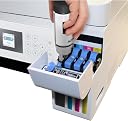
🖨️ Print smarter, save bigger, and stay effortlessly connected.
The Epson EcoTank ET-2750 is a wireless color all-in-one printer featuring cartridge-free supertank technology with up to 2 years of ink included. It supports high-resolution printing (5760 x 1440 dpi), automatic duplex printing, and versatile connectivity options including Wi-Fi Direct and Ethernet. Designed for efficiency and sustainability, it offers up to 6,500 black and 5,200 color pages per refill, making it ideal for professionals seeking cost-effective, high-quality printing, scanning, and copying in one compact device.


| Paper Size | 8.5 inch x 11.7 |
| Media Size Maximum | 8.5 x 14 inch |
| Maximum Sheet Capacity | 6500 |
| Color | Black |
| Wattage | 13 watts |
| Power Consumption | 13 Watts |
| Is Electric | Yes |
| Total Usb Ports | 1 |
| Printer Connectivity Type | Wi-Fi, Ethernet |
| Total USB 2.0 Ports | 1 |
| Hardware Connectivity | USB |
| Control Method | App |
| Maximum Copy Speed Black and White | 10.5 ppm |
| Processor Count | 1 |
| Ink Color | CMYK |
| Warranty Type | limited warranty |
| Resolution | 9600 |
| Print media | Envelopes, Paper (plain), Labels |
| Scanner Type | Sheetfed |
| Controller Type | Android |
| Item Dimensions D x W x H | 14.8"D x 22.3"W x 10.2"H |
| Item Weight | 12.1 Pounds |
| Display Type | LCD |
| Compatible Devices | Smartphones, PC, Laptops |
| Printer Type | Inkjet |
| Additional Printer Functions | Copy, Scan |
| Printer Output Type | Color, Monochrome |
| Additional Features | Borderless Printing, Display Screen, Memory Card Slot, Network-Ready, Auto-Duplex, Refillable Ink Tank, Energy Star |
| Color Pages per Minute | 10.5 ppm |
| B&W Pages per Minute | 10.5 ppm |
| Duplex | Automatic |
| Dual-sided printing | Yes |
T**!
Save money printing! This little printer is AWESOME!!!
I’ve been a fan of Epson printers for many years, based on my ownership of an Epson Workforce 633 for over 8 years. I purchased refillable catridges and a chip resetter that kept my printing costs WAY down. I printed a BUNCH of stuff on that printer. The printer outlasted 3 kids through High School and College and printed forms for our photography business (Wedding contracts, order forms, etc.) and even custom DVD labels that looked VERY professional.So, when my Workforce 633 finally refused to print, I looked for another Epson as a replacement. Luckily, Epson now has a line of printers that you can refill with ink without purchasing 3rd party components. Welcome the Epson Ecotank series of printers!I looked at the Epson EcoTank ET-2720 and ET-2760 as possible options (I’m thrifty and my printing needs are NOT that elaborate). The latter was about $30 more, and I opted for that model. The main reason I selected the ET-2760 is that automatic double sided printing is supported.The printer arrived quickly, as most Amazon Prime shipments do. Unpacking involved removing a lot of tape that secures the printer in the box for shipment. Unboxing and setup are super quick and easy. The longest part of getting ready is filling the EcoTank with the supplied ink.The total time from start to printing out my first document from my computer was about 30 minutes. I was taking pictures during the unboxing and installation with my phone, so probably a bit slower than other reviewers. I followed the steps outlined in the “Start here” guide and you should too. Especially where it mentions “do not drink the ink”. Seriously, it’s there under setp 2’s warning section. So, I heeded their warning, although I was tempted to take a sip (No, not really). Notice that you don’t connect the printer or turn it on until after the ink tanks have been filled and the printer drivers and utilities are installed on your computer.A few more notes on setting up your printer if you utilize the wireless option. If your router has dual band capabilities – i.e it broadcasts in 2.4 GHz and 5 GHz - make sure you select the 2.4 GHz connection. And, if you’re running software that monitors and allows/disallows connections through your firewall (HIGHLY recommended), don’t forget to allow access for the setup to complete successfully.So, how does the printer perform? Very well if your expectations are in line.Setting up voice activated printing was easy, but a little tedious. Like most other devices that connect to Alexa – like our Wyze Cams and our Whirlpool microwave/oven combo – you have to enable the proper Alexa skill and perform a few more steps before use. Then, you have to setup your printer to an “Epson Connect” account. You’ve hopefully already completed this step when you setup your printer drivers and utilities.As mentioned above, this printer supports voice activated printing. What actually does that mean? Well, as HUGE fans of the Amazon Alexa devices, it does provide some interesting “neat” features, although I’m not sure how often we’ll actually use them. We have, at last count, 6 Alexa devices in the house, ranging from Echo Dots to the Echo Show (2nd gen). So, you can do things like “Alexa, ask Epson Printer to print my shopping list…” or “Alexa, Ask Epson Printer to print my calendar”. Of course, don’t forget to include “Ask Epson printer”, or you’ll confuse Alexa. But, this isn’t really necessary for me, as I use the Alexa shopping list and to do list on my phone and don’t need a printed copy in hand. The same goes for my my Google calendar or to do list. But, if we were printing a calendar for the family fridge, that might be a cool feature!The only negative thing I can point to about this printer is the paper capacity (But, after reading the reviews, I already KNEW that). It says 100 sheets, but that’s a stretch. I’ve found that anything more than say 35 pieces of white copy paper will not work without an issue. You’ve been warned.So, am I happy with the printer? After a few weeks of use, I can say that things are really going well. We’ve printed about 250-300 pages thus far. This includes several wedding contracts awaiting signatures, bridal fair wedding package handouts on high quality resume paper and professional looking DVD labels for the DVDs we’re handing out at the bridal fair later this month. All of the print looks AWESOME and the colors are true to what’s on my monitor. If anything changes, I’ll update the review and adjust the star rating if necessary.
S**H
You won't regret buying this printer.
My husband bought this printer for work. He works from home, so I've been able to use it frequently as well and so far I'm loving it. I will say that setting it up was a nightmare. I'm far from technical guru, but do have moderate experience with computers and have set up several printers over the years. The main issue was getting the software on his work computer that does not have a CD drive. You can download the software from the Epson website, but for some reason it was extremely difficult to do. After downloading I would get an error message saying it was unsuccessful. After fighting with it for 3 days I finally got it setup, and I honestly have no idea how I did it so I cannot give any tips for others in a similar situation. After the initial headache though, it's been smooth sailing. I love the borderless printing option, it really does print all the way to the edge of the paper with excellent quality. The ink is super easy to load, and will save us a bundle of money over the life of the printer. You get a LOT of ink! The scanner on our last printer was awful. The picture quality was pathetic. This scanner is crazy good! We were both impressed with how well and clear the scanned images are. Same with the copier. I have no complaints whatsoever about this product and would absolutely recommend it without hesitation, although it'll be a lot easier to install if you have a CD drive to install the software. Once you have it set up, everything is very easy to use. The printer basically walks you through everything. If you can read, you can use this printer. The only thing my husband doesn't like is that you can only scan one page at a time and you have to place each page individually on the scanner/copier. He has to scan dozens of pages at a time, and he is used to putting a stack of pages in the printer all at once (the way you put blank paper in for printing). That's our fault though for not completely reading the product description before purchasing, so I certainly can't take away any stars for our own error. Overall, you really can't go wrong with this printer. I've been at my parents house over 100 miles away and can print things as if I were at home where the printer is. My only regret is not buying it 3 years ago.
G**C
1.5 months in and it's working great. I use it daily with very little change to the reservoir
I previously owned a printer that required cartridges. I decided I would purchase this printer months ago but was waiting for my old one to die. I print daily about 10-100 pages and so far everything is working great and I've only had 2 very simple paper jams that probably could have been avoided if I fanned the paper when I loaded it.Likes: Ink reservoirs and no cartridges! It is very easy to fill and there is no mess. The pages print nicely and it's slightly faster than my old printer at a good price point.Dislikes: It takes up quite a footprint on my desk. The paper loads vertically from the back, so it must be scooted out from the wall or wherever you put it to accommodate room for the paper. The tray pulls out in the front as well. This makes the footprint 2 feet long by about 15 inches wide. I have a small desk so it's taking up considerable real estate. This is frustrating because the whole thing is hollow underneath. I can't help but think it could have been shortened by having the paper feed from underneath.All in all, it's a good printer and I think the price is reasonable. These ink reservoir printers are more expensive than the type that require cartridges, however with my level of usage I will save money in the long run and have less waste from throwing away cartridges that still had ink remaining. I've used this for 1.5 months now and there has barely been a dip in the ink level. In fact, it's hard to see the level when the reservoirs are full because it just looks dark. I shined a flashlight on it and discovered they were dark because they were still totally full. I was happy about that because I would have replaced a cartridge by now.
Trustpilot
1 week ago
5 days ago