


Desertcart purchases this item on your behalf and handles shipping, customs, and support to Finland.
🎶 Master your mix anywhere with the ultimate compact control hub!
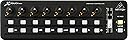
The Behringer X-TOUCH MINI is an ultra-compact, universal USB MIDI controller designed for seamless integration with PC and Mac. Featuring a durable 60mm master fader, Dual-Layer mode for quick switching between DAW and instrument control, and pre-configured controls for instant use, it’s the perfect tool for music producers seeking precision and portability in one sleek package.
| ASIN | B012CSKTYY |
| Best Sellers Rank | 1,451 in Musical Instruments & DJ ( See Top 100 in Musical Instruments & DJ ) 11 in MIDI Controller |
| Brand | Behringer |
| Brand Name | Behringer |
| Colour | Black |
| Compatible Devices | Computers running compatible operating systems |
| Connectivity Technology | USB |
| Connectivity technology | USB |
| Connector Type | USB |
| Control Method | Touch |
| Control Type | MIDI Controller |
| Country of Origin | China |
| Customer Reviews | 4.5 out of 5 stars 723 Reviews |
| Global Trade Identification Number | 00748252139641, 04033653140454 |
| Hardware Interface | USB |
| Hardware Platform | PC/Mac |
| Human Interface Input | Buttons |
| Included Components | Ultra Compact Universal Usb Controller |
| Instrument | MIDI-compatible instruments |
| Instrument Key | Any |
| Item Dimensions D x W x H | 10.2D x 32.5W x 4.7H centimetres |
| Item Type Name | USB Controller |
| Item Weight | 1.15 Pounds |
| Keyboard Description | Compact 16-key keyboard |
| Manufacturer | Behringer |
| Manufacturer Part Number | X-TOUCH MINI |
| Material Type | Acrylonitrile Butadiene Styrene or Polycarbonate |
| Mixer Channel Quantity | 1 |
| Model Name | X-TOUCH MINI |
| Model Number | 000-B3M00-00010 |
| Model name | X-TOUCH MINI |
| Noise Control | None |
| Number of Items | 1 |
| Platform | Mac, Windows 10, Windows 7 |
| Product Style | X-TOUCH MINI |
| Product dimensions | 10.2D x 32.5W x 4.7H centimetres |
| Size | Einheitsgröße |
| Special Features | Compact |
| Special feature | Compact |
| Supported Software | Ableton Live |
| Total USB 2.0 Ports | 1 |
| Total USB Ports | 1 |
| UPC | 748252139641 |
| Unit Count | 1.0 count |
M**Z
lightning fast video editing! programable midi controller for editing with Premiere Pro...
So, let's talk about the Behringer X-TOUCH MINI MIDI USB Interface and how it's been rocking my Premiere Pro video editing world. First off, the best feature of this controller is the customization. I can assign all my go-to shortcut commands to the buttons and knobs, making my editing process way smoother and SO FAST. But firstly lets get the biggest catch out of the way – programming these shortcuts isn't exactly plug-and-play. You'll need some third-party software to make it happen. Once you're set up, though, it's pretty straightforward, and software and tutorials are easy to find. once that is done, assigning shortcuts is a breeze and the settings can be found in the preferences tab. What's cool is that it doesn't stop there. combined with some simple midi editing software, this allows you to store multiple banks of shortcuts, which is handy for different phases of editing. Whether I'm trimming clips or adding effects, everything's just a button press away. The ergonomic design is another plus. I can edit for hours without feeling like my hand's gonna fall off. It's surprisingly comfy, and I am much less inclined to be hunched over the whole time. the buttons are large, clicky and responsive, and the layout is very easy to remember. O.K, onto the cons. Well, besides needing that extra software, there's not much to complain about. It's not the flashiest tool, but it gets the job done so well. Overall, if you're serious about really speeding up your editing process in Premiere Pro, the MIDI Interface is defiantly worth checking out. it has made a night and day difference to my editing workflow for me, and I'm pretty sure the Behringer X-TOUCH MINI will make your editing life a whole lot easier and faster too.
C**M
Perfect for a home studio with space limitations.
The benefit of home studios these days is that you can near enough have everything you need on a PC. The downside is that it loses that hands-on tactile feel that a professional studio offers. If like me, you’re a bit old school and like to physically push buttons but are also limited with space, this lovely little midi controller is perfect. Using USB it plugs straight into your PC and the buttons and knobs are fully assignable to actions within your DAW. The price point is spot on and it’s super easy to set up. Definitely gives you a semi-pro fee in your home studio.
A**-
Good, but I'm suspicious of durability.
I bought this to use with my growing collection of MIDI controllers for music production/performance. Whilst I suspect it would be good for production, I am not sure of the durability of the rotary dials for performance purposes. I also have two M-Audio keyboards, an Akai pad controller and two Akai MIDIMIX units, all of which feel far more sturdy. Next to these the X-Touch Mini looks and feels more like a toy. I am sure it has its place and I believe for static production work it is probably fine. But for live music work where your attention is not on fine detail work, I suspect it mihht be easy to break the rotary dials. With that said, it is weighty. The buttons have a very positive, resistive feel. The "click" of the endless rotary encoders is deliberate, the knobs for which are also easy to grip and difficult to accidentally turn. The fader also feels good. Just not really confident in it for my purposes, so I have returned it and bought an alternative product.
J**H
Works great for controlling application volume! GREAT FOR STREAMING!
I use an application called "MIDI Mixer" to use this product as a volume controller applying each knob to their own respective application. It's a super easy plug and play device however it was very annoying have to set it up for the first time. What no one says is that you have to enable "MC Mode" to get this feature to work so please do make sure that it's on when trying this. I highly recommend this to anyone who's got some spare money laying around due to COVID and are looking into streaming, super handy being able to easily change certain application volume on the fly! However, make sure you've got the room on your desk as it is around about the the same size as a 65-70% keyboard.
W**M
Great little controller
Well built, works perfectly on PC win10. Easy to edit with Behringer software. One thing to note although controllers are endless the light ring is 0-127 so relative MIDI pickup is odd. I can't get it to work with pro tools to pick up an existing MIDI value even in relative mode but less confusing for me if it always shows real midi value anyway. Good size and feel.
S**E
It's fun to play with knobs.
I purchased this to do use with Reaper, as someone who had spent decades away from a mixing desk. This gave back a better sense of control and tactile feeling. Compact as it sounds. Straight forward to connect. There's an editor you can download from the Behringer website. I will suggest that if you're intending to use this with Reaper, that you consider looking into ReaLearn. It can take a bit of time to setup, but is the best way to go. You can tweak the encoders/knobs and buttons as well as fader to act however you want, better than the editor software. Worth every £1 for improving your workflow.
D**N
Lightroom edit time saving device
Great piece of kit. There were lots of online videos (DIY Photography or Dan Orst) two of the best advising how to set up and downloadable profiles available if you don’t want to customise yourself. Not to mention templates if you don’t want to put labels on there. If you edit a lot of photos in lightroom ie events or weddings then it’s a real time saver. Easily half your editing time once you get accustomed to it.
R**N
Amazing Piece of Kit
Bought this piece of kit to use with the windows application "Midi-Mixer", which allows me to utilize my midi controller in place of my windows volume mixer, I can change individual applications' volumes up and down with ease. Now I've done it, i can't go back. One thing I love is that these are knobs, and not potentiometers, so they can be turned infinitely, so if i bind a new app to the knob then I don't need to worry about what volume it was previously at. One flaw I find with this device is its cable (Annoyingly a mini-USB), which seems to come undone quite often, but it's a deal-breaker and nothing that an after market cable could fix.
T**S
Perfect for MS Flight Sim and a relatively cheap way to add cockpit buttons
I use this with SpadNext software to program it to work with MSFS 2020. It works perfectly, but does require you to program it, which is the tricky part and can take some time (good tutorials in YT). I now have 2 of these as part of my 787 setup.
M**Y
Eccellente controller Midi
Economico ma robusto e molto preciso. Utilizzo con ligthroom per sviluppo file RAW ed il mio flusso di lavoro si è velocizzato a beneficio anche della creatività. Consigliatissimo.
D**K
Flight sim instruments
Use 2 of these for my flight sim program (XP12). Work well, thanks to Mark's software. Reasonable price, good quality, should have a long life.
S**.
Werkt niet op Mac
OPGEPAST Werkt NIET op Mac! Je moet dit configureren op Windows om te kunnen gebruiken op Mac.
S**N
Schnelle und bequeme Bildbearbeitung
Das X-Touch Mini gehört zu den Artikeln, die ich mir schon viel früher hätte bestellen sollen. Es vereinfacht mir die Bildbearbeitung durch die Drehregler und Tasten, welche ich mir nach individuellen Bedürfnissen selber zusammengestellt habe. Als Basis diente mir eine Anpassung der Layer und dem passenden Layout vom User rsjaffe für Midi2Lr, wobei ich im Nachhinein vieles geändert und erweitert habe. Nachdem ich inzwischen einige Stunden mit dem X-Touch Mini produktiv gearbeitet habe, kann ich sagen, dass es in der Bedienung mir LR wirklich super komfortabel ist. Ich bin total begeistert! Die Drehregler sind ohne Stop und drehen unendlich. Das hat den Vorteil, dass man nach Wechsel der Layers (verschiedene Belegungen der Tasten und Regler) sofort "losdrehen" kann, und eine LED Anzeige rund um dem Regler am X-Touch über den aktuellen Wert informiert. Im Moment des Drehens würde ich jedoch die Werte-Einblendung in LR am Bildschirm verfolgen, statt auf den Regler zu achten. Trotz aller Euphorie: Man sollte in der Lage sein, die Tasten- und Drehreglerbelegung in Midi2Lr bzw. die Tastenkombinationen in den Optionen des PlugIns programmieren zu können. Ansonsten könnte die Begeisterung etwas gedämpfter ausfallen, wenn man Tasten und Regler nicht so wie gewünscht belegen kann. Wenn man aber das System verstanden hat und sich etwas Zeit für die Anpassung nimmt, ist eine Funktionsbelegung des X-Touch Mini nach eigenen Bedürfnisse problemlos möglich. Die Größe des X-Touch Mini ist ideal. Es liegt bei mir entweder neben oder vor der Tastatur und füllt den Schreibtisch nicht komplett aus. Das Zusammenspiel mit Tastatur ist für mich wichtig, da ich regelmässig zum Beispiel noch Stichwörter in Metadaten oder andere Dinge eingeben muss. Gewicht und Gummifüße sichern den stabilen Stand auch dem Schreibtisch und auch die Verarbeitung der Drehregler und Tasten sind tadellos. Für LR User kann ich das X-Touch Mini absolut empfehlen. An den Regler zu drehen und dabei das Bild ständig im Auge zu haben ist eine tolle Sache. Auch der Workflow bei mehreren Fotos hat sich wesentlich verbessert bzw. vereinfacht. Das X-Touch Mini ist eines meiner besten Anschaffungen in den letzten Jahren. Daumenhoch und fünf Sterne.
Trustpilot
4 days ago
3 days ago