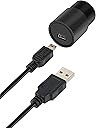
Desertcart purchases this item on your behalf and handles shipping, customs, and support to Finland.
🔬 Elevate your vision—capture the unseen in Full HD brilliance!
The Bresser USB Microscope MicrOcular Camera delivers crisp Full HD (1920x1080) imaging for microscopes and telescopes. Featuring a modern CMOS sensor with 3x3 µm pixels, it connects effortlessly via USB without drivers. Its universal 23.2mm eyepiece adapters ensure broad compatibility, while included multilingual software supports versatile image and video capture. Compact and lightweight, this camera is ideal for professionals and enthusiasts eager to document and share their microscopic and astronomical explorations.

| ASIN | B01GG2EUWO |
| Best Sellers Rank | 93,414 in Business, Industry & Science ( See Top 100 in Business, Industry & Science ) 25 in Stereo Microscopes 9,854 in Learning & Education Toys |
| Brand Name | BRESSER |
| Colour | Black |
| Customer Reviews | 3.9 out of 5 stars 1,041 Reviews |
| Digital Magnification Measured in Multiples (Digital Zoom) | 30 x |
| Enclosure Material | PE_(Polyethylene), PPS_(Polyphenylene_Sulfide) |
| Global Trade Identification Number | 04007922037028 |
| Item Dimensions L x W x H | 40L x 27W x 27H millimetres |
| Item Weight | 0.03 Kilograms |
| Light Source Type | Halogen |
| Light source type | Halogen |
| Manufacturer | Bresser |
| Manufacturer Part Number | 5913650 |
| Material | PE_(Polyethylene), PPS_(Polyphenylene_Sulfide) |
| Model Name | 5913650 |
| Model Number | 5913650 |
| Model name | 5913650 |
| Number of Items | 1 |
| Number of Packs | 1 |
| Objective Lens Description | Achromatic |
| Power Source | USB Powered |
| Product dimensions | 40L x 27W x 27H millimetres |
| Real Angle Of View | 60 Degrees |
| Real angle of view | 60 Degrees |
| Unit Count | 1.0 count |
| Voltage | 5 Volts |
J**S
Great Telescope Camera works well in the Celestron 70EQ
Bresser Full HD (1080p) USB 2.0 Microscope Telescope camera with various adapters this is a great camera for your astrophotography as it takes stills and video. I use the telescope adapter 31.75mm provided in conjunction with a Celestron 1.25 inch Omni2x Barlow lens. When used on our Celestron 70EQ Refractor Telescope With the Barlow lens removed via unscrewing from the Barlow housing the camera acts like a 7mm eyepieces you get a Magnification of 129x. Add the 2x Barlow lens and the Magnification 257x. Replace the Barlow with a Svbony 1.25 inch 0.5x Focal Reducer brings the Magnification down to 64x. By using this method your telescope has 3 zooms for viewing objects like the moon & Planets. If you also would like to add a filter to the view to reduce light, say a moon filter then you can add this to your star diagonal end of the 70 EQ Telescope.I would Suggest that you get a usb 2 extension lead as the camera cable is short. Well worth getting this camera for the telescope. Have also used this on the Solarix Telescope to view the sun though the sun filter must be used on any observations of the sun through this telescope I did noticed that even filtered light the camera got hot quick so minimal use for solar viewing would be advisable. Yet to try the camera on the Celestron 103 EQ reflector but it should work fine. Definitely would buy again. Great little Telescope camera.
J**N
A good entry-level camera for microscopy
For the price point, this is a really good introduction to microscope videography/photography and the features are rather better than cheap imported non-brand alternatives. It's very much plug-and-play, with the bundled software giving a reasonable range of adjustment for beginners and slightly more advanced users. I've attached a darkfield video I did, using this camera and a reflective darkfield stage, on an antique Olympus metallurgical scope with LED light source. As you can see, the image is pretty crisp and pleasant to view. Downsides, for me, are that it sometimes has issues with automatic exposure, especially in low light, where it will sometimes 'bounce' from bright to dark, but I can usually compensate for this in Bresser's software. I'd also rather like a higher resolution and perhaps some image processing in the camera, to allow for optimisation for the specific setup I'm using, though that's a bit much to ask in such a low-price camera and it does great as a starter, which I'll keep using on my secondary scope, after I've gotten a higher-end imager for the main unit. The only other issue I've had was (I believe) caused by having accidentally placed a magnet next to the USB cable (silly me) and thus getting some signal loss that corrupted some video. Probably best not to put strong magnets next to electronics... All-in-all, very happy and I'd recommend it, especially if you want to get kids fascinated by microbiology and don't want them being put off by having to find the focal-spot on eyepieces! :-)
T**T
very compact and nicely made. Images met my expectations
very compact and nicely made. Images met my expectations. The software included works very well, easy set up. I am just starting out and I have no experience with very expensive cameras or video cameras connected to a telescope I have used it in my 114cm full goto telescope and my dads cheapest £50 first scope unit and it performs very well on both. I use a 5meter USB2 to mini USB standard cable from maplins and it works perfectly, no interference and powers the camera without any issues over that length of cable. for viewing the moon I use a Moon filter dropped inside my 2X barlow lens, as my barlow and this camera do not have a Filter thread and images are very good but you can use it without, but the filter reduces any flickering you occasional get as the intense light changes as the moon moves across the screen, if not tracking.. This camera dose not have a stepped ring at the top of the body, so do not let it drop right into the eyepiece holder, it will slide right in. I plug it into my laptop and then wirelessly stream it on my Smart 40inch smart tv and the images are way better than my Laptop which surprised me. We can leave the telescope set up outside with cable coming in through window, into the Laptop and watch the images in the comfort of a warm room with the tracking mode on telescope enabled, Very pleased with the camera
A**R
Dont waste your money!
Seriously... DONT! I am not sure if I was just unlucky and bought a dud. But this camera cant even see Vega (one of the brightest stars in the constellation,) I have been trying to use this for the last few months and everything I look at with this camera is totally black! even the moon appears fuzzy and no amount of focus and change to the Barlow will correct it, I suggest saving the money you will spend on this heap of junk and save up for a decent camera from a reputable dealer. Another issue I have been having is that there is no screw to hold the camera in place, which is fine if the telescope is flat however if you have a SkyWatcher telescope like me, any form of vertical movement see's the camera fall out the adapter. And another issue is that if you knock the wire at all the software which it is bundled with crashes and the stops recognizing the camera, the only fix is to restart your laptop.
H**R
Camera not recognised
Software on installation CD doesn't run on XP machines, therefore camera useless. Not recognised when I plug it in, so can't take images... I have since found some software online to run this but it wasn't easy ( not on bresser homepage) . Having said that, the camera and the adaptors work well. It's a nice piece of kit. Just sort out the software!
L**N
So much easier when doing Koi scraps
Arrived well packaged and easy to set up. Just downloaded the software and connect the camera to my laptop. It did take some time to get the focusing right and found it's best to turn the light down a bit on the microscope. All images with x10 lens. The pics are placed as tabs on your screen and you have to save each one individually and set location. Videos are saved straight to your video files. I am well happy with what the images come out at and it's so much easier for me than trying to look down the eye piece. One of the best buys for checking my koi are ok and from the image I have a problem to deal with.
M**D
A low-cost introduction to astrophotography
No planets around when clear skies, my telescope, this camera and myself have all been available but I have been having fun capturing videos & stills of the moon. The camera comes with several adapters, one of which makes it a straight swap for a 1.25" eyepiece (although focus has to be adjusted of course). The sensor on the camera is quite small so on my Celestron 127 Mak-Cass the field of view is roughly the same as a 9mm eyepiece combined with a x2 Barlow (so equivalent to something like a 4.5mm eyepiece). Probably fine for planets but not so good for the moon. I bought a cheap Svbony x0.5 focal reducer which screws straight into the camera nosepiece and widens the field of view to roughly the area seen by a 9mm eyepiece without too much impact on image quality. A few other comments: The capture frame rates I have been getting are a low 10fps, using either Bresser CamLabLite or SharpCap 3.0, even with a very short USB lead plugged into a USB3 socket and reducing the capture resolution (in SharpCap) to 1280x720. I'm not clear whether that is fast enough for good planetary results. As expected, the camera sensitivity isn't good enough with my relatively 'slow' scope, for deep-sky objects, or many stars come to that. The reducer should help a bit though. No risk of the camera dropping into the non-stock 90 deg diagonal on my scope, as it sits on a ridge inside the diagonal. I was planning to wrap tape around the body but there was no need. I had problems importing CamLabLite captures into Autostakkert (memory errors) but am successfully using Autostakkert 3 Beta with SharpCap captures. I'll try to update this review once I've had a go a capturing some planets!
D**N
Easy To Use USB camera
I bought a microscope which came with an adapter for mobile phone to take photos. This proved extremely difficult to use so I eventually gave up and bought the Bresser USB camera. The difference was remarkable. It slotted into the microscope in place of the eyepiece, the software was easy to load and the picture quality was excellent. The one problem I had with it was in saving the pictures. The instructions said right click the picture tab to bring up the save menu but this didn't work. However the save icon at the top left hand side of the page worked perfectly. Other than that niggle it was excellent value for money. I'm hoping to use it on my telescope in the near future.
I**O
Buen precio beneficio
Buena cámara, excelente imagen
A**I
For kids only
For kids use only. Low image quality, colors and videos.
G**N
Bien
Bien
M**B
Ottima telecamera non per deep sky ma divertente e semplice
In pochi minuti l'ho settata e provata sul microscopio Bresser che gia' avevo e la sera con un telescopio con la Luna Le immagini parlano da sole e si puo' fare di piu'. Io la consiglio per iniziare e per divertirsi senza esagerate pretese ma un raporto qualita' prezzo ottimi. Dopo qualche giorno di prove ho notato che la focale corrispondente non è 9mm come diceva qualcuno ma 6mm quindi piuttosto spinta su telescopi di lunga focale . ad esempio con il mio ETX 90 mi darebbe oltre 200x. Invece sul sw in dotazione ho provato la funzione componi che permete di ampliare il campo inquadrato . Sulla Luna potrebbe dare qualche risultato ma è nata , secondo me per la microscopia.
V**R
Mikro-Okular - HD - gutes Preis/Leistungsverhältnis
Das Mikro-Okular kann einfach in den Okulartubus gesteckt werden und ist dann mit der beigelegten Anzeigesoftware ohne Treiberinstallation betriebsbereit (bei mir unter Win XP). Getestet wurde mit einem Zeiß-Jena Auflichtmikroskop und diversen Durchlichtmikroskopen. Alle mit Endlichoptik und Abgleichlängen von 10mm und 13mm. Hardware: Der CMOS-Sensor des Mikro-Okulars liegt in der Zwischenbildebene (oberer Tubusrand minus Okularabgleichlänge) und überträgt einen Teil des Zwischenbildes. Dadurch sind keine zusätzlichen Linsen erforderlich. Nachteil - es wird nur ein Bildausschnitt erfasst. Das Bild auf dem Monitor erscheint also zusätzlich vergrößert. Im Vergleich zum Blick mit dem Auge durch ein Weitfeld Okular ist das Bild relativ klein. Die Abbildungsqualität ist aber für 2MPixel wirklich Ok und das Bild ist angemessen scharf. Um die beste Qualität zu erreichen habe ich erst das Bild mit dem Binokulartubus scharf eingestellt und dann das Mikro-Okular in den Tubus mit dem Dioptrienausgleich gesteckt. Das Bild erscheint erst unscharf, aber über den Dioptrieneinstellring kann der Sensor optimal in die Zwischenbildebene gefahren werden bis das Bild scharf ist. Bei ausreichender Beleuchtung ist das Bildrauschen gering. Software: Die beigelegte Software hat nur wenige Funktionen, läuft aber stabil. Man kann Screenshots machen und Videos aufnehmen. Wenn einem das Bild unscharf erscheint sollte man prüfen ob die höchste Auflösung eingestellt ist (1920x1080) sonst wirkt das Bild etwas matschig. Die automatische Helligkeitssteuerung macht das Bild bei mir leider etwas zu dunkel. Hier ergab die manuelle Einstellung bei der zweithöchsten Stufe die besten Ergebnisse. In einigen Fällen hilft auch die Änderung des Gammawertes und des Kontrastes. Unter Win XP habe ich auch den VLC Mediaplayer einsetzen können um das Bild darzustellen. Auf Android Tablets und Telefonen gibt es einige Webcam Apps die über OTG-Kabel mit dem Mikro-Okular funktionieren (UsbWebCamera). Im Vergleich sind alle Mikro-Okulare, die ich bisher in Erwägung gezogen habe preislich im Bereich von 170,- bis 500,- Euro angesiedelt. Das ist mir aber für eine gelegentliche Hobbyanwendung zu teuer. Dieses Mikro-Okular bietet mir daher ein wirklich gutes Preis/Leistungsverhältnis und verdient daher volle Punktzahl.
Trustpilot
1 month ago
4 days ago