


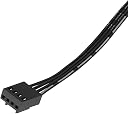

Bgears b-BlasterPWM 80mm 2 Ball Bearing PWM Fan with Extreme Airflow of 98 CF...
Product ID: 499230605
⚡600-5000 RPM ultra-fast range
🎯Japanese 2-ball bearing for stability
💨98 CFM extreme airflow
Desertcart purchases this item on your behalf and handles shipping, customs, and support to Finland.
💨 Blast your system into the future with airflow that means business!
The b-BlasterPWM80 is a high-performance PWM-controlled cooling fan featuring an extreme speed range of 600 to 5000 RPM and delivering up to 98 CFM airflow. Engineered with Japanese dual ball bearings for enhanced stability and longevity, it offers precise, on-demand cooling with motherboard compatibility via a 4-pin connector. Available in multiple sizes and certified by major safety standards, it’s the go-to fan for professionals demanding powerful, reliable, and customizable cooling solutions.


| ASIN | B0BNR6J3GN |
| Air Flow Capacity | 98 cfm |
| Best Sellers Rank | #1,221 in Computer Case Fans |
| Brand | Bluegears |
| Brand Name | Bluegears |
| Compatible Devices | Cpu, Desktop, Server |
| Cooling Method | Air |
| Customer Reviews | 4.3 out of 5 stars 586 Reviews |
| Included Components | Fan, 4 screws |
| Item Dimensions L x W x H | 3.15"L x 0.98"W x 3.15"H |
| Item Type Name | Case Fan, Computer Fan |
| Item Weight | 3.2 ounces |
| Manufacturer | Bgears |
| Material Type | Plastic |
| Maximum Rotational Speed | 5000 rpm |
| Model | BG01480 |
| Noise Level | 47 db |
| Number of Items | 1 |
| Part Number | BG01480 |
| Power Connector Type | 4-Pin |
| Product Dimensions | 3.15"L x 0.98"W x 3.15"H |
| UPC | 853704001480 |
| Unit Count | 1 Count |
| Voltage | 12 volts |
| Warranty Description | 1 year |
| Wattage | 4.32 watts |
O**M
Bgears Blasts one out of the park with these Fan-tastic Air-Movers!
I have been researching, planning, and buying parts for my new "My Ultimate Machine" since January of this year, about 8 months ago (bought first round of parts at the end of May). I am a student in a field that deals with a well-above-average amount of physics, and I have been involved in modifying and racing/tracking BMW's (autocross and road course) for about 7 years now, which has taught me an IMMENSE amount about cooling systems, efficiency, proper design, and so forth. Anyway, I decided at the last minute to switch from a 3770K + Z77 board (tired of waiting for Maximus V Extreme) to the much more powerful, overclock-friendly 3930K and Rampage IV Extreme X79. This did, however, necessitate finding a different case as the budget for these two parts went up by $400 and thus the CaseLabs TH10 would have to wait. I found the NZXT Switch 810, and fell in love. A big part of this build is the water cooling system (custom, not the sealed unit "liquid coolers" that are nothing more than "high end" air coolers). After seeing the GTX670's performance, I was able to save 25% compared to buying a GTX680 while retaining 93-98% of the 680's performance, and with the EVGA GTX670 FTW I am able to use full-coverage 680 blocks, important to me personally. I did tons of reading on liquid cooling, and even with my background it was pretty much all new to me (cooling a 200F+ car is much different than cooling a computer). I decided that I had to take advantage of the space offered by the Switch 810, which I got in white and is an absolutely incredible computer case BTW. That meant using one of the 3x140 (aka 420) rads up top instead of the far-more-common 3x120 (360) models, as the extra surface area of 3 140mm fans compared to 120mm fans is significant; in fact, a 3x140mm radiator actually has about 5,400sq-mm more surface area than a 4x120mm radiator! The problem was, there was no way I could fit a 60mm thick rad in there with push-pull fans due to the 8+4pin EPS (CPU Power) connections, the VRM/MOSFET heatsink, etc. That meant instead of going with a thick radiator with a medium-low fin count of 9-12 fins per inch, I would need to find a thinner radiator that somehow was able to compete with the thicker models. Typically, how they manage this is by increasing the fin density to around 20fpi but a couple have an insane 30fpi, requiring a tornado of a fan (think 3800-5400rpm 120x38mm industrial fans) setup to reach their potential. As I do not wish to sit next to a VTOL Case, I did some more digging... I found the XSPC EX420 radiator, only 36.5mm thick, and was designed specifically to provide a thin radiator with performance that meets or exceeds thicker radiators at most fan speeds, although below 1000-1200rpm the thicker rads tend to perform a bit better. The reason this rad performs so well is that while it uses a moderate-high fin density of 19fpi, it is unique in that measuring the fins linearly does not provide the whole picture at all... Unlike any other rad that I have ever seen, the EX-series use split-fins, so in the same space that any other rad would have 19 fins, the EX has 38; yet because the way they did this was to add twice as many rows of fins rather than twice as many fins per row, the EX is absolutely the best-scaling radiator I have used in terms of performance:fan speed. Once you get above 1500rpm, the EX pulls away from the pack, and at this point is outperforming almost all thick rads (Alphacool NeXXos UT60 is an exception, as it is tied with the EX for best-radiator IMHO). This performance continues to scale linearly to 3,000rpm and likely well-beyond, although it has not been tested at speeds higher. Also, I got an Alphacool NeXXos UT60 240 (2x120) all-copper radiator for the bottom of the case, which has 4x 120x25mm Koolance 2800rpm fans in push pull. So, after deciding on the radiator (EX420), I had to find some fans that would be able to eek as much performance as possible out of it, as 140mm fans are generally designed to move significant air (~55-75cfm) but do so as quietly as possible; thus, most 140 fans are ~900-1400rpm in speed. Another issue is static pressure, as a strong 120x25mm fan (such as the aforementioned Koolance ones) can push 5.4mmHg pressure, although that is actually extraordinarily high with most "performance fans" being somewhere between 2.2 and 3.7mmHg (120x38mm fans increase static pressure around 40-70% over their 25mm-thick brethren, assuming they are otherwise equivalent). Also, I was faced with the issue of finding a fan that operated, and was reliable, while operating in a position blowing air "upward"; this is a position that sleeve-bearing fans, rifle-bearing fans, Hydrodynamic Bearing fans, and the like all face. THEN I FOUND THE BGEARS BLASTERS 140MM FANS!!!! I am NOT exaggerating when I say that these are by far the most powerful 140mm fans I have ever used (excluding the $75-200 server-grade 140x25/38mm fans). PROS: + Absolutely the best price:performance ratio I've seen in a LONG TIME!!! Why pay $20-30 for an inferior fan??? + 103 cubic-feet-per-minute of airflow is accurate, and this fan blows significantly more air than any other 140mm fan out there, although the Akasa Viper does come close + 3.5mmHg Static Pressure is the ABSOLUTE HIGHEST for a consumer 140mm fan, period! If you are using 140mm radiators or heatsinks, these are ideal + Dual-Ball-Bearing Motor means it functions perfectly in any position, including horizontal mounting + Used in a push-pull setup on an EX420, they drop the DeltaT of the loop from 6.2C to 4.3C compared to push-pull Cougar fans + Used in just a "push" setup on the same radiator, they still maintain a better delta t than any setup of Cougar, Noctua, Scythe, Noiseblocker fans + Incredibly quiet at 80% fan speed, only becomes "loud" above 80-85% but even then, they aren't obnoxiously loud or anything like that, you will simply know they are there + BALL BEARINGS + THE BEST 140mm fan you can get for use on ANY 140 rad!!! CONS: - NOT FOR SILENT PC USERS - You really should get a fan controller - Some people have had noise issues - It doesn't make me a sandwich :( Seriously, though, there aren't really any negatives if you know what you're doing. Use a rubber gasket or 7mm Phobya rubber shroud between the fan and rad/case, use rubber washers on the screw to decouple the fan, and USE A FAN CONTROLLER! If I have to tell you these things, you probably aren't ideal for a liquid cooling system... 10/10 stars!!!
3**A
My need is different. This was perfect for me.
I am not using it as a computer fan. I needed a small high flow 12v fan to use on my off road motorcycle. I don't use the RPM control but on full flow it moves a ton of air but is loud at an annoying pitch. Can't hear it under the helmet or the running bike so don't care. If you need a lot of flow and don't care bout sound, this is your fan.
W**N
Good fan that moves a lot of air - can be LOUD at full speed
My old motherboard had issues with the PWM cpu fan socket, primarily due to archaic firmware and early PWM support. As a result, this fan ran at full speed or 75% speed only. At 5000 rpm I couldn't hear myself think in my office so I started turning off my computer while working (I work from home). I tried several fan controllers and finally got one with true PWM support and was able to dial down the fan noise a bit. Unfortunately the controller developed a fault and I had to return it. I ended up buying a different brand of lower speed fans with less aggressive blade architecture which were quieter. These fans are good for what they are, dual ball-bearing, industrial grade high RPM fans that really move the air, but they were too noisy for my needs. I put it in my parts bin for future use. I'm sure a need will present itself sometime and it will get used sometime.
A**B
The most Airflow you will get!
This thing is pretty powerful, I don't think words will do justice. It's simple: want to move a lot of air? Buy this! Want a silent fan? Check something else. This is very loud even at 50%. Make sure you have some software to able to get it to run low rpms so it can be quieter. Excelent value! Cooling is A+. This a deep (thick) fan make sure to measure the clearance of the device you are going to put it in.
J**J
If fans won't work with molex adapter, read this
This is a copy of my review for the 120mm version of this fan, as it has the same faulty 3 to 4 pin molex adapter issue. I hope this can help someone if they get a DOA (or so it seems) fan. Bought a total of 9 of these fans for a new gaming PC that I recently completed building. I wanted maximum cooling and life from the fans as I typically only try to build a system every 2-3 years and keep the systems in service for 5 years minimum. Ball bearing fans were a must for me and the options for a larger ball bearing fan are somewhat limited. I found these Bgears fans and my search ended. Lots of airflow, quiet (to me anyway), seems to be built well. I did take off a star due to defective adaptors to plug into standard molex connections. The solution is stupidly simple so I will try my best to explain it here. I did a quick power up and had no fans...less the one old 80mm I stuck in to fill an empty fan port. I figured that something wasn't connected properly and opened the case...low and behold the 80mm adapter was the LAST ONE connected to my ridiculously long chain of fan adapters. Looked at a working adapter compared to the Bgears adapters and noticed the following: The connector that has the 4 pin molex pulls off of the 12v and a ground. These need to correspond to the correct 12v and ground on the adapter. They are wired incorrectly. I determined this by looking at an adapter that worked and realizing the wires need to essentially cross. The outside pin on the 3pin fan connector connects to the more central pin on the molex end of the connector. As they come, the outside pin is wired to the outside pin and causes the fans to not work. [ 1 2 3 4 ] ......x.y ......x.y ......x.y ......x.y [ 3 2 1 ] ^This is how they come, where the [ 1 2 3 4 ] is the 4 pin molex power supply connection and the [ 3 2 1 ] is the 3pin fan connector, x and y are the wires. [ 1 2 3 4 ] ......x.y ......x.y ......y.x ......y.x [ 3 2 1 ] ^The second ascii depicts how the wire should connect. Use a tiny straight paperclip or something else pokey to push the pins out of the 3pin connector. I used a 0.018" gage pin. You can accomplish this by pushing from the end of the 3pin connector that attaches to the fan wire. There is a small clip at the top of the pin that is back in the base of connector. Youtube probably has a few good videos explaining this particular step. Once removed, replace the pins in the SAME sockets in the connector, just switch which pin goes in which hole. It is important to get them in the right 2 of 3 sockets in the connector, so maybe mark where the wires are originally so you can simply pop em in. I am quite electronically/mechanically inclined so this was not a difficult task for me. You can buy the adapters cheap online so if you are not in a hurry, slightly nervous about rewiring components, and can wait to have them shipped, it may be a better solution. I hope this helps someone fix their fans. I had bought into these fans lock, stock, and barrel so I was going to make them work if possible. I'm glad I spent a few minutes determining the solution to get these things running. Awesome product, deserves 5+++ stars, however they shoot themselves in the foot by sending out improperly wired adapters.
B**.
Seems to be of Good Build Quality
So I have a rather unusual use for this fan. I intend to use it to cool down a 5900 XT, however I've only had this fan for a few hours and my 5900 XT has not arrived yet. So I did some testing comparing this fan to a Noctua industrial 3000 rpm fan. My heatsink is a Thermalright SI-100. Initial testing with this fan has shown me that the BGears fan seems to be keeping my Ryzen 5 5500 4 degrees cooler, a peak from 73 C with the Noctua to 69 C with the BGears fan. I will certainly update my review down the line and of course if this fan gives me any trouble. Something I really want to mention in this review is that my MSI Center APP reads the BGears fan not dipping below 3000 rpm however the fan is basically not audible when it's supposedly running below 50% speed so I believe that this BGears fan may be giving incorrect RPM readings to the APP and to the bios. Therefore I do believe that it's PWM is functioning as it is supposed to be because if the fan was running at 3000 rpm all the time I would be able to hear it. I am confident that this BGears fan does PWM between 1000 rpm and 5000 rpm. Another key point that I need mention is that this fan is really not that loud, even at full speed. Yes I can hear it at full speed but considering I'm getting a 4 degree C lower Delta it does not feel very loud. I believe the 50.5 decibel rating is accurate. Running my 9x Noctua 3000 rpm fans at maximum blow is louder than running this single 5000 rpm BGears fan. So overall the quality of this BGears 120mmx25mm fan is exactly what I was looking for. No complaints here for 20 bucks on sale. When you want to keep your air cooler rather than spending hundreds on an AIO cooler and you are upgrading your CPU this fan seems like a good fit. I will update my review later on after I have ran some more extensive testing. **Update after 1 week, after further tests I still don't have much more to say about this fan. It does cool my 5900 XT with my Thermalright SI-100 cooler. Giving my 5900 XT a decent load the temps did shoot up quite high. The 5900 XT runs very very hot straight out of the box though. This BGears Blaster fan pumps the air through the heatsink, I don't know what my temps would be with the Noctua 3000 but I believe the Blaster fan is pumping 203 CFM so temps are probably significantly lower with the Blaster fan. It's a little loud at max rpm but it cools down my 5900 XT.
B**H
Vibrated itself apart within hours, cannot recommend
I bought this 140mm x 38mm 5200rpm +12V @ 2.76A fan to replace a 120mm x 38mm 2000rpm +12V @ 0.30A fan in a Thermaltake Core V1 that comes with a 200mm x 25mm 800rpm fan. I find the thicker 38mm fans that run faster are much better. Unfortunately, after running it at 2000-2300 and then 3400-3700rpm, I was doing some thermal testing and running it at the full 5000-5100rpm rate. It vibrates massively above 3700rpm, even though I used rubber spacers as I had read reviews from others about the vibrations, and wanted to dampen them as much as possible. It was maybe 20 minutes in that I heard a bang, and immediately pulled the plug on my computer. Upon immediate inspection, I saw a blade that had separated. But upon further inspect, literally half the fixed supports on the back had cracked, and when I touched one, it broke off. I couldn't believe it vibrated itself apart like that. I've never seen anything like that, and I'm a degreed EE with a decent amount of thermal experience in microelectronics (this was just a PC cooling project). If I had to guess, the fixed supports on the back were the first to crack, and then the unit warped, causing a blade to fly off. Just really not something to run above 3700rpm, and I would look elsewhere for a 140mm x 38mm fan, possibly just sticking to lower speeds.
A**Y
Made a DIY Fume Extractor
I recently got into soldering and was looking at purchasing a fume extractor system. I was looking at systems in the $75 range and they all only did approximately 60 CFM. The most expensive extractor systems could do 300+ CFM but were several hundred dollars(!!!). Either way, they were basically just computer cooling fans in a box with a filter of some sort so I decided to make a prototype for my own fume extractor. I made something that is by no means fancy. I used a cardboard box (free), this fan ($25), 2-1/2 inch wide x 36 inch flex hose ($10), carbon filter sheet ($12 for more than I need), 12v 3amp power adapter ($8), and some tape. It does an amazing job at extracting fumes from several inches away. Actually, I have to be careful with parts/paper because it can suck that objects up, the the vacuum is so good. It is very loud. Ambient sound in my work area is approximately 32 dB. With this fan going it gets to about 61 dB. Now, to be fair, the fan is just screwed to the inside of a cardboard box. In the future I may redesign the box so that the sound is muffled a bit, or add a fan speed dial. Highly recommend this fan if you need to move a lot of air.
R**S
Mucho ruido y pocas nueces
Muy ruidoso y sin control de rotación, lo que lo hace verdaderamente molesto al utilizarse. Si buscas una opción silenciosa este no lo es, mejor busca uno de 4 pines. Si lo vas a usar en un taller mecánico o en una fábrica donde hay mucho ruido y no te importa este te puede servir.
J**Y
Don't waste your money on such product
Very noisy
P**R
Broken
Item does not work! I cant’t return it anymore
S**O
Are the bearings icosidodecahedron?
Both fans are not fit for use inside a PC. The bearing sound (crunching) is unsettling to say the least. When the bearings hit a certain spot, the fan comes to a sudden stop and only gets going again if rolled backwards and let go again. I've used fans in all price ranges and while the airflow is up there with the best, the internals and reliability are far below $1 bargain bin no name fans, most of which served their purpose years longer than expected.
D**T
Very unbalanced, creating a piercing whine audible from other rooms.
When it comes to this odd fan size, you don't get much choice. But if you can choose, don't choose this one. It makes a sound sort of like a power transformer in a large building would. Quieter, but still, at idle about as loud as a 120mm FAN going full blast. The kind of noise its making to me, is a textbook imbalance. Either the fan itself isn't fit well enough to the hub and motor, or the blades are too unevenly weighted. Even just flicking it to get it spinning while its plugged out, you can feel it vibrate in your hands. No fan should do that.
Trustpilot
3 days ago
3 weeks ago