Desertcart purchases this item on your behalf and handles shipping, customs, and support to Finland.
🎥 Elevate your video presence—because your image deserves the spotlight.
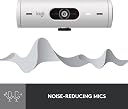
The Logitech Brio 500 is a sleek, professional-grade Full HD 1080p webcam designed for seamless video conferencing. Featuring advanced RightLight 4 auto light correction, dynamic auto-framing, and dual noise reduction microphones, it ensures you look and sound your best in any environment. Show Mode lets you effortlessly present physical objects, while the integrated privacy cover guarantees security. Compatible with Microsoft Teams, Google Meet, Zoom, and USB-C enabled devices, it’s the ultimate upgrade for millennial professionals seeking flawless virtual presence.


| ASIN | B09QWVYK6V |
| Antenna Location | Online meetings and video conferencing |
| Are Batteries Included | No |
| Best Sellers Rank | #65,212 in Computers ( See Top 100 in Computers ) #378 in Webcams |
| Brand | Logitech |
| Built-In Media | WEBCAM |
| Camcorder Type | Webcam |
| Color | Off-White |
| Compatible Devices | [Personal Computer, Notebook, Devices with USB Port] |
| Connectivity Technology | USB |
| Customer Reviews | 4.4 out of 5 stars 1,136 Reviews |
| Digital Zoom | 4 x |
| Display Resolution Maximum | 1920x1080 pixels |
| Effective Still Resolution | 4 MP |
| Effective Video Resolution | 1920 Pixels |
| Exposure Control Type | Automatic |
| File Format | JPEG |
| Flash Memory Bus Interface Type | USB |
| Flash Memory Type | No |
| Flash Memory Video Speed Class | Class 2 |
| Flash memory type | No |
| Focus Type | Auto Focus |
| Form Factor | Compact |
| Global Trade Identification Number | 00097855179319 |
| Has Image Stabilization | No |
| Image Aspect Ratio | 16:9 |
| Image stabilization | false |
| Item Dimensions D x W x H | 3.1D x 11W x 3.1H centimeters |
| Item Type Name | Webcam |
| Item Weight | 121 Grams |
| Lens Type | Zoom |
| Log Gamma Curve | [MAY] Yes |
| Manufacturer | Logitech |
| Maximum Aperture | 2 f |
| Maximum Focal Length | 1.0 |
| Maximum aperture | 2 f |
| Maximum focal length | 1.0 |
| Minimum Aperture | 1 Millimeters |
| Minimum Focal Length | 1 Millimeters |
| Model Name | BRIO |
| Model Number | 960-001427 |
| Operating System | Windows, macOS, ChromeOS |
| Photo Sensor Size | 1/3-inch |
| Photo sensor technology | CMOS |
| Screen Size | 2 Inches |
| Sensor Type | CMOS |
| Shooting Modes | 'Show Mode', 'Auto Light Correction', 'Auto-Framing' |
| Special Feature | Low Light |
| Style Name | Modern |
| Supported Audio Format | MP3 |
| Supported Image Format | JPEG |
| UPC | 097855179319 |
| Video Capture Format | MP5 |
| Video Resolution | 1080p |
| Video capture resolution | 1080p |
| Viewing Angle | 74 Degrees |
| Water Resistance Level | Not Water Resistant |
| White Balance Settings | Auto |
| Zoom | Digital |
J**N
Logitech knocked it out of the park with the Brio 501
I recently upgraded my home office setup, and let me tell you, the Logitech Brio 501 Full HD Webcam has taken my video calls to an entirely new level! As soon as I unboxed it, I was impressed by its sleek design—definitely a great addition to my workspace. The picture quality is crystal clear, and I can’t get over how vibrant the colors are. It features full HD resolution, and combined with its auto light correction, I've never looked better on a video call—even in those less-than-ideal lighting situations. Gone are the days of looking like a shadow in the corner of my room! The Show Mode is a neat touch, too. It lets me effortlessly shift between discussing what's on my screen and drawing attention to myself when I need to present—a killer feature for team meetings. Speaking of meetings, whether I’m on Microsoft Teams, Google Meet, or Zoom, this webcam seamlessly connects via USB-C, making the setup a breeze. No more fiddly cords or constant reconnections! Sound-wise, the dual noise reduction mics do wonders. My colleagues have commented on how crisp my audio is, and the ambient noise has effectively been filtered out. It’s like having a personal recording studio right on my desk! Let’s not forget the privacy cover—it gives me peace of mind, knowing I can just slide it whenever I’m not using the camera. Overall, the Logitech Brio 501 has truly elevated my work-from-home experience. This webcam is worth every penny and deserves a solid five stars! Whether you're a professional juggling video conferences or someone who just wants to connect more personally with loved ones, the Brio 501 will not disappoint. Highly recommended!
N**R
Excellent webcam for business or personal use
I replaced my former Razer Kiyo Pro because it always gave me problems with flickering, the auto white balance was poor, and the huge bundle of intrusive software was annoying overkill. The feature set is similar on this camera, in what I consider to be a sleeker, more modern chassis. The video quality is similar. Which is to say, excellent, including in low light and cross-light situations. The auto-framing is a nice feature the Razer didn't have. Logitech's software is more considerate of my system resources, and the in-tray adjustment/preview panel is convenient and quick. No flicker. Rock solid performance. My only disappointment is that (similar to the Razer) the auto white balance tends toward unnatural greens. But overall, I'm very happy I made this switch. And I love the fact that this is made from recycled plastic in a carbon neutral manner. Thank you, Logitech.
S**D
Bonne qualité
Je suis satisfaite du produit qui est facile á installé et intuitif pour ajuster les réglages. Belle qualité d’image et micro fonctionne très bien.
T**R
good camera with good audio
The Logitech Full HD 1080p Webcam is a versatile and high-quality webcam that is perfect for professionals who need to communicate and collaborate remotely. With advanced image quality, auto light correction, and auto-framing, this webcam provides me with an outstanding video conferencing experience. This has fixed all the audio and camera issues that I face in a year of remote work. One of the features of this webcam is its full resolution, which provides clear and crisp image quality. I did not want too much details in 4K giving too much details in remote work, so this was perfect for me. This was also higher than my macbook's 720p. This is perfect resolution for me. The auto light correction feature works well for me w/ zoom. even in low light environments. The webcam adjusts to the lighting in your environment to provide the best possible image quality. I had severe issues with zoom previously, due to sun and early morning/evening calls. The auto-framing feature, centers the camera on you, even as you move around during meetings. This allows you to stand up or move around without worrying about leaving the frame. I personally have this feature turned off. The Show Mode feature lets you tilt the webcam up or down with one hand, allowing you to present or hide your work or other objects on your desk. This is perfect for remote presentations or demonstrations. The dual noise reduction microphones ensure that you are heard clearly, even in noisy environments. The noise canceling mics filter out background sound during calls, ensuring that your voice is the focus of the conversation. To protect your privacy between meetings, the webcam features an integrated privacy shutter that can be rotated to completely block the camera. This is a valuable feature for professionals who are concerned about their privacy. With a 90-degree field of view, this webcam provides extra space to move around or have a second person on the camera with you. The Logi Tune software allows you to zoom in or out to a full 90º width that I use. Overall, the Logitech Full HD 1080p Webcam is an outstanding choice for me who needs high-quality video and audio for remote meetings. Its advanced features, including auto light correction, auto-framing, and dual noise reduction microphones, make it a standout option for me.
Z**E
Good HD camera
It’s a pretty decent camera with high picture quality. Pretty easy to connect to the computer and the video looks pretty good. It has a clamp so it’s easy to set up on top of your monitor. However it made of plastic and for something that is not an entry level mic it does feel a bit cheap. Also I could never the mic to work so it’s a bit annoying.
Trustpilot
3 weeks ago
2 weeks ago