Desertcart purchases this item on your behalf and handles shipping, customs, and support to Finland.
🛫 Elevate your flight sim game with precision, power, and total control!
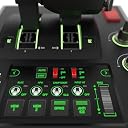
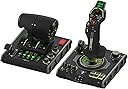
The Turtle Beach VelocityOne Flightdeck is a premium HOTAS joystick and throttle system designed for Windows 10/11 and Xbox Series X/S. Featuring 139 programmable buttons, a groundbreaking Flight Touch Display, and a customizable OLED HUD, it offers unparalleled control customization. Its hall-effect contactless sensors provide precise, drift-free input for long-lasting performance. Lightweight yet robust, it supports major flight sims like Microsoft Flight Simulator and Star Wars: Squadrons, delivering an immersive, professional-grade experience for serious sim enthusiasts.


| ASIN | B0CPQ7RF6Z |
| Country of origin | China |
| Customer reviews | 4.1 4.1 out of 5 stars (2,206) |
| Item model number | TBS-0724-05 |
| Language | English |
| Product Dimensions | 17.6 x 52.4 x 25.5 cm; 4.27 kg |
| Release date | 13 Feb. 2024 |
D**D
Amazing bit of kit.
I’ve been using the Turtle Beach VelocityOne Flight Deck for nearly a week now, and I’ve been very impressed. Everything has worked perfectly straight out of the box, and the overall build quality feels excellent. The controls have a great tactile feel, making them satisfying and precise to use, while remaining comfortable during normal flying sessions. The only minor downside I’ve noticed is that the joystick spring is quite strong. While this gives the stick a solid, premium feel, it can lead to some hand discomfort during longer flying sessions. The number of buttons and controls available is fantastic, giving you plenty of options for mapping functions without needing to reach for the keyboard. I’ve been using it exclusively with Microsoft Flight Simulator 2024, and it’s worked flawlessly. The only adjustment I needed to make was reducing the sensitivity when flying helicopters, which is more of a simulator tuning preference than a fault with the hardware. Another feature I’ve really appreciated is how easy it is to store away. It stays stable during use without needing to be clamped or permanently secured to the desk, making it quick to set up and put away when you’re finished. The only real flaw I can point to is that it’s designed for right-handed use only. If you’re left-handed and aren’t comfortable flying with your right hand, you’ll probably need to look for an alternative. Overall, I’m extremely happy with the VelocityOne Flight Deck and would happily recommend it to anyone looking for a high-quality HOTAS setup.
J**S
A well priced contactless flightstick!
It is difficult to make an assessment for something like a flight stick simply on the basis that all players with have different requirements for the “perfect” HOTAS. This being the case this review is judged with the Xbox One and/or Series X/S in use. First it must be accepted that most games will not accept a flight stick at all and even some flying games won’t. At this time... Ace Combat 7 for example will not see the Turtle Beach VelocityOne Flightstick, even though it will see a Thrustmaster HOTAS one. I mention the latter because of the price range only. Ace Combat 6 Ironically, not only plays on the Series X but the Turtle Beach VelocityOne Flightstick works with it rather well, although you must have current firmware and set the input of the flightstick to “Xbox compatibility mode”. Games that work with the Turtle Beach VelocityOne Flightstick include. • Air Missions HIND • Elite Dangerous • Microsoft Flight Simulator • Flying Tigers: Shadows Over China • Star Wars: Squadrons • War Thunder I would hazard a guess that there are more and hopefully new titles will see the VelocityOne Flightstick (V1F) as it does have potential. There is a mystery about this flight stick as it does have feedback motors that are not used at least on Xbox and I think also PC. I cannot find any reason why this feature is not working and I hope that a future firmware update might remedy this. But at this time don’t buy this thinking that vibration is active. Maybe Someone at Turtle Beach might have something to say if they read this. On the upside the main axis of this flight stick are non contact devices which means that they don’t wear in a physical manner. This should mean that pitch, roll and yaw will suffer less drift problems than traditional potentiometer devices. In addition there is an onboard checking system that allows the user to be sure that the full extent of the “travel” of pitch and roll is being used. There is a recalibration system also onboard but for the process it is best to go to the Turtle Beach web site. The unit also has a coloured lighting system and digital display for its customisation. If you don’t like these, all can be changed or turned off to suit yourself. Given that it is powered through the USB this would have almost no impact on power use. The overall feel of the V1F is of good quality and construction. It is however light when compared with its nearest rival the Thrustmaster Hotas One, which has added weights inside its body (a rather good idea). I guess that this is easily dealt with by most users though, and won’t really be a big issue. An issue that does get mentioned and should also be pointed out, is that the main stick axis is quite tight compared to other flight sticks and there is no outside way to reduce this nature. The internal spring could be changed but that might invalidate the warranty and might not be something that some would be prepared to do. Whether this feel will loosen in the long term is anybody’s guess, so it is worth trying to get a feel of one before purchase. So far in use I find that this is a great flight stick. The customisation alone is a great addition at this price as is the contactless main axis control. Of course as I said, something like a flight-stick is of personal opinion but I think that many would like this for its build, quality and features as well as its customisation. For me, I say well done Turtle Beach.
D**6
The best flightstick for MSFS2020/MSFS2024
This is my daily used flightstick for MSFS2020 and MSFS2024. It is comfortable to use and the separate sliders for throttle and flaps are brilliant. The H1 button is used for quick-look, with the H2 stick used for camera movement and looking around. There is a button near your thumb (B16) which I use for toggling Autopilot on/off the the opposite button which i use for answering the Control Tower etc. The scroll wheel is for the Trim. This INITIALLY works well but has since stopped working with trim, and I can't get it to work again despite the troubleshooting instructions. Doesn't really matter but is a bit annoying. When you look at the unit, there are loads of buttons and it may feel like there's either too many or not enough. Well let me tell you, it took me a while to realise but in Microsoft Flight Simulator, you can assign buttons to anything. But not just buttons, but COMBINATIONS of buttons. Meaning you have hundreds of commands at your fingertips with the only limitation being trying to remember what does what. Its truly an exceptional bit of equipment and makes flying a pleasure. 100% recommend this!
M**H
Excellent flight deck from Turtle Beach
Very happy with the VelocityOne Flightdeck. Ruggedly built with plenty of variation in flight controls. Top Turtle Beach quality as usual 👌🏻
C**S
I've been through 3 of these and they've all broken.
Different issues each time ... First one lasted about 6 months and then every button/axis on the joystick completely stopped responding, it stopped lighting up etc. - Amazon didn't offer a replacement despite having them in stock because the price had since gone up, so the only option was a refund. They didn't offer a "collect at home" option so, as a wheelchair user unable to carry this massive box to a post office, I had to arrange my own via DPD. 2 months and 17 instances of me contacting Amazon support later and I finally got my refund, and spent the extra £100 on replacing it with a new one. The new one arrived with a broken throttle; one side had no resistance and simply didn't work. Sent this one back through the post office and had somebody drop it off for me, got a refund (no replacement offered again, despite being in stock at the same price) quickly thanks to the understanding support agent and ordered a 3rd one. This one arrived and the left throttle had no working LED lights and had a slight grinding noise ... I couldn't be bothered enduring another refund process so just kept using it. Several weeks later and this throttle now occasionally grinds much more loudly, several axes on the throttle randomly decide to reset themselves on occasion (which in a plane/helicopter shuts off my fuel and sets my throttle to 50% whilst also releasing my handbrake) not good in the air or on the ground, if my engines are running ... So it's basically past the point of being usable, and I've gone to just refund the item so I can buy something else. However, now, Amazon have changed the options and my only option is to try and get it repaired first. I don't want a 4th of these crappy items; I am taking the hint ... This is not a good product. I don't want one anymore. Now I'm stuck with one and I spent £100 than I was initially willing to spend. Great. Absolutely this gets 1 star. 0 if I could.
B**E
turtle beach at their best
I ordered this for my gaming PC but use it on both PC and Series X It arrived in branded box on removing your meet with a well made but lightweight flight stick. Now I’ve been using the Turtle Beach VelocityOne Flightstick with Microsoft Flight Simulator 2020 and 2024 on both PC and Xbox Series X,for sometime and it’s been a great addition to my setup. The flightstick is well-built, responsive, and comfortable to use, offering a much more immersive experience compared to a standard controller. The button layout is intuitive, with plenty of programmable buttons and controls that work well for managing flight functions without needing to dive into menus. The Hall-effect sensors give smooth and precise inputs, which makes a noticeable difference in handling aircraft, especially during takeoff, landing, and maneuvering. The throttle lever and hat switches add to the realism and give good control over flight operations. Compatibility was straightforward — it worked right out of the box with both Flight Sim 2020 and 2024, with minimal setup. Whether flying casual or more advanced aircraft, this flightstick strikes a nice balance between accessibility and realism, making it a solid choice for beginner and intermediate sim enthusiasts. Overall, the VelocityOne Flightstick offers great value, solid performance, and a more immersive experience for flight simulation fans on Xbox and PC.
M**.
Great stick with two pretty big flaws
Good quality stick with plenty of features. Incredible number of axes and buttons for this price range. Most of the buttons feel really good and have positive feedback. The two buttons next to the trim wheel on the stick are way too easy to press, so I wouldn't bind them to critical functions. The tiny joystick on top of the stick is a really nice touch and great for camera control if no VR or headtracking. And having two throttle axes at this budget is pretty amazing, even if this is not a proper Hotas. The stick is plug and play on PC and Xbox. In MSFS 2024 the default setup was pretty good but I did need to configure the trim wheel and change a few buttons around to suit me. The display on top of the stick allows for some configuration on the fly, like stick speed. It even has a chrono, helping with dead reckoning navigation (for people who are into that kind of thing). However this stick has two big flaws. The biggest one is the stiffness. It's unbelivably stiff and it has no way of tweaking it without opening it up. After 20 minutes of doing circuits in a GA my hand was numb. I read you can mod it to fix that up, but it should not be needed. The second flaw is stick travel. It's just too short. It's fine for GA or airliners but for any kind of combat you have to pick between precision or turn rate (even with the precision profile). If you're willing to mod it yourself (potentially voiding the warranty) and only fly GA and airliners then this ks a great stick for the money. Otherwise I'd look elsewhere.
K**L
Perfect.
Working really well and love the new upgraded switches.
I**R
Flight Deck not working from package
Flight deck not working from the box, but bought it for xmas for my son, so now too late to return. Terrible product it seems
Q**.
Convenient
Quality
P**R
Outstanding Flight Stick
Great value for the price, a real bargain. Ease of setting up was really non stressing. Typical Turtle Beach Product, Quality.
M**O
Flight Stick turtle beach
Questi Flight Stick si presenta in una confezione curata e ben strutturata. Al suo interno, oltre al controller, troviamo il cavo USB c. È possibile invertire il poggia polso sul dorso dello Stick per i mancini ed è anche regolabile in altezza con relative tacche di orientamento. Il feedback è buono, forse un po' troppo resistente al suo rientro in posizione centrale. Ha un ottima compatibilità grazie all'ultimo update che consente oltre alla modalità PC e Xbox quella per terze parti, ovvero per tutte quei giochi non ottimizzati dalla casa produttrice. Si dovrà soltanto eseguire una mappatura dei pulsanti. Sostanzialmente verrà letto come un normale controller. Le impostazioni sono davvero molte, relative a trim, sensibilità, inversione assi, colore dei led, luminosità display e led ecc. Il mini touch pad sarebbe davvero utile, peccato che ad oggi soffra di una sensibilità decisamente imprecisa. Il cursore viene mosso correttamente in basso e verso l'alo l'input non è coerente con il movimento del dito. Ha molti tasti fisici personalizzabili, molti inaspettati, che rendono il controller, utilizzato da solo, molto sfruttabile per tutte le shortcut utili a chi lo usa con il simulatore e non. Con Flight simulator 2020 si comporta egregiamente, lo utilizzo prettamente su Xbox series x. Mi è bastato impostare alcuni parametri per mia comodità ed ero già pronto al volo. Unica pecca ancora non risolta è che pigiando il pulsante home dell' Xbox il cursore tenderà ad andare in basso a destra senza fermarsi, il che rende impossibile spostarsi nel menù della dashboard. A livello di feedback non ho apprezzato gli spostamenti dal punto zero, troppo rigidi e accompagnati da un ticchettio un po' fastidioso. In conclusione lo trovo un ottimo prodotto e con un buon qualità prezzo, ha tutte le comodità per chi vuole usare mfs da console e dal punto di vista estetico è veramente piacevole.
J**K
Lots of features for beginner or expert
Solidly built with a lot of features. Good for the new or entry-level flight sim player who wants something more than a basic joystick. The VelocityOne Flightstick has levers for throttle and/or flaps, a roller to adjust trim, and a twist-rudder feature, plus many assignable buttons. It also has a tiny touchpad! The base is solid and fairly heavy, and the pads are non-slip. My only complaint is that at full deflection forward or backward, the base will tip. It can be mounted, however, and screws are included for this purpose. I’m just getting into playing some flight sims and don’t yet want to invest in a full set of a separate joystick, rudder pedals, and throttle. So this joystick is perfect for me as it’s everything in one compact package.
Trustpilot
2 weeks ago
2 months ago