Desertcart purchases this item on your behalf and handles shipping, customs, and support to Finland.
โก Elevate your dual-laptop setup with lightning-fast 4K power and seamless switching!
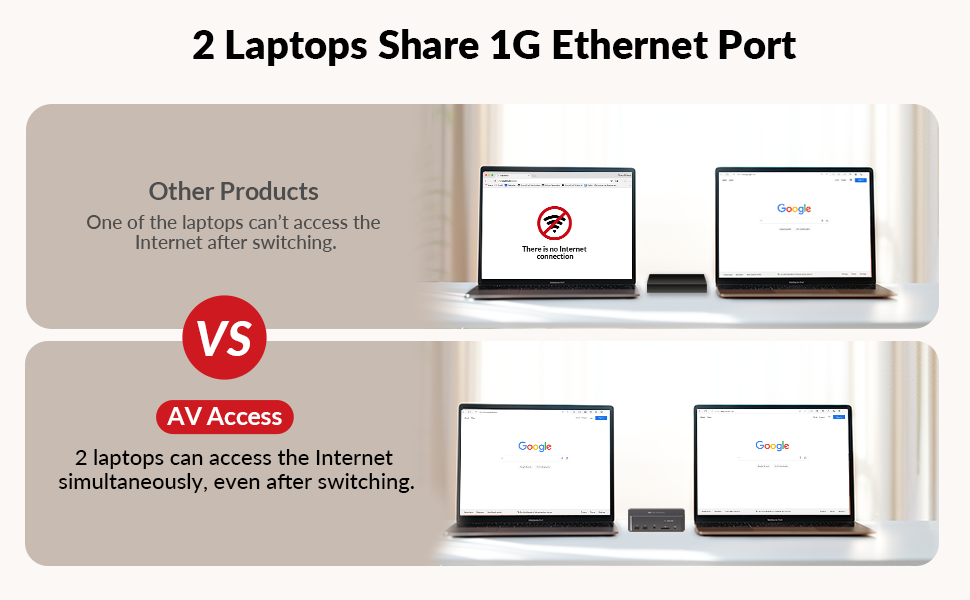
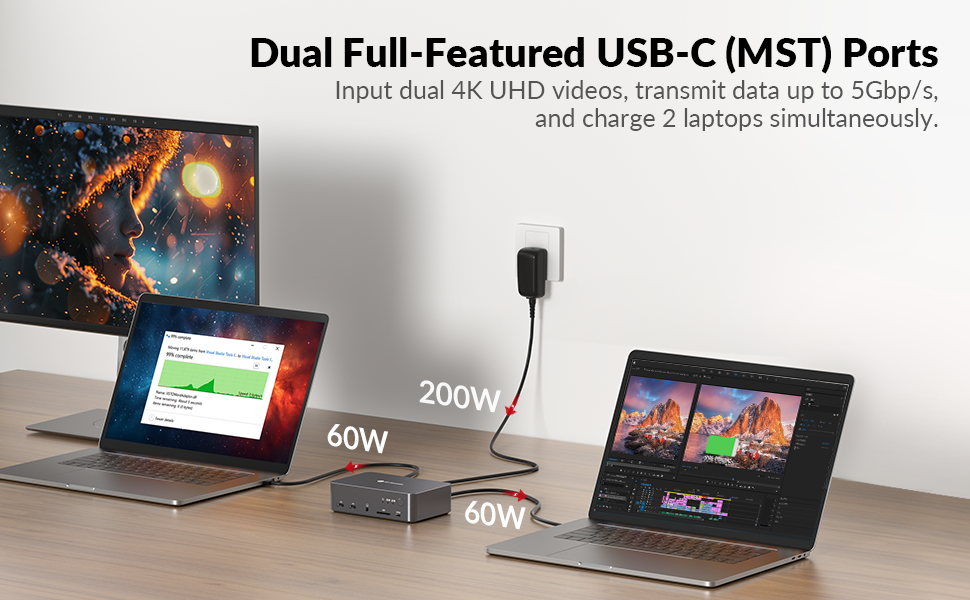
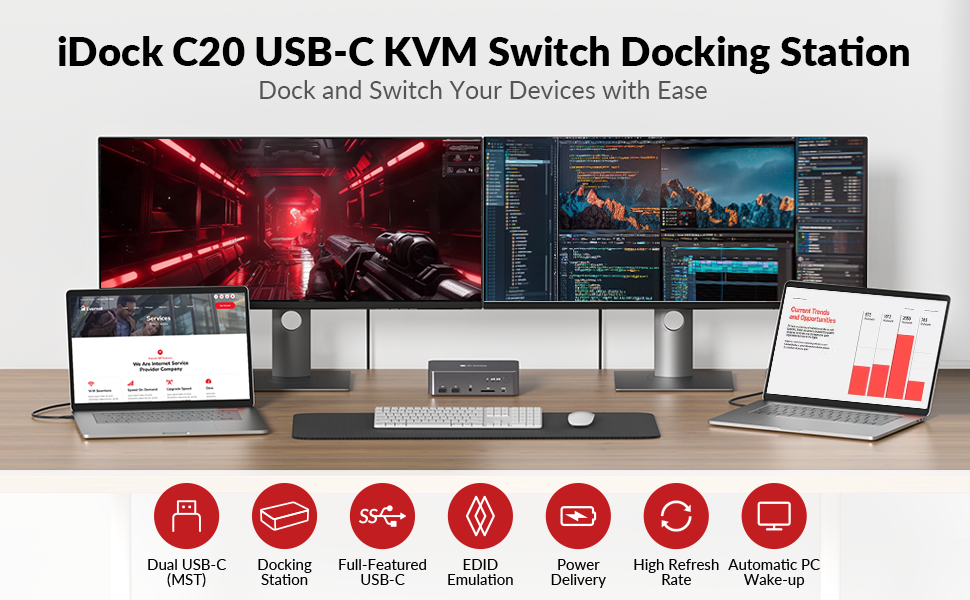
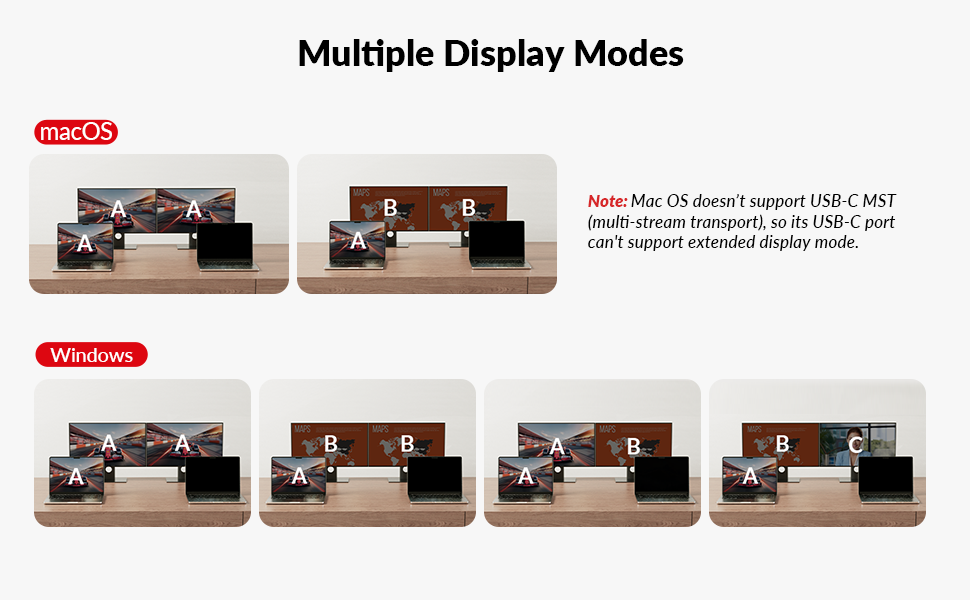
The AV Access iDock C20 is a premium 12-in-1 KVM switch dock designed for professionals juggling two laptops and dual 4K monitors. It features dual USB-C MST ports delivering 60W power and 5Gbps data, a 1G Ethernet port for stable wired networking, and supports high refresh rates up to 144Hz at 2K resolution and 240Hz at 1080P. With EDID emulation to prevent screen flicker and ultra-fast switching in 2-3 seconds, itโs ideal for home office multitasking and gaming-ready performance.


| ASIN | B0CP4PD3SM |
| Best Sellers Rank | #2,248 in Computers ( See Top 100 in Computers ) #3 in KVM Switches |
| Brand | v AV Access |
| Color | For 2Laptops 2Monitors |
| Colour | For 2Laptops 2Monitors |
| Compatible Devices | Laptops |
| Compatible devices | Laptops |
| Customer Reviews | 4.2 out of 5 stars 341 Reviews |
| Hardware Interface | 3.5mm Audio, Ethernet, SDXC, USB 2.0, USB 3.0 Type C |
| Hardware interface | 3.5mm Audio, Ethernet, SDXC, USB 2.0, USB 3.0 Type C |
| Input Voltage | 20 Volts (DC) |
| Item Dimensions L x W x H | 17L x 11W x 4.5H centimeters |
| Item Weight | 1.76 kg |
| Manufacturer | AV Access |
| Mfr Part Number | iDock C20 |
| Model Number | iDock-C20-US |
| Number of Ports | 15 |
| Product dimensions | 17L x 11W x 4.5H centimeters |
| Smart Home Compatibility | Not Smart Home Compatible |
| Total Number of HDMI Ports | 2 |
| Total USB ports | 8 |
| Total Usb Ports | 8 |
| Unit Count | 1 Count |
| Wattage | 120 watts |
A**E
Great customer support
Works well. Switches between my two laptops in a couple seconds, one cable per laptop handles video, charging, and internet. Cleaned up my desk a lot. But honestly best part was the support. Had some initial issues I couldn't figure out on my own. Johnny helped me out and stuck with it until we had it all figured out. Thanks Johnny!
C**N
Great KVM if you deal with laptops at work.
Received my package quickly from Amazon. I do have another AV Access device called the iDockB30 but it's good for two desktops and a laptop and I wanted the one that can connect to two laptops to have as my work keyboard-video-mouse (KVM). It's easy to set up. Just two USB-C cables that go to the corresponding ports on the back of the iDockC20 and power. The other ends of the USB-C cables will go to the respective laptops. I'm a big Lenovo ThinkPad fan so I have a ThinkPad T14 Gen 5 AMD from my work and a ThinkPad P14s Gen 5 AMD as my personal daily driver. Turned on the unit and works well. Though the T14 had a little issue connecting but once I rebooted it worked fine. I'm able to press the switch on the docking unit to switch between the two with no issue. Looking over the build it looks solid, and the ports are labeled clearly so you know what device to plug into what. There are a decent number of ports in the back and the SD card reader is convenient to have since at my work place, I sometimes need to use the cards to read any external data. I tested out the network connectivity between the two by switching and it doesn't seem to lose the connection which is nice. Since the power distribution is 60W I would only recommend the KVM for use on business class laptops like the Lenovo ThinkPads. It would be advisable that if you are going to be connecting a gaming laptop on it like a Asus Strix G16 or a Lenovo Legion i7 having USB-C ports it will provide enough power if you plan to game on it. I would only use it for productivity work. I hope the next iteration of the USB-C ports on the docking unit will be like USB 4 or Thunderbolt 4/5 but for right now it suits to what I need to it do at my workplace. I do have dual monitors, and they worked great on them. No issue whatsoever since the monitors I have are 27-inch 1080P and a 32-inch 1440P. I have used it for quite a number of days, and I personally like the device. It is working great so far for me and does what I need it to do. Since I do IT work, I like the fact that I can plug in a second laptop and run through items without having to plug in a monitor etc.
M**P
Switch between Samsung S20, which uses DEX and my laptop
I have a Samsung S20, which uses DEX. I switch between my laptop and phone all the time. The biggest reason is that Google Photos on my mobile does better editing than on the desktop.
S**2
100% Linux Compatible, works a charm
Works great with Linux and Windows
B**4
Flawless Switching & Excellent Performance!
I compared several KVM switches before finally choosing this one. It lets me switch my peripherals and monitors between two computers with a single click. The dual-monitor setup works perfectly, and it has plenty of ports, making it super convenient to plug in devices and connect directly via Ethernet. The power supply is sufficient, and the price-to-performance ratio is spot on. I really love it.
Trustpilot
2 months ago
3 weeks ago