

Buy anything from 5,000+ international stores. One checkout price. No surprise fees. Join 2M+ shoppers on Desertcart.
Desertcart purchases this item on your behalf and handles shipping, customs, and support to Finland.
๐ฎ Level up your game with style and precision โ donโt just play, dominate!
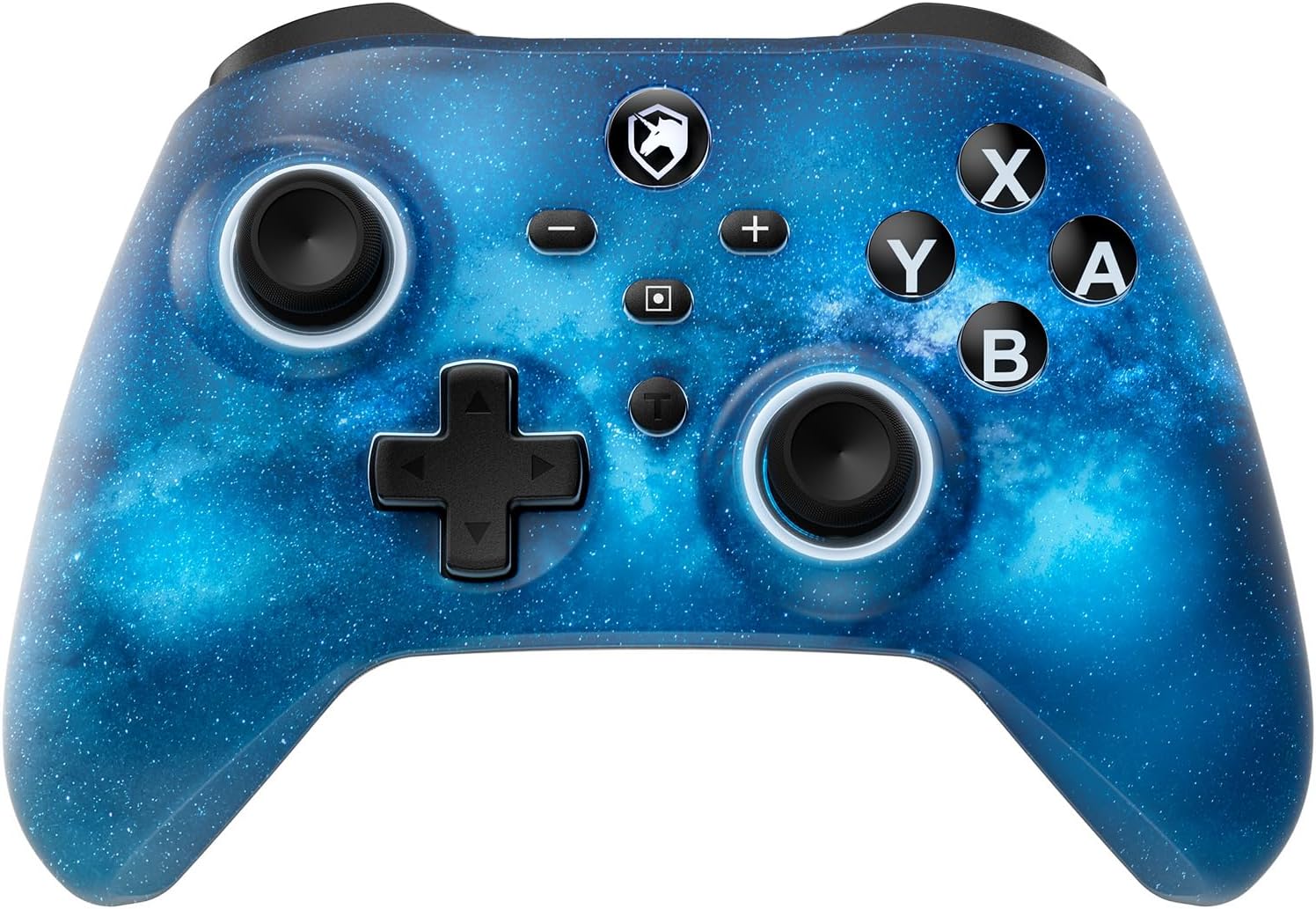
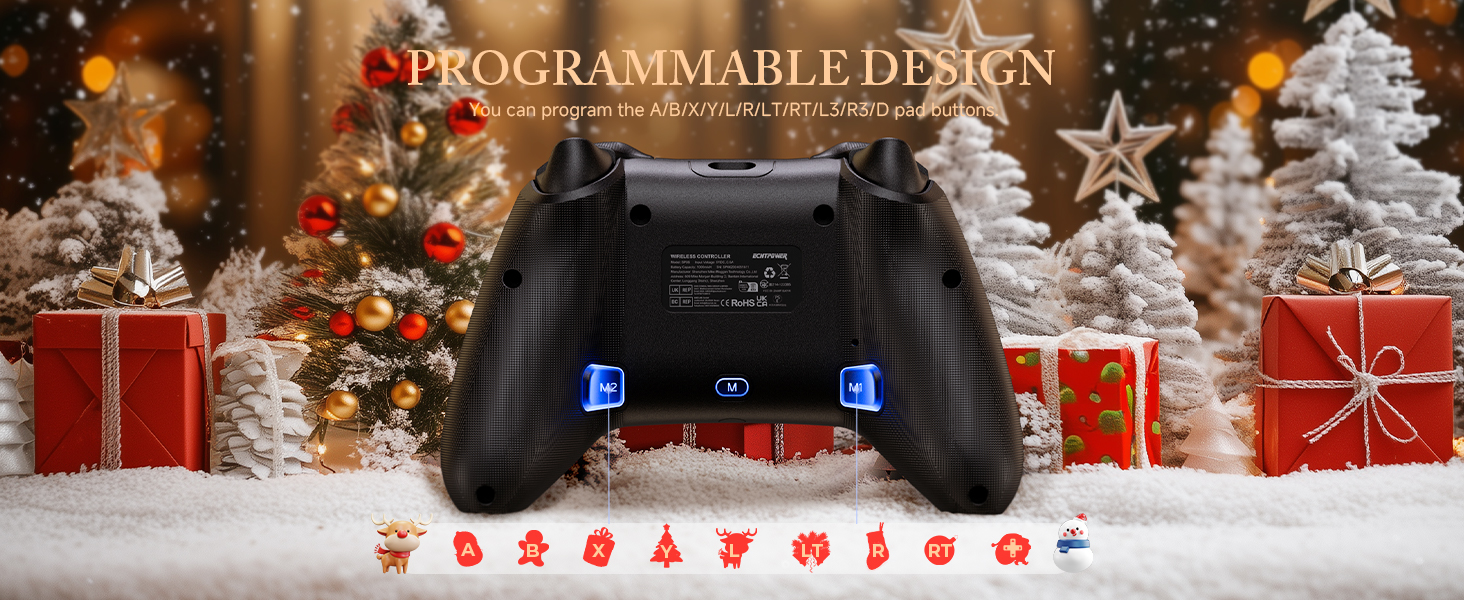
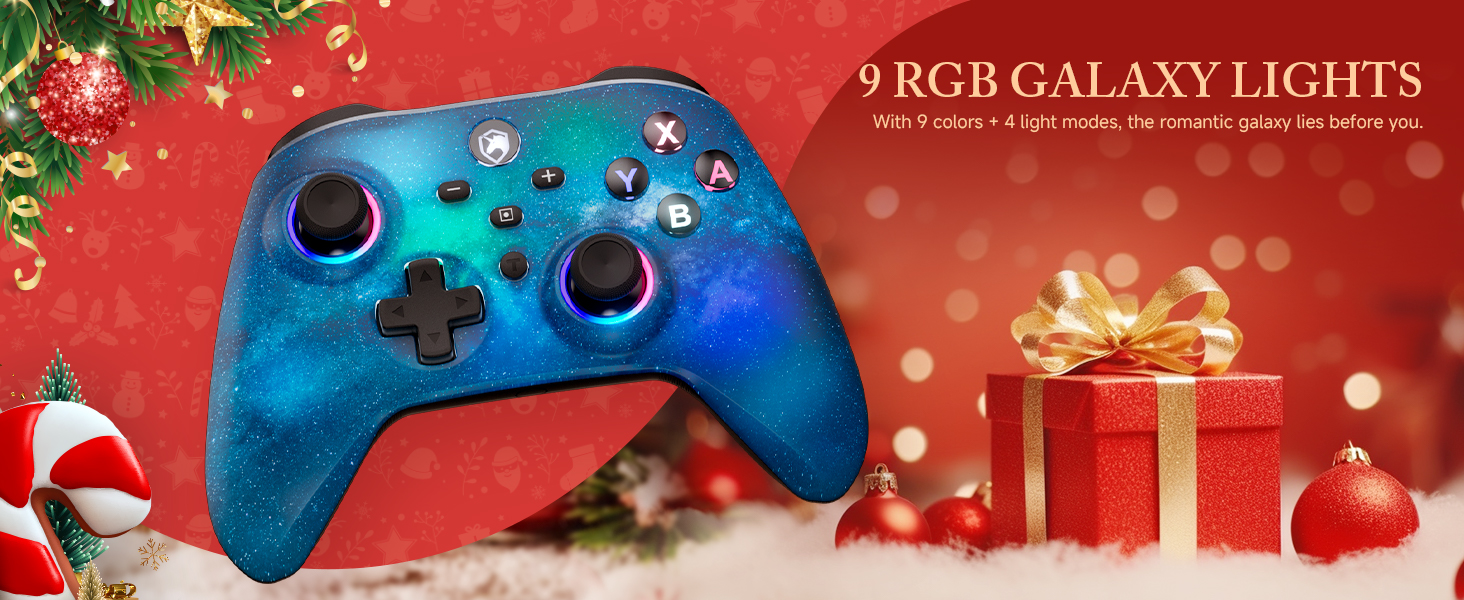
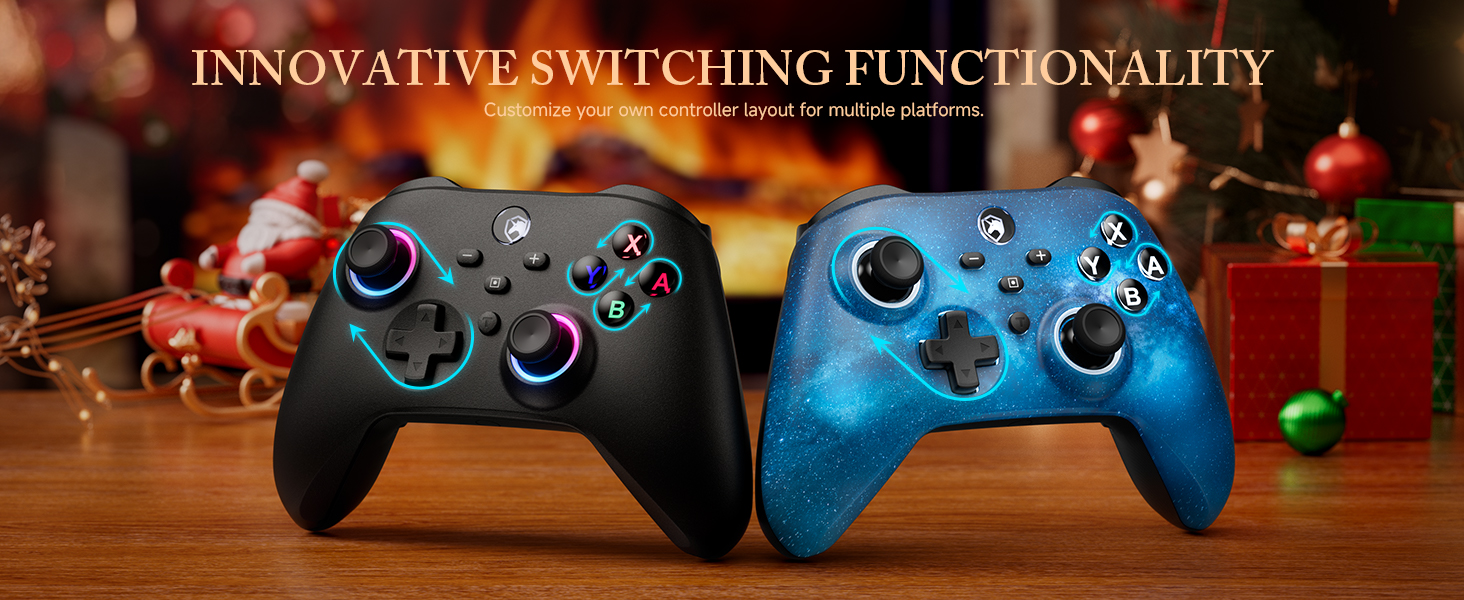
The ECHTPower Switch 2 Controller is a versatile wireless gamepad compatible across Switch, PC, iOS, and Android platforms. Featuring a 1000mAh battery for up to 8 hours of play, customizable RGB lighting, programmable macros, turbo functions, and advanced 6-axis gyro with adjustable dual vibration, it delivers immersive, professional-grade gaming performance.






T**K
Pretty much perfect third party Switch controller, with a minor modification
I'll start off by saying I love the official Switch Pro Controller from Nintendo. I think it's super comfortable. The only thing I want is a controller just like it with extra programmable buttons, and this thing is the best controller I've found that fit the bill! I love how the button layout is exactly like the Switch Pro Controller - a lot of other third party controllers will swap the Home buttons with turbo or something else and it messes me up because of my muscle memory. The shape is pretty close with the handles being a bit thicker, which I have found I like. It's just as comfortable to hold for long periods, if not more.. The plastic feels very nice and high quality! I love the black on white aesthetic as well and the RGB lights are just a bonus (do wish it had a color fading mode that just rotates through colors without breathing/turning off though. Also wish the ABXY buttons could be changed and match the color of the sticks instead of always Xbox colors, but it still looks nice). I also love how easy and intuitive it is to set the programmable buttons or create a macro (and the LEDs for that matter). I've tried other controllers with these features where if you don't do it for a while, you forget how the hell to set it and have to reference the manual. I don't have a big need for macros right now, but I have tested it out and it works super well! It's pretty robust honestly. You can even record analog stick movements to the macros which opens up a lot of possibilities! As well, you can set the buttons to be one specific direction on a stick, so you could hold the button to simulate holding the stick in that direction. Seriously the best macro feature I've seen on a cheap controller like this! The wake function is very realiable! More reliable than the official Nintendo controller actually. It works flawlessly the first time every time. Now the main issue I had was the placement of the macro setting buttons. They really should be further away from where your middle fingers test, because I found that I would often hit them by mistake, which doing so would reset the macro button to do nothing. I got this controller pretty much just for Tears of the Kingdom so I could run with XL and jump with XR, thereby being able to move the camera around while running and jumping. This really is a game changer if you like exploring on foot like I do. However, pressing your jump button, expecting to jump, and not jumping (because the macro button got accidentally unset) obviously is a frustrating problem that led to many goofs and deaths. They could fix this issue a few different ways. Either by moving the buttons further in or up, or even a simple software change so you had to long press the button to unset it and otherwise pressing it without any other button simultaneously would be ignored. That would probably be the best way to solve it. Or they could recess the buttons so they're not easy to press by mistake - and that's exactly what I took it upon myself to do! I opened the controller up with a screwdriver and sanded down the macro setting buttons so now they're about 2-3mm in and it's impossible to press them by mistake. I have to intentionally push the tip of my finger into the hole to hit the button. Completely solved the problem! There is another minor issue I've seen other reviewers mention: the very short disconnect/sleep time, but this is entirely fixable as wellโand officially! All you have to do is use the KeyLinker app on your smartphone. Pair the controller to your phone (in the app, not in your Bluetooth settings). You'll see all the settings you can play with. On the last tab to the right "Other", you'll find "no operation shutdown time". It's set to 5 minutes by default, but you can set it anywhere up to 30 minutes or to never shut off. Perfect! The only thing that isn't fixable but I can live with is the battery life. It's not bad but I wish it was better. The official Nintendo Switch Pro Controller has crazy good battery life. Whenever I use it I feel like I don't have to charge it for days. This, I feel like I have to plug in at least once a day or every other day (tbh I haven't properly measured). Also to be fair, this has LEDs sucking the juice up too and I have not tested the battery life with them off. I like the lights and have a cable nearby so it's no problem to plug it in when I need to. Though, I wouldn't have minded this having a slightly higher price tag to have a larger battery inside. But I'm happy with it either way. Only other minor issue is I wish the screenshot and home buttons weren't so raised - they can more easily be pressed accidentally, and I find myself hitting screenshot sometimes when I'm reaching for -, but this isn't a deal breaker. Overall, this thing is great and the only real issues were easily fixable, so I totally recommend it!
A**B
Works with Luna through my Smart TV
I bought this controller because of the ability to switch from Xbox to Nintendo Switch settings. I am using this for the Luna app through my Smart TV and it works great. Most of the generic wireless controllers on here are only for Switch so I was glad when I found this option. Also, it does come with a dongle, but it was not needed to connect directly to my TV. No lag, battery has lasted 10+ hours, Bluetooth connected easily. Also, the controller itself feels like it will last and it is cute (there's a unicorn in the little light, which I love). Charging is easy, comes with a USB-C cord. All around great and works with Luna! Yay!
M**X
Awesome controller (with asterisks)
I was really excited to try this controller. Here's are some things to consider if you're looking at this as a new or replacement controller. Pros - It was super easy to set up and you get multiple options to connect to your devices. The single is stored inside the controller, you just have to remove the face plate. - The faceplate is magnetic and very simple to remove. Just quickly pop off the D-pad and the plate comes right off. - Directly inside the faceplate, you can manually switch between button layouts for the Nintendo Switch and Xbox. - Some people might not like it, bit I thought it was really cool that the buttons are effectively blank. When you turn the controller on, the letters on the controller are backlit and show the button mapping for whichever setting you prefer (Switch or Xbox) - The back buttons are easy to program and require no external software. - The hall effect joysticks are very responsive - The buttons, triggers, and bumpers feel really nice. - Comes with a charging dock Cons - The controller doesn't feel cheap, but also not quite as premium as I would like for the price. For a $70 controller, it is competing with the likes of the Flydigi Vader 4 Pro, which is a much nicer feeling controller with more buttons and customizability where it matters, like joystick tension and thumbsticks. - The thumbsticks were a big issue for me. I prefer to play my games with extended thumbsticks. This controller does not have swappable thumbsticks, nor can I use my KontrolFreaks because the thumbsticks are not the same size as the Xbox. This was my biggest issue because of how I use my controllers. - Another issue I have with the controller is that I like having additional buttons for certain games. This controller has two additional buttons on the back that are minimally distracting and responsive. If it had two more, I would like this controller quite a bit more. - The magnetic faceplate.... It's such an awesome feature for customizability and yet I can't find any faceplates on Amazon or from the manufacturer. If you're going to provide a feature like this when you launch an item, it would be a great idea to have at least a few options available. - The turbo button is a cool feature but sometimes gets stuck on and I have to turn the controller off to turn the turbo off. This controller is very nice and I think it has a lot of potential, but the price is a bit high for the feature set offered. I would absolutely recommend the controller based on performance and features. But at this cost, I would choose the Vader 4 Pro over this. I would choose it over an Xbox controller, absolutely. And if it's on sale, that helps, not even then it's competing against established competition like the EasySMX, which offers a near identical experience for slightly less, especially on sale. In short, don't overlook this controller. There is a lot to love and be impressed by, but I personally need a better value proposition and improvements to customizability before I can give this controller 5 stars.
S**D
Great controller!
Great controller! Iโm very happy with it, so far! Instantly connected with my PC, no problem. The battery has kept up with some long play periods. Definitely would recommend!
D**E
I doubt there's anything this good for the same price.
First up - Don't be dumb like me. The included USB dongle is found within the controller itself. Pop the d-pad off then take off the magnetic cover. The dongle hides in the left grip. For the review itself: I've been using this controller consistently for a few weeks now and haven't had any issues at all. It connects extremely quickly when you take it off the dock, and the dock itself is designed in a way that allows the controller to be plopped in place with no effort (a problem I've seen with other controller/dock combos). The features are great! Being able to turn the triggers into buttons has been awesome for some older games. Having hall sensors for thumb sticks in games like BeamNG and even the new skate. game has been a delight. My old controller was drifting so, anything that doesn't is an upgrade but it's just the way these feel. They're so smooth! I love the clear buttons with backlighting. I'm a sucker for that kind of thing. The little switch that allows me to convert it from Xbox style to Switch style is brilliant. It essentially turns a little dial and actually changes the backlit lettering under the buttons so that you can visibly see what mode it's in. Clever, to say the least. Overall the build quality seems on-par with my Xbox One controller. It's heavy, but not too heavy. The proportions are all 100% accurate. Etc etc. The only thing I can't comment on is longevity. Being that I've only had this for a few weeks, I can't tell if it'll last the same 7 or 8 years as my last Microsoft controller but at the price.... Who cares. I'd take 3 years out of this if that's all it gives me. TL;DR - Buy this. I got it on sale and I'd say it's the single best controller I've ever purchased for the price point. Will it rival an Xbox Elite controller? Idk, maybe. But the price tag surely covers any oversight.
A**S
Quality product for the price
Really like this controller, the grip is great, buttons are smooth and little to no drift. The battery life is good and recharges quickly. Easy to connect and set up was pretty easy.
B**S
Turbo Won't Turn Off
Originally bought this for PC and then used it for the Switch 1. Worked great initially. Now the turbo wont turn off on the Switch. Worked perfectly fine turning on and off for a month. No matter what I do, it just keeps spamming the button and the method to stop it doesn't work. At least I can still use it on PC but guess I need to avoid using the turbo
J**N
Great bang for your buck but still a flawed controller.
First off, I would say my score is closer to a 3.5/5 than a 4 but Amazon is Amazon. I got this controller for $19 after tax with a coupon to use on my PC. For that price, there is a ton of value here. 90% of the reason I chose this controller is because of its aesthetic. I LOVE the Super Famicom color scheme. I've played with this controller for a few days and I would say my impressions are mostly positive but there are glaring issues that keep this controller from truly being a budget king that I hope the company addresses to take their controller to the next level. Pros: + Hall effect joysticks. HE Joysticks are sadly still not the standard so its always nice to see a controller that has them. + Extra programmable paddles on the back. Should be standard on every controller at this point but always nice to see. + Turbo button. Sadly a lot of third party controllers make you pay a premium for this so its really nice to see it on a budget option. + Buttons (for the most part) feel responsive and clicky. + RGB with a decent amount of options. I was disappointed to see there wasn't just a basic "white" color but you can turn off the RGB completely which is a great alternate option for someone that doesn't care for RGB. + Works both wired or wireless on PC. + The controller looks great. Aesthetically its one of the best controllers out there IMO. + You can completely reset the controller with some button inputs in case its having a random issue. + It's 20 bucks for a completely functional decent controller. Cons: - Triggers. The triggers just don't feel great. Not necessarily the actual build quality but the responsiveness on screen. You have to REALLY press it and if you press it too lightly, the input can either whiff completely or it inputs but only for a second then immediately breaks away. This is VERY noticeable in FPSes when you're aiming down sight. This is kind of a hard thing to quantify without experiencing it but other 3rd party controllers I've used don't do this including the $30 Nyxi Chaos. It's not impossible to get used to but its not something I feel like I should have to get used to. - The analog sticks, while they exceeded my expectations, feel a little loose and the deadzone is a smidge too big. Don't get me wrong, perfectly usable but when you need to make very fine adjustments in a FPS you can see the controller struggle just a bit. - RGB implimentation is jank. It works fine but things like the macro programming rely on the RGB to give you an idea that its in programming mode. If you turn off the RGB then you turn it off for EVERYTHING, including indicators when programming the buttons. This is a pretty glaring oversight. Once you understand the controller then the lights aren't needed and you can do it by feel but this is silly. - You can't set the triggers to the programmable buttons. Why? The Nyxi Chaos is very similar (albeit better) to this controller and it can program the triggers to the back paddles so I know its possible. This is a pretty big downside to me. - Build quality overall is pretty cheap and the controller is very light. You get what you pay for. I don't really mind the lightness of the controller but it does make it feel cheap. Overall, for 20 bucks this a very good controller. The cons, while there, don't really ruin the experience at all but would I saw its worth it? The aesthetic really carries this for me but otherwise I would say probably not if you want the best value. I mentioned the Nyxi Chaos controller which is about $10 more than this controller and pretty much doesn't have any of the cons that I mentioned for this controller. The build quality isn't amazing on that controller either but its heavier and does feel like a step up. So I would say just pay the extra 10 bucks and get that controller. That said, if I got this controller I wouldn't be upset and it does the job.
Trustpilot
2 months ago
1 week ago