Desertcart purchases this item on your behalf and handles shipping, customs, and support to Finland.
🚀 Elevate your dual-PC setup with Unitek’s 4K KVM switch — because multitasking deserves clarity and speed!
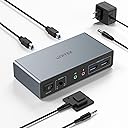
The Unitek KVM Switch V1311A enables seamless control of two computers across dual 4K@60Hz monitors via HDMI and DisplayPort. Featuring four USB 3.0 ports with 5Gbps transfer speeds, it supports a wide range of devices and operating systems including Windows, Mac, Linux, and PS4. With push-button and wired remote switching, plus plug-and-play installation and a robust aluminum build, it’s designed to streamline professional and gaming setups while maintaining a clean, efficient workspace.


| ASIN | B0DBYMBMKN |
| Actuator Type | Push Button |
| Best Sellers Rank | #26 in KVM Switches |
| Brand | Unitek |
| Brand Name | Unitek |
| Circuit Type | 1-way |
| Color | Grey |
| Compatible Devices | Keyboards |
| Connector Type | Plug In |
| Contact Material | Aluminum |
| Contact Type | Normally Open |
| Control Method | Push Button, Remote |
| Current Rating | 2 A |
| Customer Reviews | 4.5 out of 5 stars 2,952 Reviews |
| Included Components | USB 3.0 Cables |
| International Protection Rating | IP40 |
| Item Dimensions | 5.15 x 2.44 x 1.2 inches |
| Lower Temperature Rating | 40 °F |
| Manufacturer | Unitek |
| Material Type | Aluminum |
| Model | V1311A |
| Mounting Type | Wall Mount |
| Number of Items | 1 |
| Number of Positions | 1 |
| Operating Voltage | 5 volts |
| Operation Mode | ON-OFF-ON |
| Part Number | 11 |
| Specification Met | UL |
| Switch Type | Push Button |
| Terminal | Hdmi+dp |
| Unit Count | 1 Count |
| Upper Temperature Rating | 158 °F |
| Warranty Description | 1 year |
B**A
A Year Later
Received this HUB device on Oct 24, 2018. I like that it has a 4' cable to plug into the PC. Some reviews and answers to my questions indicated that it had only a 12 inch USB cord. It definitely has 4'. Be sure that you select the right item above when ordering the HUB. The selection above has different USB cord lengths at different prices so be aware of this as you purchase it. It did NOT come with a charging cable so I cannot rate that portion of the device. That is why I give it an overall four stars. I have used all four USB 3.0 ports and they work very well. Each port holds the USB 3.0 device firmly and it is not difficult to insert the USB 3.0 devices into them like some other brands tend to do. So far, I've had no problems with this product. Pros: Besides those pros listed above, I give it a five stars for not being expensive. The individual ports are NOT lighted which I like a lot. It does have a tiny dot of light at the top of the unit that shows that it is on or not. With many other brands, the lighted USB ports are too bright when using them at night. Four USB 3.0 ports are the most we needed and this works out just perfect for our uses. It does not take up much room on the table. While I do not have the HUB affixed to the wall where the extra length of the cord would be beneficial, it is nice to be able to use what I need and fold the extra out of the way. Those HUBs with only 12 inches or less cord lengths would have been useless. It is 3 3/4 inches long, 1 1/8 inches wide and just under 3/4 of an inch high so it really fits just about anywhere you want to place it. Cons: Would have been nice if it also came with the USB/transformer charging cable. For those who need the HUB to stay in place on the desk, either buy a heavy aluminum unit or one with double back sticky tape on it. This unit is very lite and can move easily on its own. But, the positive of this is that it is easy to move, takes up little space and can be moved out of the way when necessary. For some, the CONS will be a problem. However, for our needs, and because it does work without any problems (hopefully, no problems occur), we are very satisfied with this HUB. Update Sept 2019 Changed star rating to 5. This USB port plug has worked great for the past year without any problems. It is used daily.
S**E
Outstanding KVM at a reasonable price
I've been using the Unitek KVM with 1 HDMI and 1 DisplayPort for a few months. It works flawlessly. The little metal box is solidly built. Even after a full day of work between two computers, I have never noticed the box was hot. Especially important to me was the fact that the DP was compliant with v1.2. I have two 2k monitors in a daisy chain configuration using DP inputs and both are working at their max resolution. To connect my laptop I use a DP to USB-C adapter into my USB-C alt DP port and it works great. Other reviews noted issues with getting audio to work. I was able to, but it took a little experimentation. On my setup, the audio is channeled from the computers via the USB connection between the computer and the Unitek KVM. So on each computer I needed to select the correct USB audio device as the output. On my Linux computer it was called Speakers Audio Adapter (Unitek Y-247A), and on my Windows 11 laptop it is called Speakers 2 - USB Audio from the Settings > System > Sound menu in Win11. The Amazon description says that the KVM is not compatible with laptops. I don't know why it says that. I am using it with a Dell windows laptop and a Dell Linux desktop and it works just fine on both. I will say that if you use a KVM on a Linux machine, there seems to be an issue with the picture returning to the monitor after the computer wakes from a long sleep. I thought it was the KVM, but it isn't. I'm not sure if it's the way the DP drivers work in Linux and it wouldn't happen if I used the HDMI insteasd, but what I have found is that it's important to switch to the Linux computer on the KVM before waking up the Linux computer itself. If you end up with a black screen but it seems like the computer is working fine, that's because it is. I have not found a fix for this but have been managing the symptom instead.
L**E
Great switch
Worked exactly as I needed. My desk isn’t big and I have dual monitors but need to be able to switch from my personal laptop to my work laptop . Before I was unplugging and plugging in my monitors every time. This works seamlessly with a push of the button.
L**.
Does the job
So far so good only had it a few days.
G**S
Its a robust all in one
very pleased with the versatility of this switcher. It includes almost everything
C**S
Great value, very convenient.
I've used this for a home office setup going between a Dell Pro Micro Plus work computer, and my ~12 year old Dell XPS desktop. I had to upgrade my graphics card on my older Dell to accommodate the DP/HDMI output, but this KVM has been amazing the last two weeks. I've worked remote since 2020 and I wish I'd done this much, much sooner! I can switch between computers in about 5 seconds with the push of a button.
C**E
Can switch between a Mac book Pro and a Windows laptop with no issues!
I have a Mac book Pro and a windows laptop. Now I can switch between the two. Works with no issues and no degradation in image quality or resolution. Worth it!
S**E
Totally worth it
Excellent product with an excellent customer support
M**E
Pretty good
It gave me the extra inputs i needed for pc, and I don't have to go back and unplug my usbs, hardrive from the back, just place it next to me and work. So the lenght of the cable met my expectations!
A**S
Muy potente
Ni me gusta la dureza del cable.
A**E
Super KVM Switch mit Audio
Funktioniert sehr gut in Windows und Linux, alle Monitore, USB Geräte und Audio wurden sofort gefunden. Der Wechsel ist auch sehr schnell.
J**S
Excellent
Perfect for what I needed. Sits on my desk so I no longer have to stretch to use USBs.
C**N
Super
Appareil super bien conçu avec une longueur de câble idéal je le recommande totalement
Trustpilot
3 weeks ago
2 weeks ago