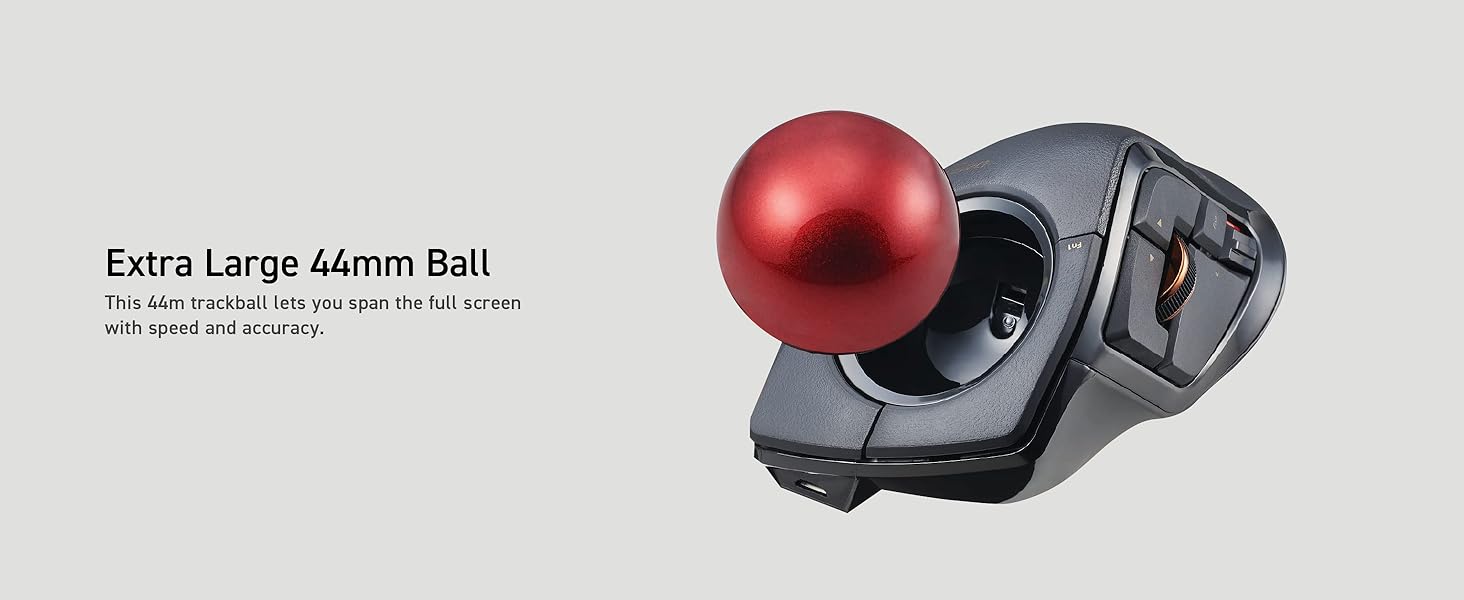
🔴 Master your workspace with precision and comfort — the DEFT PRO is your productivity game-changer!
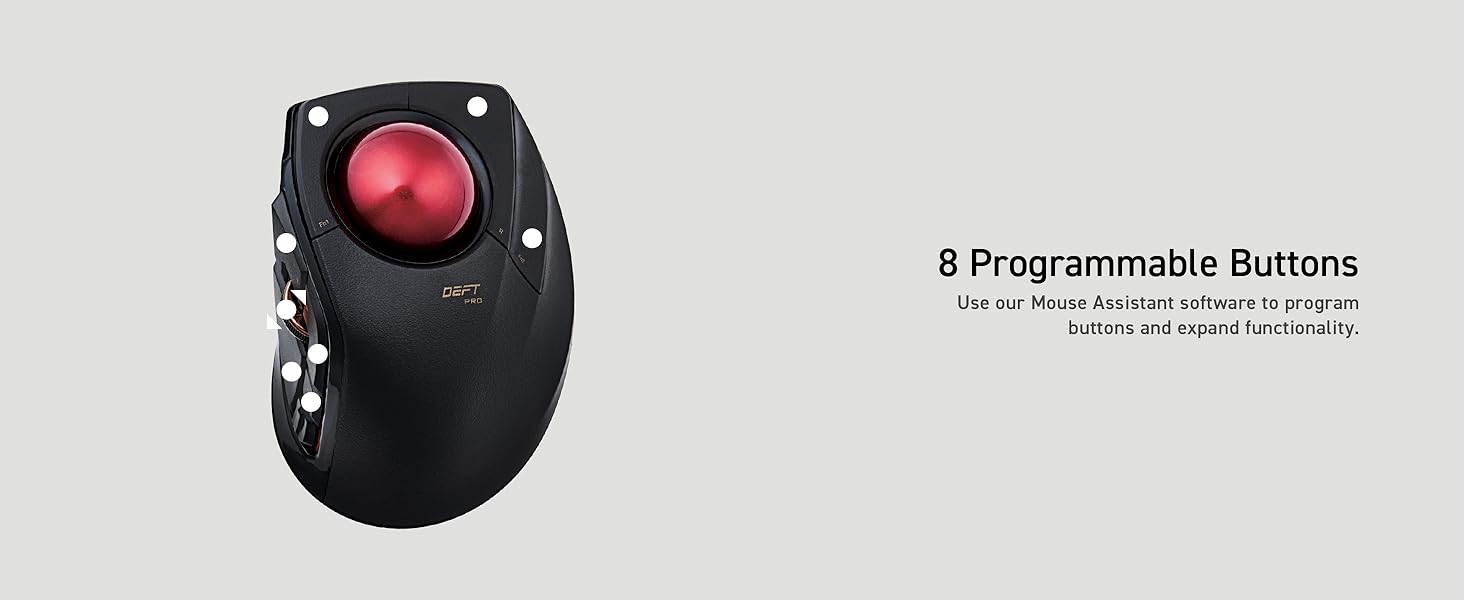
The ELECOM DEFT PRO Trackball Mouse offers versatile 3-mode connectivity (wired, wireless, Bluetooth) combined with an ergonomic design tailored for professional use. Featuring 8 customizable buttons and adjustable DPI settings (500/1000/1500), it delivers precise cursor control with minimal hand movement. Its durable artificial ruby ball bearings ensure smooth operation and low maintenance, making it ideal for long hours on Windows and MacOS systems.


| ASIN | B07C9T4TTW |
| Batteries | 1 AA batteries required. (included) |
| Best Sellers Rank | #15 in Computer Trackballs |
| Brand | ELECOM |
| Color | Black / Red ball |
| Customer Reviews | 4.0 4.0 out of 5 stars (2,121) |
| Date First Available | May 1, 2018 |
| Hardware Platform | Laptop, PC |
| Is Discontinued By Manufacturer | No |
| Item Dimensions LxWxH | 5.25 x 3.6 x 2.26 inches |
| Item Weight | 5.8 ounces |
| Item model number | M-DPT1MRXBK |
| Manufacturer | ELECOM |
| Operating System | Windows 10 |
| Power Source | Battery Powered |
| Product Dimensions | 5.25 x 3.6 x 2.26 inches |
| Series | Deft Pro |
T**S
Great for Large Hands!
I use the computer for navigating the internet & as a photographer. My hands are pretty large 8" & 1/4. I have always had problems with hand cramps because I have to hold the mouse in sort of a pinch position. For many years I was in love with the original Microsoft big track ball (2010) but they were discontinued so I have been searching for something similar for quite a while. So far this has been a great alternative. I use Lightroom & Photoshop almost daily, sometimes up to 10 hours a day along with a Wacom Tablet for detailed editing but I never liked the Wacom for navigating the internet or programs. The Def Pro has solved all my problems with cramping since it completely changes hand movement. I don't have to pinch the mouse to right & left click because the device comfortably fits in my palm with my fingers relaxed. The thumb becomes the left click, the middle finger becomes the right click & because of the track ball design I can rest the heel of my hand on the desk comfortably. The ball is precise but only as accurate as your finger dexterity. I actually had to slow the speed down a bit. There has been no jumping, stickiness or drag to the ball at all. The thumb wheel is more precise to input than most mice I have used & I have used quite a few. While navigating a page you can scroll back & forth for up & down or tilt the wheel up & down to go right & left. It is a bit tricky downloading the (foreign language) instructions but with persistence & guessing it's not that difficult finding the English version. The mouse works fine out of the box, even with Windows 10 but downloading the Mouse Assistant allows giving the buttons specific operations or changing the function of them. Once you are in the Assistant, it's very simple to use. I'm not a gamer so I have no complaints about the functions available. The only problem I have is that the mouse doesn't wake up after the computer goes to sleep but that may be something to do with the fact that I am using Windows 10 & this device is advertised for Windows 11. I did figure out a workaround of just unplugging the USB plug momentarily which wakes up the mouse which is fine until I upgrade to Win 11. Overall I gave this device 5 stars because it works as advertised & better than several alternatives I tried previously at different price points. I'm not a heavy gamer but I am a heavy mouse user & this item seems to be a good value for function, quality & price. I would definitely buy again or try other ELECOM products.
J**S
Great mouse, with some exceptions.
I am leaving a review of the Elecom Huge and Deft Pro after over a week of intensive "testing" of several trackball mice. Let me begin by stating that I am new to the trackball world so these are my observations from that point of view and I'm leaving these reviews in hopes that it will help someone else who might find themself in a similar situation to what I was in a week ago with no experience with trackballs in a world of opinions. I have mid-sized hands with somewhat thicker "carpenter" fingers and I bought this item to replace a mouse for general and light CAD use. I have a CAD mouse for more intricate work but over the years of design and IT work I'm beginning to develop wrist discomfort. This was the first finger trackball that I tried after testing a Logi M575 that a friend brought over to try for Fusion work. I was hooked on the ball, but I wanted a little more control so I went with the finger style. I found the thumb style to fatigue my thumb joint a little too much. Right out of the box I was impressed by how relaxed my wrist felt on the Huge. I liked the size of the ball and the smoothness of the scroll wheel. It seemed very intuitive to someone new to the trackball realm. The two things I couldn't get over were the stretch of the side buttons with my somewhat shorter fingers and of course, what many of the other reviews talk about, the "stiction" of the ball itself. I did like to overall ergonomics, but decided to defer to the Deft Pro for my next try.I found the Deft Pro to be a better fit for my shorter fingers and the ball a little easier to control for more intricate commands in Fusion while cradling it between my first and middle finger and occasionally passing it off to my right ring finger. I also liked the way that my hand relaxed in a "cradle" position over the Deft Pro while allowing me to rest my wrist lightly on the table. The Huge allowed a straighter relaxed wrist on the device overall, but the Deft Pro felt like it was easier to control for smaller movements. Again though, the bearings on the Deft Pro were too sticky for me and I ordered the bearings to replace them as many have suggested, but decided to return both units before I modified them after finally settling on a combination of a much smoother out-of-the box Slimblade pro for general use and a 3dconnexion CAD and Space mouse combo for design work. The CAD mouse has a really nice form factor for a mouse and I was immediately able to find a comfortable relaxed position on the ambidextrous Slimblade Pro. I didn't have to 'hover' on the Slimblade as many reviews have noted. I realize that this type of setup isn't easy to obtain for a lot of people so I'll leave with this final word based on my spending a week with all three trackballs. Both the Deft Pro and the Huge are great trackballs and a lot of people like them once they are modified to fix the sticky ball issues. As a CAD guy I didn't like the click of the Deft Pro scroll wheel and I though that it felt cheap compared to other scroll wheel mice I've used, but I could have gotten used to that because of the Deft Pro's overall precise control factor if it weren't for the "stiction". Elecom makes track balls feel intuitive, even for new believers like myself, I just couldn't get past the quality issues with the bearings right out of the box. I was either going to spend less for a mouse than the price of Elecoms and deal with the issues they might have caused or spend more and get the performance that I was looking for without having to modify a unit right from the start. These are just my opinions, but I hope this helps someone else who may have been reading reviews for hours, and testing units like I was just to find a suitable replacement.
S**M
User friendly
M**Y
Je n'en suis pas à min premier trackball et c'est le meilleur que j'ai testé jusqu'ici. J'aibde grandes main mais sa taille reste très bonne. Sans fil ou avec tout fonctionne bien et les boutons supplémentaires s'avèrent très utiles.
E**E
Esta es la segunda vez que compro el trackball, se descompuso la rueda , ya no detectaba el sensor de moviemiento, me duro 3 años, trate de usar otro pero ya estoy super acostumbrado a este tipo. Para el uso de autocad es excelente, programando los comandos F3 y F8 es muy comodo, tambien si tienes rutinas, tipo lisp, puedes agregarlas a los botones programables. Una de las desventajas es que le dura poco la pila, tambien con el tiempo, un año, hay que cambiar los rodamientos de la bola. Lo recomiendo mucho.
ガ**ん
【使用シーン・購入目的】 Premiere Proなどで動画編集を行う際、マウス移動の手間を減らしたくてトラックボール型を探していました。 長時間編集でも疲れにくく、ショートカット操作を指元だけで完結できるモデルを求めて購入しています。 【良かった点】 動画編集との相性が抜群です。 8ボタンをショートカットに割り当てることで、再生/停止・カット・タイムライン移動といった操作が指先だけで完結し、編集テンポが大幅に向上しました。 カーソル移動に腕を使わないので、長時間の作業でも肩・肘・手首に疲労が出にくい点も助かります。有線/2.4GHz/Bluetoothの3方式に対応しており、機器の切り替えが柔軟にできるのも地味に便利です。 【気になった点】 右上のボタンは位置的に押しにくく、意識しないとトラックボールに触れてしまうことがあります。 特に手が小さい方は押し方の工夫が必要です。 ただし、使用頻度の低い機能を割り当てるか、押しやすいボタンに主要ショートカットを振り分ければストレスは軽減できます。 【総評】 “作業効率を上げたい編集者向けマウス”として強く推せるモデルです。操作の集中が途切れず、編集のリズムが崩れないため、慣れてくるほど効果を実感できます。 ボタン配置に若干の慣れは必要ですが、それを補って余りある利便性があります。 動画編集・画像加工・DTMなどコマンドを多用する作業との相性が非常に良く、長時間作業の快適さと効率アップを同時に求める人にとって満足度の高い1台でした。
M**N
This elecom trackball mouse is great for me because it's universal: it is USB wired, 2.4GHz unwired with USB receiver dongle or unwired bluetooth. It's very precise, and I enjoy working in an armchair with it perched on the armrest and not having to move it over a mouse surface. I'm still finding out how to program its additional buttons, I want to use them as macro shortcuts. It uses a single AA battery, I've had the device for a month or two, it hasn't needed replacement, there's an on/off switch but it does seem to have auto-off too or a very low idle or sleep mode current use. It is a bit larger than I expected, a subjective minor reservation, and it's quite expensive, although in the same range as equivalent Logitech and other well-respected brands' products, and its build quality is evident which reflects the price. Amazon has given me the opportunity to star-rate "sheerness". I don't know what that is, so I've mid-ranged it.
Trustpilot
1 week ago
5 days ago