⚡ Elevate your workspace with the ultimate Thunderbolt 5 SSD dock — speed, power, and connectivity in one sleek package!
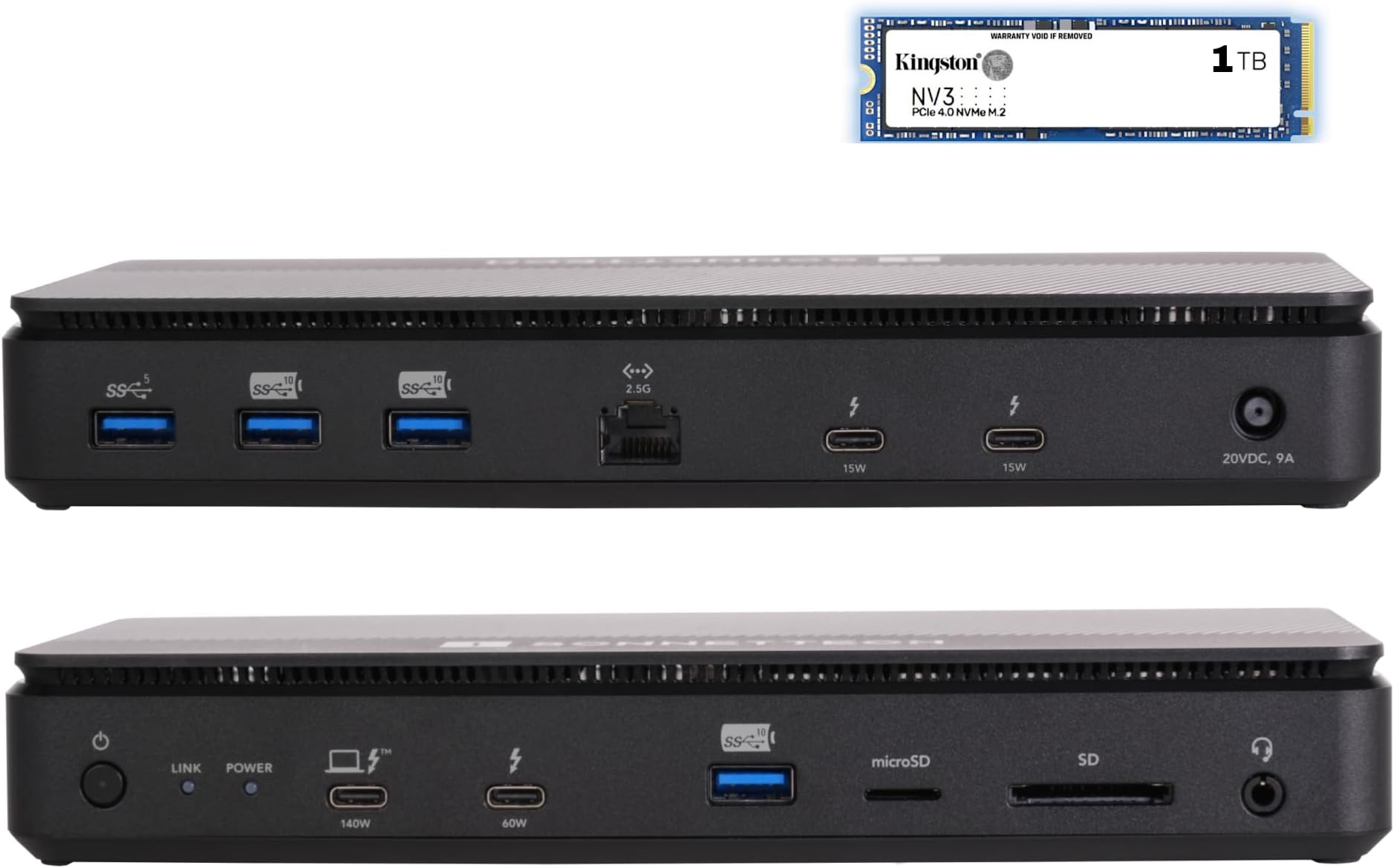
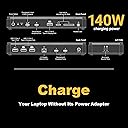
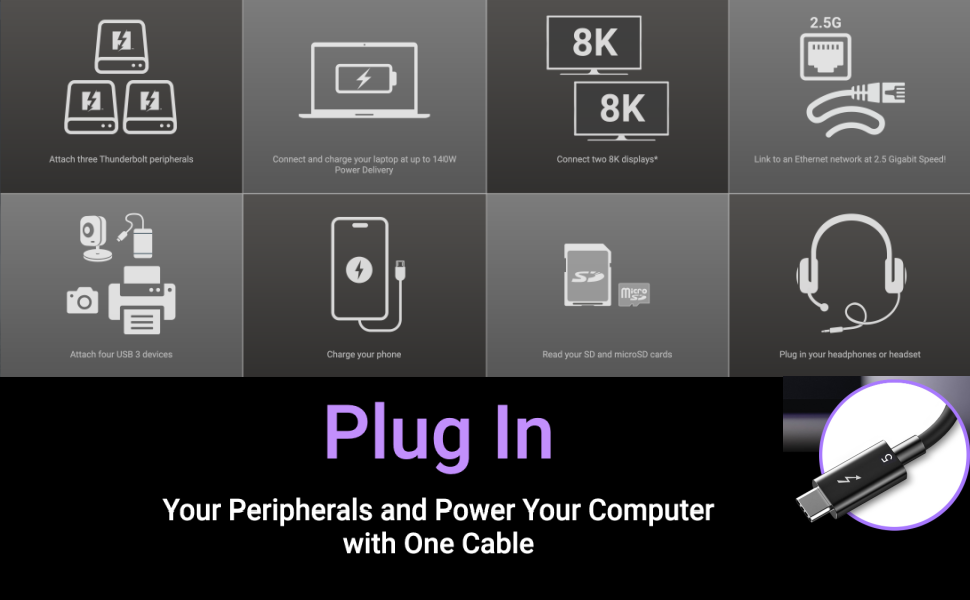
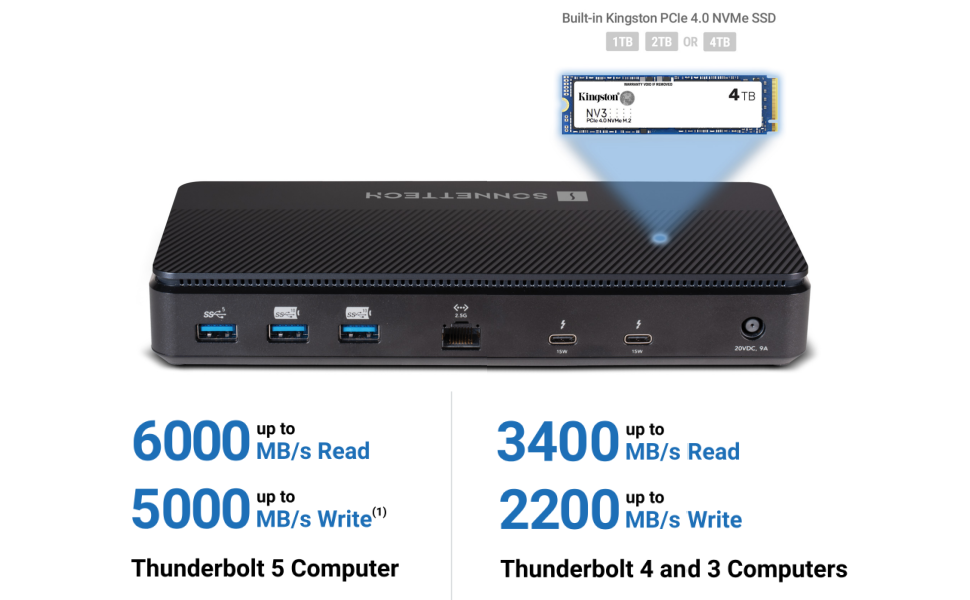
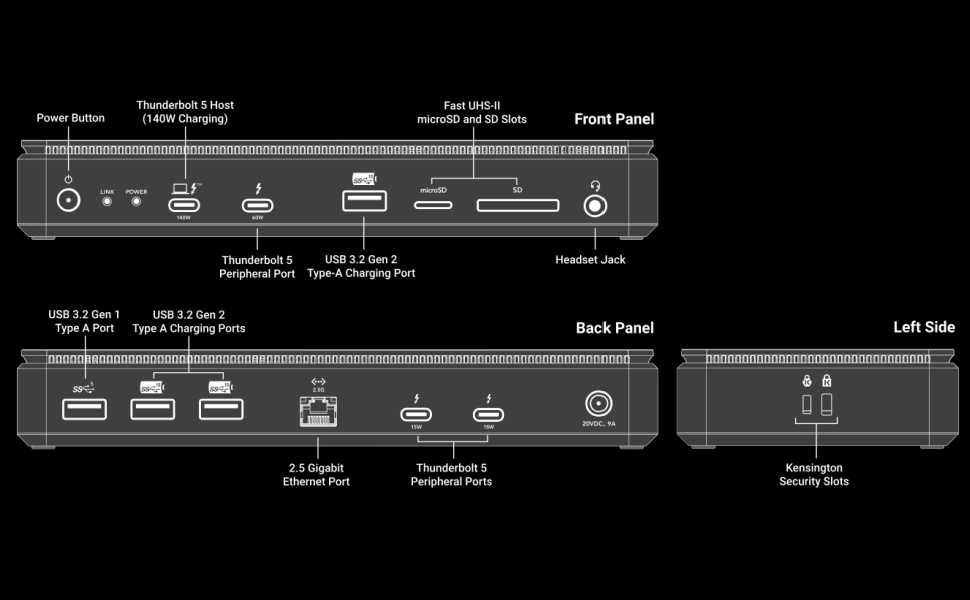
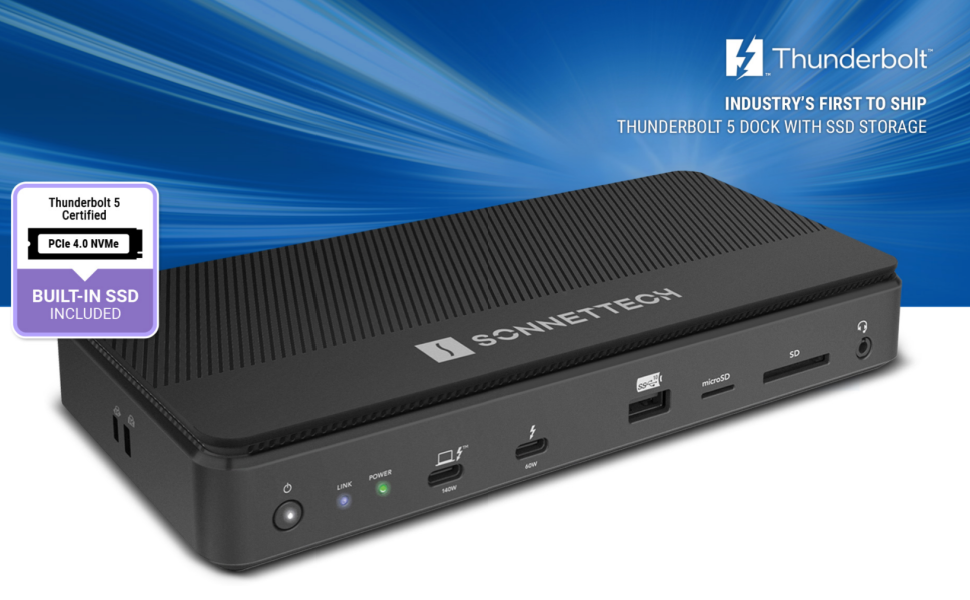
The Sonnet Echo 13 Thunderbolt 5 SSD Dock combines a blazing 1TB Kingston PCIe 4.0 NVMe SSD with 13 high-speed ports, including four Thunderbolt 5 connections, 2.5Gb Ethernet, and multi-format card readers. It supports ultra-high-resolution displays up to 8K at 240Hz and delivers up to 140W laptop charging, making it the perfect all-in-one docking solution for creative professionals and power users seeking future-proof performance and seamless multi-device integration.


| ASIN | B0DZPGQH3X |
| Best Sellers Rank | #46,721 in Electronics ( See Top 100 in Electronics ) #697 in Laptop Docking Stations |
| Brand | Sonnet |
| Color | Black |
| Compatible Devices | Chromebook, Mac, MacBook Pro, Windows, iPad Pro |
| Customer Reviews | 4.1 out of 5 stars 19 Reviews |
| Hardware Interface | Thunderbolt 3, Thunderbolt 4 |
| Item Dimensions L x W x H | 8.75"L x 3.9"W x 1.4"H |
| Item Height | 15 centimeters |
| Item Weight | 3 Pounds |
| Manufacturer | SONNETTECH |
| Number of Ports | 13 |
| Total Usb Ports | 8 |
| UPC | 732311014062 |
| Warranty Description | 2 Year Limited Warranty |
| Wattage | 140 |
J**.
Sonnet Echo 13 Thunderbolt 5 SSD Dock a high quality, high performance Dock
I purchased this dock to use with my 2024 16” M4Max MacBook Pro because it had the best combination of Integrated 6000MB/s NVMe Storage (1TB, 2TB, or 4TB), high speed data transfers to other Thunder Bolt 5 devices (and compatibly with TB4 and TB3. It is a full featured Docking Station, with a quiet fan for cooling the SSD. It will charge a laptop at up to 140 watts. The dock was installed in April 2025 and has worked without a problem since. I use it with a 27" Studio monitor and a 32" LG Monitor. It works fine with the MBP 16" screen in the mix as well. I recently installed a second, identical device for an older Intel MBP (TB3) in place of its older dock. This is in preparation for another new MBP to replace the Intel MBP. I anticipate that the upgrade will require swapping the TB3 computer cable for the new TB5 computer and then do the transfer from the old computer to the new one. If you are looking for an excellent high-end dock, this is one to consider!
K**R
Exactly what is offered
Works exactly as expected, i watched many many reviews on this device and you get exactly what is reviewed. For me it cuts the cost of a thunderbolt 5 ssd that is too expensive
A**R
Works mostly, but price is high with some other issues
Been a month since using this. My impressions Good - 1. The inbuilt SSD slot . With SSD WD 850Nx 2 TB inside I was able to see 5800 MB/s R/W . Thats faster than the M4 Pro 16 in internal SSD which is ~4200 MB/s 2. Stays warm , but doesn’t get hot even after hours of use 3. No fan noise , barely hear it but it works well 4. Works Seamless through thunderbolt 5 port with 2 Dell Monitors I used with HDMI and display ports 5. Didnt notice any throttling on the NVME SSD inside with 2 Dell displays connected at 60 Hz 6. Daisy chained well with a thunderbolt 3 mini dock. Bad - Quite a few 1. Doesnt work with Thunderbolt 3 of Dell XPS 15 9550 2. Doesnt work with a usbc portable monitor when connected with Windows 11 Lenovo P14s laptop.But the same usb c monitor works through the sonnet dock with Macbook Pro m4. The same monitor also works when directly connected to the usb c of the Lenovo P14s Window laptop, but doesnt work through the Sonnet dock. Contacted Tech support explaining the problem. But Sonnet Tech support was pretty useless , they responded without helping much and their response are too slow. 3. Connections wise the dock could use a extra usb c port at the least and a proper HDMI/Display port since currently 2 thunderbolt ports get used for 2 displays , leaving only one thunderbolt port for any peripherals like a SSD NVME enclosure. If you have more thunderbolt peripherals , good luck. 4. Its plastic , durability of dock outside surface may be a issue for some.
U**Y
THIS COMPANY IS A SCAM
Well I rarely write reviews but this thing is expensive and I wanted to warn everyone about this. I had a problem right out of the box with extremely slow data transfer speed when trying to copy data from an external TB5 SSD drive to the internal SSD drive via a TB5 rated cable. I emailed their "tech" support and after a week and a half, still did not get a reply. If they don't have the confidence in their own product to support it, then it shouldn't be on the market and consumers shouldn't buy it. ABSOLUTE JUNK UPDATE: 12-24-25 This "dock" constantly disconnects from my 2025 M4 Pro Macbook Pro and has caused data loss in its own dock SSD drive. In addition, it disconnects both monitors and forces a cold reboot of the dock to restore. I have emailed tech support 6 times since early November and received zero replies with the exception of this auto replay from the same day, "Thank you for contacting Sonnet Technical Support. I am sorry your device is not working as expected. In order to provide you the best possible support, I will be reaching out to my team for further assistance. We will do our best to have a response for you soon."BE WARNED, you will not be happy with anything this company sells you. Buy something from a reputable company instead. My only regret is not sending this piece of crap back before the return period expired. Hope this prevents others from getting scammed.
M**Y
What a great device
This thing is great!
C**P
Send me the TB5 cable!! UPDATE
Just received this very expensive dock and the thunderbolt 5 cable was not in the box. Now I have to spend even more money for a cable!!! Send me the cable and I’ll update my review! They sent the cable and all is well👍. The Echo 13 is working wonderfully
R**K
Best MBP Docking Station
I have gone through many docking stations with my previous Intel-based MBP to the point where one company was sending me their new docking stations to get my feedback. My last docking station was the Razer docking station. It was pretty good but suffered from being underpowered, causing one of my two external monitors to go black for a few seconds a couple of times per hour. After getting the latest M4-based MBP, the Razer docking station just wasn’t cutting it so I splurged for the Echo 13. No more black screens, must faster network (2.5 Gbps vs 1 Gbps), and the internal M.2 SSD provides super fast data transfer!
R**W
Pretty darn good, a few things to note
Installed my new Echo 13 TB as a back up for my Mac Mini M4 Pro via TB 5 cable. Black Magic Speed test show write speed around 5180 MB/s and read about 4504 MB/s (see pic). It is ever so slightly warm to the touch. Don't know if the fan runs much, I can't hear it. When I backed up my mini with 1.19 TB on it using Carbon Cloner, the first 600 to 700 GB went really fast (I didn't even look until about the 2 minute mark). But thereafter it throttled quite a bit to around 400 Mb/s for the next 600 MB, yeah real slow. The whole 1.19 TB transferred in 26 m 49 s. In comparison, my old Seagate 2TB usb 3.0 hard drive took 5 hr and 19 m. My 5 TB Seagate usb 3.0 hard drive took 4 hr 15 m. I believe my Corsair USB 4 SSD drive took about 40 min. So daily backups now take just about 11 s for 4.2 GB with the Echo. One nit, when I plugged my Logitech mouse bluetooth dongle into the rear usb c 5Gps port, some times the mouse movement was a bit jerky. Not so when the dongle is plugged into my TB 4 Dell monitor connected to my mini or to my mac mini via an adapter. Lots of ports now and real speed unless you have a really huge transfer.
Trustpilot
1 month ago
2 months ago