


Desertcart purchases this item on your behalf and handles shipping, customs, and support to Finland.
📚 Elevate your digital reading & note-taking game with color E Ink brilliance!
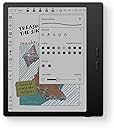
The BOOX Tablet Go Color 7 Gen II is a sleek 7-inch color E Ink tablet featuring a 4096-color Kaleido 3 display with 300 ppi B/W resolution, powered by an octa-core CPU and 4GB RAM running Android 13. It supports active stylus input (stylus sold separately) with 4096 pressure levels, offers versatile connectivity including Wi-Fi, Bluetooth 5.1, USB-C OTG, and microSD expansion, and includes adaptive front lighting with warm/cold tones. Designed for professionals who demand portability, multitasking, and eye-friendly reading, it supports a wide range of document and media formats, making it ideal for reading, note-taking, and on-the-go productivity.


| ASIN | B0F58ZHCX2 |
| Active Surface Area | 7 inches |
| Best Sellers Rank | 173,664 in Computers & Accessories ( See Top 100 in Computers & Accessories ) 2,837 in Tablets |
| Box Contents | Device |
| Brand | BOOX |
| Brand Name | BOOX |
| Colour | Black |
| Compatible Devices | Stylus Pen |
| Connectivity technology | Wi-Fi |
| Customer Reviews | 4.0 out of 5 stars 364 Reviews |
| Display Type | E Ink |
| Item Dimensions L x W | 15.6L x 13.7W centimetres |
| Item Weight | 0.39 Kilograms |
| Manufacturer | BOOX |
| Manufacturer Part Number | Go Color 7 Gen II |
| Model Name | Go Color 7 Gen II |
| Model Number | Go Color 7 Gen II |
| Model name | Go Color 7 Gen II |
| Native Resolution | 300 dpi in Black 150 dpi in Color |
| Network Connectivity Technology | Wi-Fi |
| Number of Items | 1 |
| Operating System | Android |
| Operating system | Android |
| Pressure Sensitivity | 4096 Levels |
| Pressure sensitivity | 4096 Levels |
| Product Features | E INK |
| Screen Size | 7 Inches |
| Software Update Supported to Date | unknown |
| Special feature | E INK |
| Specific Uses For Product | Reading, Note-taking, Document Management, Education, Entertainment, Field Work, Travel |
| Unit Count | 1.0 count |
A**O
Me encanta! Es mejor que una kindle
Aunque tardó mas de lo esperado me gustó mucho el producto. Lo comprè porque queria algo para estudiar en linea y que me funcionara para leer distintos libros y pdf. Es un poco complicada para entender sus funcionalidades pues no trae instructivo, pero con videos de youtube lo he ido resolviendo.
D**H
Jack of all product
Well you won't usually find this product being advertised much in India. But it is a good alternative to your all day Android needs except for heavy tasks. If you are too much into web browsing and reading and don't want to strain your eyes then this is perfect solution... A blend of Android aswell as ereader... Only issue is you won't find its case easily. Also you can use it if you find your kids addicted to mobiles and don't want to strain their eyes.
D**A
Lots of potential- Very disappointing
I was so excited to get this ereader because it's Android. I found it easy to set up and download all my apps, etc. But the navigation was so slow. It was always freezing and i needed to restart it constantly. When reading in BorrowBox, if I decided to change the settings, the app would close and I had to restart it and navigate back to my book. A bit inconvenient considering the price. It may be that Borrowbox is a large app and the boox hasn't got enough memory to keep it open when changing the settings, but that was why I bought it, to read library books. Though I don't have that problem with Borrow box on my 8.1 Android Galaxy tab A which is 9 years old. It's just an eye burner to read books on for extended periods. Considering the boox is Android 14, it shouldn't have that problem. Also the ghosting and lagging were too much considering the price. And the colour isn't any great advantage. It's more economical and convenient to buy the books from Amazon and use my kindle than to buy the boox device.
C**N
Probably my favorite product that I own
Incredible surpassed all my expectations. I can use any book reading app You're not tied up with Amazon. It's 3x faster than a Kindle. You can send your pdf from school and annotate them. You can browse the web. It's ridiculously customizable. It has settings that you would never think of Like customizable buttons, the screen rotates You can have the screen in any direction you want. It also has customizable screen, tapping options where, depending on where you tap on the screen, it will do something specific. I really like the back of the device. It has a grip material. It's light, portable the battery lasts a long time, especially if in the settings you set up auto turn off after 1hr of beeing not used to 4hr i really like the screen It looks like paper. It has warm light options, white light or no light. I really like the color version for annotation reasons. Again, since it's a e reader, the colors are not very sharp but for what I wanted It works really well
A**ー
Bigme B7 Proから乗り換え
Kindle Colorsoft→Bigme B7 Proを経てこちらのBOOX Go Color7へたどり着きましたが買ってみて大正解でした ・Kindle Colorsoft カラーEinkがどんなものか興味があったので購入、想像以上に綺麗で驚いたものの動作が重すぎて他に何かないか探すことに ・Bigme B7 Pro どうせなら高性能なものをとこちらを選択、画質などはKindle Colorsoftには劣るものの動作は軽快なためしばらく愛用していましたが、タッチ操作の誤動作が多く本体設定がまともにできない事がある&BOOXにはKindleなどでのページ切り替え時のスライドアニメーションをカットできる機能があるということで乗り換えて見ることに ・BOOX Go Color 7 Gen II Bigme B7 Proよりも全体的に性能が低めなのが気になって買うのを躊躇していましたが、実際使ってみると電子書籍を見る位なら全く問題無く軽快に動きました。 なによりアプリ毎に設定できるアニメーションカット機能や画質調整機能が素晴らしい Kindleアプリで設定で無効化できないページめくり時のスライドアニメーションも完全にカットしてくれるため不要な残像が発生しにくくなっています 画質優先でRegalモードにしていますが、こちらのモードはページ切り替え処理も優れているらしく自動リフレッシュ機能を使わなくても残像は目立たないし他の画質関連の設定を調整すれば漫画のグラデーションなども滑らかに表示されます。※ただしこの機能を使うと全体的に若干色が薄くなったような画質になります、個人的にはあまり気になりませんが また、カラー表示も優秀でKindle ColorsoftほどではないですがBigme B7よりも残像などが少なく綺麗に見えました Bigme B7の方もソフトウェア処理を改善すれば画質についてはBOOXに並ぶ可能性はありそうですが、値段を考えると個人的にはBOOX Go Color 7 Gen IIの方がオススメです。 ただBigme B7 Proの方は画面外にタッチボタンが備わっており、そこからメニュー表示や画面リフレッシュなどができるようになっていて非常に便利でした、この仕様の違いの捉え方で評価は違ってくるかもしれません。
Trustpilot
5 days ago
2 weeks ago