Desertcart purchases this item on your behalf and handles shipping, customs, and support to Finland.
โก Elevate your desk game โ one dock, endless possibilities.
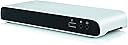
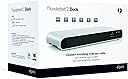
The Elgato Thunderbolt 2 Dock is a premium aluminum-chassis docking station designed for MacBooks and Ultrabooks, featuring dual Thunderbolt 2 ports with 20Gb/s speed, 4K HDMI display support, three USB 3.0 ports with high-power charging, Gigabit Ethernet, and dedicated audio input/output. It enables streamlined connectivity and workspace expansion with daisy chaining up to 4 Thunderbolt devices, making it an essential hub for productivity-focused professionals.
| ASIN | B00PAPMSLE |
| Best Sellers Rank | #65,785 in Computers & Accessories ( See Top 100 in Computers & Accessories ) #2,043 in Laptop Docking Stations #44,556 in Living Room Furniture |
| Brand | Elgato |
| Color | Silver |
| Compatible Devices | PC; Mac |
| Customer Reviews | 4.0 out of 5 stars 297 Reviews |
| Global Trade Identification Number | 04260195390812 |
| Hardware Interface | USB 3.0 |
| Item Weight | 10.06 ounces |
| Manufacturer | Elgato |
| Mfr Part Number | 10024020 |
| Minimum Required Operating System Version | Mac OS 10.13 High Sierra |
| Model Number | 10024020 |
| Number of Items | 1 |
| Number of Packs | 1 |
| Number of Ports | 4 |
| Total Number of HDMI Ports | 1 |
| Total USB Ports | 3 |
| Total Usb Ports | 3 |
| UPC | 813180020085 |
| Warranty Description | 2 years |
M**T
Adds new life to my Thunderbolt iMac - Fast and flexible
Got this as an upgrade to a first-generation Thunderbolt iMac that's starting to show its age; particularly in the connectivity area. It has slow USB ports, so my external drives were sometimes painfully slow. And I've often wanted a second network port (my network has two subnets.) The Elgato dock solves both those problems beautifully. Plus the HDMI output lets me hook up my big TV as a second screen. Setup was super-easy. You basically just plug it in. The dock seems well made and complements the look of the Mac. I love that the main connectors are on the rear panel; I can tuck it under the screen of the iMac to hide the cable clutter. The fourth USB 3 jack on the front panel is handy for plugging in thumb drives. I did some quick speed tests with three different USB 3 drives and was very pleased see sustained read and write speeds of around 175 MB/second (copying to and from the internal SSD of the iMac). This is dramatically faster than the built-in USB ports (as I expected) and makes it almost seem like a new computer! It's great!
M**D
Best Thunderbolt Dock Currently Out There
This product is great for any mac user. There were a couple issue I ran into. 1. As the details mention, you can't connect dual screen if you run HDMI and Thunderbolt/DisplayPort to HDMI through the dock. 2. When using an SSD, there is about a 20% loss on read and write speed if connected via the dock (425MB/s to 345MB/s). 3. Provided Thunderbolt cable was too short. I'd rather it be optional to save money. Here are some of the great things. 1. There is no speed loss using external HDD. Even when connecting multiple HDD via USB 3.0 on dock. 2. Gigabit ethernet is fast (Speedtest was over 650mbps, which is same compared to regular PC connected to Ethernet). 3. Obviously, you only need one Thunderbolt cable to connect multiple devices. To summarize everything. Despite the issue of the dual screen, it was fixed by connecting the second display directly my MacBook Pro. Even though I can imagine more improvements for future Thunderbolt Docks, this one happens to be the best on currently sold on Amazon. Elgato Thunderbolt 2 Dock with Thunderbolt Cable
M**E
Elegant solution for Apple Macbook Air/Pro users -- One cable connects it all.
After reading reviews about Macbook dock vs Thunderbolt hub options, I decided to give this Thunderbolt hub a try. Purchased this Thunderbolt hub at 11:30AM Saturday morning shipped Same-day shipping and received it at 08:39PM the same day. That's fast!!! The build quality is nice and aesthetically aligns with Apple's sleek design. It's nice that Elgato includes a Thunderbolt cable--though really short--with the price. I purchased this hub for work to use with my 2012 Macbook Air (MBA) as it supports an external display and gigabit ethernet hardline via a single Thunderbolt connection to my laptop. I connected the thunderbolt connection to the MBA, connected a copper connection to the ethernet port, and connected my older Dell 1920x1080p monitor to the HDMI port to test. It worked without issues. Tested the ethernet connection by disabling the Wifi adapter on the laptop, and the network connection was stable. Will test the hub at work connected to a higher resolution monitor (Asus PB278Q 2560x1440) at a later time to see if the HDMI out port can truly support the native resolution of the display. Overall this product works as expected. Yes, the price point is a tad high at slightly over $200, but compared to similar solutions currently out on the market, it has good specs for the money. Will do some more testing and will report back if something changes. Update: Tuesday, 2015-05-12 Got the chance to use the thunderbolt dock at work a couple of days. Single thunderbolt connection from the dock to my 2012 Macbook Air is nice! The dock is connected to a Asus PB278Q at full native resolution 2560x1440--no issues--via HDMI. When the laptop is active, it doesn't seem like it has a problem powering both the internal display and the Asus at the same time. I have noticed a weird behavior with this setup though. The dock, MBA, and or monitor has a difficult time coming out of a lock screen or sleep mode. After unlocking the MBA, often times it does not wake the monitor itself. The MBA will flicker repeatedly as though it's trying to connect to an external display, but fails to awake the monitor. I will have to press a button on the monitor to awake it from sleep before the display will reestablish a connection with the Thunderbolt dock (MBA) again. It's rather annoying.. Removing a star for this issue.
G**.
Works well, short cable, maybe some USB quirks.
Wanting to reduce cable clutter, a Thunderbolt dock sounded like a swell idea. It would give me more USB 3 ports, wired gigabit Ethernet, and for the future, HDMI and/or DisplayPort output. I could even hook up some speakers for music at the office... and have it all plug in to my MacBook Pro with just one cable. I could reserve the Apple Thunderbolt Ethernet adapter for travel instead of this ungainly dongle dangling off my laptop. At leat that was the plan. It does what it says it does, but it seems not all USB devices need apply. In particular, my Samsung Note 10 (2013 WiFi model) won't connect over the Dock, but will when plugged in directly to my MacBook. My Nexus 4 works. So, it's not an Android thing, but probably something goofy with Samsung's USB requirements, at least on this "obsoleted" tablet (no more firmware updates for the WiFi only model). For all I know, the Samsung might not connect via a regular USB hub either, so I can't necessarily fault Elgato for this, yet. The included 0.5m Thunderbolt cable is a nice touch, given how pricey these cables are. For my usage, a longer cable would have allowed setting the dock further back on my desk in my bid to reduce cable clutter, but I can see why other purchasers might prefer the shorter cable. I was wondering why the cable ends warm up in use... so after a bit of research, it turns out these are "active cables" with chips in each end to do high-bandwidth signal processing... that's apparently how Thunderbolt is capable of pushing so much data so quickly over a seemingly ordinary cable. The additional electronics create some waste heat and make the connectors a bit longer than expected. Additionally, those watts used by the cable itself are then not available for the device. With a limit of 10W from the Thunderbolt port, the end device is left with less than that to work with, necessitating an external power supply for anything requiring more than trivial amounts of power. The active cable ends are also why the cables are relatively expensive. As I don't yet have an external monitor for this laptop, I have not tested the HDMI output capabilities. Audio output seems comparable over my Bose QC20i headphones (which are pretty decent quality and darn comfortable), although when no music is playing there is a slight background hiss over the Elgato audio jack that is not present on my MacBook headphone jack. I did have to select the Elgato dock as Sound Output in System Preferences, which was expected. The Gigabit Ethernet jack seems to work fine and, unlike Apple's Thunderbolt Ethernet dongle, Elgato saw to include the Link and Activity LEDs in their Ethernet jack. That's a nice plus. So, I am left a bit "meh" on this, at least for my needs. I don't currently need to drive an external monitor, and my external storage is a Synology NAS over the wired network. Given that, perhaps I might be better off with a decent USB3 + Ethernet hub. That would be less expensive and might just do until my next laptop, which would presumably feature USB-C as the new way forward. Another option I might consider would be one of Apple's Thunderbolt displays. Or maybe we will see USB-C as the new display interconnect? It's a strange world.
J**W
Dual docks successfully driving dual monitors
Using 2 of these docks enabled connection of 2 Acer 27-inch HDMI monitors to a single late 2011 MacBook Pro with 8 GB memory, gigabit ethernet, and 4 TB external disk for Time Machine backups running in the background - no recognizable laptop performance degradation going from a single monitor to 2 monitors. The setup mostly involved figuring out how the MacBook Pro works with 2 monitors in general - takes awhile to initialize itself when first connected to 2 monitors, then turning off the default of mirroring and other dual monitor adjustments, and discovering the best method for powering down or sleeping (if not done in a certain way the monitors get stuck in "no signal" mode even though everything is connected). Also great to have just a single cable to plug into the MacBook Pro in addition to the power cable.
T**.
Beware of Multi-monitor Limitations
If you are ordering this and only have one monitor (or a thunderbolt monitor as a second monitor), great. This dock will probably do the job. But for anyone wanting to use 2 monitors and have at least one of them hooked up through the dock, think long and hard before buying. I ordered this dock having read Elgato's HUGE article listing the allowances for what will and won't work when connecting 2 monitors to your Mac involving this thing. The article makes clear that you can only connect 2 monitors TO THE DOCK if one of them is an apple thunderbolt monitor, and the other is HDMI. BUT what it did not make clear is that, if you are using one of the Mac's BUILT IN THUNDERBOLT with a display port monitor, then you can't plug an HDMI monitor in THROUGH THE DOCK. So lets clarify in one sentence what their crazy article should have said: If you are using Display Port in any way shape or form, you can't run a second monitor through this dock. On another note, at least the design is nice!
E**9
Elgato Thunderbolt 2 Dock works very well to enhance my MacBook Pro!
Elgato Thunderbolt 2 Dock is exactly what I needed. I use 15" MacBook Pro Retina, and 2 external hard drives, a 27" external monitor, a scanner, and a speaker are always attached to this MacBook Pro on my desk. I synch/charge iPhone and iPad often, as well. It's been a pain to unmount everything and unplug everything when I needed to take my MacBook Pro away from my desk, but now with Elgato Thunderbolt 2 Dock, it's so simple! I click Elgato Thunderbolt Dock Utility icon on the menu bar, and select "Unplug Elgato Thunderbolt Dock". Everything is unmounted. Unplug the power adapter and the Thunderbolt cable, and my MacBook Pro is ready to be taken to anywhere. In addition, with this dock, USB external hard drives appear to transmit data faster, and USB devices can be charged even when no computer is attached. Elgato Thunderbolt 2 Dock comes with a dock, a power adapter and a Thunderbolt cable. I downloaded Elgato Thunderbolt Dock Utility from the Elgato Website. Elgato Thunderbolt 2 Dock enhances my MacBook Pro with no additional hassle, as expected from Elgato.
D**C
Excellent Customer Service!
The dock is expensive but there are very few products out there that can allow me to connect my 2015 MBPr to a 4k monitor and also ethernet, printer, etc. With this dock I'm able to hide all wires and cables in a cabinet and have a sleek and clean office setup with only my monitor and wireless keyboard visible. One thing that has made the price worth it is the excellent customer service from Elgato. I had an issue configuring my 1GB ethernet service to work on my macbook with the dock and Elgato customer service was exceptionally responsive and helped me resolve the issue very quickly. I normally don't leave reviews but wanted to here because of the excellent customer service, which is obviously not apparent based on any product description.
A**A
Muy buena herramienta
Muy รบtil, mantiene todo ordenado permitiendo mantener conexiones en estaciรณn de trabajo. Podrรญa tener algunos puertos USB adicionales, pero estรก realmente muy bueno.
K**D
2560x1600) and it works perfect. The gigabit network really is gigabit
I've only used it with one monitor, a Dell U3011 (30", 2560x1600) and it works perfect. The gigabit network really is gigabit, I can transfer files at 989mbit/sec. USB3 is just as fast through the Elgato as directly connected. This is a great product, highly recommend. My only complaints are the supplied thunderbolt cable is only 18" or so and the entire unit gets pretty warm. Minor nits.
P**Z
Excellent hub for audio production (and anything else)
Fixed my Elektron Overhub Analog Keys and Analog Rytm issues on an MacBook Pro Retina 2012. The USB chipset on this supports multi-TT hubs properly and I can even use the USB 3.0 cable, giving me a USB 3.0 hub. So far no issues. Just wish the lightning cable it comes with was a wee no longer.
C**N
Only supports one display output
Very disappointed to learn this device will not support two displays, one connected via thunderbolt and one via HDMI. Doing so was the main reason I bought it... But it will only display one or the other, not both. To support double displays, you must be using an apple thunderbolt display ($$$!). Otherwise, works great. I'll be returning it though.
Q**Y
They love this product that works with Apple MacBooks
Purchase made for the UX Team in the office. They love this product that works with Apple MacBooks.
Trustpilot
3 days ago
3 weeks ago