Some deliveries may take a little longer than usual due to regional shipping conditions.

DOWNLOAD THE APP


Customer Services
Copyright © 2025 Desertcart Holdings Limited
DOWNLOAD THE APP

🎮 Dominate the game with precision, power, and style—your ultimate one-handed weapon awaits!
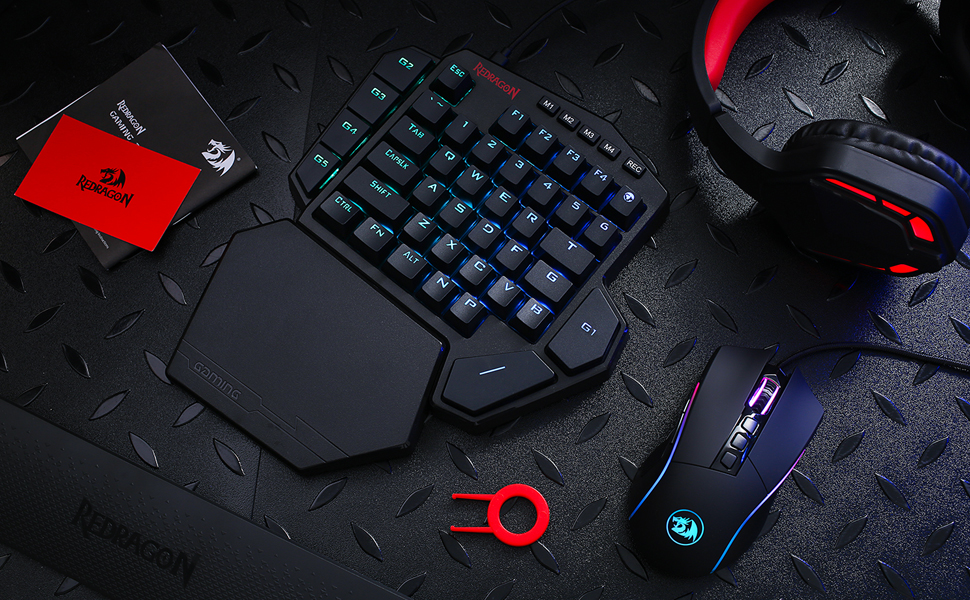
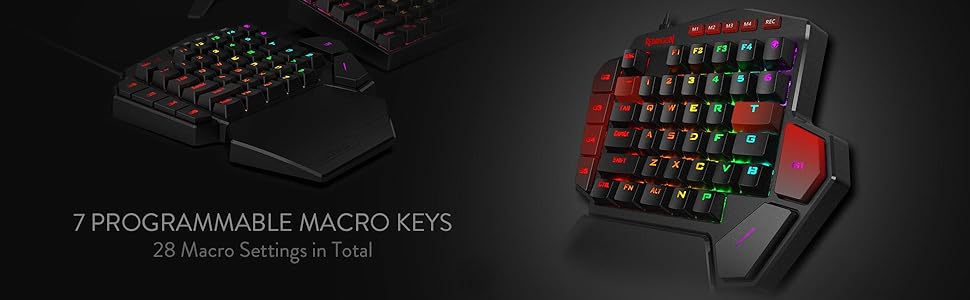
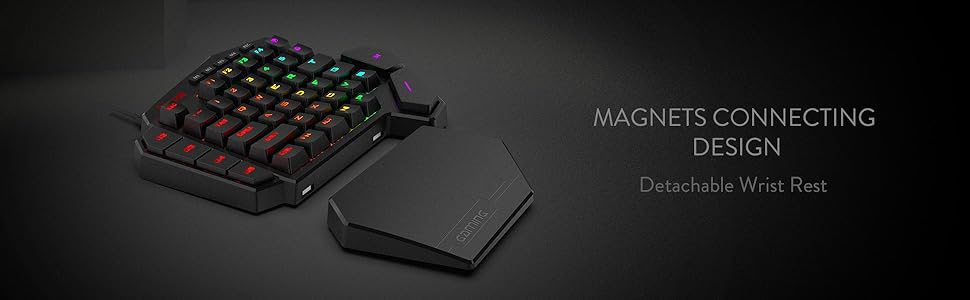
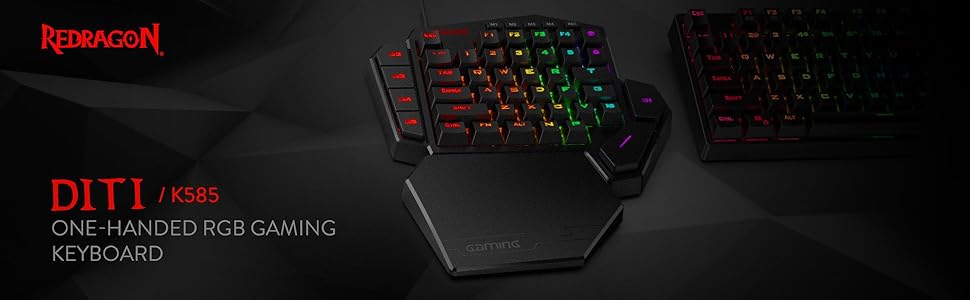
The Redragon K585 DITI is a professional-grade, wired one-handed mechanical gaming keyboard featuring 42 keys with a compact QWERTY layout, upgraded hot-swappable Blue switches for customizable tactile feedback, and 7 programmable macro keys. It boasts vibrant RGB lighting with 16.8 million colors across 5 modes, a USB-C connection with a USB pass-through port, and an ergonomic detachable magnetic wrist rest for enhanced comfort. Designed for serious gamers seeking portability, customization, and efficiency, it delivers high performance at an unbeatable price point.






| ASIN | B07NBJVH4G |
| Additional Features | 42 Keys One-Handed, Compact For Gaming, Extra Onboard G Keys, Wrist Rest |
| Antenna Location | Gaming |
| Best Sellers Rank | #538 in Video Games ( See Top 100 in Video Games ) #59 in PC Gaming Keyboards |
| Brand | Redragon |
| Built-In Media | Keycap/Switch Puller, Spare Switches, USB Cable |
| Button Quantity | 5 |
| Color | Black K585 |
| Compatible Devices | Laptop |
| Connectivity Technology | USB-C |
| Customer Reviews | 4.3 out of 5 stars 9,935 Reviews |
| Enclosure Material | Acrylonitrile Butadiene Styrene |
| Hand Orientation | Ambidextrous |
| Is Electric | Yes |
| Item Dimensions L x W x H | 10.3"L x 8.5"W x 2"H |
| Item Type Name | gaming keyboard |
| Item Weight | 1.3 Pounds |
| Keyboard Backlighting Color Support | RGB |
| Keyboard Description | Mechanical, Gaming, Macro |
| Keyboard Layout | QWERTY |
| Manufacturer | Redragon |
| Mechanical Keyboard Switch Model | Blue |
| Model Name | DITI |
| Model Number | K585 WIRED |
| Number of Keys | 42 |
| Number of Sections | 5 |
| Power Source | Rechargeable Battery |
| Recommended Uses For Product | Gaming |
| Series Number | 585 |
| Special Feature | 42 Keys One-Handed, Compact For Gaming, Extra Onboard G Keys, Wrist Rest |
| Style Name | Modern |
| Switch Type | Clicky |
| Theme | Gaming |
| Warranty Description | / |
M**O
Versatile with some nice DIY features
TLDR: Likely the best sub $50 One Handed Keyboard you'll find; decent wrist rest and good thumb button placement, nice weight and non-sliding feet, nearly entirely reprogrammable and hot swappable (see below), and for those who like to void warranties, easily disassembled. It could use a slightly stronger angle, sound dampening (the thin plastic base is pingy) and more robust software, but for the price, you can't really see those as faults. I own more OHKs than I'd like to admit, but I dislike the spacebar on a standard keyboard while gaming (don't like my thumb curled under my palm). This one isn't comparable to the likes of Razer, but for half the price and more buttons, with some DIY, you'll have yourself the best all-around gaming keyboard for under $100. SETUP/USAGE: Works straight out of the box on most anything. The usb-passthrough is a true hub, so it works with almost any (USB 2.0) device, just don't expect it to charge anything. Great for connecting a mouse when using with a laptop lacking ports or Playstation/Xbox (only tried it with a PS4, works as expected). If you have Windows 10, the software allows you to reprogram all but the profile (M1-M4), Function, and recorder buttons. The software is basic but functional. I didn't have troubles with the included braided cable or any other USB-C cable I had. Connection was firm. The base doesn't slide around, but does have a largish footprint. It has more buttons than high end OHKs; too many for straight FPS, but useful for FP/TP RPGs, Mobas, 4X, or any game that needs 'G' or 'T'. The stock switches are decent, if a bit wobbly, the keycaps are thin ABS, but not terrible. ERGONOMICS: I like the placement of the two thumb buttons, but they might be an issue for small hands. The standard staggered keys should make switching from a standard keyboard easy, even if I prefer ortholinear keys. The wristrest is hard but not uncomfortable, and while some may like padding, I find hard surfaces less irritating and sweaty. The additional Map (M) and N and P keys are nicely placed so that nearly anything you need to do can be done with one hand. SOFTWARE: the software is basic and not exactly self explanatory, but isn't hard to work once you figure it out. It only works on Windows 10, and it doesn't allow extended options (you can program any of the main keys to any key on a standard keyboard, media function, mouse action, or a macro; it has profiles (4) but not layers). The changes are saved to the board, so they'll travel with it. You can't do much with the lighting other than change speed, direction, and color of the built-in effects. Still, it's more versatile than the software (or lack of it) found on other low-cost OHKs. MATERIALS/CONSTRUCTION: The main body is, what I assume is, a single piece of ABS. The bottom is the same, as is the wristrest. The top plate is a non-ferrous metal, the switches are plate mounted (3-pin). The stabilizers are part of the body, so not replaceable and made of the same plastic. The keycaps could be better, but expected at this price. Together, it feels solid, and a good balance of weight for stability and portability (other than the size). DIY: beyond the software, most of the keys are also "hot swappable" (the exception being the G2-G5 keys, which seem to be soldered in). The sockets are *not* Kailh, which makes it harder to get the keyswitch in straight, and it has a rather tall LED; you'll need a switch that had a cutout for SMDs (I swapped mine for Akko Blue Oceans because they're available on Amazon and fit just fine). The stabilizers are built in to the plate, so aren't replaceable and are pretty cheap. Lubing helped a bit. Deconstruction means removing the bottom screws (two are under the rubber feet, but as long as your careful, they stick back on just fine),, and then a set of screws to remove the plate/pcb from the base. No foam or gasket, but, again for the price, this isn't surprising. Removing the plate from the PCB means removing all the keyswitches, but with 4 soldered into the sockets this is close to impossible, and then popping some pressure clips. I don't recommend. Since the top and sides are all one piece, I found it easy to paint (in the picture, it's a matte white spray with masked stripes and a clear coat finish). The keycaps are replaceable, but the non-standard "T" and "G" can make finding a set difficult. It worked with several cables I tried from various manufacturers. Overall, this is a great little piece of gaming tech. While not high-end, the ease of use, good button count, and versatility through software and hardware modifications, make this a great choice for an inspiring gamer/builder looking for something to play on and also tinker with, without breaking the bank.
P**E
MERC Stealth Replacement..sort of
This is an excellent gaming keypad. It has a large amount keys and an ergonomic design that is well suited for any gaming configuration. It comes with extra switches, a key remover and USB-C cable. The included magnetic wrist guard is a nice feature. After my MERC Stealth keypad finally died I needed a replacement after 15 years of muscle memory with that keypad design. Most keypads on the market either do not have sufficient number of keys or do not have an ergonomic enough design to compete with my previous keypad. The Redgragon K585 fits the bill, but it will require a few modifications to do so. To emulate the Merc Stealth keypad you will need to download the Reddragon K585RGB keyboard app from the Reddragon website. Once the keys are programed, the key assignments are stored on the keyboard and can be moved from PC to PC without using the app. Second, you will need a USB keyboard to plug into the Reddragon keypad to program the new keys. Third, you will need to remove the old keys with the included key remover and replace them with new keys (Redgragon and others sell replacement keys on Amazon and are inexpensive). Finally, using the app and the keyboard, you can program the Reddragon keyboard with your new key bindings. All of the keys are programmable except the "rec" key. The F1-F4 are replaceable and programmable as well as the key to the right of the F4 key. The G1-5 keys can be used as macros or single key bindings (they just cannot be replaced). You can also change or turn off the background RGB colors. This is the second K585 keyboard I have purchased and is a very well priced replacement for the keypad side of the Merc Stealth keyboard.
R**E
punches above its weight
The Redragon K585 DITI is an entry level mechanical keyboard that punches above its weight. That doesn't make it perfect for everyone, however. Look, it's pretty clear just by looking at this keyboard that it isn't a full keyboard. That intrinsically limits its target audience. For someone with ample desk space, this might not make the most sense as a purchase. But, on the flip side of that, for those with LESS space than usual, this can accomplish a very crucial goal of getting you back some of that valuable desk real-estate for your mouse, or other peripherals. For instance, in my case, I needed more room for gaming. One of the problems I kept running into with my existing setup was that during an intense firefight, I would sometimes slap my mouse on the side of my keyboard, resulting in, almost always, poor results. And after trying for many months to get used to playing with my full-sized keyboard tilted at a 45 degree angle, it just became worth the $35 dollars or so to get rid of the hand-pain that induced and solve the mouse conundrum in a combo meal. On the other hand, I could also see this being fairly useful for something like Asesprite, GIMP, or other design-oriented programs and tools. While I'm sure that there are people that could easily use the full spread of a full-sized keyboard with macros and still need more room, I'm not one of them, and I think it's fair to say that someone reading a review about this keyboard for that reason probably isn't either. So, what sets this keyboard apart from the competition? The biggest thing for me has been the remappable buttons. With 5 dedicated macro-keys and two other keys that you have the *option* to remap (tilde and T), you've got 7 total keys to customize. There are severe limitations to this that can ultimately hamper that usability, but we'll come back to that later. If you're someone that's into RGB, the keyboard lets you choose from 5 arrangements of color patterns that can range from what you'd expect from a typical RGB rainbow-vomit experience, to more subdued patterns that only appear when a key is pressed. To Redragons credit, the depth and color coverage is absolutely outstanding. It absolutely cannot be understated, in comparison to my Corsair RGB keyboard, the colors are just better on the K585. There's even some hidden gems as far as features go, too. While you can change the color mode using the four dedicated mode-buttons atop the keyboard, this *also* serves as a convenient and quick way to swap between different macro bindings on those 7 macro keys. But, if someone were to decide that they wanted to change the color mode but not lose their bindings, they could just as easily use the function key and space key to cycle between the modes of their own volition. Additionally, the keyboard has a detachable Type-C cable, so in the off chance that your cable got ruined, you would no longer be in the market for a whole keyboard, but just a cable. It also features an extra USB slot on the back that you could use for presumably anything a normal USB Type 2 slot could be used for, like a full keyboard if you needed that extra range, a wireless headset adapter, or just a convenient place to charge your phone. So now we've covered the good, but what about the bad? Are there any "gotchas" to this product? That's a question with some complicated answers that mostly come down to your use case. For me, one of the biggest issues with the device was the limitations behind the macro recording. As you can only record buttons that are available on the device itself, it makes rebinding almost mandatory for some games. In Destiny 2, as an example, I have my social tab bound to my O key normally, but as the K585 doesn’t have an O key, it makes opening that menu kind of a chore. My options at that point were to either change which keyboard I was pressing keys on for only specific keys, or just rebind these actions. Luckily, Destiny 2 has two binding settings for each action, so I was able to set most of these crucial actions to be the F1 through F4 keys as their fallback binding, in the off chance that I wanted to use a full-sized keyboard for any reason. *But*, even this has consequences. If you’re playing a game that doesn’t have multiple binding options, or rebinding at all, you’re just going to be out of luck. On top of that, if you’re someone that uses the alt-key for whatever reason, you could potentially run into issues with either accidentally or unintentionally using ALT+F4 to close your game or program of choice. Ideally, passing a keyboard through the K585 would allow it to register these macros as any press, like how a lot of keyboard or mouse macro software works already. Of course, the K585 doesn’t have any software to speak of, so it may just be a limitation of the hardware they use to power these macro keys. Another binding issue that I’ve run into is the problem of *un*-binding keys. While you *can* unbind them, it appears to only have a group unbind option. For my use case, I’ve somehow managed to lose the T binding entirely. If I change modes it’s fine, or if I were to reset *the entire binding setup* I could fix it, but I can’t just rebind my T key to T, as it.. Isn’t T anymore. I also can’t just reset *that particular* binding, but this is again, probably a limitation of whatever they use to power the macros. Thankfully, that covers the largest of my gripes with the keyboard. I’m no mechanical keyboard expert by any means, but it uses blue switches that feel very good to me. If you’re not sure what kind of switches you like, the mechanical keyboards subreddit seems to always recommend buying a switch tester. They run around 17 dollars on Amazon, however, so if you’re looking for a budget option in something like this keyboard, you’ll potentially just be paying for peace of mind. With that said, the switches are audible, but they don’t drive me up the walls by any means. My only other real complaint with this is probably that the F key doesn’t have the nice tactile bump that I’m accustomed to on my full-sized keyboard. That lead to quite a few times where my senses and muscle memory clashed with each other and ultimately caused me to fumble around aimlessly, but that had an easy enough fix. For me, I just put a dab of super glue on the key to give it a little bump, and that’s been more than enough to ease the aforementioned clashing. I will say that when I was browsing Amazon to figure out what exactly I was going to buy, it took me a while to get over the absolutely dreadful looking font that is printed on the keys. To me, it came off as a very edgy and try-hard font, but in person it didn’t really bother me all that much. And, thankfully, most of the time I spend with this keyboard, I’m looking at the screen and not the keyboard, so truthfully it doesn’t bother me anymore. So, is the K585 worth it? In my opinion, absolutely! If you’re looking for a keyboard of this style, there are a ton of positive things to say here. If you like RGB, it’s got it, if you don’t, you can turn it off. If you’re worried about price, it’s inexpensive (especially in comparison to the competition), and if you’re working with limited desk space, this is a natural pick.
A**.
Highly Programmable, Sturdy, Very Useful
So I have to say, this thing is pretty cool. The build quality is surprisingly very sturdy with relatively heavy plastic. The Blue Switch keys sound great and press well. The magnetic palm rest is really nice. The extra USB port is handy. Couple things to note about the product. The cord is USB C into the keyboard and USB A into your PC. You can program the 7 macro keys (G1-G5, ~ and T) by using the keyboard itself (though only with keys that already appear on this left-handed keyboard), OR you can download software from manufacturer's website that allows you to program ALMOST every key (FN key, Rec key, and maybe one or two others excluded). This latter software method is good if you want to reprogram any of the normal letter keys or if you want to program a key to use a key NOT on this keyboard already (example: Windows key or Enter or any right-side characters or arrow keys). There are 4 layers or modes you can have (accessed via the M1-4 keys), so you can theoretically have a 4 sets of keys programmed. You can set the RGB LED color setting for each layer/mode as a visual clue for what layer/mode you're active on, which is really handy. It does not have a Windows key, which I wish it did, but using the software method you can program another key to be the Windows key (though unfortunately you can't reprogram the FN key for this purpose). The size of the keyboard is larger than I expected, but it's good. The optional key re-programming software is decent. The bottom space key is easily accessible for my thumb. The right top G1 key, though, is not so comfortable for thumb press and I'll need to use my index finger for that one. The top right key (right of F4) is the m character (though a few programs read it like an F5) and I guess has special meaning in some games or something. Overall, this is really quite nice. It can easily be used as a macropad or shortcuts-specific extra keyboard too, which is cool. Have to say, the ~$30 spent on it seems well worth it.
C**R
A proper F key and some superglue away from being perfect. Worth Every Penny.
Love the keys. Love the brown switches. Love the keycaps even. They feel nice. Yes, it's edgy space font but it's not TOO bad. About a 2/10 on the HR Giger scale. Only one problem: WASD is dumb. Very very dumb. Why? I don't care that it's what the entire world uses. If you learn how to touch type, your left hand will naturally fall on the home key, F. That's why it has a little nub on it. So you can develop feel memory and just know your fingers are on the home keys. So why wouldn't you use ESDF instead? Then you get a pinky key too. A. WASD is stupid. Sorry. Anyhow, they put the first completely smooth F key on anything I've ever seen in my life. I had to throw it away. I had a few spares. It looks awesome with a proper F key that's a different color. I use F a lot. : ) So it's important that it's correct. Now I can find my movement keys by feel again. I don't have to waste time looking. Superglue, that's up to you. This is a personal preference. I put a little dab on the wrist rest to make it permanent. I loved it so much. I just put it on the magnets and let them be together forever. It's better that way. Otherwise, wow what a nice addition to a Star Citizen setup. This sits nicely off to the left of a VKB Omni-Throttle for quick accessible on-foot controls, or anything else. Opening up the mobiglass quick because you have a real F1 key. Etc. tapping escape to fix a keybind quick. Setting up a macro for Flight > ATC > VTOL. Makes the game that much better. Worth every penny. It gets a five for value. They are using good quality parts. They did put thought into the design. Like you can tell it was designed for your fingers to fall on F key home position based on where the space is placed. You literally have to stretch to hit it if you use wasd. ESDF? your hand just falls naturally on everything. So nice. The switches feel great. Love that soft bump in the press. You subconsciously start remembering where that bump happens and it improves your timing because it coincides with actuation. That's the benefit of browns for gaming. You aren't just mashing the key into the board for timing. You don't have to. So your keyboard takes less abuse. And you maintain a lower level of chill, so game better. Very comfortable. Perfect wrist rest. Perfect key position. Great key caps. Great lighting, Oh great lighting options. They offer five. For me it was like, hate it, hate it, hate it, hate it, OH!. The fifth one I liked a lot. It's a blue and green burst gradient. Very awesome looking. Matches my stuff. The only other thing to maybe complain about is it slides around a little. Like the bottom isn't grippy enough. Easily fixed with two pieces of VHB tape on the bottom but worth mentioning. I am one very happy customer.
G**L
One of the best keyboard gamepads for the $$$
I'm a long time Belkin Nostromo N52 user and it finally started showing it's age last week with some keypress failures. After 15 years with it, it's as natural for me to use as a mouse. No thought required, just press the keys by memory. I've always used the same buttons for everything in the same position regardless of the FPS I was playing. Lethal's at TAB, Tactical at R, F use, etc. So my learning curve on this gaming keyboard was helped by that by just mapping everything in the same way. After playing on the N52 with the claw hand position due to the curved/raised wrist rest, I was a bit of an adjustment in hand placement. Didn't feel natural for about 4-5 days (maybe 10 hours in). Since then, It's becoming to require less thought and everything is becoming a reaction now without thought. The only part that's still odd is reaching for all the extra buttons that you can program having 41 vs. 20. I still have about 9 that I haven't programed. 1st world problems. The rest is comfortable and even though significantly different than what I've been used to for a long time, has become a positive. I've not had any issues with the space bar. Mt thumb lines up with it wonderfully and I'm 5'10" with average size hands. Software is easy to program and setup micros and adjust lighting. Wish it had a few more options for the lighting but its not bad. For the money, it's a solid piece of equipment that has worked as expected and I'm happy with. Doubtful it's going to give me 15 years of service like the Belkin N52 did but that's the new world we live in. Everything built to be disposable and replaced in a few years instead of making it the best they can and making it last a long time..
J**N
Avoid Redragon K550RGB-1 + K585 together: software conflict can cripple your keyboard
I bought a Redragon K550RGB-1 about a week ago and it was working fine. Yesterday I added a Redragon K585 one-hand keypad. Installing the K585 software immediately wrecked my K550: half the lighting zones went dead, the G keys started flashing, Num Lock/Caps Lock indicators stopped working, the number pad stopped working, and even the spacebar stopped functioning. On a brand new keyboard. The “fix” was not a simple reset. I had to put the K550 into bootloader mode and run a firmware reflash using Redragon’s own tool. It finally came back—but all profiles/macros/lighting setups were wiped. So the outcome was: spend money on two new devices, install the official software, and end up with a broken main keyboard plus hours of recovery and rebuilding everything from scratch. This is the kind of failure you should never see from “gaming” peripherals in 2026: the software for one Redragon device should not be able to partially brick another Redragon device. If you value your time, your settings, or your sanity, don’t buy the K550RGB-1. And if you’re thinking about pairing it with the K585, absolutely don’t. Verdict: hardware is fine until you touch the software—then it’s a roulette wheel. I’m returning one or both and moving to a brand that can handle multi-device support without nuking your keyboard. I don’t care how cheap it is: if the company can’t ship software that supports two of its own products on the same PC without corrupting the other device, it’s not a “deal,” it’s a trap. You’re paying with your time.
R**H
Nice hardware, software missing a few key features.
I was originally looking for a good USB number pad and stumbled upon this guy which looked like an even better fit for what I need so figured I would give it a try. Hardware wise, this thing seems solidly built and for the price I would say is excellent. If you're looking for the left half of a keyboard for gaming, this is great. So, overall, seems to be a decent product. Could be an excellent product with what should be a very doable software update. Lighting... meh. Ok, looks cool. There are a few options for different moving patterns and color cycles which are kinda cool but that's not really what I'm looking for in a keyboard/controller. There IS an option now to set the backlit color to a single color.. which is what I ended up going with. Now, as far as macros/key programming... out of the box there's a little pamphlet that gives a bit of info on setting macros via keypress. Basically just a way to save a keypress sequence and bind it to one of the macro keys. If you go to their website, you can download software for this thing that gives a graphical way to do this and maybe a few more options. It also includes the firmware for setting a static lighting color. It looks like maybe I have the latest firmware as the config software allowed me to do this out of the box. The config software takes a bit of tinkering around with to figure out what's going on and is pretty basic. If you click on a key you can set it to either run a macro, bind to a standard keyboard key, or open one of several applications/application functions (it's called multimedia). The macro options are pretty basic, allowing you to hit keys, and set timings for up/down. You can create multiple macro's and assign them to various keys. You can set a macro to cycle between 1-255 times when said key is pressed. The glaring omission here though, is there does not seem to be a way to set a macro to loop/repeat infinitely. I would think there would be an option to do this and have the bound key be a toggle to turn the macro on/off. This doesn't seem to be possible currently. I also noted that if you start a macro... it will keep going until either it ends... or you start another one. So if you have a long running macro going there seems to be no way to turn it off without starting another one with a different key. Again, this is where a toggle option would be nice. For key bindings, you basically just have the option to set a key to be any other key. That's it. I would have thought there would be a way with this setting to enable an auto-repeat option, hopefully with a repeat time (in milliseconds) if enabled. No such option currently. I also have seen an review video where someone is showing the different options on what looks like an older version of the software where there was the option to have a key set to various mouse functions. This is no longer the case in the current software. I did a bit of looking and I wasn't able to easily find a software/firmware archive, though I expect with enough digging you might be able to find it. Maybe.
Trustpilot
1 month ago
5 days ago