Some deliveries may take a little longer than usual due to regional shipping conditions.

DOWNLOAD THE APP


Customer Services
Copyright © 2025 Desertcart Holdings Limited
DOWNLOAD THE APP

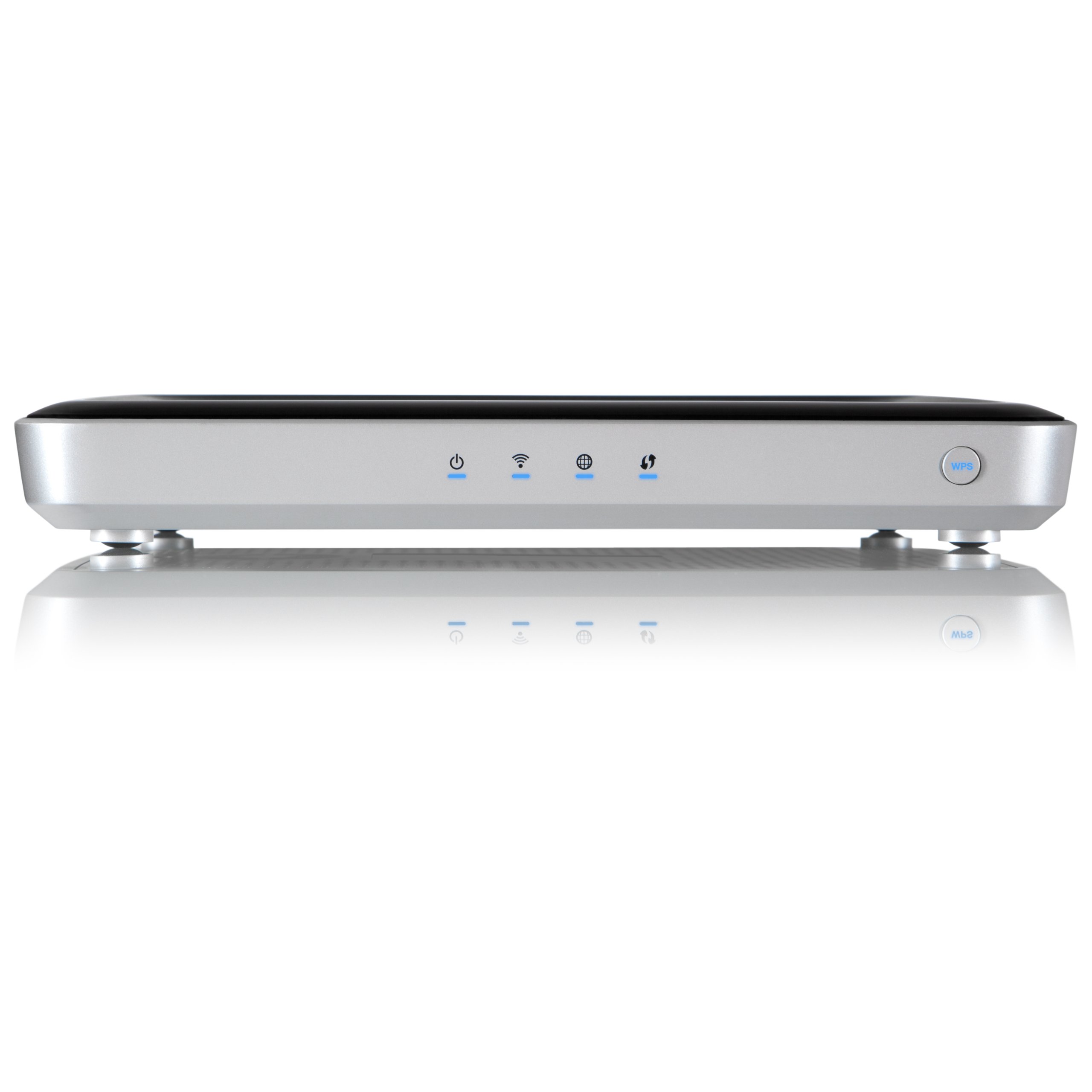


🚀 Elevate your WiFi game—stream, work, and connect like a pro!
The WD My Net N900 HD Dual Band Router delivers up to 900 Mbps combined WiFi speed with advanced FasTrack Plus traffic prioritization, 7 Gigabit Ethernet ports for ultra-fast wired connections, and 2 USB ports for network device sharing, making it an ideal router for seamless HD streaming and high-performance home or office networking.
| Wireless Type | 802.11a/b/g/n |
| Brand | WD |
| Series | WDBWVK0000NSL |
| Item model number | WDBWVK0000NSL-HESN |
| Item Weight | 1.05 pounds |
| Product Dimensions | 9.3 x 6.1 x 1.2 inches |
| Item Dimensions LxWxH | 9.3 x 6.1 x 1.2 inches |
| Color | Black |
| Voltage | 12 Volts (DC) |
| Manufacturer | Western Digital (Direct Import) |
| Language | English |
| ASIN | B007KZQMO6 |
| Is Discontinued By Manufacturer | No |
| Date First Available | June 14, 2012 |
E**N
Works fine for me, never have to reboot the router
Other reviews indicate that this router has to be rebooted often. I don't find that at all. I have used this router a month and never had to reboot it.The storage and print sharing features also work as advertised. I have a 2 Tb WD Passport on the USB 3 port and a Brother laser printer on the USB 2 port and both work as advertised. I use the WD Smartware software to back up two different computers. It's simple to use and does continuous or batch backup. I use the folder option to backup only what I need. The continuous backup uses very little RAM and CPU resources. You never even notice it's there.The 5 Gb WiFi is lightning fast and the 2.5 Ghz has good range.I ordered another one of these for my daughter who had reboot problems with her previous router, and they have disappeared completely with this router.
J**N
2012 router of the year from my favorite hdd company
As long as I've been building PCs for gaming, I've been using WD drives. Same for Cisco/linksys routers. Between the reviews I had read and PCMag giving it router of the year, I decided to give the n900 a try. My review starts with connectivity because that's what I really wanted/needed, and then addresses setup & features.I have had the MyNet router for a couple of months, and the reasons I liked are proving to pay off very well. The extra ports, compared to almost any other router, are at the top of that list: SEVEN LAN ports! 2x USB!LAN connectionsIn my living room home theater, I'm hard wired (VS wireless) to Ethernet using: PS3, xbox360, Marantz sr7007, wdtv (which has codecs for EVERYthing), Appletv (mirrors MacBook pro). My roku just sits there unused, so I still have extra ports.USB connectionsThere are also two USB ports for my 2x wd mybooklive 1TBs. Which is really nice for saving data off my computers or iPad/iPad mini.Suffice it to say there is awesome connectivity! If you play games, hard connections do make a difference. I went ahead and connected the rest to minimize wireless demands when that's being used. my wireless connectivity has also been awesome.Wireless connectionsI have 3x smart tvs, a work laptop (pc), some personal PCs, iPhone, and the already mentioned iPad, iPad mini, and MacBook pro. Typically only a few of those are active at any one time. On my previous router, it seemed like I would have to unplug and reset it. Especially if too many connections were active at once. No more!Also the MyNet n900 has two wireless bands: 2.4 & 5ghz. So newer devices can grab the 5 ghz, while older things like my iPhone 4 can grab 2.4. More on these in setup below.SetupEasy. The included quick start guide made it a snap. Go to the web browser enter "//wdrouter" or 192.168.1.1The sheet will have the default login info, or you can reset the router on the bottom to get the default login info back/restored.***please set a network name/SSID and password!!!***Slowly go through each screen and it's a snap to make adjustments where you want. If you don't know, the stock configuration will work for almost anyone. In just a few minutes, I had 2.4 setup for me and a separate 2.4 for "guests" - same thing for 5ghz! It was the first time I've seen or used a feature like that, and it's nice to be able to have friends/coworkers be able to have fast Internet without having access to my full home network.RangeThe router is in the exact same spot as my previous two routers, but my wifi is definitely stronger and faster in my bedrooms and garage. I like to tinker in the garage and YouTube videos have been a great resource for getting me out of trouble. With this router, it's no longer necessary to come back inside.FeaturesThe FasTrack QoS tech seems to make a difference when I'm streaming Prime videos in my bedroom on a Vizio while browsing/working on email, etc. My cable Internet service has fair bandwidth (compared to basic package, not fios, or other countries). So I am able to get hd streaming and with this router I don't get the buffering or drop down in resolution like I used to if I download a big file for work.Connections have been covered! But deserve more credit. The dual bands, easy setup, and competitive price make this a great buy for your home and maybe even your small business. When ac routers come out, it'll still be a couple of years before I have a computer, tablet or phone tht uses it. At that point, I'll definitely consider WD again.Strongly recommend.
F**H
Nice router but could be better
I purchased this router to replace two Linksys routers (E3000 and E4200) after they began losing connections constantly. My house is WiFi hell. My walls are made with a 3/8 backer board covered with an inch of cement. My router(s) is(are) located next to the main central wall on the east side at the south end and my main laptop is usually used 30 feet away at the north end of the same wall on the west side(translation the strange angle causes the signal to go through a whole lot of cement). A wireless camera (which I recently found out) was causing interference that would cause complete loss of 2.4 GHz Wans. Sometime one router would appear, sometimes the other & sometimes both or neither. They would usually take turns appearing and dissapearing.The router arrived quickly and well packaged.The wall mounting holes were a nice touch since the router was too wide to sit horizontally on the rack holding my pc's. It would have been nice to have some propper screws for mounting but it was easy enought to find some with a usable size and shape of the head.7 ethernet ports made it great since I have more than 4 wired components in the room (the reason I was using the second router was as more of a switch to cary the extra components) and gigabit ports meant the ability to communicate at the maximum speed possible since the up to 450 Mbps Wan speeds aren't strangled by a 100 Mbps ehternet port.The initial setup was very simple. I used the supplied ehternet cable to connect my laptop and go to the default ip address. I chose not to use the wizard and set up manually. Every thing was common sense for someone with any experience setting up a WiFi router.Once the basic setup was complete, I put the WD router in place of the E4200 for a trial run. At first, the router couldn't get DHCP for internet access but rebooting the router and the modem a coulple times each fixed that problemChecking the WiFi connection showed my signal loss on the 2.4 GHz remained and I still had no 2.4 GHz Wans but my 5 GHz signal had gone up a bar from the E3000 that was still running. I found the program inSSIDer and was able to find the 2.4 GHz signal was -50 Db and the 5 GHz was -75 Db on the WD and 10 db worse on both bands of the E3000. Turning off the earlier mentioned camera eliminated the interference and allowed the return of the 2.4 GHz Wans.The signal now (tested with a Toshiba laptop with an Intel N6230 wireless card and running inSSIDer at the opposite end of the house with the camera turned back on)is pretty good. The 2.4 GHz primary SSID is rock solid -50 Db and hasn't dropped out once even with the camera turned back on. The 2.4 GHz guest SSID looks like a 10 Db mountain range and it periodically drops out. Both 5 GHz SSIDs fluctuate less than 5 Db holding close to -75 Db. The main SSID will rarely drop but the guest SSID seems to drop fairly often. These numbers are when the 2.4 GHz is being used. Switching the laptop to the 5 GHz results in a 5 Db drop in the 2.4 GHz main SSID with less than 5 Db fluctuation and the main 5 GHz SSID gets a 15 Db increase but starts getting 10 Db peaks and valleys (usually -60 Db with reapeated drops to -70 Db and spikes to -50 Db). 5 GHz main SSID seems to become more reliable when you actually start using it. The guest SSIDs were not affected by the band changes and I have not tried them to see if they experience the same increases when they are actually used.Reliability seems to be pretty good (running over two weeks now). Running a BluRay player, network printer, Night Owl security DVR, one heavily used PC (two other pc's not currently in use) all Ethernet connected plus another BluRay and video games connected via a Trendnet TEW-680MB media bridge and up to three laptops using WiFi. BluRay's stream videos simultaneously almost constantly with PC and at least two laptops in use and we have yet to see a single problem or any lag what so ever.If this was all I cared about, I would probably have rated this router 5 stars.One of my unused PC's is a very out of date Win 98 machine that was used as a file server. I chose to replace it with a 2TB usb drive connected to the Linksys routers. After the final installation of the WD router, I connectd the drive and got my first dissappointment. The router treats the drive as a single share with only public access or a single user account. The Linksys routers allowed multiple shares within the drive and multiple users. This used to allow me to maintain network storage space for my kids (their laptops have small drives or other limitations)that remained seperate from my files. This was a nuisance but I could have lived with putting in the password to give them temporary access or copying the files myself. Next dissapointment was that the router would forget that it had a drive connected. Turning the drive off and back on seems to fix that problem but there is another one. When the router doesn't recognize the drive, it still allows you to access it, which wouldn't be a problem except that it now treats the drive as a public share and ignores the setting to require a user name and password. If Windows would allow you to map a drive to a folder that wasn't designated a share it would have been easier to live with but that's not WD's fault. My family doesn't have the skills yet to navigate the network and get to the usb drive so I've decided to ignore these problems until this router needs replacement.With the rest of the setup done, I began to secure the router and found much more to complain aboutI started with MAC filtering. There are only 24 slots for MAC addresses. I haven't gotten to see if the filter will apply to wired MAC addresses yet but I wish to controll what is connected to my network and I have an open wired connection (Through the Trendnet media bridge on the 5 GHz band, WDS sees this as a wired connection) for use when there are no 2.4 GHz Wan signals strong enough. This means I have to have two MAC addresses for most things, one for the wired and one for the wireless. The MAC addresses also must be entered manually increasint the probability of mistakes. Haven't tried guest access yet to see if guest must be allowed in the MAC filters as well (like the Linksys routers) which will eat up more spots if it is.Access control is another bad spot. The abillity to have parental controls filter websites is nice but it moves all access control to a website. The Linksys routers have built in rule configurations that allow you to have full controll of access by time, by protocol, by IPs or IP ranges as well as filtering a few url's(just a few manually entered, not the full database offered by WD's website)and keywords and the rules become active or inactive immediately. The WD website allows you to enter more url's and mark them safe or blocked as well as adjusting the parental filtering by time(none to full changing as often as every 15 minutes throughout the day for all devices or by each registered device MAC address) but the website rules take a little while to take effect.These are more annoying than anything as they mean a lot more configuring before I feel my network is properly secured and the parental controls don't get on my nerves blocking sites I wish to visit.The DHCP table is also a nuisance. All data has to be manually entered, again increasing the possibility of mistakes(Linksys allows the addition of any connected client with a couple mouse clicks). This isn't so bad since the access controls use MAC addresses instead of IPs. NOTE: any new client on the WD router requires a whole new device setup in parental controls if it will differ from the default where the Linksys router only require you to assign an IP address in a controlled range or add it individually to the rule. I wouldn't mention this except that, when my Linksys routers began to fail, I was having constant DHCP problems that required manually entering the data into the clients which required the IP addresses to be reserved on the router so it wouldn't try to assign them elsewhere.And hopefully last, after spending all the time to get everyting just like you want it, be careful when you reboot the router since the reboot button is butted right up against the bottom of the reset to default button. Haven't checked what happens when you click the reset button yet, I'm sure it will ask if you're sure that's what you want (hope that screen is significantly different from the one that asks if you're sure you want to reboot) but I don't like risking throwing away any changes I've made since the last settings save.All in all, it looks like a pretty good router if your more interested in streaming media and tend to use your PC more for E-mail and social media instead of personal information. I tried this one due to a little better price and being tired of having to replace Linksys routers so often. Unless these problems are fixed, I will definately look into another router or go back to Linksys when this one fails.
Trustpilot
1 day ago
3 weeks ago