
DOWNLOAD THE APP


Customer Services
Copyright © 2025 Desertcart Holdings Limited
DOWNLOAD THE APP


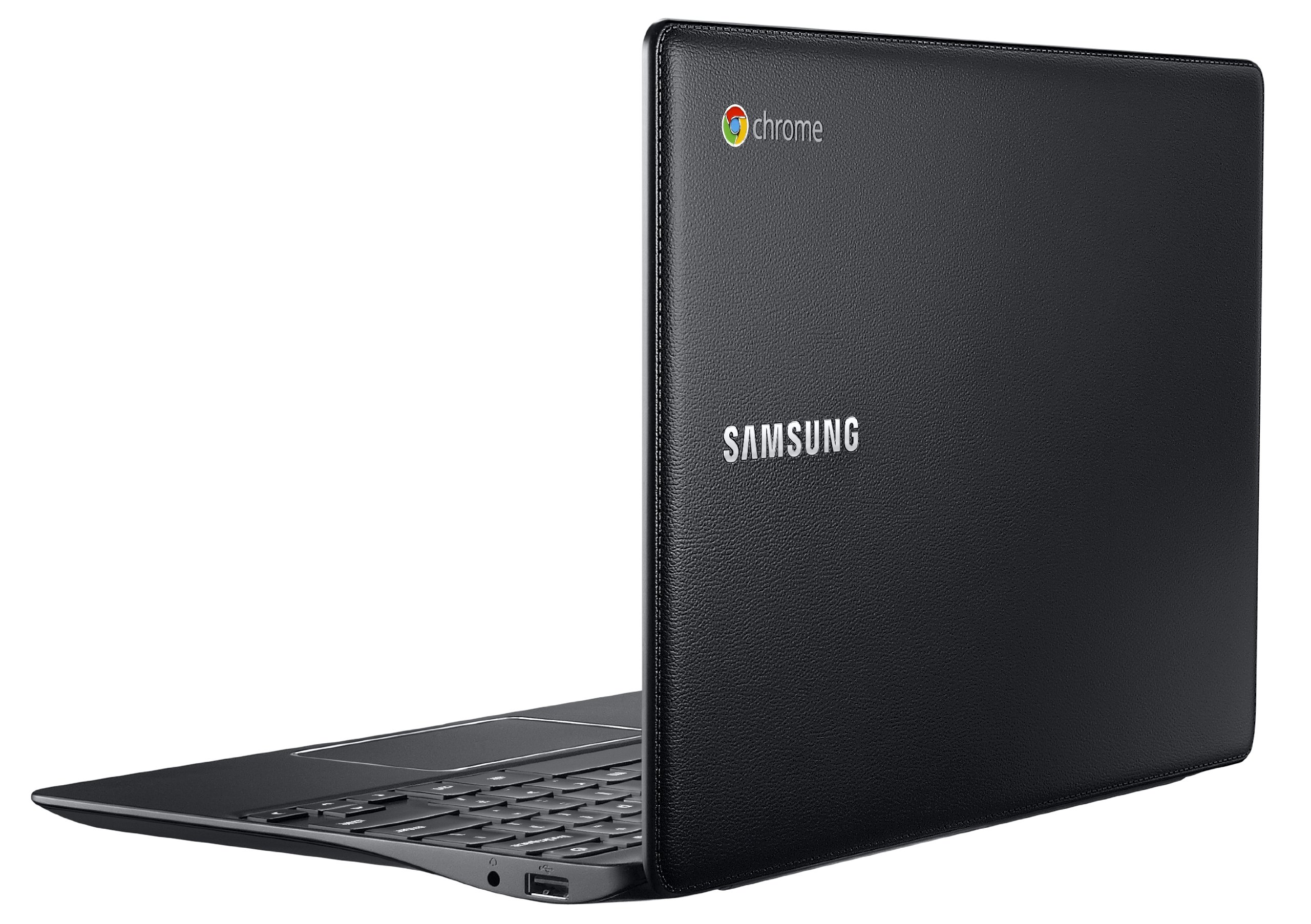




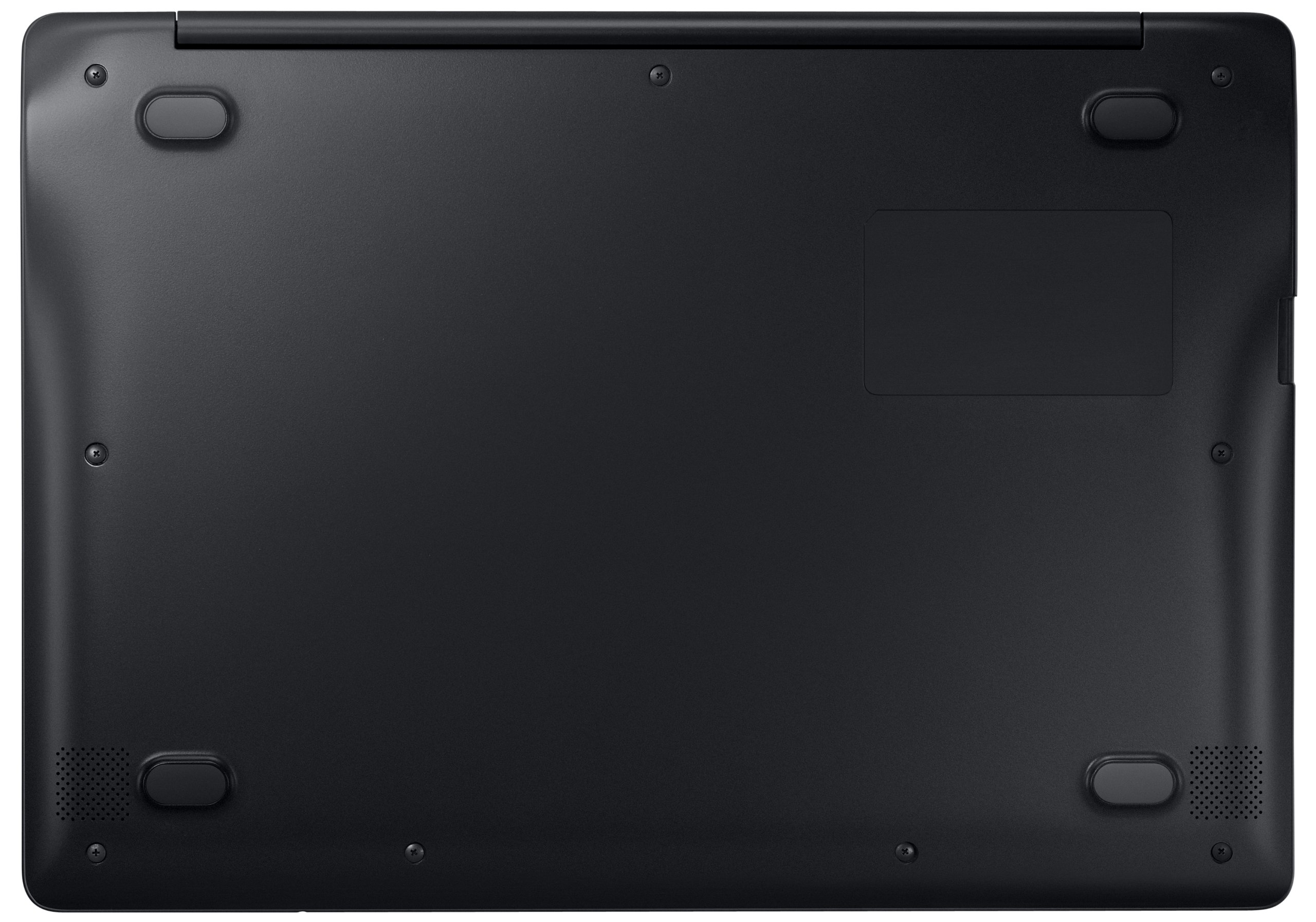
🚀 Power, Portability & Productivity — All in One Jet Black Package
The Samsung Chromebook 2 features a powerful 1.9 GHz Exynos Octa-core processor, 4 GB DDR3L RAM, and a 16 GB SSD for fast, reliable performance. Its lightweight 11.6-inch design with up to 8 hours of battery life makes it perfect for professionals on the go. Running Chrome OS, it offers seamless integration with Google apps and 100GB of free cloud storage, ensuring your work and entertainment stay synced and secure wherever you are.
| Standing screen display size | 11.6 Inches |
| Screen Resolution | 1920 x 1200 pixels |
| Max Screen Resolution | 1366x768 |
| Processor | 1.9 GHz exynos_5_octa_5420 |
| RAM | 4 GB DDR3L SDRAM |
| Memory Speed | 4800 MHz |
| Hard Drive | 16 GB SSD |
| Graphics Coprocessor | ARM Mali-T628 MP6 |
| Chipset Brand | Intel |
| Card Description | Integrated |
| Graphics Card Ram Size | 64 GB |
| Wireless Type | 802.11ac |
| Number of USB 2.0 Ports | 1 |
| Number of USB 3.0 Ports | 1 |
| Average Battery Life (in hours) | 8 Hours |
| Brand | Samsung |
| Series | XE503C12 |
| Item model number | XE503C12-K01US |
| Operating System | Chrome OS |
| Item Weight | 2.65 pounds |
| Product Dimensions | 14.05 x 9.91 x 0.61 inches |
| Item Dimensions LxWxH | 14.05 x 9.91 x 0.61 inches |
| Color | Jet Black |
| Processor Brand | Samsung |
| Number of Processors | 12 |
| Computer Memory Type | DDR5 RAM |
| Flash Memory Size | 16 |
| Hard Drive Interface | Solid State |
| Hard Drive Rotational Speed | 1 RPM |
| Optical Drive Type | No optical drive |
| Audio-out Ports (#) | 1 |
| Power Source | Battery Powered, Corded Electric |
| Voltage | 11.6 Volts |
| Batteries | 1 Lithium Ion batteries required. (included) |
J**S
The realization of what laptops should be
Because Chromebooks are so new and not widely used, invariably a review of this item has to be a review about the Chromebook OS as well as the machine itself. I'll start with the OS.I have been intrigued by Chromebooks for a while but have been hesitant to try one because of their limitations. Recently I needed to replace my laptop, but did not feel like plunking down a lot of cash for a new one. I have a desktop PC with Windows 7 in good condition for running any special software that I may occasionally need, so I figured that if I ran into things the Chromebook could not handle I could always go back to my desktop for that. As it turns out, I find myself going back to my desktop very rarely. There are two programs -- an accounting program and an image processing program -- that I need to run on the desktop, and both of these I would prefer to use on the desktop anyway for the larger monitor. For everything else the Chromebook not only does it, but does it faster and with less hassle. If I need to send an email, upload some photos, check the news, or make a quick edit to a document, I can complete the task on my Chromebook in the time it would take my PC just to startup and become functional. It starts up so quickly that I don't even think about it -- it is basically like opening a book. The OS, from the user's point of view, is completely an afterthought. You just switch on the machine and start working. And you don't have to mess with anti-virus or anything like that. It is such a worry- and hassle-free device that I can't believe they aren't more popular. For anyone who dislikes doing PC maintenance or finds Windows confusing, this is definitely the system to go for. When I first read reviews of Chrome, some said that if you wanted to experience Chrome, just maximize the Chrome browser in your PC and that was basically what it was like. Not true (at least in the current version). There are a number of apps built into the system (handy stuff like a calculator) and more that you can add on (nearly all for free) from the app store. There is also a file manager for managing external storage devices as well as files stored in the machine's own solid state drive. It is all very intuitive and easy to use. I glanced through the help menus one time just to learn some shortcuts and such, but it was hardly necessary. Once you get connected to the internet you will be off and running. The system is also ideal for users who are using cloud-based apps like Google docs, Evernote, etc. If you are not already using cloud-based apps, using a Chromebook will likely get you hooked on them. You always have access to your files wherever you are, and you don't have to worry about losing because your computer crashed or something.So clearly I am sold on the OS. How about the machine? I was also pleasantly surprised with the quality of the machine, especially for the price. It is very thin and lightweight, perfect for carrying around. It is something you can slip into a briefcase or bookbag and hardly know it is in there. My previous laptops all look massive in comparison. I have seen some negative comments about the stitched styling of the top -- personally I think the texture looks and feels nice, and the stitching is reasonably subtle and not cheap looking. It is not brushed aluminum or whatever, but you are not paying for brushed aluminum (nor should you in my opinion). This is a machine that looks good and simple, and absolutely gets the job done. The keyboard is pretty solid, although I am used to deeper keys (more like an external keyboard), and I love the simpler layout that the Chrome OS makes possible. Huge track pad and very responsive. I am not enough of a techie to comment on the technical specs really, but I would say that 4 gb ram seems like more than enough to be running a lightweight OS like this. As for speed, as I mentioned above, everything I have done on this is lightning fast, including video streaming (HD) etc. The monitor is about average -- I have no complaints about it except that I agree with some other reviewers that the viewing angle is not great, but for personal use it works well and I have watched lots of videos on it and done lots of reading at generally think it is a solid monitor for the price. Speakers are average / typical for a laptop. I have not clocked the battery runtime but it is off the charts compared to any laptop I have ever owned. I don't even think about the battery, just charge it in if I happen to be near the power cable (sometimes only every couple of days depending on usage). If you are used to a Windows PC I am sure it will be better than the runtime you have now.In conclusion, this is the laptop I always wished was possible. It is inexpensive, requires no maintenance or software, and it does nearly everything you want very quickly. Even if you are buying it just to use on the go, you will likely find that it quickly becomes your primary machine, even if you do need to go back to your Windows machine from time to time for a special application.
C**U
Chromebook 2 goes to college
The media could not be loaded. This Samsung Chromebook 2, our 4th Chromebook, was purchased for our college-bound firstborn. By the way our first was Samsung Chromebook (Wi-Fi, 11.6-Inch) 2012 Model. Over the past year or two I came to realize that not only Chromebooks do almost everything a laptop or a PC or a tablet would do for me but they do it cheaper, usually faster and better, almost always worry-free and very much in style. I wrote 'almost' because, yes, not everything does everything even though the Chromebooks seem to be doing a lot and they are getting better - even run Microsoft Office these days (see note at the bottom).WHY A CHROMEBOOK AT ALL?There's so much to say here but let me make a quick summary. And never forget that we are talking about an 'around 300 dollars' device here because, yes, anything that costs 3-4-5 times as much should do SOMETHING better or very few of us would pay more for such devices.˕ My Chromebook is by far my most used computer excluding work hours and by 'computer' I mean PCs, laptops and tablets.˕ Malware, spyware, adware-free. Since nothing is really 'installed' on a Chromebook and not much is physically stored on it, it would be very hard for one to be infected. I am in fact now using my Chromebook to open suspicious emails or click on dubious URLs that I don't dare touch from a laptop.˕ Extremely safe OS. I don't know if this is common knowledge but Google is constantly challenging hackers to crack their OS. As far as I know, Chrome OS wasn't cracked yet.˕ Easy to share among any number of users without any concerns of compromising privacy. If you have a Google account, you simply sign in and you are going to be within your own, personal environment.˕ Constantly updated and upgraded. Google updates Chrome OS every few weeks and I found my Chromebooks actually getting better all the time rather than slowly fall into obsolescence.˕ Nearly maintenance free. Whenever I don't use a tablet or even a laptop for a while, they tend to get very busy once I turn them back on, downloading and installing various patches, updates and upgrades. Not the case for Chromebooks. Whatever upgrades may take place don't hit my Chromebook. Whenever I call up an app, I get it in its latest version.˕ The attached keyboard helps a lot. Yes, you can pair a keyboard and even a mouse to a tablet but the Chromebook's keyboard is always there, it negates the need of a stand or even some protecting case.˕ Chrome OS is streamlined and efficiently focused where it matters, on the everyday uses most of us need a 'computer' most of the time.˕ Chrome OS being such a streamlined one, browsing and running apps on a Chromebook is in fact faster than off a PC/laptop/tablet of equivalent specs.˕ Relatively low prince, 11.6" display and light weight seem to be just about right for something that typically you'd be using to browse the Web while watching TV or take to and from school.WHY NOT A CHROMEBOOK?Yes, Chromebooks can't do everything. Google's productivity suites notwithstanding, Chromebooks are best at media consumption rather than production. Nobody should buy a Chromebook and expect to be able to edit video or do some hard-core gaming. There are other machines and devices for such tasks. My experience is that a Chromebook can't do 'everything'. Tablets are more portable, PCs and laptops are more powerful and versatile but, to me, my Chromebook is the most fun to use and it's likely to stay this way. I am not going to call it my 'second' or 'third' or 'first' computer but, objectively, it's the one I most use outside business hours if what we measure is 'hours'.MY SON's SAMSUNG's CHROMEBOOK 2 vs. MY HP's CHROMEBOOK 11From the start, it was a very familiar feeling. Samsung's is easily recognizable as a Chromebook (see video).This is how they compare:˕ USB-based charging. Yeah... it's proprietary on the Samsung vs. semi-proprietary on the HP. HP's USB-based charging allows the use of most off-the-shelf chargers so there's a lot less to worry. However, off-the-shelf chargers aren't as efficient as the HP-supplied one so, while I give HP's a slight advantage, both HP and Samsung's are better off when charged with the manufacturer-supplied charger.˕ Better quality display. When compared to Samsung's, HP's colors are sharper and brighter and you can view the screen from almost any angle left/right or up/down. This can be seen in the attached video but it's the difference is even sharper to notice with the naked eye.˕ Keyboard. As a touch typist I am comfortable with both but. On a blind test, I wasn't able to distinguish between the two. As the video shows, the size and the layout are very similar and so is the feel.˕ Style - see video. Again, a matter of preference. HP's glossy white is easier to wipe and clean but some may find Samsung's black more elegant. Both HPs and Samsungs come in other colors. They are both Okay as far as I can tell.˕ Ports. There are no USB 3.0 or HDMI ports on the HP's but you do find them on Samsung's. Speaking for myself, I never felt a need to output HDMI off my Chromebook, ever. I am occasionally using USB to plug in a mouse dongle or perhaps a speaker set. Regardless, USB 3.0 is nice to have.˕ Other hardware. Samsung's comes with double the RAM (4GB) and a much faster processor. This is a clear advantage, especially when running demanding apps such as spreadsheets.Overall, I am pleased with both. I am going to keep my relatively old (but oh so pretty) HP because its primary use is 'entertainment' as in Web browsing and playing media but my kid prefers Samsung because, as a college student, he can put the faster processor and the extra memory to good use.RATINGChromebook 2, while generally excellent, loses one star for the somewhat dull display and for breaking through the 300 dollar price barrier.I am not going to compare Samsung's Chromebook with the Pixel or some top of the line laptop. So, let me make a 'duh' statement: this Chromebook is not as good as devices that sell for 3 times or 4 times as much so anyone who doesn't mind paying more should pay more and get one of those. Even though... look at some reasons above for why one my prefer a Chromebook to a laptop or a tablet, regardless of price.Samsung's is at least as good and in some ways better than my now one year old, often used and much trusted HP Chromebook 11, even though I prefer HPs better display. As far as performance, Samsung beats HP when loading pages even though they both appear to be up to the task and they both played Netflix movies flawlessly over Wi-Fi and cast them to the big TV through Chromecast (no need of an HDMI cable for that) - I mention it because I just tried that. Samsung's Chromebook was able to easily and simultaneously play a movie on Netflix, a video on Youtube and a song on Pandora while I was checking my email and running a spreadsheet in the cloud without breaking a sweat. Not bad for such an inexpensive device. By the way, I had to cut that part from the attached video because it was too annoyingly noisy but I will try to redo it and attach it later.Chromebooks are not for everyone and they are not a universal computing device and Samsung's Chromebook 2 is a Chromebook through and through but, if used for what they are meant to be used, they are as good and as revolutionary as tablets._____________________________________________________NOTES:- Prior to ordering this Chromebook, I attended 'orientation' at our kid's college. The session with the IT director helped me decide to order it. I really wasn't sure what was good for him. He already has a rather large Windows 8 laptop but he doesn't want to take it to school because it's too large and heavy among other reasons. I asked the IT person if he was going to be Okay if he used a Chromebook and he said 'yes'. Then I asked the specific 'Microsoft apps' question: "are there any 'Microsoft apps' that he may need and won't be able to run on his Chromebook?" The IT person stated that all students are granted free Web access to Microsoft Office and that Chromebooks are fully supported.- Like most Chromebooks, this one too comes with a free 100GB in Google's cloud for two years. I didn't take advantage of that offer and I'm not going to go for this one, simply because I have no use of 'cloud' storage that goes beyond Gmail at this time.- While Chromebooks are immune to viruses and other forms of malware, you are as tracked and 'monetized' while on a Chromebook as you are when browsing from your laptop or tablet or phone. However, there are ways to disrupt and confuse the trackers and my two favorite extensions these days are Disconnect Search (or Disconnect.me) that makes it impossible for Google to log your search activities and DoNotTrackMe which does what the name implies. Worth trying.
P**L
So small and fast
I didn't realize it, but I do mostly web surfing and watching videos with some light word, excel, etc. What I really want in a home laptop is something small and light, works fast, and lets me do the above. This is obviously amazingly fast, great battery, allows me to do everything I want once I got used to it and got all the extensions and such. I got an external hard drive to keep all my historical photos and files. Synched up all my files I want to have access to on google drive to have them in the cloud.One thing I didn't like quite so much was that the screen isn't super high res, so videos look good, but not great. When at home I connect to a second screen, so it's not a problem, but on the road it's not perfect. I wanted to the smaller size though, so I guess it was a tradeoff as I've heard the 13 inch has a really nice screen.Overall, I love the simplicity and it does what I want to do very very well at a very very good price.
Trustpilot
5 days ago
3 weeks ago