Some deliveries may take a little longer than usual due to regional shipping conditions.

DOWNLOAD THE APP


Customer Services
Copyright © 2025 Desertcart Holdings Limited
DOWNLOAD THE APP
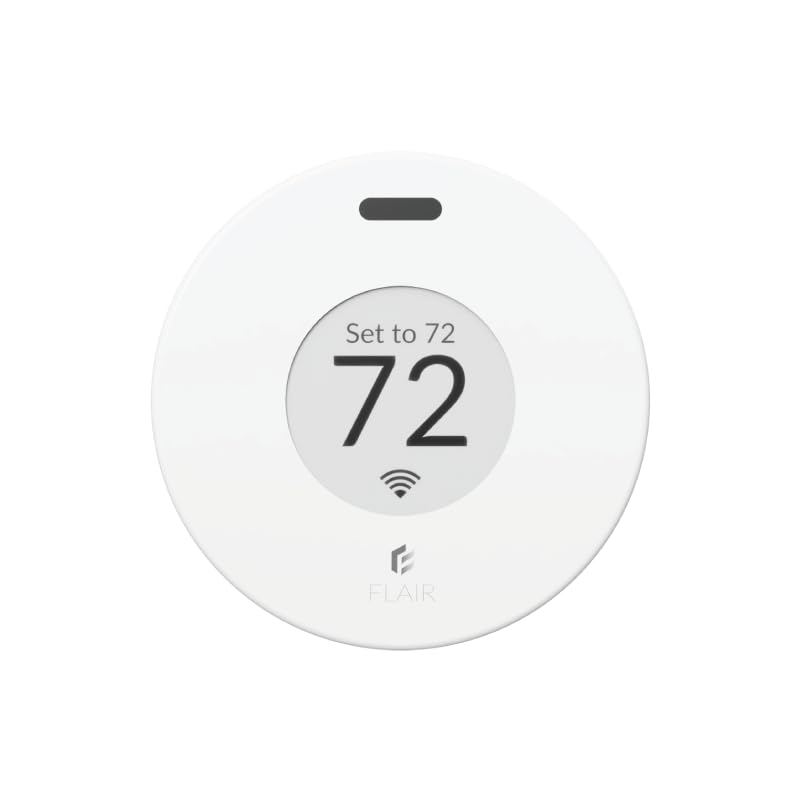
🌬️ Take control of your comfort—wireless, smart, and effortlessly cool!
The Flair Puck is a wireless smart thermostat designed to optimize heating and cooling by controlling Flair Smart Vents or over 200 mini split brands via infrared. It offers flexible power options (AAA batteries or USB), enabling truly wireless installation without constant wall outlet dependency. Ideal for room-by-room temperature management, it requires web-based setup for best results and supports multi-unit configurations to balance home climate zones. While praised for its smart control and convenience, some users note setup complexity and occasional response delays in multi-device setups.


| Customer Reviews | 3.4 out of 5 stars 495 Reviews |
R**K
**UPDATE** 8/29/24 - was about to return it, tech support called me directly and helped me - WiFi
My original review is below below the line break. But I wanted to update this since buying a second one and using the first one now for a few months. I still haven't tried to connect to my Google home system. Just being able to use the app alone is enough for me. I really hate "talking" to my google home speaker more times than I have to. Every light switch and outlet in my home now is practically google home enabled. So it gets tiresome and most times I'd rather just use the app to push a digital button and know what I chose for an option is going to be executed. As I said, the first one I installed works great. Setup should NOT be done through the app. Go to their website to do it. Sign up for your account there, log in, and add the device via your web browser. (Use a laptop or desktop THAT HAS WIRELESS - if you don't have one, borrow one from a friend just to get the setup done. After that, the app works great). This was no different with my 2nd puck being added. I used my laptop and set it up without a problem. I created a new room, and I created a new mini-split, then added that mini-split to the newly created room. Tested and verified the new puck controls the mini-split without issue. I did notice one small flaw, and it's not likely to ever be corrected regardless of firmware updates and such. While my first Flair puck responds within 3-5 seconds of choosing settings on the app (or in the browser), the 2nd Flair puck I installed takes nearly 30-40 full seconds to respond. Having a background in both computers and RF I think I know why this is happening. Your first puck is set up as the "gateway." (Unless you purchase the specific gateway device from them that's not a puck - which isn't needed.) Every subsequent puck you add after that is just a "puck" device and it's only way to get the commands sent to it is from the 1st puck acting as the gateway. This adds quite a bit of delay to 2nd, 3rd, 4th, etc. pucks added when you make changes to the settings. 30+ seconds for your mini-split to get the command you put in the app is pretty lengthy. I wonder if adding the 2nd puck as yet another gateway would fix this - though that might not work, or even create issues having more than one Flair gateway running at a time. Either way it does work and if there's some more seconds between remotely turning it on/off I don't care as long as it actually does it. So long as it doesn't become 5-10 minutes! As I said in my original review I planned on buying more of these. I have 5 mini-split head units total. I have 3 more to go and they will all get one eventually. I just hope the company doesn't go under because all communication requires their backend system remain up and running, and WITHOUT charging you. If they do go belly up, I ask that they please release an API so that people can still use their very expensive equipment with "Home Assistant" which is a self-hosted smart home software that's free and can run on even just a cheap raspberry pi. I had a "wink" branded system years ago that was sold through Home Depot. I bought light switches, outlets, even 3 deadbolt door locks all on their system that promised "NO FEES - EVER." Well, they reneged on that 2 years into my using it. Wanted to start collecting $15 a month subscription. I ripped every single outlet and switch out of my wall and torched the equipment on my driveway with a blow torch I was so angry they pulled that carp. And again, if you cannot get it connected... it's NOT the equipment. It's you. #1 - DO NOT USE THE APP for setup, regardless of included instructions. #2 - Use their website for setup (see my original review text below for it, or google it) #3 - Stop looking at the strangely low rating here on this, and the negative Nancy's who say it's garbage, it most certainly is not! _____________________________________________________________________________________________ I'm no rookie when it comes to RF or Wi-Fi networks. I have been involved in this technology for 25 years for work. No matter what I did I could not get this Puck to connect to my Wi-Fi. bottom line is the app sucks for setting it up. Skip the entire setup process within the app. set up via the web instead. first, make yourself a flair account. afterwards go to my.flair.co (NOT .com) And log in there. do this on either a laptop or a computer with Wi-Fi. The device must have Wi-Fi as you will need to temporarily connect to a temporary Network that the flair puck creates for the purposes of setup. once you get to the point where it wants you to search for the flare puck, it will instruct you to make your computer Wi-Fi connect directly to the flair Puck temporary Network. once you do this, a pop-up window will come up and search for wireless networks. here you pick the wireless network you want to connect to and enter the password. once you are done, it will direct you to reconnect your computer to your normal Wi-Fi and continue the setup process. again, do not use the app on your mobile device to do the setup. You're asking for frustration and failure. If you don't have a laptop, borrow somebody's! I am happily sitting under my Mitsubishi mini split which I can control now from the app. I have not yet tested Google home speaker integration. however, my son likes to make his bedroom like a bear cave with full blast fans speed and the lowest temperature. now I can simply open an app after he's fallen asleep and lower The fan speed and put the temperature at a more reasonable 67 or 68°. once the puck is set up. it works flawlessly. I have five mini splits all by Mitsubishi. I absolutely will be buying at least two more of these. I'm just waiting to make sure it works well for a week first. eventually I will have one puck per mini split. Mitsubishi makes a direct control module that plugs into a daughter board inside each mini split, but it has terrible reviews and does not work very well. Thank you flair .
G**T
I do not recommend purchasing one
I purchased the puck, as it was stated, it could run my mini split. I also had hopes of one day adding the registers to my home. When I received the device, the first surprise was that the device would need to be plugged into a wall outlet. I was under the impression I was purchasing a wireless device. after scrolling back through their website I did find mention that the first device would need to be wired. surprise. after some more reading it seems that if my devices are more than 50 feet apart I will need more wired pucks. so if I were to add floor registers being more than 50 feet away from my mini split, I will have another wired puck in my home connected to an outlet. I set it up, the mini split beeped indicating it was receiving data from puck and I thought all was set and I was good to go. I was wrong and far from being good to go. Now I have had this puck "running" my mini split for 3 weeks and here is what I have seen. the setpoint indicated on my mini split never changes away from its last setpoint it received from its factory remote. so is the mini split really running to the setpoint displayed on the puck? ehhh, we may never know. I first noticed that the puck temperature reading varied substantially from other devices I had in the room. so I linked one of my ecobee temp sensors to the flair app so I could watch them side by side. I have seen the temp displayed on the puck vs the temp the puck is showing in the app be different by more than 2 degrees. I have seen the puck vary temp by almost 5 in just a couple minutes. I have seen the temp on the puck vary up and down while the temp from my ecobee sensor holds steady. there is what flair is calling a calibration for the temp sensor in the app. it appears to be nothing more than an offset setting to me than anything else. I've set it up and down in both directions with little satisfaction that it is displaying a relevant temperature. I have had to place it directly in front of the mini split to get any kind of reading close to what devices 10 feet away are reading. Support says It has a defective temp sensor and they will replace, but there are a slew of other problems. the unit runs 24/7 and only shuts off to run the defrost cycle. is it really running to the setpoint of the puck. I have no proof or confirmation that it is. it has reached the desired temp only a couple of times but continues to run. puck is set at 72 for heating and the app says it's reading 73.5 but the unit continues to run in heat. definitely don't believe I am saving any money. some days it gets to temp, some days it just hovers around 70 degrees. again is it really running to the setpoint on the puck? don't know, the unit is displaying 70 as the setpoint when the puck is set to 72. who knows? I don't! if this is the best the puck can do with my mini split do I really have faith it could do any better with their registers? I'm not wasting anymore money to find out, that is for sure. there are settings in the app, where I can ignore the temp from the puck and use the temp from another device. So I did that. Ignored the puck and used temp reading from the ecobee sensor, but still have the same result. does my mini split even know about this app? I don't think it does. I think it is still running of the built in temp sensor, but the only proof I have is it definitely doesn't seem to be running from the temp shown in the app. I have already exuded more energy is running tests and trying to confirm if this thing even works than I ever would have by clicking the remote up and down a couple of degrees each day. does the refresh button on the app work? I speculate it does not. again I have no proof, but I have never seen anything change after pressing it. it doesn't even do the little spinning thing that almost every web based page or site does to make you think something is happening. I had the home/away on initially but the geofence is so small it just wasn't practical. if the puck does work then it will change to your setpoints every time you leave the house. going to the corner store. setpoint is gonna change. going for a walk. setpoint is gonna change. going to the grocery store for an hour? your setpoint is gonna change and you are coming back to a cold or hot house. every couple of days the app will become unresponsive on my phone and I will have to close it out completely, which is usually followed by having to login with my credentials again despite the fact the 'remember me' box is checked. All in all, 1. does it run the the setpoint on the puck? I have no proof that it does. 2. does it shutoff at the setpoint on the puck? I've never seen it happen 3. Is the puck really controlling my mini split. in manual mode I can turn it on and off. in auto? I have no proof that it does. 4. Is it a wired eye sore in the corner of my room that can't even display an accurate temperature. Yes 5. Can you calibrate the temperature? looks like an offset to me. 6. can you change the size of your geofence? nope 7. if the heating temperature setpoint is 72, what temperature will the unit shut off at? best I can tell is 77. 8. does the refresh button work. I don't believe it does. 9. definitely doesn't remember me Save your money.
S**Z
UPDATE: Constantly Improving; Still not perfect.
UPDATE 2024-04-07 Flair has addressed what I called 'periodic fan' very well. They call the feature 'enhanced circulation' and I've been happy with the way it works. When enabled, vents open between heating and cooling cycles. There's a little bit of configuration with this feature to allow inactive rooms to be opened or closed. I chose for all my vents to open. I have one remaining issue. And though it's not insignificant. It relates to how the Flair system and Ecobee handle 'away' states. Currently, if Flair is the set point controller, it gets in an odd state when the ecobee sets itself to eco+ (smart away). Until this is corrected, I'm stuck using this as 'thermostat set point' only, which negates half the smarts of this system. I'll continue to work with support to resolve this last issue. UPDATE: 2020-10-26 After many ongoing changes by the developer, this system is nearly flawless.. Most all of the prior problems are now solved. The only one that still remains is the lack of 'periodic fan'. Otherwise, everything else has been tackled by the team, and they've documented it well! I highly recommend this system to Ecobee owners! ORIGINAL: 2019 I purchased a set of these to aid in keeping the rooms in my house a little more even in temperature. But these cause just as many new problems as they solve. Solved problems: 1) Can close certain vents to redirect air. This can help even out cooling/heating in uneven homes. 2) The system can talk to smart thermostats (Nest, Ecobee, Lyric) to synchronize thermostat and room set points. 3) The integrate with Ecobee room sensors, so I didn't have to buy a puck for every room. (1 Puck is required minimum as a gateway.) New problems: 1) Flair hinders Ecobee's motion detection 'Follow Me' mode. Flair doesn't synchronize it's 'active/inactive' state for each room with the 'occupied/unoccupied' feedback of the Ecobee room sensors. Thus, the Ecobee is possibly trying to heat or cool rooms that are occupied while the Flair system is blindly marking the room as 'inactive' and closing off its vent. This problem is less pronounced with Nest and Lyric, since those systems don't have room presence anyway. If you have Ecobee, you may as well turn off the 'Follow Me' option and ensure your Ecobee 'comfort settings' all align with the Flair scheduler. << UPDATE 2020: First, turn off follow me and scheduling on the thermostat, regardless of your Flair settings. Second, Flair schedules override occupancy detection. If you want to use occupancy to set rooms to 'active/inactive', simply omit scheduling that room in Flair as well. The room then used room sensors to detect occupancy and match the Home Set Point when occupied. >> 2) I used to use the Ecobee feature that allowed the fan to run at least 5 minutes per hour. This kept air moving so rooms don't get 'stale'. The Flair system isn't aware that you want to ventilate, and so if this feature is left enabled, you'll likely be running a fan with most of your vents closed. << UPDATE 2020: Still not addressed by Flair. They're aware of this. It may be addressed in the future >> In short - the Flair system is a smart upgrade for dumb thermostats. But for smart thermostats, especially the Ecobee, the Flair system negates some of the smarter features of the thermostat. You'll need to carefully craft your schedule to ensure the thermostat and Flair vents cooperate instead of working against each other. << UPDATE 2020: Flair has great documentation now. Check out the FAQs on their website titled 'Scheduling' and 'Flair Priority'. These address the best ways to achieve your intended results.>> As an aside, please note that the Puck has a good range, but I had difficulty keeping a link across several rooms. The maximum range I seemed to get was about 30 feet. Any further, and I'd have sporadic connection with the vents and gateway puck.
A**P
Love this system!!
I waited way too long to purchase my Flair vent system as I was leaning towards a zoned duct control system instead. The costs would have been significantly higher (up to 5 times more in parts alone) but also the install would have been a major pain for me to DIY. The Flair vents were easy to install, the app setup was straightforward with the light layout on the vents used to identify which ones were for which rooms. I love that I can set the schedule to deactivate rooms when they are not in use and have it regulate the temperature in the active ones during those days/times. I did mess up a setting by changing the Default Hold Duration setting to forever (supposed to be the default option Until Next Scheduled Event) which caused my schedule not to work but Flair support got this identified and resolved quickly. I now have everything how I want it and the room leveling is perfect (was up to 5-6 degrees difference in some rooms). It is also awesome to be able to change the temperature on-demand in the rooms when needed. So far I am very happy with my purchase, but wish I had done this sooner.
B**Y
Powerful remote thermostat for a minisplit, nightmarish setup, terrible tech support
I bought this puck to add thermostat functionality to my recently installed Mitsubishi minisplit heating & cooling system. I discovered (after installing) that minisplits are notoriously terrible at maintaining a consistent room temperature because their temperature sensors are located by the air intake vents. The hand-held remote controllers that come with the units don't have a built-in temperature sensor, which I believe is a significant deficiency. Mitsubishi solutions are complicated and expensive ($400+ per minisplit), and entail adding either a wired temperature sensor or installing a Wi-Fi adapter plus a smart thermostat,; both are jobs for a technician unless you are a confident DIYer. The puck replaces the handheld remote controller. It uses the same infrared (IR) technology as the original remote controller to send signals to the minisplit, but it has built-in temperature and humidity sensors, allowing it to work like a regular wall thermostat. .The puck also has Wi-Fi capability so you can control it from a computer or smartphone, and you must have a Wi-Fi network for the setup procedure. As others have said, the Puck setup is horrible and will cause hours of frustration. I have a lot of tech experience so I am used to dealing with glitches and details in using new smart tech, but the Flair software super user-UNfriendly, and the instructions and documentation are terrible. Using the website account is better for setup than trying to use the phone app, but you will still need to perform some setup actions on the app. The online documentation is very poorly organized and difficult to find answers. All tech support is by email only, and responses may take up to a week. All in all it took me about 6 weeks from receiving my 1st puck to trouble-free functioning, and the final kink was something I eventually figured out for myself after tech support kicked it up to the system engineers. Today I added two more pucks for the other two head units, and the process was much smoother, thanks to my previous experience, although still with some frustration. Now everything seems to be functioning as I had hoped, but it was a lot of aggravation and frustration for what seems like it should be fairly straightforward process. Bottom line is that the Flair Puck is a fairly inexpensive option for adding a remote thermostat to a minisplit, but only if you have a lot patience and high tolerance for delays and frustration. Sophisticated tech, but the user experience need a ton of improvement.
D**N
Happy purchase - works well and good option for minisplits
I was quite skeptical based on reviews and what is very common connection/functionality issues with 3rd party controls with minisplits - but very happy with this purchase. Use: have two LG mini splits in two room in attic that functions as an office, so wanted to be able to control remotely and set schedule for heating/cooling the space without it being on all the time. Although top of the range LG models the built in scheduling was essentially non-existent and although the unit heads can connect by WiFi to the LG thinq app, the app is fairly useless and really just an external AC controller vs a proper thermostat. Flair pucks: Install: worked great. Easy, quick and app is intuitive and well designed so got through the gateway puck and sensor puck install without issues. The codes for IR remotes were already on the flair cloud and so was easy process (I would suggest emailing the flair customer service before buying to confirm they have codes already installed in the cloud for your unit) App: works well. Connects with both pucks without problems and so does what is promised Customer support: great and very snappy with responses. Downside: not much to mention here. The gateway puck needs to be connected to power, which is a bit annoying. Other sensor pucks can be battery powered. Was not a huge deal but it dictated where the gateway puck would be mounted. Also the puck needs to be within 10 feet of unit head to work well. Again this was fine for me, but you will want to think layout of room and where you want the puck within 10 feet of unit for it to work well. I found it would work further than 10 feet but only if exactly lined up. Overall: very good and happy. I looked at many other options and for not wanting a wired thermostat option, this was great option at a fair price.
L**T
Unreliable
I bought six of these pucks (SIX!!) To run my Mini-splits throughout my home. The minisplits themselves have a tendency to over/under heat smaller rooms due to the thermostat being on the top of them. I figured having an external thermostat that could control the mini splits would be a neat fix. After four months of using these things I would have to say it's complete failure. First of all, there are a mess of connection issues. They frequently (daily) disconnect from: Each other, the internet, the app, the minisplits (the IR doesn't fire or doesn't connect) The app crashes and needs to be reset just about daily. When I make changes via the app, only 5/6 of the mini splits get the message. That said, when they DO connect and all of that seems to be working fine... There are some serious functionality issues. I'm not convinced it's 100% Flairs fault, but here is a good example.... My daughters room is small and on the second floor - It often gets too hot up there. If I set the temperature to 68 degrees, flair will often keep heating the room well past the set point. This happens in reverse in other rooms (Flair lets the temperature drop well below the set point) Often, the temperature in the app or the settings in the app don't match what is happening with the actual puck. So I think the heat is on, but it's actually off. Bottom line, I cannot trust these things to keep my family warm/cool throughout the night and definitely can't trust it to reliably let me know what is happening when I am not home.
M**K
Weird behavior and fairly limited.
I've had the puck for around 9 months, and I have a DIY Mr Cool Unit. The unit itself is trash; don't buy Mr Cool. The thermostat is useless. This is why I bought the Flair Puck. On to the Puck. The app is OK, but the UI is fairly ugly and feels dated. I have to search around for a few minutes to find things. It's useable though. The Puck's temperature reading is laughable. Sitting next to the puck are two thermometers, they both read 80 degrees. The puck is reporting 72 degrees... what? I'm told it has to "learn" but yeah, it hasn't learned. The Puck itself uses IR to communicate with your system. While this isn't really Puck's fault, making changes on the device itself will cause inconsistency. The Puck can't change the fan speed. My unit has "turbo" but it can't be used, and when Puck sends a command, it turns it off. The scheduling system in the Puck app is also really weak: I can only set the temperature. I can't adjust fan speed, can't set conditions (if it falls below X, do this), I can't even force it to turn the system off. When it's running, I can set the temperature of the room to 72. The Puck will keep lowering your unit's temperature until it reaches that temp, and it'll INCREASE the temperature. For instance: If the room temperature is 70f, it'll set the unit to 77f. If the room temperature is 80f, it'll set the unit to 65f. This is fine, but when the Puck itself can't determine the correct temperature, it becomes problematic. It doesn't slow down the fan speed and relies on the unit's built in "auto" instead. You also can't change this behavior. I personally would rather an option to control the thermostat with the current room temperature... but the puck doesn't allow for customizations like that. I don't recommend the Puck. Based on the fact that it's 8 degrees off alone makes me think this product will not last very long. It doesn't really offer enough customization, and the app doesn't really update very often. There are probably better solutions out there.
Trustpilot
2 weeks ago
4 days ago