🎨 Unlock your creative edge with pro-level precision and color — don’t just draw, dominate!
The XPPen Artist12 Pro is an 11.6-inch fully-laminated drawing tablet featuring 8192 levels of pen pressure sensitivity, 60° tilt function, and 72% NTSC color gamut. Designed for professionals and beginners alike, it offers 8 customizable shortcut keys, a red dial interface for efficient workflow, and an adjustable stand for ergonomic comfort. Its battery-free stylus and seamless screen-to-pen alignment deliver a natural, paper-like drawing experience, making it a top choice for digital artists seeking high performance at an accessible price.






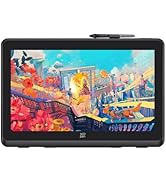







| ASIN | B07VZF7ZC9 |
| Best Sellers Rank | #7 in Computer Graphics Tablets |
| Customer Reviews | 4.5 4.5 out of 5 stars (11,110) |
| Date First Available | August 4, 2019 |
| Is Discontinued By Manufacturer | No |
| Item Weight | 3.31 pounds |
| Item model number | Artist 12 Pro |
| Manufacturer | XP-PEN |
| Product Dimensions | 13.86 x 8.86 x 0.51 inches |
D**B
Great Drawing Pad
I bought this for my girlfriend for Christmas, and she very much enjoys using it. As a graphic designer, she feels her largest shortcoming is being able to translate her drawing to the computer. She said this pad is easy to use, the touch sensitivity is extremely helpful, and it is overall well-made. It has tremendous value as a gift to any artist that you are looking to give it to, and it can easily fit both in your lap and on a desk. My only advice is make sure you buy a screen protector to use with it because I have heard from friends who bought one that it can scratch if you don't get a screen protector.
A**H
Great quality at an even better price
I bought this tablet because I can't afford the Wacom 24". Honestly I was expecting a lesser product and wasn't sure I'd keep it since I've never tried an XP-PEN tablet before.... but it is absolutely phenomenal and I am so glad I made this purchase. I also watched about 4 hours of YouTube reviews before I finally made the purchase, if you're curious about the research that went into this. Pros: - Love the express keys. This makes it a lot easier to just paint without technology getting in the way. - The wheels on both sides are SO USEFUL. I set the left wheel to change brush size and the right wheel to change the zoom. Having two wheels like this has changed my art life. - I don't have to use a keyboard!! With brush size and zoom on the wheels and save/undo/redo/hand tool for moving canvas/copy/paste/ctrl/alt etc set to express keys, I literally do not have to touch the keyboard during an art session. - It might not be 4K but 2K is honestly just fine and allows you to paint very clearly. If you do not normally work on a Retina or other 4K+ screen resolution, you probably won't notice much of a difference. I work on two 5K monitors for work during the day at my non-art job and moving to this for art doesn't bother me at all. - The colors are excellent! When I went to color adjust in Photoshop at the end of a piece, I....... didn't have to do anything. I usually have to adjust colors on a finished piece when drawing in SAI on Windows then moving back to MacOS, and in this case the colors were very well represented. - I use Parallels for Windows programs and I was able to get the tablet to work perfectly in Parallels. More details at the end of this review for any users who are on a Mac but use Parallels. - The extra pen included in the box is AWESOME. It also comes with a bunch of extra pen nibs. - The feel of the screen is pretty great. Some reviewers on YouTube wren't that happy with it but unless you're a professional artist who has been working with a Wacom display every day for years, you'll probably be fine. - They include a nice drawing glove that actually fits alright. - There is a pen holder that you can screw into the right side of the display and they even include a little screwdriver for it. - XP-PEN support is PHENOMENAL. I had a small thing to resolve with my order and they were able to resolve it quickly with no issues and went above and beyond to ensure I was satisfied. They were very courteous and kind. If you have to work with their support team for whatever reason, they'll take care of you! Be patient as their support hours may differ during covid times. - The pen experience is great. I've painted a few 10+ hour paintings now with this display and I've not had any issues. Apparently some Wacom 24" users were not as pleased with the pen experience but I wouldn't know, since I can't afford to drop a couple grand on a Wacom... lol. I think this pen does the job just fine. It's fairly light if that makes a difference to you, but I prefer that. Cons: - When I plug the display into my MacBook Pro, sometimes I have to unplug another monitor for it to register the display. Not a big deal and only really matters if you're using multiple monitors. - The screen has a bit of glare so you may need to close the blinds behind you when working or position the display appropriately. All in all, this is a phenomenal display--especially for the price. I'm extremely satisfied with my purchase and if they ever come out with a 4K version, you bet I'll buy XP-PEN again. You can check out some of the art quality I was able to achieve on Instagram: @microsoftoven. I'm a hobbyist when it comes to art, but this display made my workflow super smooth and I loved every second of it! Parallels pro tips: If you're like me and want to paint in SAI but have a Mac, Parallels is AWESOME for this. Here's how it works: - Run Parallels in windowed mode - Install the PenTablet drivers into Windows as well (the latest version worked for me) - Click the USB icon at the top of the Parallels window and make sure you connect the Artist24 Pro display via USB in this dropdown - Go to mouse preferences and enable short mouse trails (I have no idea why this works) - You might have to toggle Windows Ink on/off - If there is any difference in the pen tip location and the cursor, you can use the PenTablet driver calibration tool or adjust the X/Y values in the Work Area -> Tablet/Display options to match them up. With all of those above steps, I've been able to paint away in SAI with absolutely no problems. Full pressure sensitivity, all express keys and wheel functions.. the whole 9 yards.
S**H
Personally, zero issues. Great for the price.
So, to start, I've seen a number of reviews that said they were completely unable to make this work with a multi-monitor set up, but I found this to be false in my case. I have two regular monitors, and this acts as a third. It took a bit of work, but I finally found the way to set it up properly and have had zero issues since then. There was only a really, really tiny scratch on the screen (which I think was my fault, but I have no memory of if it was on there before I peeled off the plastic or not, and it's only able to be noticed at specific brightness levels and angles, and has no impact on functionality or detection). I purchased this in February of 2019 though, so maybe earlier products had some issues that mine didn't. In terms of technical functionality, I use Krita with it, and the detection, tilt support, etc. of the display worked great once I set Krita to use the proper amount of RAM. For Krita at least, there's definitely an issue with detection if the program has restrictions on how much RAM from your computer it's able to process, it might seem like the detection of the display isn't that great, but it's possible that it's actually the above-mentioned RAM restrictions, so if you're having trouble like I was, try to check for that and adjust them to something suitable for your computer's specifications. As I said, after I diagnosed that it had nothing to do with the display, I've had no issues and haven't had to adjust a thing. On to the actual user experience of it, it's very simple to set up (if you have multiple monitors, you might have to put in a bit more effort), and you can pretty much plug it in and go once the driver is set up. The length of the HDMI cord it comes with is decent, so unless you have a behemoth of a workspace, you should have plenty of length to position the display wherever you'd like. The weight of the pen definitely comes down to personal preference, but as someone who prefers the weight of something like a nice ballpoint pen, it feels perfect. The display itself has a good weight to it, so it doesn't feel so light it'll slide away if you put any pressure on it, but it doesn't feel so heavy that it's unpleasant to have it sitting in your lap for long periods. It also doesn't generate a lot of heat either like a laptop or tablet might, so again, it's great for long drawing periods or using it to take digital notes for studying or other academic/creative tasks. My only criticism here would be that the stand that it comes with really only has one, single resting position, so depending on how you like your drawing medium to be angled while you work, definitely look in to getting a display that has multiple locking positions. All in all, despite what some of the reviews say, my experience with this has been virtually flawless, with most issues either being outside of the tablet, requiring some minimal effort to fix, or being so trivial that it doesn't have an effect on experience or functionality. For the price it's at, I highly recommend this display.
P**T
Aclaro que no es una tableta para todos los públicos. Aquellos que estén acostumbrados a una Wacom van a notar sus diferencias. No es tan precisa como un producto de Wacom pero si una alternativa barata para todo aquel que quiera introducirse de forma amateur o como hobby. No se le puede pedir más.. viene con soporte instalado, protector de pantalla, dos lápices que no necesitan batería, montón de botones personalizables, guante tipo smudgeguard, adaptador de usb a usb-c... ¡¡si viene hasta un destornillador!! Relación calidad precio óptima. Si comparas con otras marcas te estarías acercando a los tres mil euros.
K**T
I’ve drawn digitally for 8 years now and this is my first screentablet and I love it so much! It works so well!! ❤️❤️❤️
P**O
perfeito, só tive algumas dificuldades para montar
B**S
Ik heb deze gekocht voor grafisch design en ik heb er alleen goede woorden voor. Het scherm is mooi, helder, 2k resolutie en 24 inch groot wat in mijn ogen toch echt een minimale vereiste is wil je fijn kunnen werken op zo een tekentablet. XP-Pen is inmiddels een echte topmerk voor een fractie van de prijs van een Wacom tablet. Ik ben inmiddels een super tevreden XP-PEN tablet gebruiker.
M**A
Tableta gráfica que aún sigue funcionando perfectamente después de tanto tiempo hecha la compra. Es útil, práctica y un buen aparato para comenzar a iniciarse en el diseño gráfico.
Trustpilot
3 weeks ago
2 weeks ago