Some deliveries may take a little longer than usual due to regional shipping conditions.

DOWNLOAD THE APP


Customer Services
Copyright © 2025 Desertcart Holdings Limited
DOWNLOAD THE APP
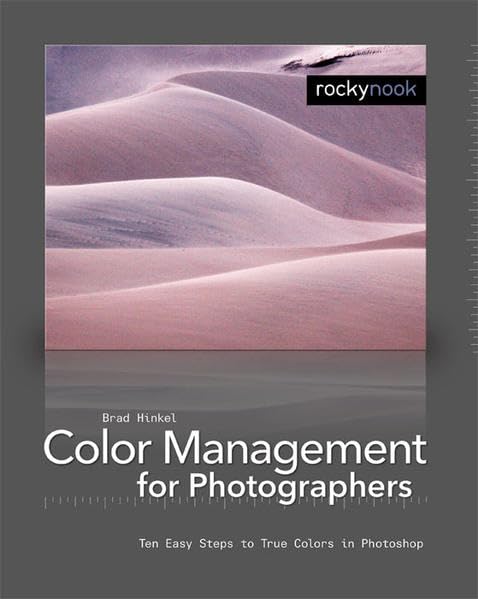
Color Management In Digital Photography: Ten Easy Steps to True Colors in Photoshop
M**N
Great basic overview of digital color management & printing on inkjet
My color experience is from being a long time film photographer. Digital color management principals were new to me before this book. Having completed it, I feel that I understand the fundamentals and have made some excellent color prints using Photoshop CS3 on my Intel MacMini printing to my HP B9180 archival printer. These prints are as good or slightly better than any I've made using traditional chemical color printing processes. If you want to make better prints on any inkjet printer, this is a great handbook!
T**N
Excellent Book
I bought this for my wife. She has a greeting card business, but was having some trouble with some of the colors from the printer (from Photoshop/Illustrator to the finished product). This has helped her produce some much nicer cards.
J**A
everything ok
everything ok, it is interesting and needed book for me for my tries in photography because, so far, I was not successful to create a fully realistic prints of pictures. I hope it will help me a lot.
P**G
Compendium of information easily found elsewhere
This book is short, and is mainly information that is better explained in other books. See the Rocky Nook book about photographic fine art prints. The material is sound, but should represent one chapter in a bigger book about printing.
F**A
A clear and simple description to set up a color managed digital photo workflow
I am a member of a photography club and have read this book from the club's library.Color management in a digital photography workflow can make even experienced photographers feel intimidated, so Brad Hinkel's book, "Color Management in Digital Photography: Ten Easy Steps to True Colors in Photoshop," makes a welcome addition to the library of information about a complex subject that should be understood by serious and professional digital photographers. Hinkel has good credentials for this subject as a photographer, software engineer, and teacher.Hinkel targets this book at photographers not interested in color theory, instead writing for photographers who want to make their digital photos appear as correctly as possible on their computer monitors and their printers, as well as from companies that make prints. He starts from the basics of the needed equipment, and ends up with the reader having a properly color-managed digital photography workflow, from camera or scanner to monitor or printer. Each chapter of the book covers each of the ten steps the subtitle of the book implies, and he expects the reader to start at the beginning and go through to the end in just a couple of hours -- a realistic goal.The first five steps cover the equipment a serious photographer needs, including choosing and calibrating a monitor and printer, and even how to set up the room so that it doesn't affect the perception of color on the screen or paper. Hinkel isn't a stickler for getting everything precisely right or getting the absolute best equipment -- he describes what a typical photographer realistically needs to get to achieve accurate colors on monitors and printers. He emphasizes the practical over the academic.The last five steps cover the process, starting with a very basic but correct method of printing from Photoshop (as the title implies, the book revolves around Photoshop). It then progresses by refining the process, taking advantage of the different options Photoshop and typical printer drivers give you to maximize the color fidelity through the workflow.Overall, Hinkel's teaching method strives to make the process clear to someone without academic color training, and his teaching experience comes through as he frequently describes a concept, then summarizes it to help the reader retain the information. He does lapse in some areas; for example, his description of 16-bit images seems entirely too rushed, and a reader may have a difficult time feeling comfortable with either the concept or its consequences. Additionally, the example photos showing the differences between proper and improper color management rarely show a discernible difference.Published in 2007, some discussions don't apply anymore, particularly regarding CRT monitors. However, any serious photographer with just a fuzzy or non-existing understanding of color management in a digital photography workflow will come away from this book with a good understanding to put together a workflow that properly manages color. Deeper understanding has to come from elsewhere, but those who simply want to make their photos appear on screen and on paper with the most accurate color will get that from this book.
V**K
Great book
Great book. Happy customer!
O**N
Too simple and too photoshop-specific
I was disappointed with this book. While you can learn some things from it, it seems to be written assuming that you just want to be told what to do rather than really understand anything. Too many things are basically "just do X" without that much explanation. For example "just get a halogen lamp for proofing".It also assumes that you're using Photoshop for pretty much everything when it wouldn't have been too hard to throw in a few things about Lightroom or Aperture. I don't think most people really do everything in Bridge and Photoshop, so I suspect many people will be annoyed with the photoshop-centric nature of the book.Anyone serious enough to be trying to do anything with color management is going to want a better understanding than this book provides, especially if they're going to be spending any money on color management related equipment.If you want to buy a book about color management, just get Real World Color Management (2nd Edition). You will end up buying that book eventually anyway, so you might as well not waste time and money on this book.
Trustpilot
1 month ago
1 month ago
3 days ago
1 day ago