We remain fully operational. Our teams are working around the clock to ensure your deliveries continue safely.

DOWNLOAD THE APP


Customer Services
Copyright © 2025 Desertcart Holdings Limited
DOWNLOAD THE APP
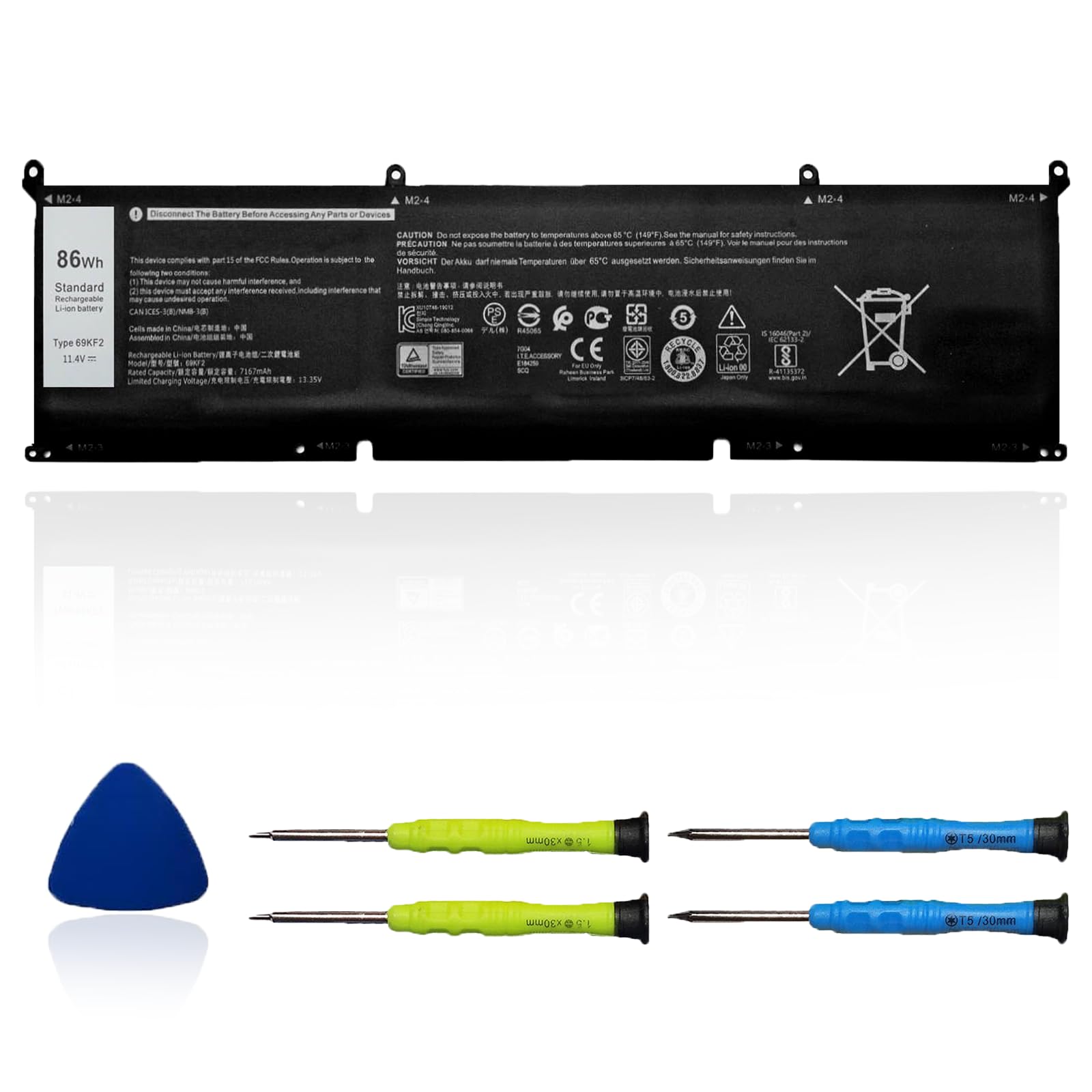
🔋 Power your hustle with confidence—never miss a beat!
The OUWEE 86Wh 69KF2 Replacement Battery is a high-capacity, Li-ion battery designed for a wide range of Dell laptops including XPS 15, Alienware M15/M17, Precision 5550 series, and Inspiron 7510/7610. Operating at 11.4V with 4 cells, it offers 3-6 hours of dependable runtime. Certified for safety and environmental standards, it includes installation tools and a 12-month warranty, ensuring a seamless, worry-free upgrade to keep your professional workflow uninterrupted.


| ASIN | B0876X7P8Z |
| Batteries | 1 Lithium Ion batteries required. (included) |
| Best Sellers Rank | #16,071 in Electronics ( See Top 100 in Electronics ) #109 in Laptop Batteries |
| Customer Reviews | 4.4 4.4 out of 5 stars (164) |
| Date First Available | April 17, 2020 |
| Item Weight | 15.2 ounces |
| Item model number | 69KF2 |
| Manufacturer | SIMPLO TECHNOLOGY CO LTD |
| Package Dimensions | 13.3 x 5.63 x 1.1 inches |
D**N
Perfect fit
Arrived on time, came with installation tools, fit perfectly, works great.
H**Y
Fast shipping and packaging was great.
Works exactly as it should.
B**T
A good battery
This battery worked well and came with everything needed for installation
L**.
1 Year in and Strong
I got a great battery from these guys. Daily use and 1 year later and great charge still. Probably 80-90% of what it was new.
H**M
Easy to install
It came with all the necessary tools.
L**O
Doesn’t charge, breaks thermal sensors
Installed in my dell G15 5155 laptop, battery percentage only stays stagnant even when plugged in, and it messes with thermal sensors for CPU and GPU. DO NOT BUY
J**D
Fits my Dell XPS 15-9500
I bought this for my Dell XPS 15-9500. It fits perfectly and functions as advertised. I did NOT know that it did not come without a cable, but the cable was easy enough to remove (note: when removing the cable from the original batter, the cable connected into the batter should come out straight up, rather than slid out, and the same for when placing it on the new one, go straight down into the cable connector on the batter rather than from the side). I would recommend having some extra vinyl electrical tape handy to keep things in place after removing the old battery.
M**A
Perfect
Worked great! Saved me from buying a whole new laptop
Trustpilot
4 days ago
2 weeks ago