
DOWNLOAD THE APP


Customer Services
Copyright © 2025 Desertcart Holdings Limited
DOWNLOAD THE APP

🎶 Elevate your audio game — don’t just hear it, live it!
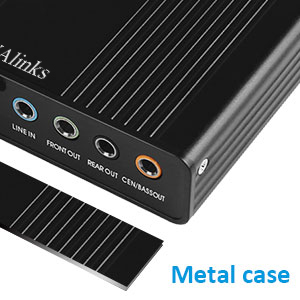
The VAlinks USB 2.0 External Sound Card delivers professional-grade 6-channel 5.1 surround sound via a compact, plug-and-play USB adapter. Compatible with a wide range of Windows OS versions, it supports multiple sampling rates (32KHz, 44.1KHz, 48KHz) for both digital and analog audio recording and playback. Ideal for upgrading laptops or PCs lacking advanced sound cards, it features SPDIF input/output, line-in, and mic support, plus a driver-enabled mixer for precise audio control. Lightweight and easy to install, it’s a cost-effective solution for immersive audio experiences in gaming, media, and recording.


| ASIN | B075F5VYG7 |
| Are Batteries Included | No |
| Best Sellers Rank | #102,884 in Computers ( See Top 100 in Computers ) #221 in External Sound Cards |
| Brand | VAlinks |
| Color | Black |
| Customer Reviews | 3.8 3.8 out of 5 stars (405) |
| Date First Available | 13 December 2017 |
| Hardware Platform | Laptops, Personal Computer |
| Item Weight | 136 g |
| Item model number | VA312 |
| Manufacturer | VAlinks |
| Operating System | windows 10, windows xp |
| Product Dimensions | 20.07 x 6.35 x 15.75 cm; 136 g |
| Series | External Sound Card |
J**N
Though the package is generic and mentions a top end of XP, this thing runs great on Windows 10, plug and play installed the driver. There is a tiny CD that requires and old ATA IDE DVD drive capable of playing a tiny disc with a small center hole, and no web site listed, and the CD is hand made. China knock off? Who knows and who cares? Amazon backs up their stuff. However, a couple of tips to avoid frustration: If your speakers are plugged into your laptop with a mini jack, the plug needs to be transferred to the like-colored outlet on the External Sound Card. Volume control is now via a driver provided mixer. Right-click on the Win 10 little volume icon in the task bar and select Playback Devices. Select the Levels tab. Now you can mute and change the level each of the Speaker Out, Line In and Mic In inputs to the external card box. Right-click on the volume icon in the task bar and select Open Volume Mixer and you can adjust the Mixer combined output. Under Speakers in the Mixer, select Speakers USB Sound Device so that the External Card takes over duties from the internal sound card. Voila. Sound. Left-click on the task bar's volume icon and the Mixer will pop up where you last had it. Close the Mixer window, and clicking on the volume icon in the task bar will pop up the normal Windows 10 level control. I place the Speaker/Line In/Mic In window at the lower right above the task bar, along with the Mixer window, so that I can right-click the volume icon and choose either the Volume Mixer or Playback Devices (Speaker Out/Line In/Min In in Levels tab) and get whatever volume control or mixer control I may need at the time. Great little unit. Great price.
M**M
I upgraded my old computer from Windows 7 to Windows 10. When I did that, my sound blaster audigy sound card stopped working and there were no available drivers for windows 10. So I came across this and was a little worried about using USB for audio. But when it arrived and I plugged it in, installed the drivers, it worked great. It has it's own setting and EQ interface which makes things easier to control sound levels. I haven't had a chance to test it for recording sound. Usually there is latency with usb so hopefully it is not too bad. It is very light and small and super easy to set up. Very happy with this.
L**S
The only way I could achieve 5.1 sound from my laptop was to send it over the Display Link cable to my monitor which had 5.1 out ports that were connected to my sound system. This worked fine until my monitor gave it up, and in my search for a new one found that audio throughput was something of a rare novelty without paying a fortune. Instead, I bought a standard display only monitor and this product to output my 5.1 sound. No, my audio outputs via USB straight through this to my sound system. It just works!
A**H
It may work with other people, but with me, it didn't. I was trying to setup a 5.1 surround sound system and nothing would budge, seriously. And I tried everything that there is to try with it. I ended up returning this product. Took a while, but I'm glad I have my money back.
R**M
Update: The two additional devices worked very well. Test these in windows using the setup button after choosing the driver. Then test online with a dolby test in Youtube. I also got one in blue and it was noisy in the windows test. I used it's case for the first one to get a fully functioning device. for that one I had to remove the face plate because the green plug would not keep the jack in due to poor tolerances. These are tiny little devices. It's all about the chipset. The drivers off the mini CD worked in my 2009 win 7 system. This will keep the old motherboard working after the onboard sound in the R&L front speakers quit working. Even though I had to dismantle it to make it work I just ordered two more. Maybe one can be capable of working without modification and the others are for backup spares and test tools.
Trustpilot
3 days ago
2 weeks ago