Desert Online General Trading LLC
Dubai, United Arab Emirates
Desert Online General Trading LLC
Dubai, United Arab Emirates


🚀 Elevate your storage game with pro-speed and rock-solid reliability!
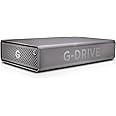
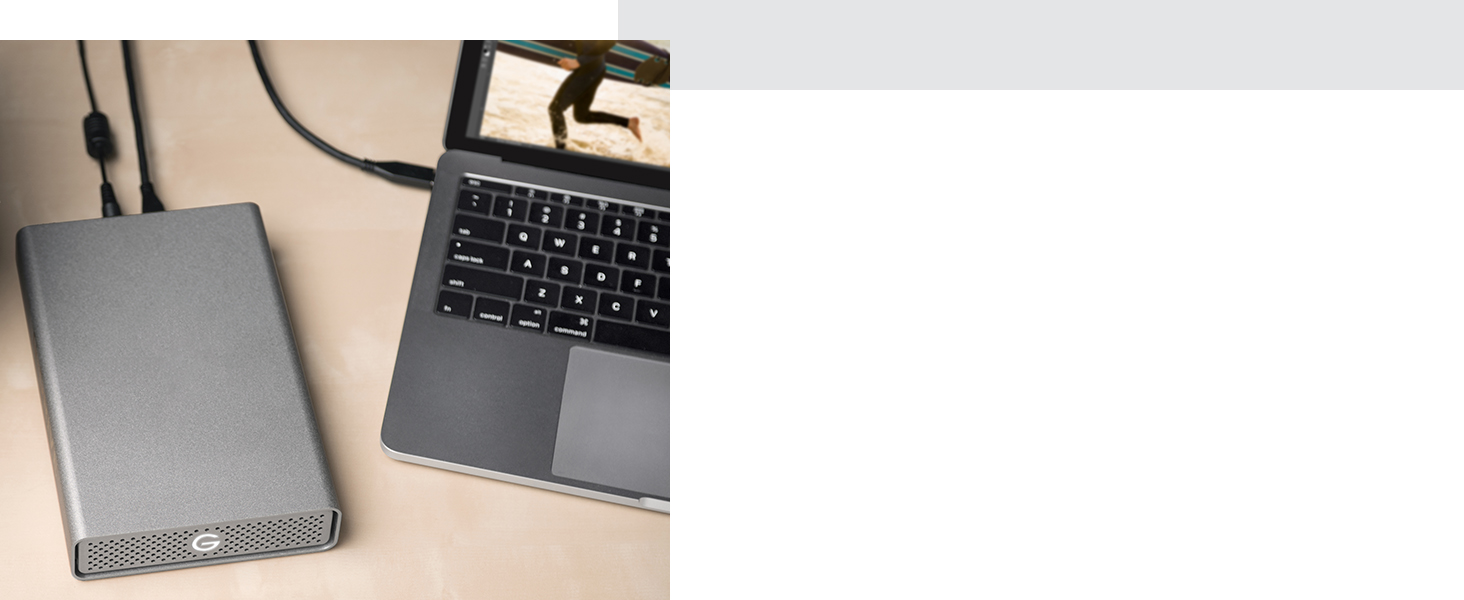
The SanDisk Professional 4TB G-DRIVE is an enterprise-class desktop hard drive featuring a 7200RPM Ultrastar HDD, delivering up to 200MB/s read and write speeds via USB-C (5Gbps). Designed for Mac and PC, it supports USB Power Delivery charging and comes in a durable, stylish aluminum enclosure, making it ideal for fast, reliable backups and high-capacity storage.




| Hard Drive | 4 TB Mechanical Hard Disk |
| Brand | SanDisk Professional |
| Series | G-DRIVE |
| Item model number | SDPH91G-004T-NBAAD |
| Hardware Platform | Mac, PC |
| Item Weight | 2.38 pounds |
| Product Dimensions | 7.72 x 5.06 x 1.39 inches |
| Item Dimensions LxWxH | 7.72 x 5.06 x 1.39 inches |
| Color | Space Grey |
| Flash Memory Size | 4 |
| Hard Drive Interface | USB 3.0 |
| Hard Drive Rotational Speed | 7200 RPM |
| Manufacturer | Western Digital Technologies, Inc. |
| ASIN | B0956X2MNW |
| Is Discontinued By Manufacturer | No |
| Date First Available | May 26, 2021 |
M**E
So far so good; no random disconnects on Windows 10
I have two of these and only on ordering the second did I notice that there were a lot of reviews mentioning random "disconnects". Most seem to be using Macs, but at least one complained that it would "vanish" from My Computer. I've seen large thumb drives that randomly become "inaccessible" to Windows (though remain in My Computer), but never heard of external HDDs doing this. What a nightmare that would be.Thankfully, using Windows 10, I have not experienced any such issues with these drives. I did disable "Selective Suspend" and the ability for Windows to turn off the drive in Device Manager, but I have no idea if either of these steps were required, as I never saw the first one disconnect or vanish and I had Selective Suspend on at that time.Like a lot of external drives, these do eventually "sleep" with inactivity and this causes a few second pause on the first read. After that, they stay awake until the next period of inactivity (seems to be measured in hours, not minutes).These drives must be reformatted for Windows using Disk Management (context click the Start Button to find it on a menu). That's simple to do and documented enough that a Google search will easily find the instructions.10.9TB out of 12TB seems about par for the course, as apparently Windows "loses" some of each drive.Have also seen advice to be sure to use the cable that comes with the drive. That's ridiculous, unless all other available cables are not up to the latest standards. I've used these drives with random USB-C and USB-C to A cables without any issues.These drives are also seem very sturdy and I've heard that they can run standing on end or lying flat. Will be putting that to the test soon, as I need one of them to fit into a tight space in a cabinet.
J**R
Ran fine for 5 months then died
I was very happy with this drive for 5 months--right up until yesterday when it failed. I have the 6TB version formatted APFS and I've been using it as a Time Machine backup drive on my Mac. While performing an hourly backup yesterday MacOS reported that the drive had ejected. I ran First Aid on the drive and it reported bad sectors and that the drive was not repairable. At the time it failed it was only 60% full.I alternate between 3 drives for backups just for occasions like this so I simply erased the drive and tried again. Same problem. Then I repartioned, erased, and tried. Same result. So I started the long process of trying multiple file system formats including APFS, Mac OS Journaled, and even ExFAT. I also tried partitioning into multiple volumes and testing each volume separately. Everything I tried had the same result. When I attempted to write to the drive it would begin and after less than a minute the drive would eject itself.The message was the same one you see if you unplug a drive without unmounting first--a simple warning that the drive was ejected without being unmounted. Looking at the drive in Disk Utility I can see that despite the warning message the failed drive was not actually unmounted nor was it ejected. I just can't write to it.Since experiencing this issue I've read a number of similar reports with this specific model. I have been a big fan of Sandisk until now. I have over dozen Sandisk SD cards and several Sandisk SSD drives which have all performed well for years. This model (a mechanical drive) is the first Sandisk drive that I've had trouble with.But unfortunately, and unlike much cheaper Seagate and Western Digital backup drives I've used in the past, this drive is now completely useless. Even after a failure my cheap WD and Seagate drives can simply be reformatted and used for non-critical storage tasks but this 6TB Sandisk G-Drive is now completely unusable since it will no longer stay mounted. Regardless of how it's formatted the drive unmounts and ejects itself as soon as a write is attempted.Very disappointing.
S**G
Customer service came through with failed G-drive
Update: Apparently, this can be common with other manufacturers, too. The company was great in following through and replacing my G-Drive, as it was still under warranty. Thank you!Original: I have the Sandisk Professional 12 TB G-Drive. It’s mostly been okay on a new iMac for 364 days. (On the western digital website, a 3-year warranty is indicated.)Mine was fine one day, and, while spinning and sounding normal, will no longer mount anywhere. Apple Disk Utility is, therefore, unable to perform First Aid. I am, therefore, unable to partition it, in an effort to save data.Reading current reviews of Sandisk externals, quality and customer service are poor. There is one review here where argumentative persistance with a WD superior resulted in free data retrieval. There is also a website with a free firmware download I found for the Extreme by WD that has resolved some people’s problems. You can search by serial number. The SD Professional is not on the list.Me? I want to throw mine through the window, yet it has 2.3 TB of my personal and professional life on it. I was just reorganizing, consolidating, soon to make a second external copy. Its failure screwed up my online subscription Backblaze backup, too. Run!!!
Trustpilot
2 months ago
2 days ago