
DOWNLOAD THE APP



Desert Online General Trading LLC
Warehouse # 7, 4th Street, Umm Ramool, Dubai, 30183, Dubai
DOWNLOAD THE APP
Desert Online General Trading LLC
Warehouse # 7, 4th Street, Umm Ramool, Dubai, 30183, Dubai


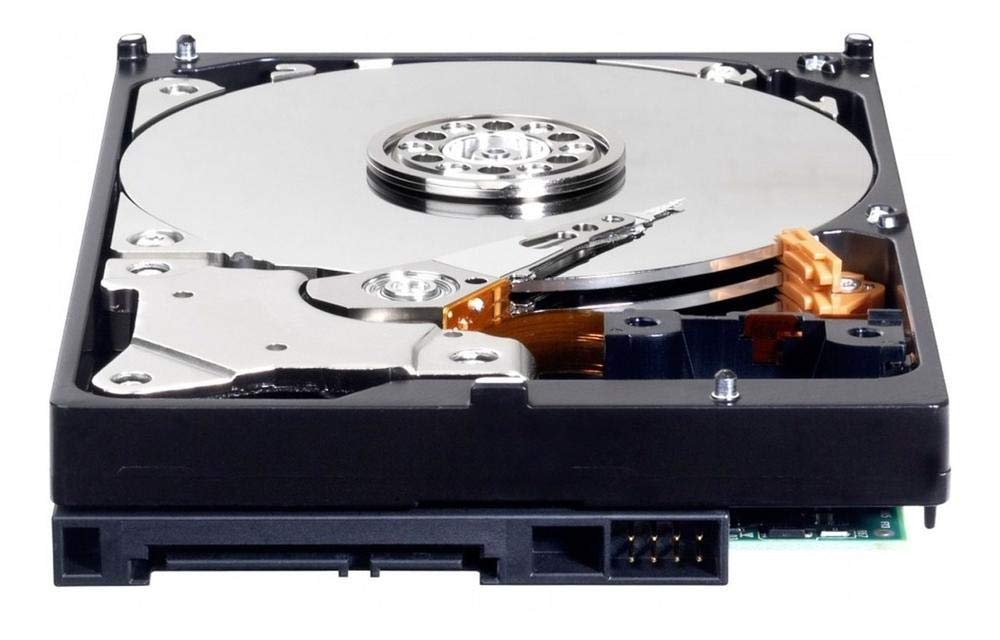


💻 Elevate Your Storage Game!
The Western Digital 1TB WD Blue PC Internal Hard Drive is designed for reliable everyday computing, featuring a 7200 RPM rotational speed, SATA 6 Gb/s interface, and a generous 64 MB cache. With a sleek aluminum enclosure and compatibility with desktop devices, this hard drive is perfect for users seeking both performance and capacity.


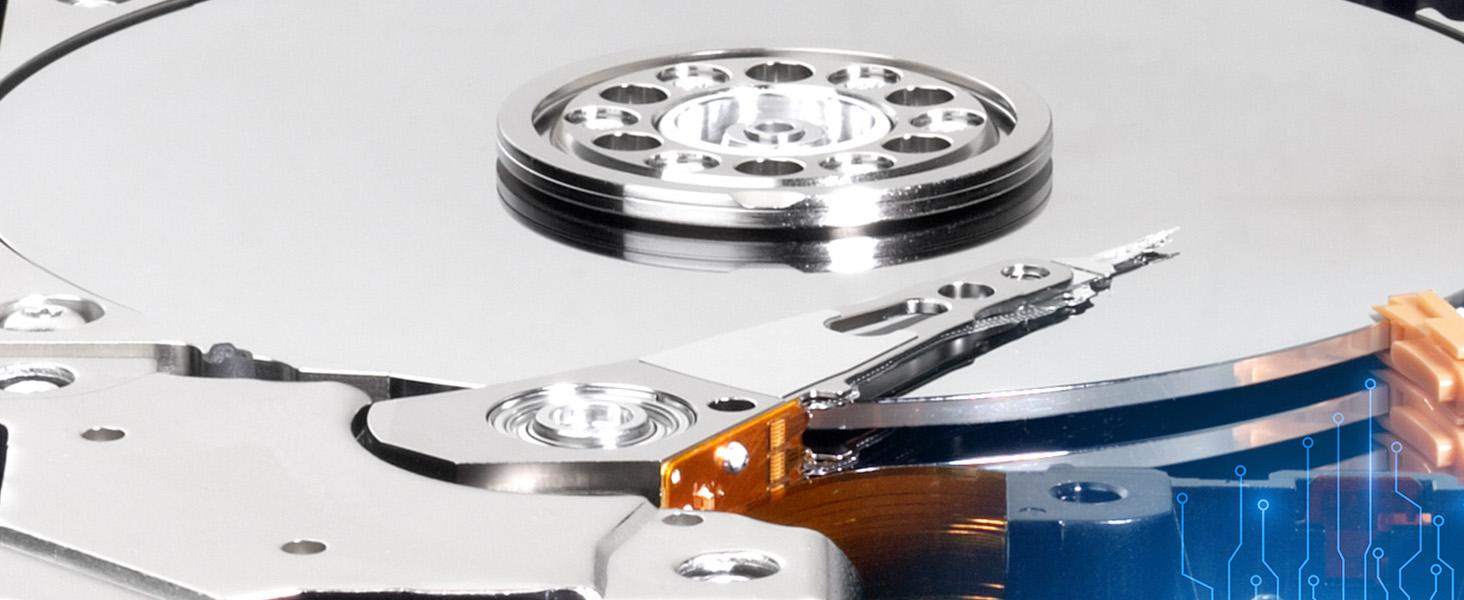



| Standing screen display size | 3.5 Inches |
| RAM | 1 GB |
| Hard Drive | 1 TB Hybrid Drive |
| Number of USB 2.0 Ports | 1 |
| National Stock Number | 7025-01-619-0850 |
| Brand | Western Digital |
| Series | Blue |
| Item model number | WD10EZEX |
| Hardware Platform | PC |
| Operating System | Windows 10, Windows 8.1, Windows 7, macOS High Sierra, Sierra El Capitan |
| Item Weight | 15.5 ounces |
| Product Dimensions | 5.8 x 4 x 1 inches |
| Item Dimensions LxWxH | 5.8 x 4 x 1 inches |
| Color | blue |
| Computer Memory Type | DDR3 SDRAM |
| Flash Memory Size | 1 TB |
| Hard Drive Interface | Serial ATA-600 |
| Hard Drive Rotational Speed | 7200 RPM |
| Manufacturer | Western Digital |
| Language | English |
| ASIN | B0088PUEPK |
| National Stock Number | 7025-01-619-0850 |
| Is Discontinued By Manufacturer | No |
| Date First Available | June 4, 2012 |
N**K
Reliable, quiet mass storage.
I bought this for my first pc build. This is a very good drive, and has more than enough storage for my needs. The performance is very good due to the caching system. Make sure you eject the drive before disconnecting, because files might still be stored in the cache. No drivers are required, so it is plug and play and very easy to use. The drive is quiet when in use, and does not get overly warm at full load. Great drive, WD is my go-to for storage needs.
S**D
WDs rebranded Green drive, cheap storage, a little noisy head movement and vibration, not too slow, no surface errors
EDIT: I was disappointed and quite frankly upset when I learned more about this drive after purchase. However, it performs pretty well and I can trust it now that I've owned it for a long time. No errors or problems for several years. It outperforms my budget Samsung HDD drive which had less than 100HRs before throwing errors. This WD has thousands of hours with no issues. That's impressive. To be honest I love the drive but I am still upset it is just a rebranded green drive...whatever Original: ITS A GREEN DRIVE NOT BLUE (okay the label is blue and it is as advertised but if you bought WD HDDs before you know what that means) History: WD made cheap and bad green 3.5" drives 5400RPM and in efforts to boost sales they got their label changed to blue and discontinued the use of green labels #marketting SOB's Well anyways, kinda expected that for $99 that I paid. This goes into the PS4 3.5" adapter so not a big deal if it fails. Before the facts, there is GOOD NEWS and it's listed at the bottom and the drive does work fine right now but 3 stars because I'm worried ok, it makes noises (probably normal noises), and it is really a cheap green drive so that worries me too. The current facts: It vibrates, it makes old and somewhat loud pc like noise (head movement) when playing games or when not playing games but transferring more than one file at same time. (downloading 2 or 3 games at once) If it is doing multi file transfer but one after another instead of all at once, then the head doesn't move much so no noise can be heard. The intensity of the noise is no louder than old drives of the 90s so I'm only half worried, as this may be the actual design of this drive. It gets warm almost too warm but not toasty. (granted it could use better ventilation and it is sitting in the adapter thing above a warm ps4) There was one BIG issue (which may have been the ps4 adapters fault) where I lost all data on the 3rd day. It would turn on and spin but ps4 could not recognize it or be able to initialize it (ps4s version of formatting) The fix was to use pc and 3rd party free-ware to rebuid the MBR. Guess something went wrong with ps4. Afterward once MBR was rebuilt it still only worked after I initialized (ps4s version of formatting) the whole drive and started resh again and that was a BIG improvement. 2 weeks and 1.3 TB later it is doing ok. I still don't know what went wrong that day THE GOOD NEWS ( best for last eh?) No surface errors found, tested this right out the package and after I had ps4 screw up the hdd MBR (assuming it was PS4 that did it, or the adapter) Guess i'll keep track of it and re-review if i can once it screws up again and I'll do SMART diagnostics to make sure the drive is not at fault
M**2
Good, practical desktop drive
I gave this drive to someone as a gift, and they've been using it for backups for 10 months without issue. My review is based on another unit of this drive which I bought for myself some months later. I've been using it as my primary desktop OS/programs drive since 5/29/2014, so it's about 5 months now. There have been no problems thus far. It's really quite a bargain for desktop use if 1TB is all you need. The actual capacity of this drive is 931.5GB. That's an old marketing trick which can be blamed for the pointless redefinition of all our real, long established data measurements with those silly "i" characters. I won't dwell on it any further, but 931GB is the true capacity when measured in base 2, as all data is correctly measured. This 1TB Blue drive uses a single 1TB platter spinning at 7200rpm. There are 2 heads (each side is 500GB). A single platter design is usually better for reliability than having multiple smaller platters, because there are fewer points of failure, the assembly is lighter, the motor doesn't have to work as hard, and less heat is generated. Single platter drives will also tend to be quieter, but due to my configuration I can't judge the noise level. There has been much discussion and testing among users in online forums, including WD's forum, which repeatedly show that the 1TB Blue and 1TB Black perform the same. It appears the only benefit of the 1TB Black is a longer warranty. Some Blacks are faster than this drive, but the 1TB model is not. Compared to a Green, the Blue is faster owing to it's faster rotation speed. The Green drives also have an "intellipark" feature which causes them to keep parking the heads after a few seconds of inactivity. This can cause laggy response and extra wear. I dislike that design - I believe power management functions should be left under the control of the operating system, which can account for user preferences and what is happening in the rest of the system. Hardcoding this behavior into the drive is ridiculous, in my opinion. The Blue behaves the way I prefer - it does not use "intellipark", it stays ready to roll until directed otherwise through power management commands from the OS. I wish they were making the Blue series in larger sizes - it seems this 1TB is the end of the line. I don't care for the Greens and the Blacks are more expensive. Partition/Sector Alignment -------------------------------- Please be aware that like most modern drives, this drive uses 4KB sectors (also known as "advanced format"). If you are using Windows 2003, Windows XP or older, as I am, don't let Windows handle the partitioning of this drive. This is even an issue on unpatched versions of Vista and Windows 7. These older versions of Windows will believe that the physical sectors are 512 bytes, when in reality they are 4KB. As a result, the partition(s) will not be aligned with the physical sectors. It will still work, but performance will be reduced. Windows Server 2003 and Windows XP and older do not have any update to fix this, but it's not a problem as long as you do the partitioning with a suitable 3rd party utility. I think Western Digital offers a tool for this, but I've never tried it. Once the partitions are set, it's fine to let Windows format them. For my Windows XP install, I used a recent version of GParted to partition the drive. GParted can be downloaded and burned to a bootable CD, or installed to a USB flash drive. Just use the option to align your partition(s) on 1MB boundaries. This is the easy way to ensure they are aligned correctly for the best performance. Then boot your WinXP install disc and let it format the partition that you already created. It sounds harder than it is, it's a minor hassle but it's simple. If you ever change the partitions, once again use GParted or a similar utility that handles alignment for modern hard disks. Don't use the built-in XP partitioning. But again, once the partitions are created, it's fine to let Windows format them. The built-in partitioning is fixed in Windows 8. According to Microsoft, it is fixed in Windows 7 after installing Service Pack 1 - you would need to have that service pack before partitioning the drive, not after. Again according to Microsoft, it is also fixed in Windows Vista *after* installing update MS KB 2553708 - I assume this is automatically installed for people who use automatic updates, but I don't know that for a fact. This won't do you any good if you're doing a fresh install and your install disc predates the required update. The partition alignment detail I've described above is an issue you will encounter with any recent hard drive, it's not unique to this model. If you ignore it, performance will be affected but it will still work. You may see Seagate drives implying that they are immune from this, but in reality, they are not. All modern "advanced format" drives, of any brand, will perform better if sectors are properly aligned. But it's not a big deal - just use a modern partitioning utility and then you're set. ---------------------- I just tested this drive using "Roadkil's Disk Speed" on Windows XP 32-bit. I'll cut out all the variables and just give the linear transfer results with large block sizes. My drive has a few partitions and there are lots of files on it, so this might affect results. First partition (first 20GB): 170-178MB/sec linear read 3rd partition (physical location range is from 28-628GB): 153-177MB/sec linear read Last 300GB is unpartitioned so I can't test that range. I don't think the random access test is useful, because my partitioning greatly influences the result. There's a test mode for the whole physical disk, but it's results are too inconsistent. This drive is a great bargain if you just need a simple, inexpensive, well performing 7200rpm hard disk. I was tempted to try a Seagate SSHD, but I couldn't justify the cost compared to this. If I was shopping today, I'd look carefully at the HGST and Toshiba offerings as well, but from the WD side this is my pick for a general purpose 1TB desktop drive. Update: It is now 11/2015. This drive is in my desktop PC, used daily, and still works fine. Some months ago I ran a benchmark on this drive using the linux utility "gnome-disks". The random access performance measured out to a 15.7ms average. This is mediocre, but expected from a quiet drive. Screenshot is attached. It also shows the transfer rate across the disk (read test only, I didn't test writes).
G**Z
Seems to be of quality and then there is the warp speed shipping by UPS
This was shipped out the same day, and arrived in two business days without any expedited costs or having Prime! One, of course, needs to partition and format the drive for operation, but that is usual for any drive. This item appears to be as fast as any other drive out there including SSD's. Since this is used as data backup drive (one can never have enough backup), this should accomplish that goal. Drives like this usually last for years so hopefully this will eclipse any previous life duration's.
A**R
Careful: You Can No Longer Return 1TB Capacity Drives
I have utilized Western Digital HDDs exclusively for decades. I have only owned another brand (Seagate) when that drive came with my PC; it failed within a year. While it appears the brand is no longer as reliable as it once was (i.e., more reviews with issues than I have ever seen), it is the company I still go with. When I saw a 1TB WD internal drive for the lowest price ever, I did not hesitate to hit the order button. After purchase, I noticed reviews claiming that Amazon does not allow returns on problem drives that arrived with issues and were not the buyer's fault. I confirmed that Amazon does not allow returns on the 1TB WD internal drives (this does not apply to larger capacities yet). It is my first time encountering this, and it is troublesome/worrisome. Why would a company (Amazon) and a brand (Western Digital) suddenly remove the ability to return NEW HDDs shipped and sold by Amazon? It is highly concerning. I am glad the price was so low that if anything goes wrong, I will not have to learn an expensive lesson (I am also happy I did not buy more than one). It is a reminder to check return eligibility before clicking to purchase. Additionally, the drive came in a box unlike any other. It had no bracket devices on each end (which suspends the drive to avoid impact). Although the drive was in a reasonably hard clamshell case and sealed anti-static sleeve, the coverage was a single layer of bubble wrap. I always film the opening of my hard drives, and you can hear the drive sliding around while I pick it up and open the box. It blows my mind that whoever packed it believes having a hard drive with moving parts sliding around is acceptable. Although having HDDs shipped to your front door is convenient (and honestly, there are not many brick-and-mortar stores that sell HDDs left), I am going to have to start buying my HDDs (both internal and external) from another online retailer with better packing methods or from a physical retailer. Data storage devices are too necessary (and costly) to risk buying with no return ability (primarily if it is delivered DOA or with problems that render it unusable) and problematic/little protection shipping boxes. The last external Western Digital drive I received was so banged up that I did not even open it; I immediately initiated a return and replacement (the box was crushed, and you could hear floating pieces inside). And those are still shipped in retail packaging. I will not make the same mistake. I hope Amazon changes its return policy and protects drives better. The convenience and price of delicate products are not enough for me to risk it (especially when the product comes from the official store). I will go elsewhere and spend more if things remain the same. While I ran scans, and the drive works (and there are no sounds of clicks or loudness), I can say I was merely fortunate in that regard. So, I am only deducting one star for the packing method. It is far too risky, and I believe removing one star (for that alone) is fair and more than necessary. I got lucky (so far). After two and a half decades of WD-only drives, it is time to research and take a shot with another, more caring (and, I suppose, reliable) brand. Packing and return policies matter regarding computer components, especially HDDs.
E**T
Western Digital is THE brand for platter drives
I only use Western Digital drives, the platter drives that is. Internal as well as external. Why? Well they have just proven to be extremely reliable as opposed to every other brand I have used for decades. I work in the world of IT and have since the early 90's, and WD drives never let me down. I own multiple external Elements drives, WD black drives, blue drives, and so on. I have extremely old drives and they still work fine as well. I am a person who continues to use what "works". These work. This current 2TB WD Blue I am especially impressed with. It appears to have very little to no audible noise. I actually thought for a second for the first time ever I received a bum drive! But no, works great. Good job WD. Thanks for the years and years of data retention!
I**T
Got it, sealed new and safe
They were sealed in their package and new. Being WD I'm sure they'll be great otherwise. These are for replacement system drives as I always keep the operating system on one drive and have a seperate storage drive for everything we want to keep long term. That helps protect important data better. If a drive is going to go down, most usually it is the one that is working all the time....the system drive. If you just back that up every so often and don't store important stuff there, it's a hassle but not a total catastrophe. I just had to hijack a spare out of my system for my son's computer as his system drive finally went south. So now I have these as the ones we are working on now have alot of age on them- and when they throw a snit fit...no problem...we'll just throw the backups on these and we'll be back running again. I always implicity trust Western Digital for solid, durable hard drives....all the time. All my really important drives here are, in fact, WD drives. Stability and quality matters when you're talking about info you want to keep a lifetime.
J**S
Good price and quality
Plenty of storage for holding a lot of content
Trustpilot
3 weeks ago
1 month ago