
DOWNLOAD THE APP


Customer Services
Copyright © 2025 Desertcart Holdings Limited
DOWNLOAD THE APP

🖋️ Elevate your digital note-taking—because your ideas deserve the best pen in the room.
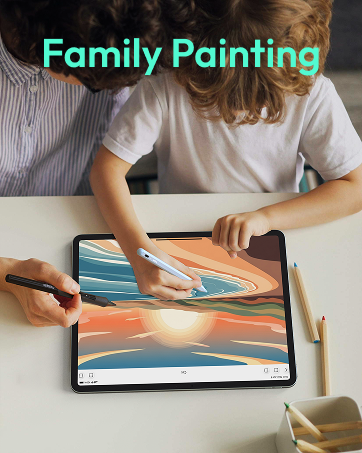
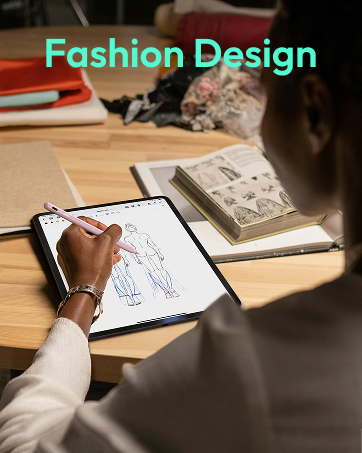
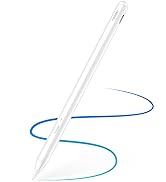
The Metapen Stylus Pen M1 is a premium digital pen designed for Microsoft Surface and select devices, featuring ultra-fast Type-C charging, up to 75 days of battery life, and 1024 pressure sensitivity levels for smooth, precise writing. Its ergonomic aluminum body with a cone-shaped tip enhances comfort and accuracy, while double magnets and palm rejection technology ensure seamless usability. Ideal for students, professionals, and creators who demand reliability and style in their digital tools.

















| ASIN | B0B1CS1XK2 |
| Batteries | 1 Lithium Metal batteries required. (included) |
| Best Sellers Rank | #1,939 in Cell Phones & Accessories ( See Top 100 in Cell Phones & Accessories ) #45 in Styluses |
| Customer Reviews | 4.4 4.4 out of 5 stars (5,343) |
| Date First Available | May 16, 2022 |
| Item Weight | 0.423 ounces |
| Item model number | ME-MPP712 |
| Manufacturer | metapen |
| Package Dimensions | 7.4 x 2.28 x 0.67 inches |
A**R
Fantastic stylus
I love this pen. It works great with both of my Surface tablets which are from different generations. Works better than the pens that came with the tablets. Its size and weight are just like a real pen. And it's much easier to recharge it than to deal with the odd-sized batteries that you have to use with the original pens. The magnet is super strong and doesn't come loose from the tablet.
C**E
Great pen
Love this pen so much! I have never had to charge it and I use it almost everyday. The color is also great and I have experienced no lag! It works well for what I am using it for too!
W**H
Works great with my Microsoft Surface Duo 1
This works great with my Surface Duo 1-an obsolete device that I am having a hard time giving up. Only a fraction of the cost of the Surface Slim pen from Microsoft. As responsive and functional as the original pen that i got with Surface Duo. Would have been 5 stars had it been magnetic enough to attach firmly to the Surface Duo device.
I**Y
Budget Stylus That Punches WAY Above Its Price
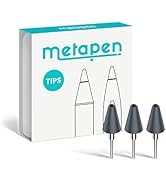
Alright, I’ll admit it—I wasn’t expecting much. Stylus pens outside of official Surface gear usually fall into two categories: "barely works" or "kinda okay but dies in a week." But the etapen M1? This thing came in like a dark horse and actually delivers. I paired it with a Surface Pro 7 and a Surface Go 2, and it synced instantly—no weird button combos, no lag, and no awkward calibration drift. It supports full pressure sensitivity, palm rejection, and tilt support—which means whether you’re sketching, annotating, or just trying to take notes without using your finger like a caveman, you’re covered. The build quality is surprisingly premium. It feels closer to the Surface Slim Pen than any off-brand knockoff I’ve used. The matte finish gives you grip without feeling chalky, and the pen tip glides smoothly on the Surface screen without any jitter. What I Like: Instant compatibility with Microsoft Surface line—no Bluetooth pairing needed Palm rejection actually works, which is a huge win for note-taking and sketching USB-C charging = no AAAA battery scavenger hunts Magnetic snap-on to the Surface (depending on model) is a nice touch Comes with replacement nibs and charges stupid fast What Could Be Better: No eraser end—there’s a button for that, but muscle memory had me flipping it like a pencil Doesn’t integrate with Surface Pen settings app (but honestly? I didn’t miss it) If you’re doing ultra-fine digital art, you might want something with more tilt nuance—but for everything else? Killer.
S**E
Affordable and Responsive Stylus That Works Great with Surface Pro
I picked up the Metapen Stylus Pen M1 to use with my Microsoft Surface Pro, and it’s been a pleasant surprise! The pen feels comfortable in my hand and offers smooth, precise writing and drawing. The pressure sensitivity is decent for the price, making it great for note-taking, sketching, and general navigation. It pairs easily with the Surface Pro without any lag or connectivity issues. While it doesn’t have all the premium features of the official Surface Pen, this stylus offers fantastic value and gets the job done well. If you want a budget-friendly alternative that still performs, I’d recommend giving this one a try!
H**S
Great customer service
When I first ordered this pen, it worked great for a couple of weeks and then suddenly stopped being responsive. I reached out to the Metapen customer support team, and Rosie was so helpful in determining if my pen could be fixed, and sending me a replacement since it could not. She was very patient and understanding. Great customer service overall!
J**E
Nice pen for surface pro, no setup at all
I bought this pen for surface pro and it works great no Bluetooth binding works through Microsoft protocol
K**S
Did the job
I use my pen everyday to teach my math classes. I project my computer screen and fill out the notes with the pen. When my old Microsoft brand pen stopped working, I decided to try out a cheaper version. Here is my honest review. This product works well. For some reason it did not work the first time I tried to use it. After I removed the battery and put it back in, it worked great. I will be keeping an eye on that and update the review if I have any more issues. Note that it does not have Bluetooth, so you will not be able to pair it to your computer. However, it does not seem to need Bluetooth. This is probably because it does not have a shortcut button, which I never used anyway. There is no power button, it simply works when you put the battery in it. The side buttons do work well. I actually like the eraser being a side button better than it being on the back like my old pen from Microsoft. It is faster to click the button than to flip the pen upside down. The palm blocking does seem to work well, which is probably the most important feature of a pen. With out palm blocking, you may as well use an old school stylus which is just a piece of rubber on a stick. The pen itself seems rather light and cheaply made, so I am not sure how long it will last. The tip is just plastic. It does come with a second tip, but it is exactly the same. I was unable to remove the tip because it was so tight, but as the second one is the same, I am not too concerned about it.
C**Z
Connected so fast and very light weight. I love it
I**N
Genuinely really liked it, and I’m quite a picky person. I have to add, I didn’t use it much for drawing or more professional stuff like that.
M**M
Me gusta como funciona la pluma en mi surfacepro y los tips me parecen de buena calidad y duraderos pues lo uso todos los días
T**T
Great product, and affordable.
I**.
For me, working perfectly. I've used the erase function, that too works flawlessly. I'll see if I can add anything else as I keep using it. Plus, it's cheaper that the original one, with probably the same (or better?) quality
Trustpilot
1 month ago
3 days ago