We remain fully operational. Our teams are working around the clock to ensure your deliveries continue safely.

DOWNLOAD THE APP


Customer Services
Copyright © 2025 Desertcart Holdings Limited
DOWNLOAD THE APP


🚀 Elevate your home network to pro-level speed and security — don’t get left behind!
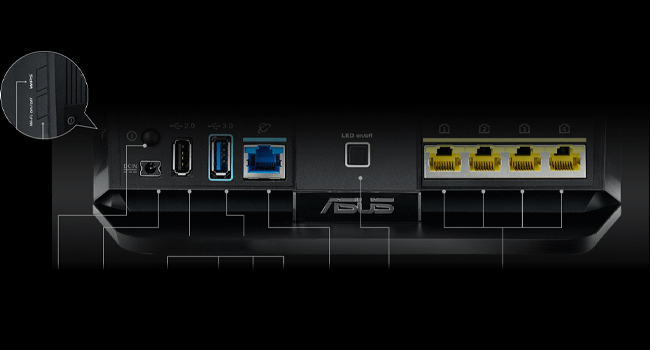
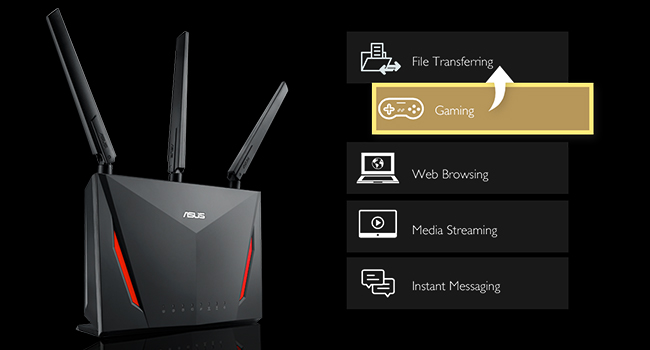
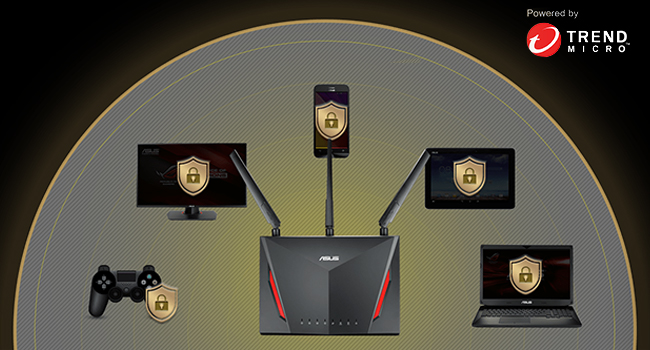
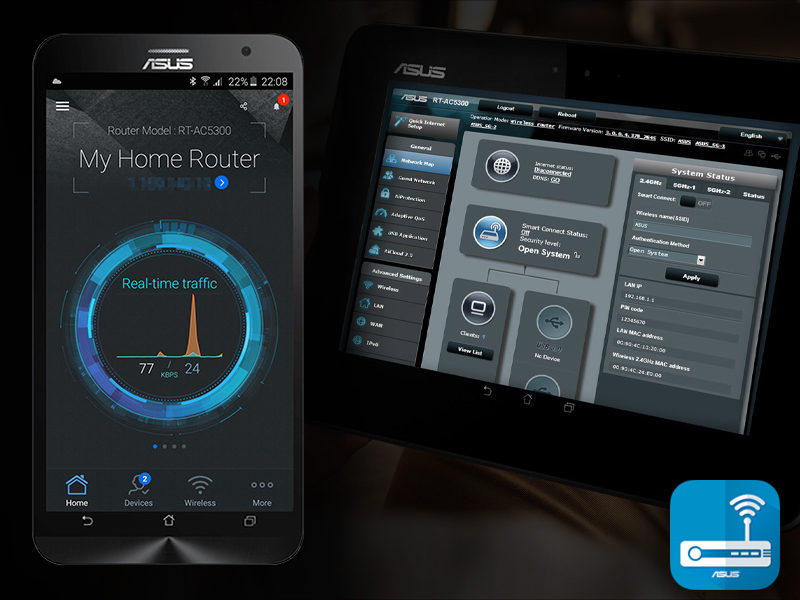
The ASUS RT-AC86U AC2900 WiFi Gaming Router delivers ultra-fast dual-band wireless speeds up to 2900 Mbps powered by a 1.8GHz dual-core processor. Designed for gamers and streamers, it features WTFast game acceleration and adaptive QoS for lag-free performance. With built-in lifetime Trend Micro security and AiMesh compatibility, it offers robust protection and flexible whole-home coverage. Manage your network effortlessly via the ASUS Router app, making it a top-tier choice for demanding home and gaming environments.







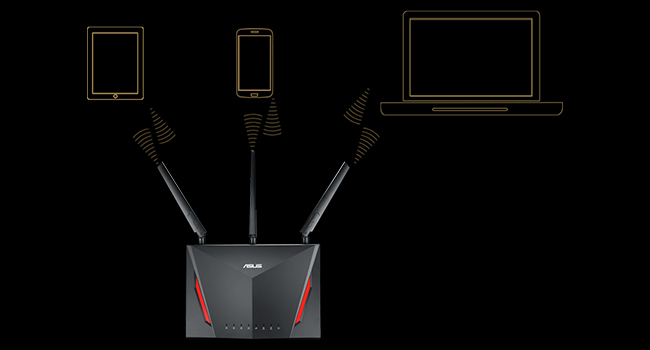
| ASIN | B0752FD3XJ |
| Best Sellers Rank | #57,383 in Computers & Accessories ( See Top 100 in Computers & Accessories ) #1,423 in Computer Routers |
| Brand | ASUS |
| Color | Black, Red |
| Customer Reviews | 4.4 4.4 out of 5 stars (5,878) |
| Date First Available | August 22, 2017 |
| Is Discontinued By Manufacturer | No |
| Item Dimensions LxWxH | 6.2 x 3.3 x 8.66 inches |
| Item Weight | 2 pounds |
| Item model number | RT-AC86U |
| Manufacturer | ASUS Computer International Direct |
| Number of Processors | 2 |
| Number of USB 2.0 Ports | 1 |
| Operating System | Windows® 10;Windows® 8;Windows® 7;Mac OS X 10.6;Mac OS X 10.7;Mac OS X 10.8;Linux |
| Product Dimensions | 6.2 x 3.3 x 8.66 inches |
| Series | RT-AC86U |
| Voltage | 19 Volts |
| Wireless Type | 802.11ac |
M**O
Great, inexpensive, high performance router
I thought I had reviewed this router some time ago, but apparently I forgot to do it. I bought one in December 2017 and one in March, 2018. Both are being used and are set up in my two-story, 3100 sq-ft house, in router+AP mode to provide high strength 5 GHz coverage for the entire house. I'm not using AiMesh mode and haven't tried it. These have been great routers for my needs. Fast, inexpensive, reliable. I started with just one RT-AC86U that replaced my RT-AC3100 that had replaced my RT-AC68U, and I found that, overall, RT-AC86U provided better range and speed for both the 2.4 GHz and 5 GHz bands than either of those two routers for multiple types of devices (Mac laptop, Android phone, iPad). I did a fairly extensive set of tests that can be found on the SNB forums. I was able to connect in the far bedrooms on the 2.4 GHz band with just a single router and had no problem doing typical internet surfing, but while the connection strength and speed was better than the two previous routers, it still wasn't what I wanted. After doing a fair bit of reading, I realized that no single router would provide the 5 GHz coverage that I wanted in the far bedrooms, so I bought a second RT-AC86U, and set it up in AP mode at a location suitable to provide good signal strength in the far bedrooms. Running in main+AP mode requires a dedicated ethernet connection between the two routers. Running this cable is easy for some, but not others. AiMesh is an option for those who don't have the option of running an ethernet cable. For the main AC86U, I have both the 2.4 GHz and 5 GHz radios enabled, and the satellite AC86U has only the 5 GHz radio enabled. I did this because the 2.4 GHz band on the main AC86U does sufficiently cover the entire house. This dual router setup has been 100% reliable since the day I set it up. My router settings are fairly simple. No attached storage because I have a dedicated NAS. I have several ports on my "server" computer forwarded. The VPN server on the router is enabled, and I use it routinely without issue. Most of the other bells and whistles are disabled. I'm not using traffic monitoring, nor am I using AiProtection. No gamers on my network. I have a typical range of devices connecting - several computers, several phones, security cameras, NAS, printer. All work without issue. WiFi speeds with a strong signal are as good as can be expected. My MacBookPro with 3x3 5 GHz consistently has a 1300 mbps link speed in the vicinity of either router, and transfers to/from my server computer from this laptop go at 70 MB/s. LAN speeds over ethernet are quite fast. If I set up jumbo frames, I can saturate the 1GB/s ethernet between my server computer and NAS in both read and write mode. Its a bit slower with a standard MTU. I will say that obtaining good hand-off between the two AC86Us as people move from location to location in the house took a bit of tuning. I had to enable the Roaming Assistant option on the main AC86U to kick devices off it when the 5 GHz signal strength falls below -66 dBm. Something like this has to be done because most devices don't readily disconnect from one access point until signal strength is in the pits, even when there is another high strength access point in the vicinity. To summarize again, this is a great, inexpensive, high performance router in my experience. 04/05/2020 UPDATE I'm puzzled by the nearly 20% 1-star reviews because I now have four of these in service, two at my house and two at my cabin (large property), and all of them work perfectly. Either I've been really lucky with all four, or there is something about the settings and/or other equipment for some people that is causing issues. 07/21/2021 UPDATE My four RT-AC86Us continue to work flawlessly. Performance and functionality of the devices continue to improve as ASUS and Merlin continue to improve the firmware for this router and other ASUS routers. At the current price of $150, this is an outstanding router to have even considering that AX (WIFI 6) routers are now available. IMHO, WIFI 6 is a bit of a gimmick. 98% of people will not benefit from WIFI 6 even if your laptop/phone/tablet are WIFI 6. There just aren't many needs for that kind of speed, and the reality is that the half-duplex nature of all wifi along with the additional error checking result in a data transmission latency that reduces the value of a very high speed wifi protocol.
C**Y
Solid AC Router, a step up from the RT-AC68U
The RT-AC86U was purchased as an upgrade, swapping a RT-AC68U as a parent router for this one, in an existing Aimesh network. The 86U is a much more powerful router compared to the 68U, has twice as much RAM (512MB vs. 256MB), and a faster dual-core CPU (64-bit dual core 1.8Ghz vs. the slower sub-1Ghz CPU in the 68U). The other advantage of the 86U is that it is likely to receive long-term support from ASUS in terms of firmware releases, as it is based from ASUS's most widely-selling 68U router. Make sure you update to the latest firmware before configuring and using the 86U, as a number of stability fixes and performance enhancements (as well as security fixes) are part of the latest firmware package. You're always best off upgrading the firmware before configuring, starting from a blank slate rather than copying over settings from an older firmware that may not carry over so well. If you're adding the 86U to an existing Aimesh network, and you're using this router to upgrade the "parent" router, you'll need to hold the reset button down for any Aimesh nodes in order for them to be seen and added to the 86U. It's a fairly simple process. Also, for the router you're replacing, if it's ASUS Aimesh-compatible, make sure you change the router to function as an Aimesh node before unplugging it and moving it. Currently my home network consists of three RT-AC68U's (all Aimesh nodes), with the RT-AC86U as the parent router. All Aimesh nodes use an ethernet backhaul rather than connecting wirelessly, as they are spread fairly far apart throughout my home. When using an ethernet backhaul, there is no loss of bandwidth due to distances between the router and the Aimesh node, so it's definitely the way to go if you have network jacks that are centrally home-run to wherever your router is located. The 86U was easy to set up, and it easily handles the 40+ clients that utilize both 2.4Ghz and 5Ghz Wifi bands. No drops on either 2.4Ghz/5Ghz bands, it's a rock solid Wifi/home router on the latest firmware release from ASUS. The 86U also has at least 50-75% more range than the 68U. I now get the 2.4Ghz band well into my 2-acre backyard, whereas the 68U's signal faded at least 100 ft shorter distance by comparison. A great router for the $$$, easy setup, reliable, and great for gaming if used for those purposes. 5 stars for this one.
J**Y
Major improvement! Easy to Set up & So Fast!
I replaced a (very) old router with the AC2900 and cannot be more pleased. The installation and setup was relatively painless, although I was (and still am) puzzled why the default gateway IP is 192.168.50.1 rather than the more common 192.168.1.1. This did mean reconfiguring a few devices on my network, no big deal. The 2.4 GHz band provides extremely strong coverage through out our 3000 sq ft house, penetrating multiple plaster walls amazingly well. In fact, I was able to eliminate a second access point I'd needed in the past to get decent wifi in the farthest part of the downstairs. The range is at least 50 feet better than the (antique) router I'd been using. The 5 GHz band doesn't have the range or the penetration power, but it's SO much faster in the same room as the router. (Think 433 Mbps transfer speed.) Depending on what devices are "up," we can have up to 16 devices connected simultaneously (both wired and wifi), and it handles it flawlessly. Both the browser-based admin screen and the phone app (I use Android) are easy to use. I haven't tried remote management using the phone app, but frankly I've never needed to manage my home router remotely anyway. Finally, it's purely coincidental, but the Asus router happens to look like the twin of my Acer Predator laptop (black with red accents). Again, it's coincidental, but it's still cool! Overall, this has made a great improvement in the operation of my home LAN. Now if AT&T would see fit to run 150 feet of fiber and bring our internet service into the 21st Century...
S**R
Great router. Installation was a breeze. The Asus router app is intuitive and gets the job done. Compared to the router given by the ISP this one is phenomenal... Big boost in speed and coverage. Have two of them and linked to the app. Slightly on the expensive side for the features and performance. But a single router, well placed, can easily cover a large house.
R**B
While this is a great router from ASUS and everything now works perfectly, this purchase required the use of Google Translate as the initial setup is in Chinese. Once I'd figured out to use the translator, I could then change the language to English, update the firmware and now everything is fine. Given the price saving, this was a small inconvenience.
O**O
É muito bom, eficiente , fácil de instalar e monitorar. Ele nunca foi barato mas entrega em qualidade. Atualmente está um pouco defasado pois não entrega wi-fi 6G , mas se o custo estiver bom é uma excelente opção. Se a internet for rápida e os switchs que estiverem sendo usados forem giga, o resultado surpreende!
M**O
Muy buen router, hasta ahora me ha funcionado todo perfecto. El alcance es muy bueno inclusive en ambientes con mucha interferencia de otros wifi, las velocidades inalámbricas son excelentes (siempre y cuando se configure con 802.11n). El firmware de fábrica ASUSwrt es bueno y se puede acceder por SSH para poder configurar más cosas por linea de comandos como iptables ya que es un Linux kernel con Busybox instalado. La opción de Logs de sistema es la mejor, ya que puede determinar que está pasando en el kernel o que conexiones están activas solo leyendo el log. También se le puede cambiar por Asuswrt-Merlín para obtener unas cuantas más funcionalidades. Algunas funcionalidadesde Asus como DDNS, Remote connection(Asus router app,Lyra App, AiCloud y AiDisk) requieren registro y compartir datos con Asus. También AiProtection, Traffic analyzer, App analyzer, Adaptative QoS/Game boost y Web history son proporcionados por TrendMicro así que se necesita aceptar los Términos y Condiciones de Trend Micro de colecta de datos personales y tráfico para poder ser analizado, yo en lo personal no lo active pero se puede leer que información se recaba en su política de privacidad de TrendMicro.
Y**H
The basic setup is quite easy. Once set up, there are quite a few options to play around with. The router was placed in a corner room and got great 2.4 ghz reception throughout the 4 bedroom house. The 5 ghz reception is strong enough for adjoining rooms with thick walls. The wifi 6 variant is going to be launched soon and the current version at a price of 14k is very competitive.
Trustpilot
4 days ago
1 month ago