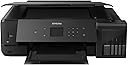
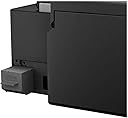
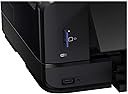
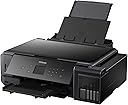
PROS: 1) Superb Colour Production for the “normal/domestic” user 2) Highly inexpensive ink replacement costs 3) High capacity inks 4) Handles a range of media from 4in x 6in up to A3 5) Handles a range of paper weight (thickness) up to 300gsm Card stock 6) Multi-function, with scan and copy 7) Comes with 2 complete sets of ink 8) Extended warranty to 3 years available free on Epson site CONS: 1) Purchase Price £599 at time of purchase 2) Flimsy construction of the rear paper, manual feed tray 3) Non-motorised ejection of trays 4) Cannot use ICC codes for 100% accurate colour (but ICC are for multi-colour pro-printers) I bought this to replace a HP All in One HP6830 which had spent its last 3 years striping me for £7.99 a month for ink, and hadn’t worked properly for around the same amount of time. The old HP this replaced could manage a black and white text print, but it had long given up the ghost on colour photos and prints. My logic for paying out for this Epson Eco-Tank ET7750 was because of the cost of printing using Tescos and other print services. My wife had easily run up a £200 bill (which she cancelled) to print a load of our photos using an online photo printer. The secret to great quality prints is not just the printer, or the ink, but how the ink reacts with the paper. To get this, you need to be sure you are using 1) top quality paper, 2) genuine inks, 3) the correct settings in the programme you are printing from 4) use an editing programme like ADOBE Lightroom. (Many printers results aren’t the way you want because of the way the printer interprets your photo. Thus by using LIGHTROOM, you can boost aspects of the photo which your printer doesn’t reproduce well. I bought a pack of Fotospeed Matte Ultra 240gsm (https://www.amazon.co.uk/fotospeed-Matt-Ultra-240gsm-50Sheets/dp/B001LEERWG/ref=sr_1_5?dchild=1&keywords=fotospeed+paper+Matte+ultra+240+a3&qid=1594997253&sr=8-5) which is £4.15 for 50 A3 sheets. A3 is twice the length of A4, so you can cut the A3 down into two A4 sheets with a rotary cutter (also available on Amazon). The vibrancy of the colours on the Fotospeed Matte Ultra paper is as good as a professional print out. Obviously, if we had one of the Pro-Printers that use 12 colours (and are double the price) and we compared print outs, there would be differences. However, as I said, for domestic use printing holiday photos, posters (more on this later) and colour documents the printing is second to none. The ET7750 has 4 trays, two multi use automatic trays for up to A4 paper, and a CD/DVD printing tray and the manual tray at the rear. It takes about 3 minutes to print an A3 on best quality. The printer also can bang out 7-10 pages of normal text in 1 minute, so it’s fine for occasional document printing. The machine has the ability to print on both sides and to photocopy double sided, but not automatically. There is no document feeder, like on the HP, but the amount of times I used over 3.5 years of owning the HP I decided I wouldn’t miss it. It also doesn’t have a fax like the HP, but in around 20 years, I haven’t sent a fax to anyone nor received one! So what don’t I like? Well, the rear paper manual feed tray is as flimsy as a yoghurt carton. Every time I use the back tray I am terrified it will snap off. This is not totally unacceptable for a £600 printer. Also, on the previous model (ET7550) the trays were motorised on the outward movement as well as the inward movement. The evidence for this is the track on either side of the output tray (and other reviews of the 7550). It’s a small point, but it would make the product feel worth the £600 I spent. The set-up process is very easy with the printer coming with what is described as up to 2 years worth of ink (a bit like the up to 90% off sales on the high street, where the actual discount is 10%.) You get 2 of each colour (4 colours including a “photo black”) and two double sized text black bottles). Filling is easy since you just unscrew the bottle top, invert it (no leakage whatsoever) and lock onto the appropriate tank. It’s impossible to put the wrong ink in the wrong tank since the nozzles and tank necks have different shapes for each colour. The bottles won’t leak, they have a valve mechanism, and they automatically stop, when the tank is full. What’s also nice is that the tank leaves around 5-10ml in each bottle. This means that after your initial “kid with a new toy” session of printing everything possible, you can top up the tanks with the remainders and get on with the “normal usage”. These bottles of ink cost £11.99 for a colour and £17.99 for the double sized text black. Since these hold 70ml in the colours and 140ml in the text black, they will last a long, long time. The HP had cartridges that had 7ml of ink in....that’s a joke, especially after the amount of head cleaning and priming it did before each print. My wife, last weekend, went and printed around 35 A3 sheets. I had already printed about 10 A3 using a test pack of paper (these are a good idea since you get a few sheets of each type and it allows you to decide before committing). The ink levels are around 50% which is pretty good when you also factor in that we’ve done a lot of office document printing too. The secret to this is that the tanks as mentioned are high capacity. At the low cost of replacement there is no need to buy third party inferior ink, and I cannot honestly see myself buying any more ink for at least a year from now. So in the final analysis, what do I think? Well this is the new business model, where the printer is expensive, but the ink is cheap. It’s swings and roundabouts whether it’s better to pay a high price and frequent changes of ink with a low cost printer or the other way round. I made the choice based on the prohibitive cost of third party print shops and the waste of money going to HP Instant Ink every month. I am very, very pleased with my printer, so is my wife and even the school where she works loves the output. My wife decorated the Science Room and put up a lot of A3 Science photos for the primary kids. This product is Dottore Approved....BUY IT (but be careful with handling the rear trays)