We remain fully operational. Our teams are working around the clock to ensure your deliveries continue safely.

DOWNLOAD THE APP


Customer Services
Copyright © 2025 Desertcart Holdings Limited
DOWNLOAD THE APP

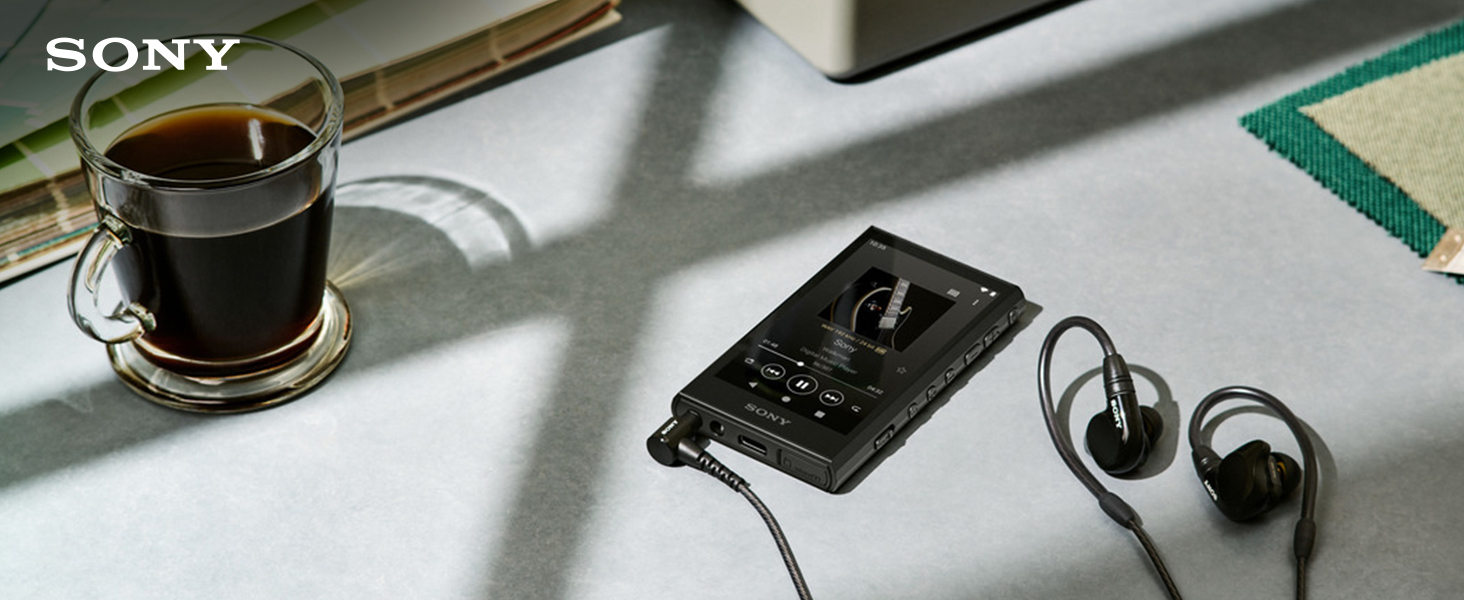
🎧 Elevate your playlist with Sony’s sleek, high-res Walkman — because your music deserves the best.
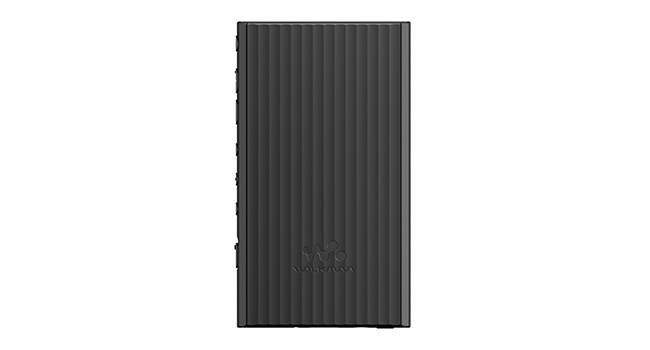
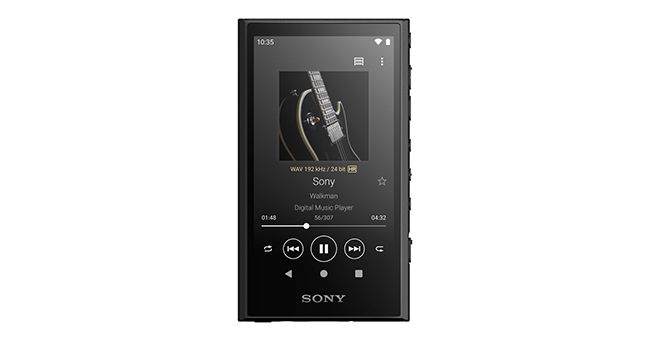
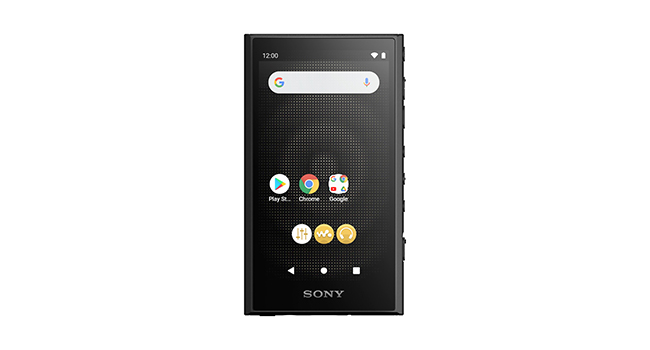
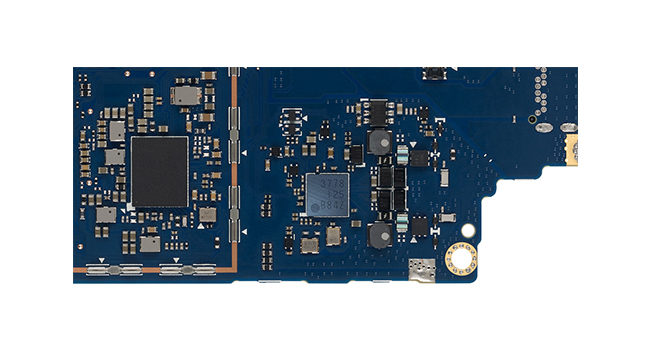
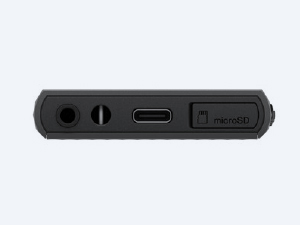
The Sony NW-A306 Walkman is a premium portable digital music player featuring 32GB internal storage expandable via microSD up to 2TB, Wi-Fi and Bluetooth for streaming and downloads, and an impressive 36-hour battery life. Built with a rigid aluminum frame and advanced PCM conversion, it supports high-resolution audio formats including DSD and FLAC, delivering immersive 360 Reality Audio in a compact, pocket-friendly design powered by Android OS.


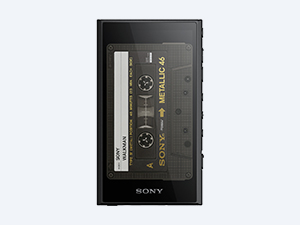
| ASIN | B0BS8493WY |
| Additional Features | Hi-Res Audio |
| Battery Average Life | 36 Hours |
| Best Sellers Rank | #14,892 in Electronics ( See Top 100 in Electronics ) #78 in MP3 & MP4 Players |
| Brand | Sony |
| Built-In Media | Player, USB Type-C Cable |
| Color | Black |
| Compatible Devices | Headphone, Smartphone |
| Component Type | Battery |
| Connectivity Technology | Bluetooth, USB, Wi-Fi |
| Customer Reviews | 3.7 out of 5 stars 500 Reviews |
| Display Technology | AMOLED |
| Item Dimensions D x W x H | 1.81"D x 3.56"W x 6.5"H |
| Item Weight | 113 Grams |
| Manufacturer | Sony |
| Memory Storage Capacity | 32 GB |
| Mfr Part Number | NWA306/B |
| Model Name | Sony NWA306/B |
| Model Number | NWA306/B |
| Screen Size | 3.6 Inches |
| Special Feature | Hi-Res Audio |
| Supported Media Type | SD Card |
| Supported Standards | FLAC |
| UPC | 027242924994 |
| Warranty Description | 1 Year |
A**3
Solid DAP for the price
I have, for decades, owned Android devices and never one thing labeled Apple. Not even an iPod. So reading the reviews and seeing people complain that this Sony WM is Android-based is what led me to purchase one. Having first bought a Shanling, I couldn't even get it to recognize the same 1TB memory that is working fine in the Sony. So I returned the Shanling without hesitation... I have used Roon ARC since release and before that, PlexAmp while on the go. I mainly use them in the car with a portable USB DAC. The apps work well "overall" - barring cell phone reliability. ARC runs into minor issues nearly once a day. It might pop up a 'Poor Connection' error or it will just pause what you're playing and then start to buffer. Can become very annoying... This is especially true in heavy traffic because I prefer all of my music files to be in their native format and resolution. So CD rips - 16/44.1 wav, SACDs DSD 1x (dsf) and hi-rez downloads, DVD-As and Bluray audio at their native bit rates and sampling rates. So this takes some bandwidth off my cellular provider and they fail miserably at times. PlexAmp is far more reliable but you're only getting mp3 quality. They transcode everything, as far as I can tell, when on cellular data. Such a shame... And so began my search for a capable but reasonably priced DAP. I am a hi-fi home audio guy, so I pick my battles. On the road, I just want everything to be there. A nice, tight thump when the bass drum kicks, clean midrange that isn't harsh and extended highs. I know I will never get the imaging and 'air' that my expensive home system provides, so I don't fret. It's not very complicated. And we won't even get into the 'you can't tell the difference between an mp3 and a DSD file in the car' rubbish. Before I get into the good and the bad, I will say that the complaints about Sony's Music app are very spot on. What a piece of horse dung. It is ugly, poorly implemented and slow as all heck. When I first mounted my memory card, I had to figure out how to get things onto it. And Sony said you had to add their Music app for Windows 11 to do this. Fine, I did it. Then I started moving files over (8800+ songs) and Sony was taking an eternity! It would have literally taken between 3 and 4 whole days to transfer all of them. I did not want to leave my gaming PC running for that long. My GPU alone would probably make my electric bill sky high this month! So I figured I would remove the Micro SD and put it in my old, slow-as-heck card reader and transfer the music that way. And slow it was. But it still happened sometime while I was sleeping. I would guess 8-10 hours compared to 48-72 for the Sony. That is just unacceptable. Anyway, here are some of the good and bad about it so far: The Good: - Android OS - Google Play Store - Compact chassis - Good function/button location (once you get used to them) - All the connections you should need - including Micro SD slot up to 2TB - USB C charge/transfer port - Sound Quality from top to bottom is good. Clear, extended highs, clean midrange and kick drums well, kick. - Sound great through car speakers or my IEMs. - programmable auto-off The Bad: - Volume, volume, volume. Where is it?? It is limited on IEMs. Sounds plenty loud in car stereo though, and that is the main reason for buying it. Can go to 120 in-car. - Can be a little slow to react. But not as bad as some of the reviews say. - Sony Music App - really, just get rid of it and use VLC player. You'll thank me. Can't think of anything else at the moment but will update if/when I find more. I can say it's a good buy if you love Android OS.
A**R
A barebones Android with terrible battery life and a slow UI
I bought this essentially just to listen to music at the highest fidelity possible within a reasonable budget and to not kill my phone battery as I use IEMs with a DAC when I listen to music. I'd figure can't go wrong a Sony Walkmen right? Boy I was wrong. First of all due to being basically an android the 32 gigs is wayy less than 32 gigs. Its like 14 gigs. So I tossed a 512gb sd in there. Problem solved right? Not really as I used the device I ran into bigger problems. Like the fact that if I use my DAC (which I shouldn't have to on a music device) the battery life still dies very quickly. But honestly the DAC allows me to achieve greater sound quality. I have decided to not use it currently though otherwise the thing dies so fast. This is with battery saver on and disabling as many android apps as possible. And then its so slow and laggy when it comes to certain things. I just do not understand how they could mess this up. Especially at this price point. The worse part for me is a large percentage of my songs just do not play at all. And I know the files are fine because they play on my computer and my phone.
P**.
Not perfect, but excellent at this price point.
Brief: I use this device in the car while driving, while walking the dogs, hooked up to my home stereo, and while at my desk at work. If I had to replace it, I'd likely get another one. Pros: - Battery life is great, compared to the more high end audiophile devices this will last way longer. - Sound is great. Really it does sound nice. There's decent EQ support and a vinyl simulator that's nice too. - Size is smaller than your phone and super portable. About the size of a pack of playing cards, or a tin of Altoids for comparison. - Physical buttons so if you have the device in your pocket it's easy to skip tracks, pause/play or adjust volume. - No issues with a large collection on an SD card. - Has a place for a wrist strap. This might sound like an odd pro, but when I take this in the car I can put the wrist strap over the shifter knob and when I drive the player doesn't go flying across the car. It's the little things. If I'm honest - this is what I really want in a portable player. Cons: - Lots of Android phone residue on this. It annoyingly still feels like a phone. Demanding I connect to WiFi to update, notifications I can't suppress, etc. The FIIO M11 I have (also Android and at twice the price!) doesn't seem to have this issue. - It's Android, so if you have issues copying files to/from and Android phone this would be a big con for you. If you plug it into your PC you can't use command line tools (rsync/robocopy) to update your files (the FIIO M11 also has this issue). You'll have to pull the SD card and mount that as a drive if you want to do this. - My library as a number of files in formats that aren't supported (OGG as an example) I'll have to convert all of them to use in this player. - I can't seem to get any variation of CUE files to work. This is a shame as I have a few older gap-less recordings that use CUE sheets. Interface: - There are some other improvements here that could be made, but these would be personal preferences I think. For instance a larger view of covers as an option, with UI elements like the "..." for settings rendered over it. Tapping on the album cover does nothing, maybe using that to swap between song details or a larger view of the album cover would be nice. There are no swipe gestures I see where you can swipe the screen left/right to change tracks. Directional swipes instead take you to different app views (playlist, library, eq, etc.), would be great to have an option to change this behavior and bury that under the "..." UI element. Other: - Audio levels capped for US/EU: You can read up on this online if you think it's a huge drawback. Unless you have really high impedance audiophile headphones, this isn't an issue at all. Volume is great for all the places I'm using it.
Z**O
good on looks solid built quality but android music app keep failing and freezes , downgrade from NW-A55 music app, has no bluetooth transmiter and does not support for hi-res 5- pole noise cancelling earphones, and its doesnt transfer music from mac os directly, needs 3rd party paid apps.
S**S
First thing first. The quality of sound reproduction is exactly what one expects from Sony- crystal clear & pure with a nice DAC and EQ and a lot many other sound improving capabilities . This player was a nightmare initially to understand it's functions, especially the necessity of providing a full-fledged bunch of mobile Android apps. The biggest drawback is the inbuilt memory, which at 32 gb barely adequate for Android apps . It could have been made atleast 128/64 gb. However, slot for external SD card upto 1 TB is a big saving grace. A slightly bigger battery for longer playback would have also added an extra attraction at this price point. However, the quality of reproduction of music more than compensate these shortcomings. Earlier I rated it 4*, which I must revise to 5 after a few months of use - reason being it's musicality from my own FLAC / MP3 Stored music as well as high fidelity Amazon prime music. I have not listened to lossless music from Tidal or any other such platforms. Although, a bit expensive by Indian standard, for serious music lovers in India, I would recommend that instead of spending good money on high powered amplifier, CD player, record player, passive speakers etc. (which incidentally I have already done), better by a set of nice quality Active speakers and this Sony walkman player and your ears will feel blessed, because even most of expensive mobiles do not have DACs Good enough to bring the real thing out of streamed music.
D**O
Great value for those that use music players. Sounds great and easy to use too.
D**Z
Tiene un buen sonido, los materiales se sienten de buena calidad, el software deja mucho que desear, va muy lento, los audífonos que cuentan con control de volumen en el cable no funciona el control, hay que subir y bajar directo desde el reproductor. Encontrar una case original és complicado
K**S
As a weekend audiophile, I'm 100% satisfied with the device. I previously owned Fiio M3pro which was ok, but lagged like a 2000s smartphone. Sony's sound is significantly better, well known tunes sound like the first time. Android allows to use streaming servises which also sound amazing. Seems like most cons in the feedbacks are exaggerated. It does lag at times, but not enough to bother. It does heat during charging, library update, software update, but never when used as a player, not an android device. Considering its music playback features, I definitely recommend it.
Trustpilot
2 weeks ago
2 weeks ago