
DOWNLOAD THE APP


Customer Services
Copyright © 2025 Desertcart Holdings Limited
DOWNLOAD THE APP
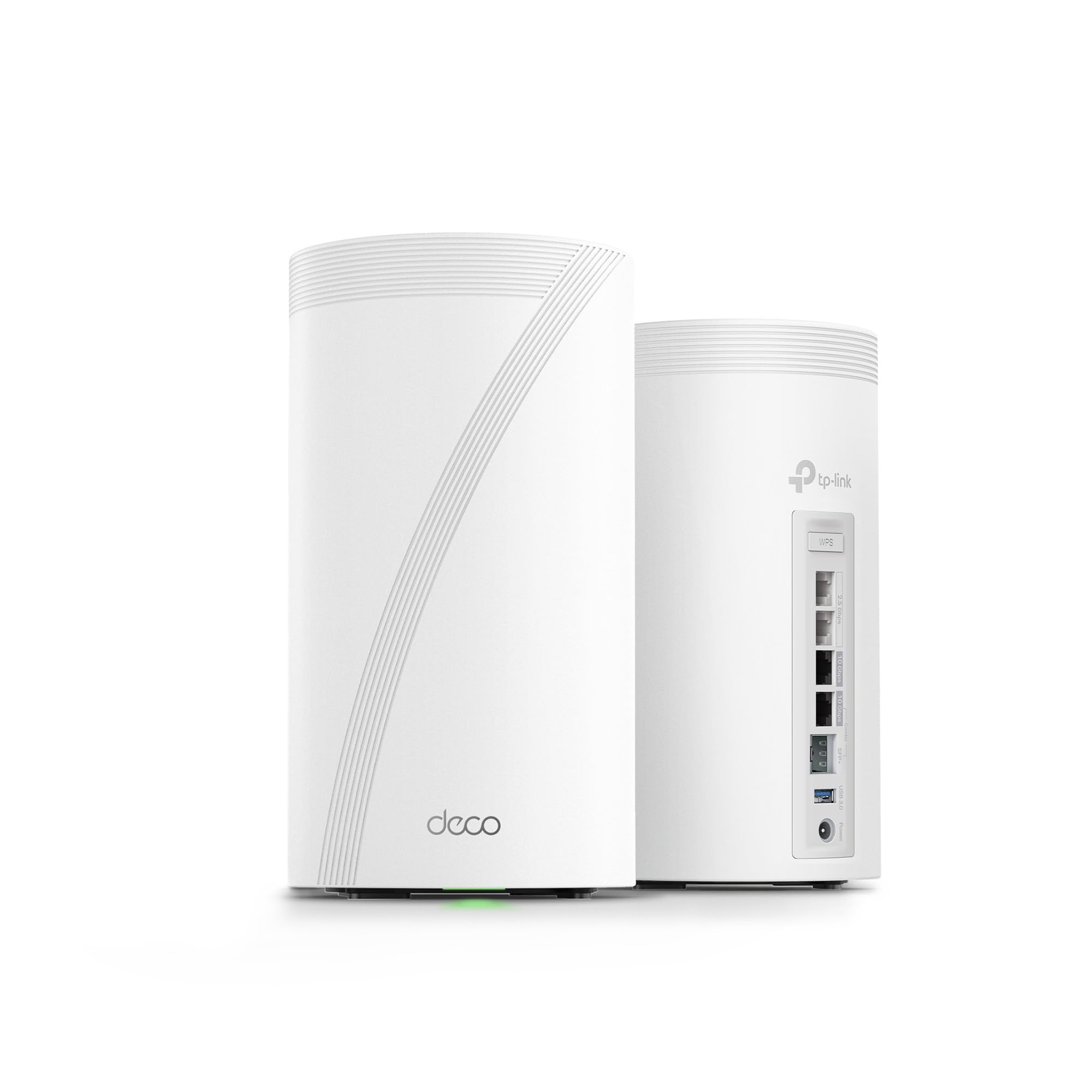


🚀 Elevate your home network to elite speeds and seamless coverage—because buffering is so last decade.
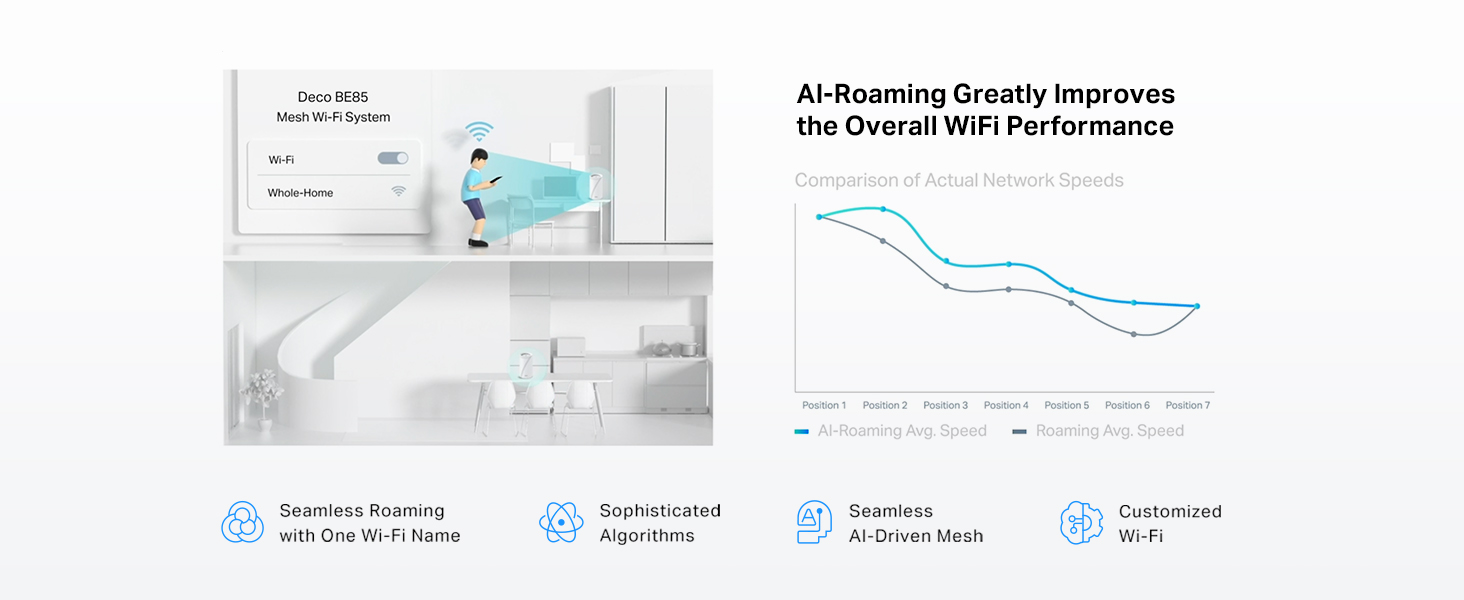
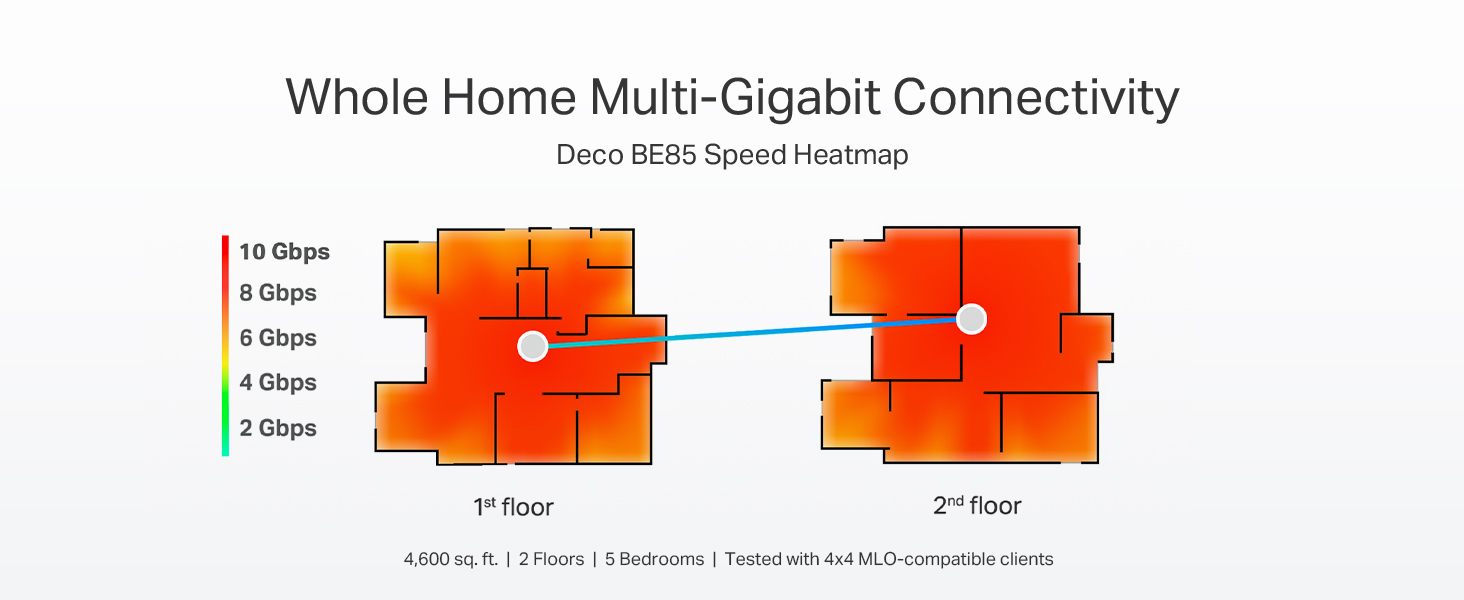
The TP-Link Deco 7 Elite BE85 is a cutting-edge WiFi 7 mesh system delivering up to 22 Gbps tri-band speeds with 12-stream technology. Featuring dual 10G WAN/LAN ports, additional 2.5G ports, and simultaneous wired plus wireless backhaul, it supports over 200 devices with AI-driven seamless roaming. Enhanced by 8 high-gain antennas, HomeShield security, and VPN capabilities, this 2-pack system ensures future-proof, enterprise-grade performance and coverage for large, multi-story homes.




| ASIN | B0C4W1L4B3 |
| Best Sellers Rank | #5,840 in Electronics ( See Top 100 in Electronics ) #28 in Whole Home & Mesh Wi-Fi Systems |
| Customer Reviews | 4.0 4.0 out of 5 stars (2,295) |
| Date First Available | May 14, 2023 |
| Item Weight | 6.53 pounds |
| Item model number | Deco BE85(2-pack) |
| Manufacturer | TP-Link |
| Product Dimensions | 5.04 x 5.04 x 9.29 inches |
H**K
Easy basic out of the box setup and powerful coverage and speed
I have been waiting for three years to reestablish my WiFi in my home following a fire that destroyed my previous WIFI MESH network. Extremely easy to setup once you login to your account. The only issue I experienced and it was an annoying one that could have been resolved with a preemptive statement in their instructions for logging into the TP app. It requires 2-factor authentication and will only use an email address and not a cell-phone SMS text message. They have difficulty in sending the emails to a regular email provider like Comcast. The 2-factor wait time times out long before you receive the code in an email… if you ever do. It was the only issue that I have encountered thus far. I found the first level support less than sufficient to explain why I could not get logged in, though he did insist that I needed to have a google or yahoo email but did not explain why. We spent over an hour and then he transferred me to his manager who said we would have to wait for the second tier support to call me in the morning. Which to their credit they did… but just after hanging u p with support, I tried to login from my iPad and I had face recognition setup and it bypassed the 2-factor email requirement. YAY that I didn’t need to revert back to the rental modem/router. The interface is intuitive though different approach than Comcast branded solution. Haven’t done much accept setup the bands and named the equipment. I have all network bands configured except you cannot separate 5&6 they are banded together as one for MLO. I have a guest, MLO, and IOT network setup for the SmartHome devices. All seem to have reconnected that were connected previously and 2 more have connected that had failed to connect with a single modem/router on the extreme end of the WiFi network. I have a 4k 4 story home so I really needed this. Two are on the on the 3rd floor on opposite ends of the house connected via Ethernet. The third is connected wirelessly on the first floor directly below the second unit. Coverage is terrific and performance a boost over the Comcast rented - modem/wifi router. I will update this as I explore more options and pursue network security options. Bottom line is simple out of the box setup and configuration with great coverage and speed. Only downside is they are L A R G E units so plan your placements ahead of time.
J**H
Simple setup + easy to use through an app.
Easy to setup. Must use a phone app instead of an app and a web page. It has a web page but very minimal settings through it. It was reliable and functioned with a great signal strength and quality. If you want a latest gen wifi for someone that you setup and walk away from - this would be it. It would also be behind a modem / fw. Note - I sent mine back as it did not meet my needs working with the archer router as well as not having a more settings related web interface sadly. But testing - worked great.
R**N
I implore you, don't buy a TP-Link Mesh System
As a current owner of a 2nd-generation Eero mesh system, I have been very happy with the brand. It has consistently delivered reliable wireless internet across my home with no issues whatsoever. However, the WiFi 5 technology is now 6 years old and I had set my sights on upgrading and future-proofing my wireless mesh network. For months, I waited for the TP-LINK BE85 or BE95 to go on sale. Despite the mixed reviews these mesh units have received online, I thought it would be worth the gamble to see if it improved my home network. On Amazon Prime Day, the price of the BE85 3-pack dropped to $799, which was the perfect opportunity for me to finally grab these. Within 10 hours, I set up and then returned the TP-LINK BE85 mesh system THE GOOD Installation was a breeze and took under 15 minutes for all three units. The app does a great job of guiding you through the setup. As soon as you have the main unit connected, the other two are already programmed to connect. Essentially, they become plug-and-play. Each Deco unit is rock solid in construction. It has 2x10Gbps and 2x2.5Gbps ports. This is great to have should I ever consider upgrading to a 2GB Internet service, which is not likely, but still futureproofing. The Decos also has a USB port to connect and network an external drive, which I found to be one of the most compelling features. After installation and network connection, I put the mesh unit in AP mode as two of the units had backhaul ethernet connections. I have a 1GB Internet feed I was elated to see significant wireless speed increases across my entire home with no dead spots. My speed increased to an average of 200mbps per location I tested. When I was within 6 feet of one of the wired Decos I would get a 600mbps connection (compared to 312mbps with the Eero). Further away from the nodes, I would see wireless speeds of 250mbps (compared to 54mbps with the Eero). I should note here that, according to the Deco app, I believe everything was connected to the 2.4Ghz/5 Ghz network so I don't even know if my devices were taking advantage of WiFi 6 or WiFi 7. Since I used the same SSID and password of my Eero mesh, almost everything immediately connected to the new network. THE BAD My five Nest cameras disconnected. Surprisingly, my Ring cameras remained connected. I am pretty confident I could have manually removed and then added each of the Nest cameras to the new mesh network, but that is a huge hassle given the fact it can't be done through the Nest app. I have to get up on a ladder and rescan the QR code on each camera which is a major, major hassle. I would have done it, however, if not for the next issue... My devices were constantly disconnecting and then reconnecting to the network for 10 hours post-installation. This included my iPhone, my laptops, and my Amazon devices. I did extensive Google research and played around with some recommended changes in the Deco app. This included turning off roaming and manually telling each connected client to disconnect from the mesh network, none of which helped. Mind you, these were all TP-LINK support recommendations. I even updated the firmware, which did nothing. I did come across something that made me decide I needed to return this Deco mesh system... Countless -- and I mean countless complaints on Reddit and other message boards about network instability with many of the TP-LINK Deco mesh systems. Don't believe me? Google, "TP-LINK DECO DISCONNECTS" and you will be horrified with the results that you find. These things are essentially trash. For so many people to have the same mesh network instability that I am currently experiencing, tells me that this is a highly unreliable brand. And, sure, there are many positive reviews on Amazon (as well as bad ones), and generally only people who have issues with their products end up posting a bad review --- but it's still very obvious to me that this is not a reliable product. Many posts I read indicated that customers who returned their TP-LINK looked to move to Eero. CONCLUSION I am back on my old Eero system. Everything is working fine, albeit I'm back to slower wireless speeds, which for the moment, is okay. I would consider upgrading to the Eero Pro 6+ mesh units (at around $300 for a 3-pack on sale), but I am not certain they will give me significant gains as the more powerful Deco units did. Then there's the Eero Pro 7 Max. It will probably come down to $1k for a 3-pack soon, but it's not getting very good reviews. I may just have to suck it up and remain with my 2nd generation Eero mesh system until better hardware gets released.
A**O
Su esperanza de vida es larga. Tiene lo más reciente en colectividad y eso le asegura mucho tiempo de uso. Se le saca más provecho si se usa en mesh, si sólo usas uno como módem recomiendo más la versión BE85 o la BE65. Tiene una potencia tremenda. Vengo del deco x20 y sí hay diferencia siempre y cuando tus dispositivos estén adaptados a la nueva tecnología de wifi 6e y 7
A**X
Este producto es excelente! Superó por mucho mis expectativas! Extremadamente fácil de instalar y configurar, la velocidad es similar a ethernet, la cobertura es muy amplia y super estable! Mis respetos!!! Tan bueno que compré otro pr para casa de mis papás! Unico tema, si tienes dispositivos muy viejos (xbox) o impresoras viejas ya no se conectan tan fácil. Muy feliz con mi Internet
M**M
I bought the Deco BE95 to replace an Orbi RBK853 (WIFI 6) system. Although I my internet was a 1.5Gbs service, the Orbi was only getting 500-600 Mbps downloads to my devices and we experienced unusual drops and a few areas with poor coverage despite 3 units all connected via Ethernet. It took me about 15 minutes to set up the Deco BE95 and configure it with the same network name and passcode so all of our devices immediately reconnected. It was an exceptional decision. With only two units (vs. 3 for the Orbi), I’m getting full 1.5 Gbps downloads on our WIFI 6E and 7 devices. On older WIFI devices, I’m getting 650+ Mbps downloads. On the WIFI 6E devices, I’m getting 900-1000 Mbps in areas of the home the Orbi (with 3 units) was struggling to get 100-200Mbps. It was super easy to set up and I’m getting full speed within 40 feet of the Deco and almost full speed everywhere in the house. And, when my internet provider soon switches to 3Gbps internet, I’m confident the Deco will handle that with ease also. Great purchase and future proofed WIFI.
A**E
The twins unit (Deco X60) definitely works better than a single router for my home which is narrow but long. The coverage is a lot better than my old one in terms of the signal strength and stability. On the side, I also like their look, rounded and stabled to be placed anywhere compared with those conventional designs. Happy with the purchase.
M**D
الجهاز ممتاز من ناحية الأداء، الثبات، وسهولة الإعداد. لكن المنتج مُعلن كـ BE22000، بينما الجهاز الذي وصلني مكتوب على العلبة BE19000. لا يوجد فرق واضح في الاستخدام اليومي، لكن وصف السرعة لا يطابق النسخة الفعلية. يفضّل تصحيح الوصف لتجنب اللبس للمشترين.
Trustpilot
3 days ago
1 day ago