
DOWNLOAD THE APP


Customer Services
Copyright © 2025 Desertcart Holdings Limited
DOWNLOAD THE APP


🚀 Unlock Limitless 5G Freedom — Work, Stream, and Roam Like a Pro
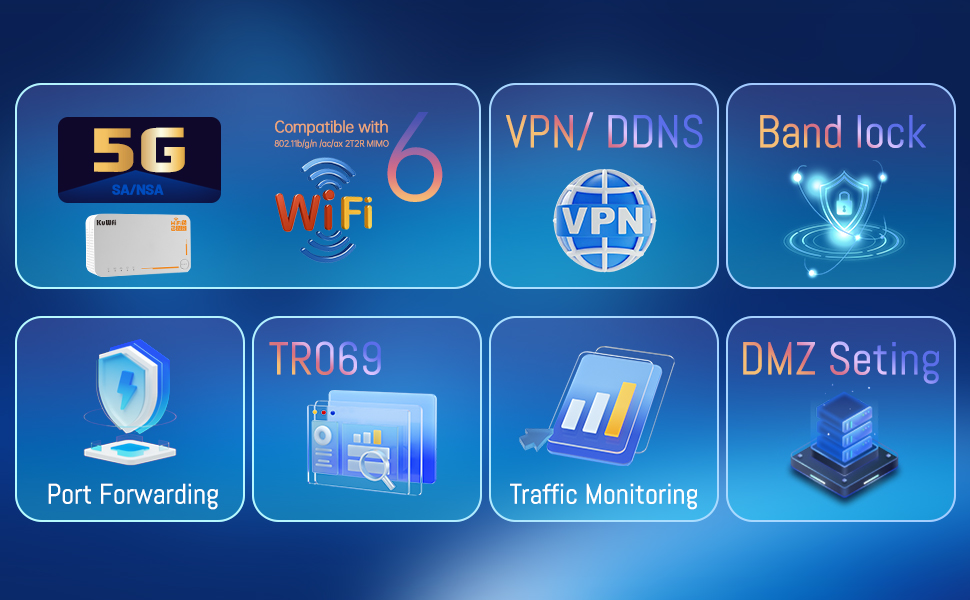
The KuWFi 5G Router C160 is a portable, unlocked mobile hotspot featuring ultra-fast 5G NR speeds up to 2.5 Gbps and WiFi 6 AX3600 dual-band technology. Equipped with a 4000mAh battery for up to 8 hours of use and a Nano SIM slot compatible with major carriers, it delivers reliable, secure internet access for remote workers, travelers, and streaming enthusiasts. Compact and easy to set up, it supports gigabit wired connections and advanced network controls, making it a versatile solution for seamless connectivity on the move.




| ASIN | B0CRRFWCYV |
| Batteries | 1 12V batteries required. (included) |
| Best Sellers Rank | #343,857 in Electronics ( See Top 100 in Electronics ) #2,117 in Computer Routers |
| Customer Reviews | 3.1 3.1 out of 5 stars (21) |
| Date First Available | January 8, 2024 |
| Item Weight | 1.81 pounds |
| Item model number | SA C160-L |
| Manufacturer | KuWFi |
| Product Dimensions | 6.5 x 3.5 x 2.6 inches |
O**.
Very Awesome Piece of Equipment
I work from home and I have a decent ISP. With that being said i still have moments where my ISP internet goes down or they bring it down for maintenance. I can not be without internet for long periods of time due to my WFH status, my work makes me drive to the office if I am going to be without internet for more than 1 hour. This router allows me to switch over to internet off my SIM card if needed and continue my WAH tasks without interruption. Packaging was great. Product arrived snug and secure. The company did a good job with this. The strength of the internet to my computers is great. It allows me to work just as well as i were using my ISP. Set up was an absolute cinch, plug and play really. Bonus is the ability to take this as a travel router (bonus for me and my family, Im sure some use this as its primary function). We have not used this as a travel router but me and my family do take road trips where it will be nice to not be limited to using only devices that are web capable themselves (we have a few tablets that are wi-fi only). This router is serving me extremely well. Edit: My home internet went down and I was actually excited to use this product. It was an extremely frustrating experience. The router would not stay connected to the internet for more than a few minutes. The router would not reconnect automatically either, I kept having to reboot it to reconnect it but again, it would just disconnect again. Returned the product.
K**N
Clutch buy
It works but the setup is so convoluted.. permanently locked menu options But at the price point it’s reliable
R**M
Good for backup, but not many sim/network options.
I have the same experience as joe R. Spectrum sim card didn't work. Only my at&t sim card worked. However I'm moving away from physical sim card on my 13 pro max to 16 pro max esim. So, Frankly my $1300 phone should work as a modem anyway. I prefer to invest on a powerbank over this. 1. I wish the power port is not proprietary. 2. I wish the USB C port allows charging as well. Great design idea nevertheless.
V**N
router
terrible quality, it worked literally for one day, I bought it fearing an approaching storm, I was hoping to be in touch but it didn't transmit a signal, it dropped all the time, it took an hour and a half to load, it's unusable, a complete disappointment
A**A
Decent Router with Sim Card Slot
The difficulty of receiving stable phone signals is my story. I am an IT professional living in Florida. In some areas of the location, it is not possible to receive strong WiFi signals from major providers, including my home. Along with the danger of the incoming hurricanes, which sometimes knockdown fiber internet for days (we did not have internet 10 days after Hurricane Ian), that is why reliable and alternate connection options are crucial. I got the KuWFi 5G Router to use mostly when I am traveling because it is portable and it is doing the job. The KuWFi router is not the best SIM card router in the market or I used but provides a decent performance. KuWFi 5G Router has the feature of an unlocked SIM card slot, but you may need to check carrier availability before (AT&T and Verizon are not compatible with the system). To avoid the hassle, make sure the KuWFi router is compatible with your SIM card before getting it first. KuWFi has a 4000mAh battery but can work with an adapter as well but there is no light or something to show you if it is fully charged. If you use the device with wired internet everything is straightforward but the main idea of using this device is to use it with the sim card.
F**0
A crappy product
Made crappy don't buy very bad seller run away from this product like
J**.
Software needs work
While this advertises it is "compatible" with AT&T (a major 5G carrier in the USA) it is not plug and play. Bottom line for the price, if you use AT&T, you can get the same Qualcomm chipset in a plug and play device that is on ATT's compatibility list, without all the hassle of this device. if the manufacturer fixes the 2 big items here in a software update, I would update my review. First off This KuWifi C160 hotspot apparently uses an IMEI in the legacy 3G devices range. Because of that, AT&T network will automatically place a "data block" immediately on the SIM card and send a SMS to the device saying 3G devices are not compatible with AT&T. (If you try to put this sim back in any other device, AT&T will not automatically unblock the data on the SIM) You must contact customer care, and ask them to remove the data block. That Automatic data block will engage each and every time!!!! you put the sim in this device, even after they remove it. Do not expect to be able to swap SIM cards when you want to, or you'll be sorry. I had to get the data block removed several times, and not all customer service understands how to remove the 3G data block. They will try to sell you a new device, make you get a new sim, or be adamant that IMEI of a 3G BYOD device is not allowed on AT&T. Oh, just FYI, the C160 does not support 3g at all, it's just the IMEI range they use. BTW I tested hotspot sims and iPad 5g sim, and android 5g sim to see if it was a sim or line type issue, auto data block will happen on any sim/line of service. This IMEI issue alone is enough to deduct a star, completely software fixable hopefully. Second, the APN does not pick up anything from the SIM card for AT&T. The correct APN to enter manually is "Broadband" without user or pass, Auto authentication, and IPv4/IPv6 as the IP mode. You can manually enter this in APN 2, 3 or 4 and click apply. The frustrating software issue, is that APN1 is read only in the GUI. With "APN" as the APN1. It's a frustrating issue, because every few hours this KuWifi will default back to the APN1 setting of "APN" and disconnect itself from the network. I have to go back in and manually select "Broadband" to get it to connect to the internet again. This issue alone is enough to deduct another star, completely software fixable hopefully. I was able to edit the web page in safari developer mode to read/write the fields, to save "Broadband" as the APN1. Only to have the device erase it and reset it back to "APN" hours later. Third, AT&T utilizes band 5 for 5G and Band 77 for 5G+. band 5 is not worth the upgrade, it's much slower than LTE-A (or "5Ge" as AT&T markets it). 10 mhz 5g bandwidth can't come close to the speed of LTE-A with 30mhz. Might as well just disable band 5 - 5G in the engineering settings or else this thing is ridiculously slow. Now AT&T's band N77 5G+ is 60mhz wide, loads of speed, but with a catch. Band N77 is easily blocked by walls, glass, etc. So it's really just an outdoor only frequency. That said, I'm easily getting 200mb/s on band 77 at RSRP -110dBm and RSRQ -12dB, the SINR at the edge of a cell is excellent at +11dB. This is absolutely due to lower interference on that frequency band, and the fact cell phones indoors can't really use it, unless they live under the tower. I placed this C160 inside a plastic waterproof box outdoors so it can always receive band N77 for the high speeds. Fourth, why did they choose to use my.5g.device as the local URL? That domain is not compatible with iPad and iPhones. If you can't get the site to load, try a desktop browser, and make sure the DNS is set to the KuWifi router address. This should be software correctable too. Make it a .local address, or allow the plain IP address not to forward to the difficult to get to .device domain. You will probably want to bookmark https://my.5g.device/engineering.html with superadmin/superadmin login. The regular page of https://my.5g.device has network status, and the ability to start stop the wifi settings. I found the strength of the 5ghz band impressive. Using the Wifi-enable switch didn't work more than half the time, it just wouldn't work. but I don't really care. The App Module page contains the status, sim stats and where you'd edit the APN's. This modem also has the ability for pass through mode. Where you can place this in line with a cable modem as WAN Type and set "Secondary WAN Type" to "Mobile Network". Alot of people may want this device as a backup for their hardline, and yes it supports it. Compared to a Netgear M1 that I'm replacing, the LTE reception from this KuWifi Qualcomm chipset is noticably better. About ~10dbm improvement on all the same bands side by side. The SINR is a few points better and results in slightly better speed reliability. The netgear is 100% compatible plug and play with AT&T, and cheaper than this C160. I also like that this battery pack is larger than netgear proprietary battery. The C160 is powered by a 12v connector, which means a POE splitter/plug for hardwired cameras works perfectly on this device. Although I wish the C160 would have just added POE in to its own ethernet port, not a deal breaker. Ah, another big difference between the Netgear and KuWifi, the "Package Settings" area. On netgear if you specify the data allowance, it can notify and allow it to go over if you want. On KuWifi, if you set the data allowance, it shuts down and will not allow data to be used. For AT&T unlimited, this behavior isn't great. I like being notified when my unlimited unthrottled data is ending, and the throttle may kick in, not just cut off entirely. For some other AT&T plans, you would want KuWifi behavior, because those limited plans charge money for every GB over that you use. Could get expensive. I wish the software allowed both, cut off entirely to save money, or just warning to let you know the unlimited throttle is approaching. Ah, one more trick that this KuWifi C160 allows. AT&T does throttle unlimited plans when bands are busy after your plan set unthrottled amount. In many towers in the USA that throttle is per frequency band, not per tower. By disabling band 12 for LTE and band 5 for 5G in the Engineer Mode Band config screen, the device will be much less likely to get throttled. That's because So many LTE devices crowd band 12/17 so it is the first to throttle customers. Connected cars and IoT's are typically modems with band 12 only, and just saturate that bandwidth capacity. Your KuWifi device will not automatically do this, and must be manually moved to another band to get the unthrottled speed back. go to https://my.5g.device/engineering.html with the superadmin/superadmin account. Under Band config, uncheck LTE B12 and 5G B5. For reference AT&T in the USA uses these frequencies, and it will help speed up initial connections if you disable all the other bands. LTE = B2, B4, B5, B12, B17, B66 ( LTE B5 ie hybrid LTE/5G is likely compatibility restricted on most towers but won't hurt to enable) 5G NR NSA = N5, N77 5G NR = none AT&T has no 5G NR Stand alone at this time, where as Tmobile and Verizon both do have 5G NR SA.
Trustpilot
3 weeks ago
1 month ago