We remain fully operational. Our teams are working around the clock to ensure your deliveries continue safely.

DOWNLOAD THE APP


Customer Services
Copyright © 2025 Desertcart Holdings Limited
DOWNLOAD THE APP

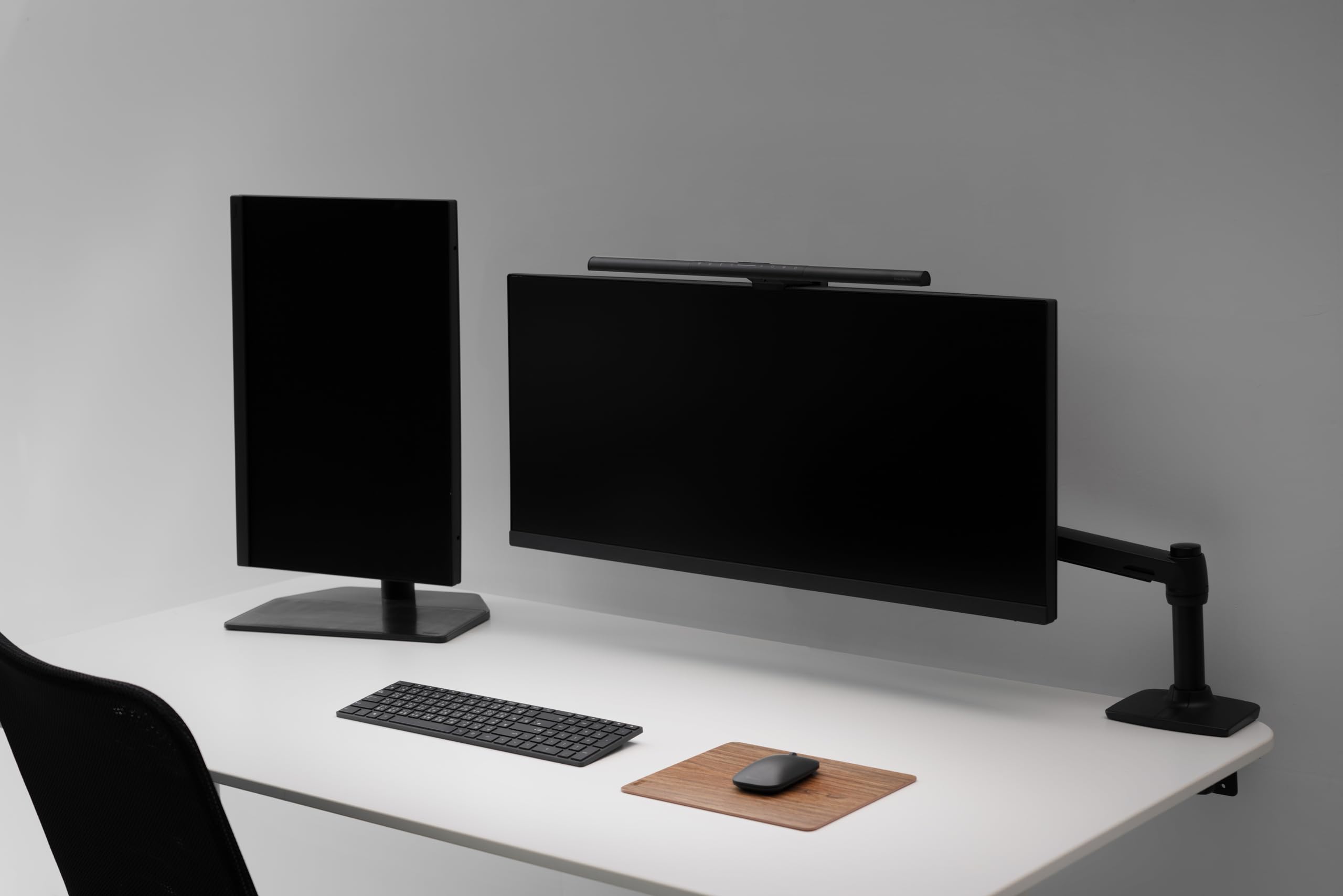
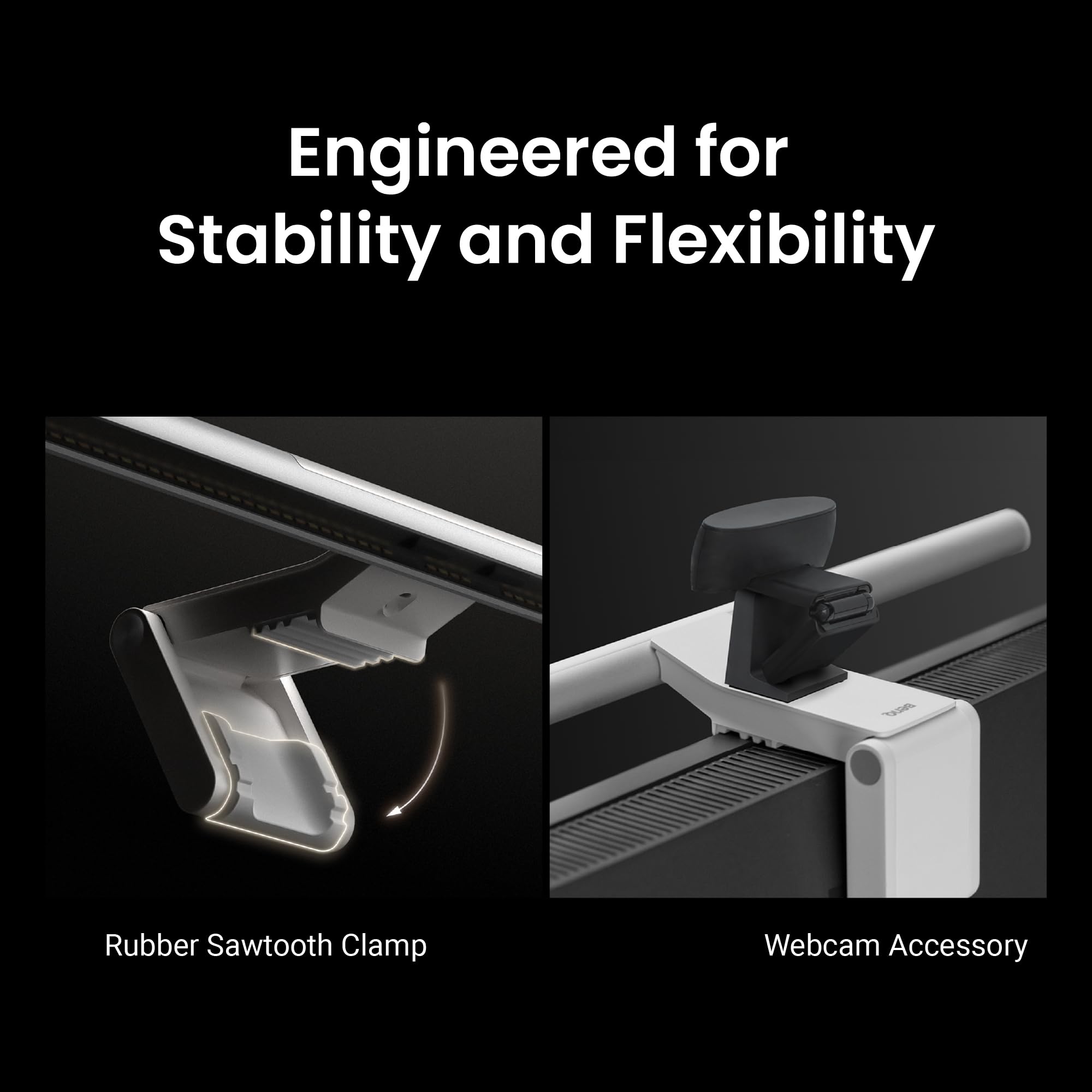

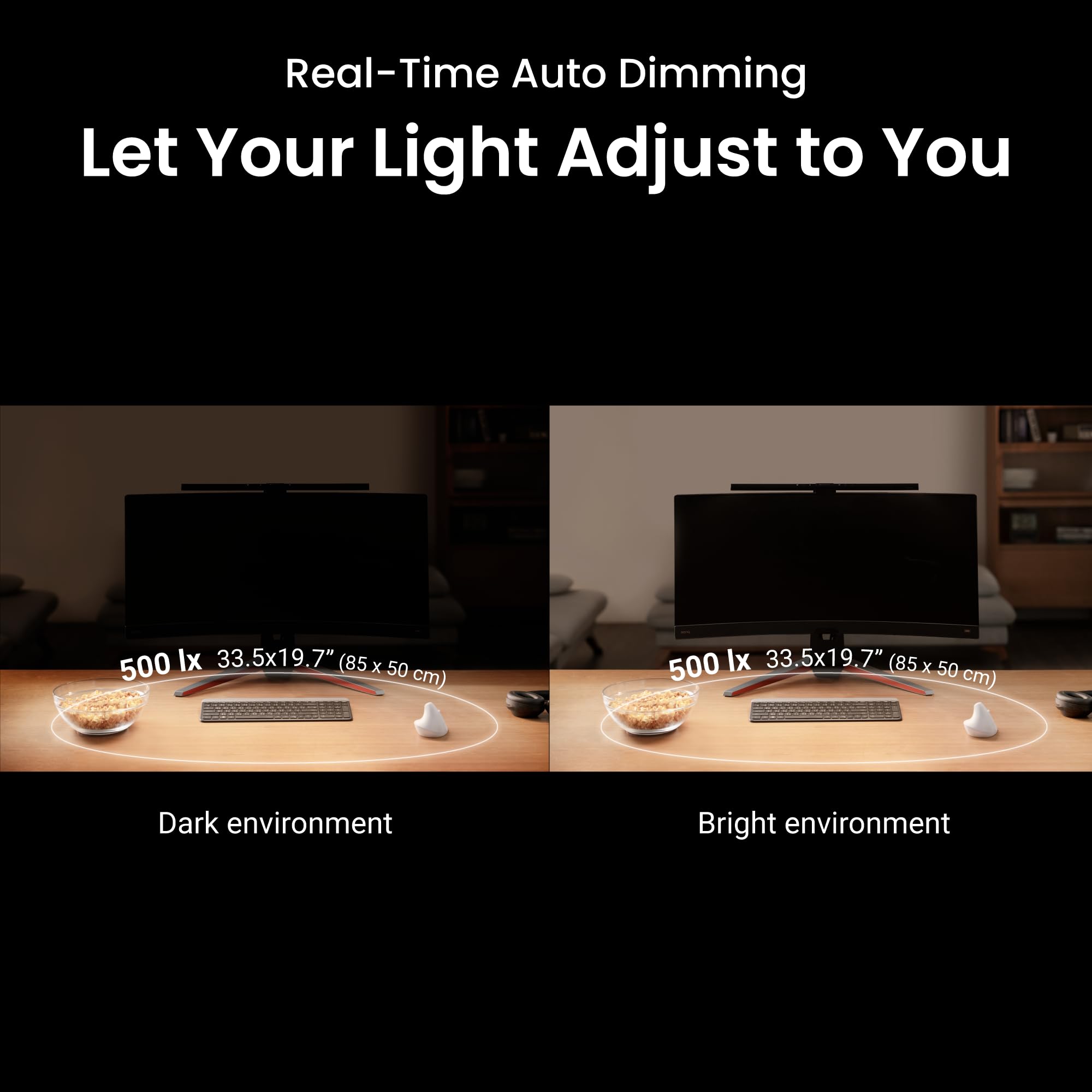

💼 Light up your workspace, not your worries.
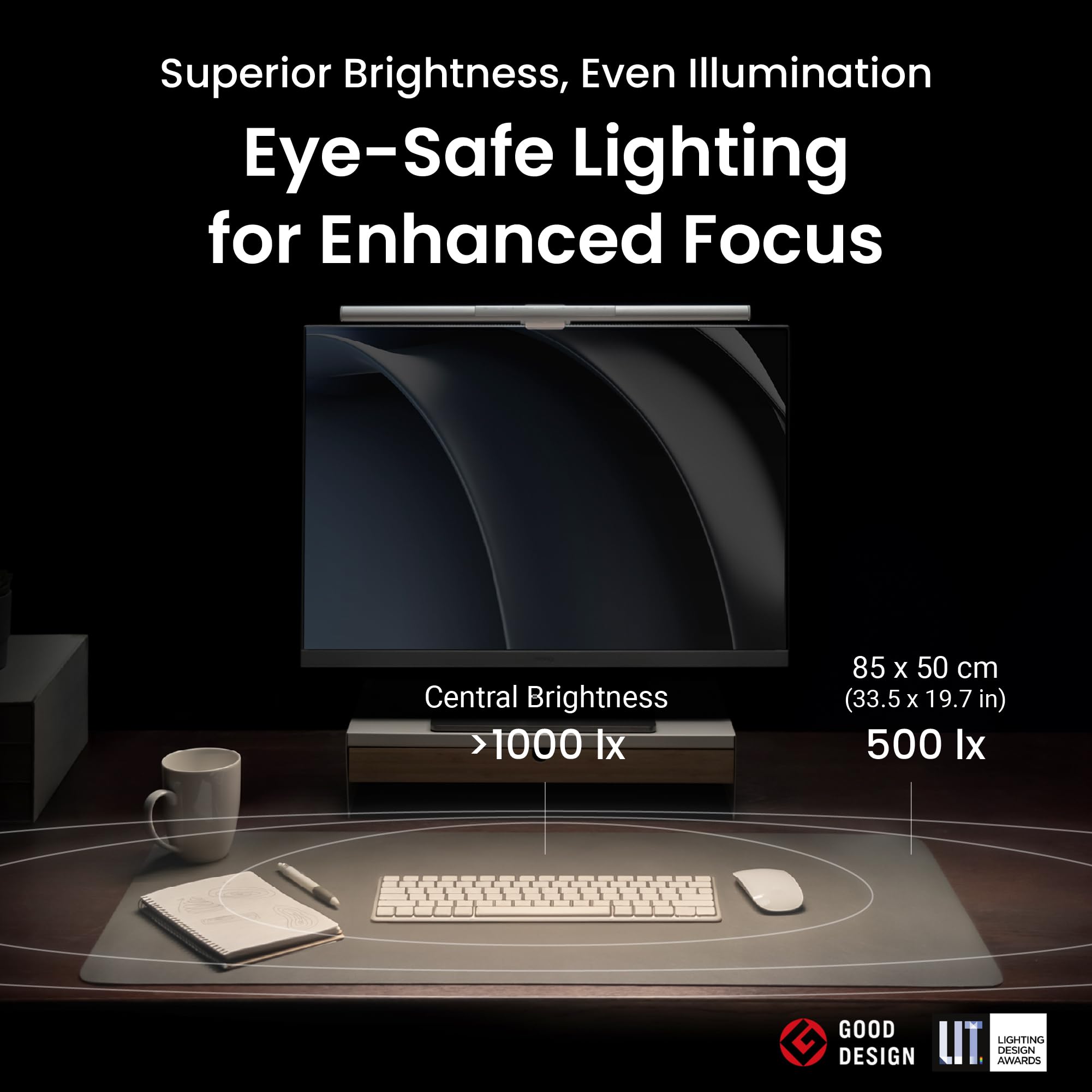
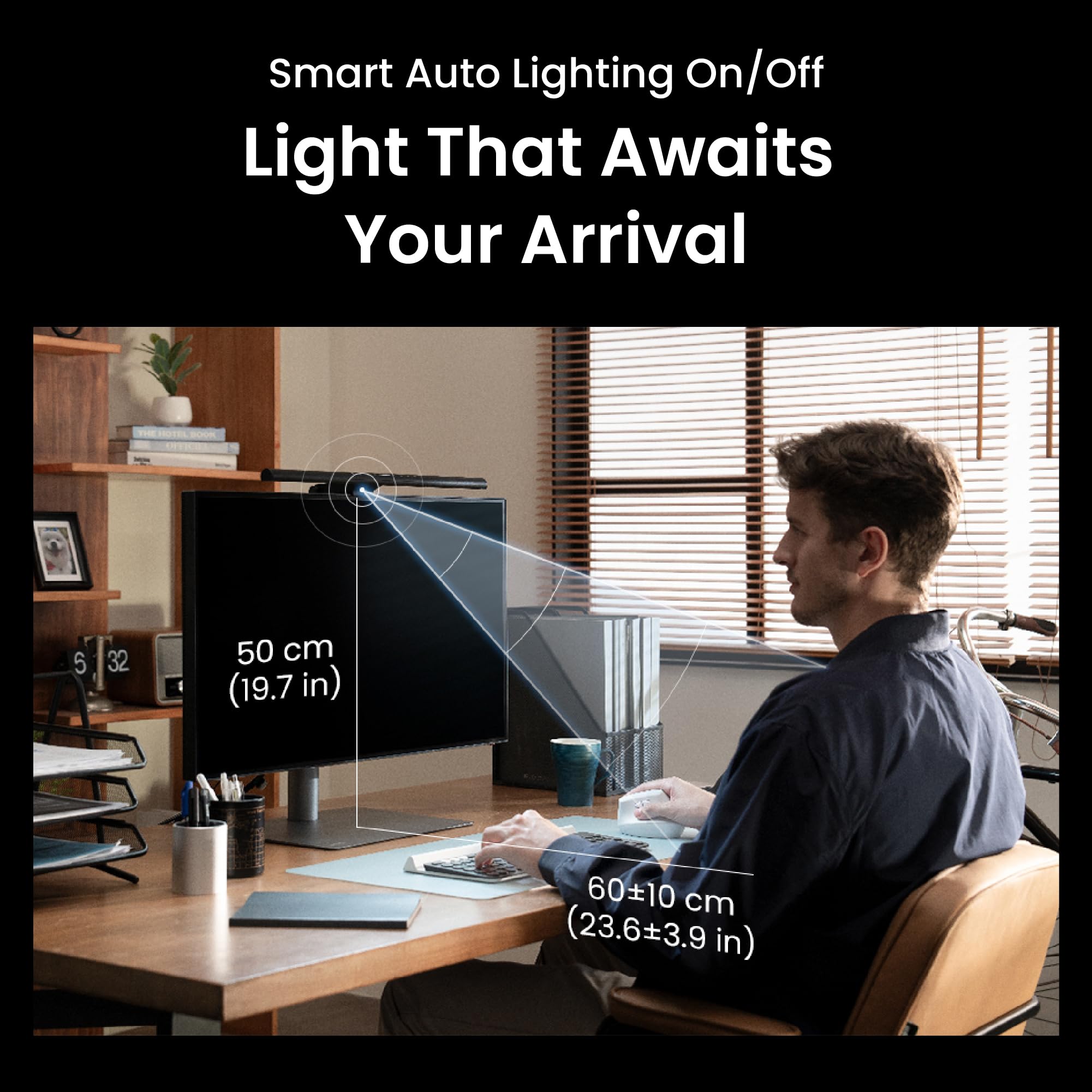
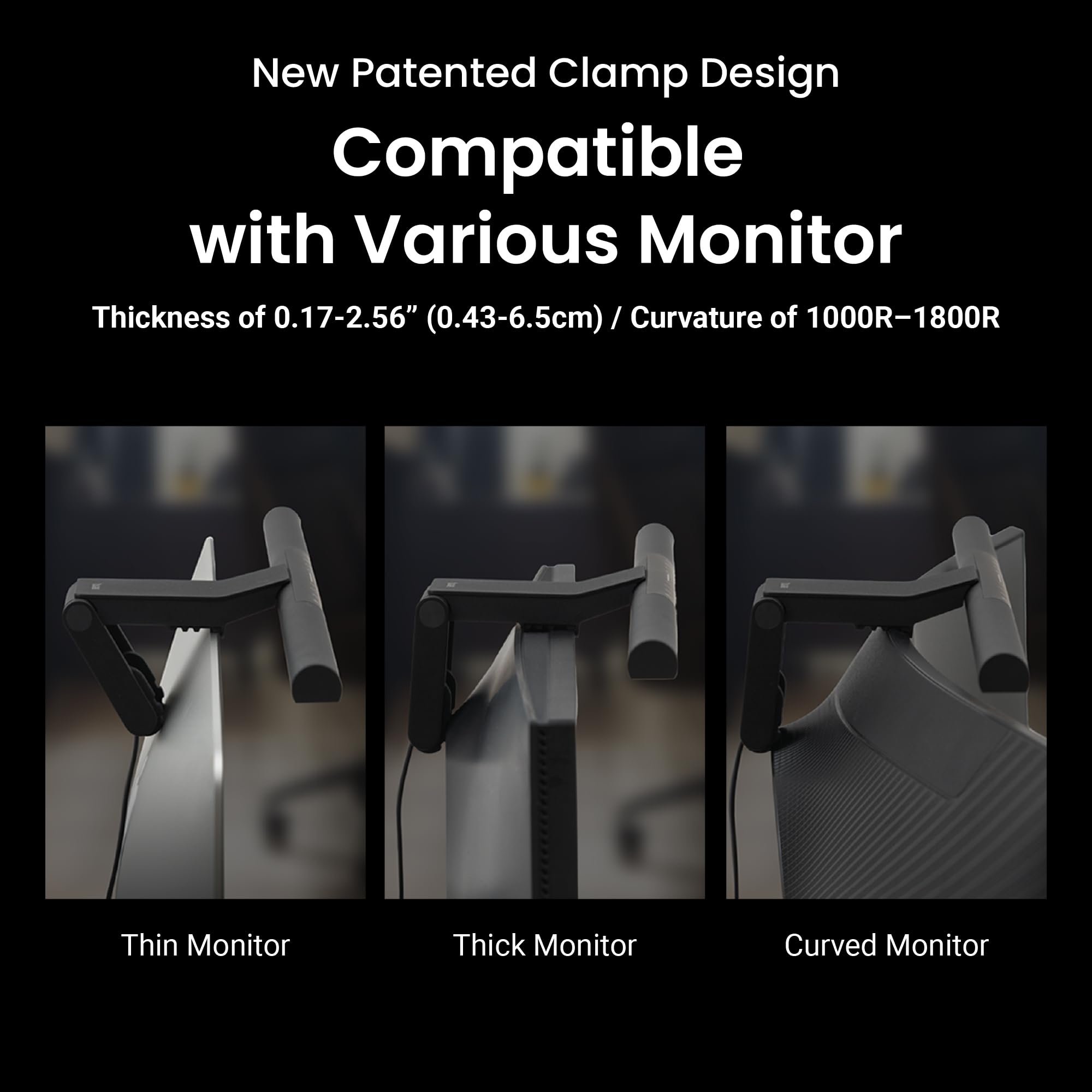
The BenQ ScreenBar Pro is a premium LED monitor light designed for professionals who demand optimal eye comfort and workspace efficiency. Featuring over 1000 lux ultrawide illumination, a patented clamp for curved monitors, and a smart motion sensor, it delivers glare-free, adjustable lighting that adapts to your environment. USB-C powered and rigorously tested for durability and safety, it’s the ultimate desk upgrade for millennial managers seeking productivity and style.


| ASIN | B0CZ9P1QW9 |
| Batteries | 1 Nonstandard Battery batteries required. |
| Batteries Required? | No |
| Batteries included? | No |
| Best Sellers Rank | 4,620 in Lighting ( See Top 100 in Lighting ) 87 in Desk Lamps |
| Brand | BenQ |
| Colour | Black |
| Customer Reviews | 4.7 4.7 out of 5 stars (811) |
| Date First Available | 19 April 2024 |
| Finish types | Polished |
| Guaranteed software updates until | unknown |
| Included Components | Adapter, Monitor Light |
| Item Weight | 800 g |
| Item model number | 9H.W4KWT.WS2 |
| Light Direction | LED |
| Manufacturer | BenQ |
| Material | Metal |
| Number of Items | 1 |
| Number of Lights | 1 |
| Part Number | 9H.W4KWT.US3 |
| Power and Plug Description | AC adapter |
| Product Dimensions | 13.5 x 50 x 9.2 cm; 800 g |
| Shade Colour | Black |
| Shade Material | Plastic |
| Shape | Rectangular |
| Special features | ASYM-LIGHTTM technology |
| Specific Uses | Monitor, Office, Living Room, Dining Room |
| Style | Minimalist |
| Switch Installation Type | Clamp Mount |
| Switch Style | Touch |
| Type of Bulb | LED |
| Voltage | 5 Volts (DC) |
| Wattage | 5 Watts |
J**G
It stays put and all functionality is still working after 8 months of daily use. A good product.
I have had it for 8 months now, I use it every day for many hours and it's been great. It stays put, you don't need to be super careful with it and the light is just right. After 8 months all the functionality is there as new. I tend to have it not so bright but when I am need bright light I just let it adjust itself and it's fine. The motion sensing still works too.
B**!
Great product !
Provides ample illumination to my workspace, with a well-balanced light spectrum and comfortable colour temperature. I was initially concerned about attaching my iPhone mount and phone for use as a webcam, but it integrates seamlessly without any issues.
S**S
Built to high standard
A quality item, built to high level and works well as described.
S**D
A decent product, ruined by the integrated cable.
Pros: Well built, high quality fit and finish. Fits Apple Studio Display without obscuring camera No light bleed onto monitor screen Good UI Cons: Very long, integrated/non removable cable Bulky mounting plate Highlights dust particles This light bar comes highly recommended, and tech influencers will tell you it’s the best thing since sliced bread. And I can see its appeal. It fits perfectly on the top of an Apple Studio Display without obscuring the camera, and its automatic functions and UI are responsive and intuitive. However, the mounting system, while providing wider compatibility, makes the unit very bulky and unsightly on top of the monitor. This isn't a deal breaker, but having a set of mounts for slimmer profiles would be better in my opinion. I can’t imagine the thickness of the monitor that would require the full depth of the mount… What is a dealbreaker though is the non-removable cable, that is extremely long and unwieldy. There’s no way to neatly cable manage it, and I can’t just swap it out for an appropriately sized USB-C cable to tidy things up. If it breaks from strain or repetitive wear, there’s nothing you can do. A braided cable would be nicer, and introduce more flexibility. And finally, mostly noticeable in darker conditions, this light will have your video chat colleagues believing in poltergeists, as it highlights any invisible dust in full glory. I have an air purifier next to my desk, but the luminosity and placement of the light adjacent to a webcam makes even a relatively low dust room somewhat embarrassing. I feel like this is 20% too expensive for what it is; but if you don’t mind cable clutter and additional bulk, it does have great functionality.
H**O
Massive improvement for doing dextrous tasks at a desk. Also great for everyday computer use
This has been an unexpected game changer for my desk setup. The colour quality (CRI) seems very good, the brightness is adjustable and can go pretty high, and similarly the adjustable colour temperature allows matching to the time of day and other lighting in the room. The reflector arrangement is good – it manages to get light fairly evenly across most of the desk without spilling any on the monitor itself (which would make for ugly reflections). The bracket/clamp thing isn't the best but it does stay in place well enough (although if I had a sit-stand desk or a wobbly desk, I would worry it could fall). While it's fine for computer use as designed, using this light in combination with a regular desk/task lamp really improves the ease with which you can do fine dextrous tasks like mending something with small screws. The only thing I don't like is the light is quite directional and specular, in other words, despite being even it is not very soft or diffuse. Overall, highly recommend.
J**M
Excellent screenbar
An excellent screenbar which works really well and is thoroughly recommended. If I have one minor complaint, it's that it can be quite easily knocked off my iiyama LED monitor as the top edge of the screen is rather deep.
J**E
Let there be light for our important work
Like other worker drones I reside in a dark box devoid of natural light and since scratching the wall lights off with my knarled finger nails I have been crouching in near complete darkness. Needless to say this makes it difficult to tap out my generic and possibly useless emails on a keyboard I cannnot see. I often fumble around blindly for my mouse only to find it has scampered away into that damned hole in the corner! The solution I found was fire. But after several burns and the IT department confiscating my matches I was back to the drawing board. Fortunatly the drawing board contained the answer, a previous occupant of my cell had scratched a single word into the surface... "screenbar" Eagerly I smashed at my keyboard and hurredly searched for it, my dialup modem groaning under the workload. There it was, the holy grail! I quickly hurled the grail to one side and went back to the web page clicking 'Buy Now and Don't Delay'. One cold, sleepless night later and the parcel dropped down through my feeding tube. Set up was easy using the included USB plug and it sits right on the top of my monitor next to the cockroaches. The warm glow reminds me of the outside and I can finally see the small area directly below and in front of my screen. The rest of the room remains a mystery.
C**G
Good alternative to the Halo (maybe even better!)
Bought this for a second study we setup as both work from home on the same days. Also own the Halo and this is just as good if not better (minus the backlight) Overall less ambience in the room as no backlight, but front light is spot on. Note, this comes with the webcam accessory so you don’t need to buy it extra (always frustrated me about the halo!)
A**E
Ich arbeite viel im Homeoffice und habe lange nach einer Lösung gesucht, um meinen Arbeitsplatz optimal auszuleuchten, ohne dabei wertvollen Platz auf dem Schreibtisch zu verlieren. Die BenQ ScreenBar Pro war für mich ein echter Gamechanger – hier meine ehrliche Einschätzung nach einigen Wochen täglicher Nutzung. Erster Eindruck & Verarbeitung - Die ScreenBar Pro wirkt hochwertig und modern. Das matte Schwarz passt zu jedem Setup. - Die Montage ist super einfach: Die schmale, patentierte Klammer sitzt stabil auf dem Monitor, Eine Webcam lässt sich recht gut „oben drauf“ stellen – perfekt für Video-Calls, weil man selbst auch gut ausgeleuchtet wird. - Alle Bedienelemente sind direkt an der Lampe angebracht und reagieren zuverlässig auf Berührung. Beleuchtung & Funktionalität - Die Lichtleistung ist beeindruckend: Mit bis zu 1.000 Lux in der Mitte und einer großflächigen Ausleuchtung (bis zu 115 x 60 cm) ist der gesamte Arbeitsbereich optimal beleuchtet – kein Vergleich zu einer klassischen Schreibtischlampe. - Besonders angenehm: Das Licht blendet nicht, erzeugt keine störenden Reflexionen auf dem Monitor und ist augenschonend – gerade bei langen Bildschirmzeiten ein echter Pluspunkt. - 16 Helligkeitsstufen und 8 verschiedene Farbtemperaturen lassen sich individuell einstellen. Von warmem Licht für entspannte Abendstunden bis zu kühlem Licht für konzentriertes Arbeiten. - Der Bewegungssensor ist im Alltag super praktisch: Die Lampe schaltet sich automatisch ein, sobald ich am Schreibtisch sitze, und nach ein paar Minuten Abwesenheit wieder aus – das spart Energie und ist einfach komfortabel. Persönliche Erfahrungen im Homeoffice - Ich habe die ScreenBar Pro sowohl an einem flachen als auch an einem Curved-Monitor getestet – sie passt bei beiden problemlos und sitzt stabil. - Besonders in dunklen Wintermonaten oder bei langen Abenden am Rechner ist das gleichmäßige, blendfreie Licht eine echte Wohltat für die Augen. - Die Lieblingsfunktion: Ich habe mir einen Modus mit etwas wärmerem Licht gespeichert, der perfekt für Videokonferenzen ist – so sehe ich immer frisch aus, ohne künstlich ausgeleuchtet zu wirken. - Die Bedienung direkt an der Lampe ist intuitiv, auch wenn ich mir manchmal eine kleine Fernbedienung wünschen würde, um nicht immer zum Monitor greifen zu müssen. Kritikpunkte - Die Lampe ist nicht ganz günstig, aber die Investition lohnt sich für alle, die viel Zeit am Schreibtisch verbringen. - Der USB-C-Anschluss braucht etwas Platz hinter dem Monitor – bei sehr engen Setups sollte man das bedenken. - Wer eine Hintergrundbeleuchtung für den Raum sucht, sollte wissen: Die ScreenBar Pro leuchtet nur den Bereich vor dem Monitor aus, nicht dahinter. Fazit Für mich ist die BenQ ScreenBar Pro zu einem unverzichtbaren Begleiter im Homeoffice geworden. Sie sorgt für eine angenehme, augenschonende Beleuchtung, spart Platz und lässt sich flexibel anpassen. Wer viel am Schreibtisch arbeitet und Wert auf Komfort und Ergonomie legt, wird mit dieser Lampe sehr glücklich – klare Empfehlung für alle, die ihr Homeoffice auf das nächste Level heben möchten!
S**R
My office isn't well-lit. For years, I've been using a desk lamp, which is essential for reading and writing, but my desk isn't huge and the lamp reduces the amount of useable workspace. Amazon somehow sensed my frustration and suggested this BenQ monitor light bar. The price ($120) seemed a bit high for what you get, but I figured I'm not just getting a light, I'm freeing up space which will really be useful almost every time I need to work at my desk. So I bit the bullet and ordered one. I've been using it for a month now, and I really love it. Setup was easy and fast. All the controls are on the top of the light bar and they're touch controls. It's easy to adjust the brightness and the color temperature (warm vs. cool light) to your exact liking. There is no learning curve, everything just works, you don't have to think about it or read a manual. It has a feature that turns the light on whenever it senses movement within a couple feet. Practically, it turns the light on when I sit down at my desk and turns it off about 10 or 15 minutes after I leave. I love that it's powered by USB-C, rather than batteries you have to replace when they wear out. Like many monitors, mine has extra USB-C ports for peripherals, but the ports also provide power to accessories like this light. Okay, so why should you consider NOT buying this? Simple: Amazon sells other monitor light bars that do almost everything this one does for half the price (or less). I decided to get a second monitor light bar for my office at work, and I was about to buy another one of these. But the Amazon algorithm showed me other monitor light bars that cost less, by a brand called Quntis. They make a variety, ranging from $40 to $70. I bought a 20" wide Quntis model for $55. For me, the Quntis has one disadvantage. Almost all of their models, including the one I bought, has a separate remote controller that's about the size and shape of a hockey puck. And it uses 3 AA batteries (included in the package, thankfully). I strongly prefer the all-in-one operation of the more expensive BenQ. My desk gets pretty cluttered, and things on my desk sometimes get misplaced. Without the Quntis remote, you simply cannot use the light bar. Also, the adjustments to brightness and color temperature have only four levels; with the BenQ, it's easy to dial in the exact brightness and temperature you want. Looking at the user reviews of the Quntis light bars, many people say they like the separate remote. You might, too. Hardly anyone complains about the lack of fine adjustments to brightness and color temperature that you get with the BenQ but not the Quntis. I really can't recommend spending $120 for the BenQ when for $55-ish you can get a Quntis that does practically everything the BenQ does, with very minor compromises that most people can life with. That said, I'm not sending my BenQ back to get a refund and buy another Quntis.
A**K
The product is expensive, but worth the money. You understand this clearly when you use it. Adaptive brightness adjustment and automatic switching on and off depending on your presence at your workplace are extremely convenient. A truly smart and technological device.
ع**ز
منتج جميل وعملي وسهل التحكم بدرجه السطوع والاضاءة كل شي فيها رهيب
N**K
Adaptor buzzing noise. Cannot use USBC of MBP. Not a product worth $239.
Trustpilot
2 weeks ago
4 days ago