We remain fully operational. Our teams are working around the clock to ensure your deliveries continue safely.

DOWNLOAD THE APP


Customer Services
Copyright © 2025 Desertcart Holdings Limited
DOWNLOAD THE APP
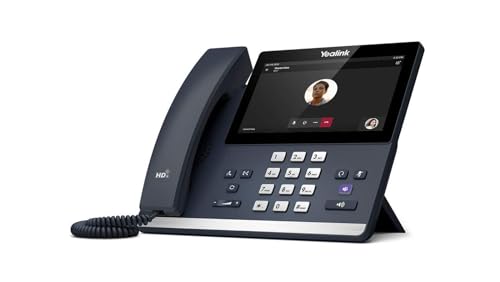
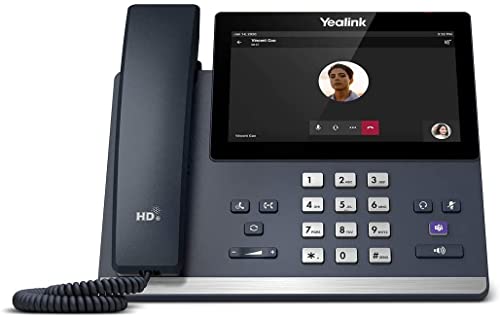
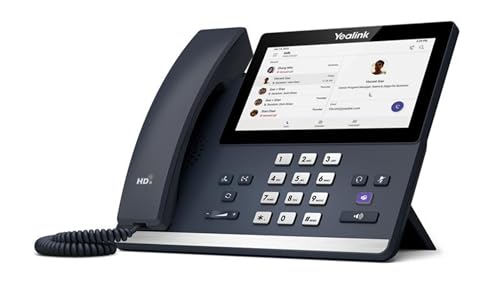
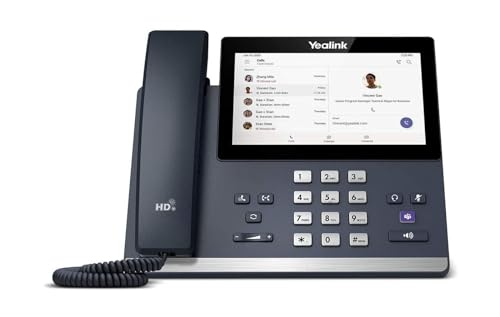
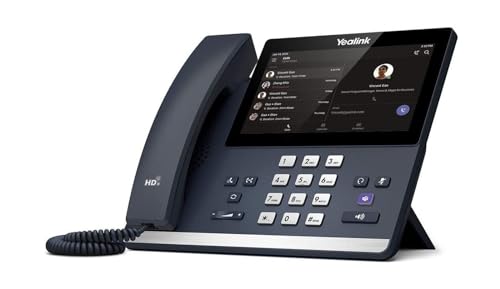
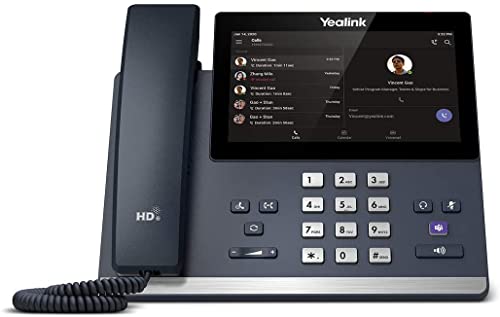
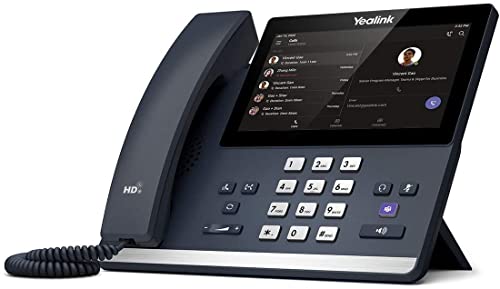


The MP56 is a Teams or Skype for Business IP phone with a 7-inch touch screen. It facilitates high-quality collaboration with flexibility thanks to Yealink Optima HD voice and magnet handset, dedicated Teams button in the Teams model, and Bluetooth connectivity to Bluetooth headsets. This easy-to-use and reliable option is ideal for any worker. Android 9 OS 7 inch (800 x 480) capacitive touch screen Optimal HD audio, Yealink Noise Proof Technology Magnet handset Dedicated Teams button Teams-tailored user interface, supports upgradability of firmware to Teams or SfB edition Built-in Bluetooth 4.2 and dual band 2.4G/5G Wi-Fi USB Type A port, supports USB headset Dual-port Gigabit Ethernet, PoE support Supports MS/Yealink/U2 device management platforms Review: The phone runs a cutdown limited version of android. connecting upto Teams is super easy, and it can be managed from within the Teams admin portal without issue. Updates to the software and firmware are managed from within the portal too, so separate dial in method needed. A recent update has improved the responsiveness and added some surprisingly missing features e.g. displaying the incoming number when it's coming in from a call group. The audio quality is amazing, clear, no crackles or "VoIP" sounding issues I noticed whilst testing. Highly recommended if moving to a Teams phone system and wanting the physical handsets still, especially with the hotdesking feature allows for quick switching between profiles. Review: On time delivery and the device is easy to setup.


| ASIN | B08H3J2YZ7 |
| Batteries | 12V batteries required. |
| Batteries Included | No |
| Batteries Required | No |
| Best Sellers Rank | #701,434 in Electronics ( See Top 100 in Electronics ) #52 in VoIP Phones |
| Brand | Yealink |
| Compatible Devices | Yealink device management platforms, Microsoft Teams, Bluetooth-enabled devices, PSTN/ISDN networks, VoIP services |
| Country of Origin | China |
| Customer Reviews | 3.7 3.7 out of 5 stars (107) |
| Date First Available | 4 September 2022 |
| Display Type | LCD |
| Does it contain liquid? | No |
| Flash Memory Installed Size | 128 GB |
| Graphics Card Interface | Integrated |
| Item Dimensions LxWxH | 44 x 250 x 174 Millimeters |
| Item Weight | 1 kg 450 g |
| Item model number | MP56 |
| Manufacturer | yealink |
| Material | Plastic |
| Model | MP56 |
| Model Year | 2021 |
| Mounting Type | tabletop |
| Power Source | Corded Electric |
| Processor Count | 4 |
| Product Dimensions | 4.45 x 25.04 x 17.4 cm; 1.45 kg |
| Standing screen display size | 15.6 |
J**H
The phone runs a cutdown limited version of android. connecting upto Teams is super easy, and it can be managed from within the Teams admin portal without issue. Updates to the software and firmware are managed from within the portal too, so separate dial in method needed. A recent update has improved the responsiveness and added some surprisingly missing features e.g. displaying the incoming number when it's coming in from a call group. The audio quality is amazing, clear, no crackles or "VoIP" sounding issues I noticed whilst testing. Highly recommended if moving to a Teams phone system and wanting the physical handsets still, especially with the hotdesking feature allows for quick switching between profiles.
G**.
On time delivery and the device is easy to setup.
J**E
I’ve been using this for a few months now with zero problems. I’m very happy with this phone.
G**O
Excepcional calidad de audio, extremadamente fácil de configurar. Te permite ver en un vistazo tu calendario y contactos. Cuando alguien presenta puedes verlo en la pantalla del teléfono. Funciona perfecto con el IP PBX, tienes los 2 mundos llamadas hacia teams y la PSTN
H**.
Disclaimer, my comments are very isolated to my specific scenario of moving from Nextiva with a Polycom phone to Microsoft Teams Phone with this Yealink model. The Polycom phone we used with several of us in the office had the most unbelievable speakerphone. Sitting one room away, listening to a coworker use their speakerphone was as if the 3rd party was sitting in their office. So clear and I guess the HD quality was kicking in to make this unbelievable sound experience. The Yealink speakerphone is kind of like working a marginal cell phone call. I'm constantly thinking should I pick up the handset to help me out. That being said, I have so many questions, like is the HD working properly. Does the other party have HD or need HD to make my scenario better. The Yealink screen is awesome. You can assign a pic as the background/screensaver via a few built in selections or by feeding it a pic from a USB stick. The reason for buying this phone is mostly just to have the classic instant telephone button pushing experience. Dialing a number can be done from the screen soft keypad or the physical buttons. The physical buttons are instantly recognized as a request to dial out no matter what is displayed on your touch screen. If you are in the middle of searching for a contact, and you start dialing a number, Teams knows what you're doing. There are small nuances of issues that I'm sure will change weekly or monthly as the Teams software changes (nothing really to do with this phone model). For example, Teams on my cell phone shows me the time & duration on the call history list. But on this phone, only the number (or contact or callerid) is shown. You have to touch the screen in order to reveal the call time. So if you walk into your office after lunch and wish to quickly glance at your call history and you see 10 missed calls, you have no idea how often and the time frame of what's going on. You have to methodically touch each line item to reveal the time info. Again, not deal killers, just nuances of how you might be used to doing things.
Trustpilot
5 days ago
2 weeks ago