🚀 Elevate Your Graphics Game — Because Average Just Isn’t an Option
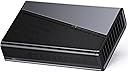
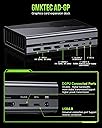
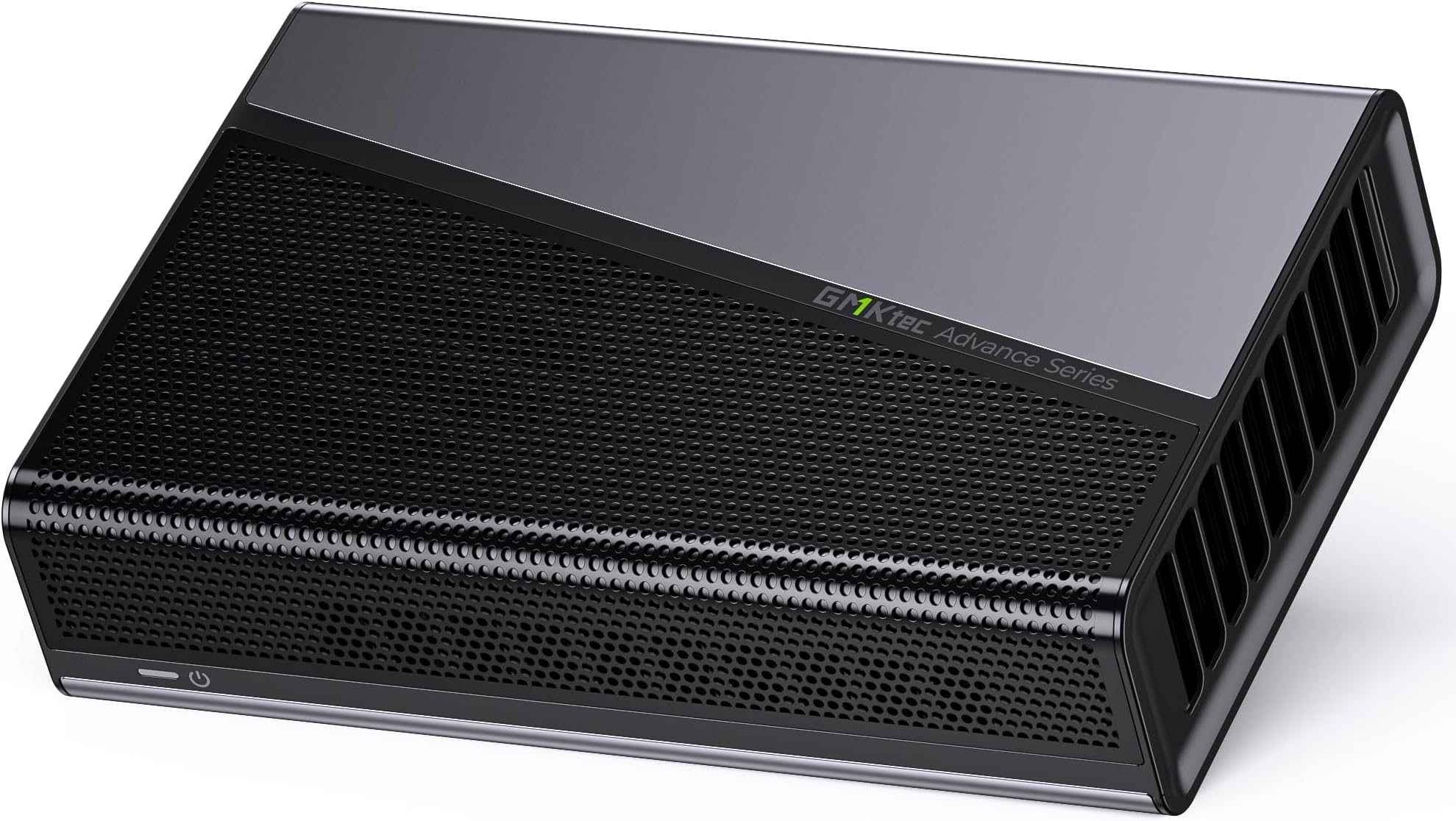
The GMKtec AD-GP1 is a sleek external GPU docking station featuring a powerful AMD Radeon RX 7600M XT GPU with 8GB GDDR6 memory. It supports quad 8K displays through HDMI 2.1 and DisplayPort 2.0, and offers cutting-edge connectivity via Oculink and USB4 ports with up to 40Gbps bandwidth. Compact and lightweight, it’s designed for professionals and gamers seeking premium graphics performance on the go, compatible with a wide range of modern devices.


| ASIN | B0DTP9MCQY |
| Best Sellers Rank | #9,992 in Computers & Accessories ( See Top 100 in Computers & Accessories ) #688 in Laptop Docking Stations |
| Customer Reviews | 4.3 4.3 out of 5 stars (107) |
| Date First Available | January 22, 2025 |
| Item Weight | 1.76 ounces |
| Item model number | AD-GP1 |
| Manufacturer | Shenzhenshi Jimokekejiyouxiangongsi |
| Product Dimensions | 6.46 x 1.57 x 0.1 inches |
| Resolution | 7680x4320 Pixels |
| Total Usb Ports | 1 |
N**U
Amazing eGPU! Please read review if you're stuck on how to use it!
I had to return to this review because it was super long and I of course closed the window by accident.. UGH! I wish Amazon auto-saved your drafts.. Or even had drafts.. Anyway. There are a few things that you'll need to know when you get your eGPU. It doesn't come with a manual. It's fine. It doesn't need one. What it does require, however, is the ability to know how to plug something into your computer. That simple! You'll see two cords, an Oculink Cord and a USB 4 cord. Which one do you use? Depends, does your computer/laptop have an Oculink port? (It would be labeled 'Oculink'. If so, you use the Oculink cord. If it doesn't, use the USB cord). You plugged it in. Okay, so now what? Open your Adrenalin program. You should see a new update. Install it, and reboot. While it reboots, think outside of the box, but logically! If you're using a Desktop, go ahead and unplug your Monitor's HDMI from your computer to you eGPU (Since I *believe* the HDMI connects to the video card in your PC anyway, so logic states that it should connect to the video card within your eGPU). This step will save you an extra reboot and stress, because by doing this, you've just made your eGPU your Primary Graphics and your previous graphics driver your Secondary. Well done! Performance-wise, I've included a video of me playing Hogwart's Legacy. As you can see, the graphics are crisp, lag-free (I am also using a Sandisk SSD as well, which I highly recommend!) and clean. Functionally, it works as intended, bringing a crisper, more vibrant quality to your gaming experience. However, one caveat - When it comes to newer games, like Inzoi, you may still experience some lag. When I purchase that game, I'll include another video in order to show my experience with that one. Because this comes with an AMD Radeon RX 7600M XT graphics card built in, I feel like the value of the item is incomparable, because, to my knowledge, most other eGPU's don't come with graphics cards, just the units. So that in itself should be a clear indicator that this device is something great. When it comes to the noise level, there *is* some noise, but it's barely noticeable, and I have excellent hearing. All things considered, you should be very happy with this device, and I am sure you too will rate this the 5 stars it deserves.
N**S
Working on Rog Ally X, Plug N' Play (Updated)
EDIT/Update: A few weeks on the road, if you are having trouble getting this thing to connect to a monitor after the initial install. Reboot and then Uninstall it in Device Manager, this prompts my AllyX after a few seconds to reinstall it correctly. No complaints on performance still, powers 2 monitors, one of those 4k. Sometimes 3 when in a hotel fairly well. I will say the only things I dislike is the setup, having the power brick built in probably would be more convenient. It is still much smaller than many EGPU enclosures though. This would be a great device for someone that only needs the power of an EGPU at home and still in a fairly small package. Then unplug your handheld and roll out Handles games like Tarkov on pretty high settings well enough for me to be comfortable playing When compared to the prices of other 7600mXT EGPUs it has stacked up well. This field looks to be heating up though so keep an eye out for newcomers and keep comparing those prices. I wish it had a USB connection outside of the USB4 connector. Original Review: I'm going to update this later after a few weeks of use on the road. However first impression looks good, it was a plug and play setup, once plugged into the rog ally x, did a windows update, rebooted and change display settings when back up. Ran a test bench with decent results, running two monitors no issues
T**R
Tricky connections, great purchase
Connecting device to my Legion go is tricky, but once connected and running properly it works like a regular GPU. Nice and portable for travel and more than capable of playing popular titles.
J**Y
Impressive performance
I had previously purchased a GMKTek nukbox M7. I switched over to console gaming after PC components (and their prices) were changing faster than I could keep up with. Got the nukbox mini PC because my wife was wanting to get back into the Sims, and was not a fan of using a controller on a console. The stock computer was great, ran older games extremely well right out of the box. The limits of the integrated GPU were pretty obvious for current gen games right away though. The occulink port was a major deciding factor for the nukbox mini PC, and ordered this eGPU setup when I came across it. As I haven't been in PC gaming since 05, I am probably too easy to impress, but this eGPU paired with the mini PC performs phenomenally. Getting good framerates at 1080p and high to ultra settings on a number of current gen games. Atomfall on this rig is indistinguishable from the series X as far as my untrained eyes can tell. Picked up the Inzoi early access for my Sims fan wife. It runs very smoothly at 1080p on ultra. Literally plug and play simple. AMD GPU drivers are one version fits all, so very little fussing with drivers and settings. Great entry point for anyone wanting to get into PC gaming without investing $2000 (or more).
G**Z
Buena calidad del producto, excelente tamaño, y gran empaqué. Muy satisfecho
M**O
It runs graphics demanding tasks really well.
D**U
I received the AD-GP1 two days ago. Hookup was simple and easy, and the small form of the unit made it comfortably paired with the K8 Plus (also a nice product of GMKtec) on my desk. It would be better if the OcuLink interface of the K8 Plus were in the back of the unit instead of in the front. That would align with the back-placed OcuLink interface of the AD-GP1 rather than having the OcuLink cable awkwardly laid out on my desk (see picture of my setup). I don’t use computer to play games, so I won’t review the egpu in terms of how well it runs computer games. Besides, there are already tons of reviews in that regard on the internet. What I use the egpu for is photo and video editing. So let me just focus on how well it does its job in this regard. My setup is K8 Plus (Ryzen 7 8845HS, 64G ram, 1+1T SSD) with LG 4k monitor, running Lightroom v14, Photoshop 2024.1, Topaz Photo AI 3, Topaz Video AI 6, DaVinci Resolve Studio 19 and Shotcut 25.03. My K8 Plus handles routine photo editing jobs on Lightroom and Photoshop without hiccups, but it struggles a bit if it is to create a super large panorama from dozens of large photos, or to use AI models for detail recovery and upscaling. Particularly when Topaz Photo AI plugin is involved to do multiple enhancements. With the AD-GP1 connected, such jobs are piece of cake. Productivity is significantly boosted. It is somewhat a different story when it comes to video editing. The K8 Plus basically has no problem handling light works such as combining clips or creating slideshows with little additional editing. But when video enhancements such as upscaling, detail recovery or enhancement, color grading and special effects are involved, the integrated Radeon 780M is screaming for help. For example, upscaling a 1920x1080 video clip to 4k would take 10 or more times the length of the clip (about 2-4 fps). When the AD-GP1 is hooked up, and with proper setting change on DaVinci (choose OpenCL for GPU processing mode), the processing speed of simple HD clip jobs can run up to 500 fps (but Shotcut appears unable to utilize the power of the AD-GP1 even when paralelling processing is set). For a job of HD to 4K upscaling plus 2x slow motion (a job the K8 Plus can hardly do), the processing speed can run up to 120 fps. The speed is doubled if the job is downscaling. However, running AI-based jobs on Topaz Video AI seems beyond the power of the AD-GP1. It achieves a speed of only 2-4 fps in a job of 2x upscaling and detail recovery on a 1920x1080 clip. Maybe it’s because Topaz Video AI is too demanding, and I should look for a better program to do the jobs. In summary, the AD-GP1 significantly boosts the productivity of all of my photo editing jobs and medium-load video editing jobs. I highly recommend it if it is to be used for such jobs, in conjunction with a similar PC/mini pc. P.S. The unit is generally quiet on photo editing work, but its fan is clearly audible and GPU temperature can go up to 75 celcius when it is fully loaded in video editing.
J**R
I do AI coding, and this dock has handled everything I've thrown at it without issues. It's not the most powerful graphics card out there, but it doesn't need to be for my workflow. For the price, I haven't found anything that comes close to the value. Setup was straightforward, and it's been reliable in daily use. The compact design is nice if you need to move it around, and the build quality feels solid. The multiple display outputs give you flexibility if you need to connect several monitors for your workflow. The real win here is that you're getting a functional eGPU dock with a decent GPU included at a price point that doesn't require taking out a loan. It's not aimed at hardcore gamers pushing 4K gaming at max settings, but for professional work like coding, rendering, or content creation on a budget, it gets the job done. If you're looking for a practical, affordable eGPU solution rather than a top-tier gaming beast, this is worth considering.
N**K
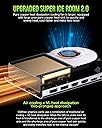
This eGPU provides acceptable performance, but suffers from an infuriating fan: instead of constantly spinning at a low RPM when idle, it spins up for 20 seconds, then spins down for 10 seconds. Endlessly. When I asked them about this via amazon, they provided a lengthy, unhelpful answer that simply boils down to "this is how it is, you can't do anything". I have also gotten in touch with their support via the website, but they take days to respond, so I decided to leave a review in the meantime. The worst part about this fan is that it keeps spinning up and down even after I put my laptop to sleep! I have, on more than one occasion, had to get out of bed and unplug the eGPU, because the fan would start spinning at night... I now have to unplug this eGPU every time I'm done using my computer for the fear of being startled by the fan. Additionally, I find that after my laptop wakes from sleep, it often takes 2/3 connections and disconnections before I can get an image on my monitor, but I don't know if that is an issue with my laptop, so take this with a grain of salt.
Trustpilot
1 month ago
1 month ago