
DOWNLOAD THE APP


Customer Services
Copyright © 2025 Desertcart Holdings Limited
DOWNLOAD THE APP
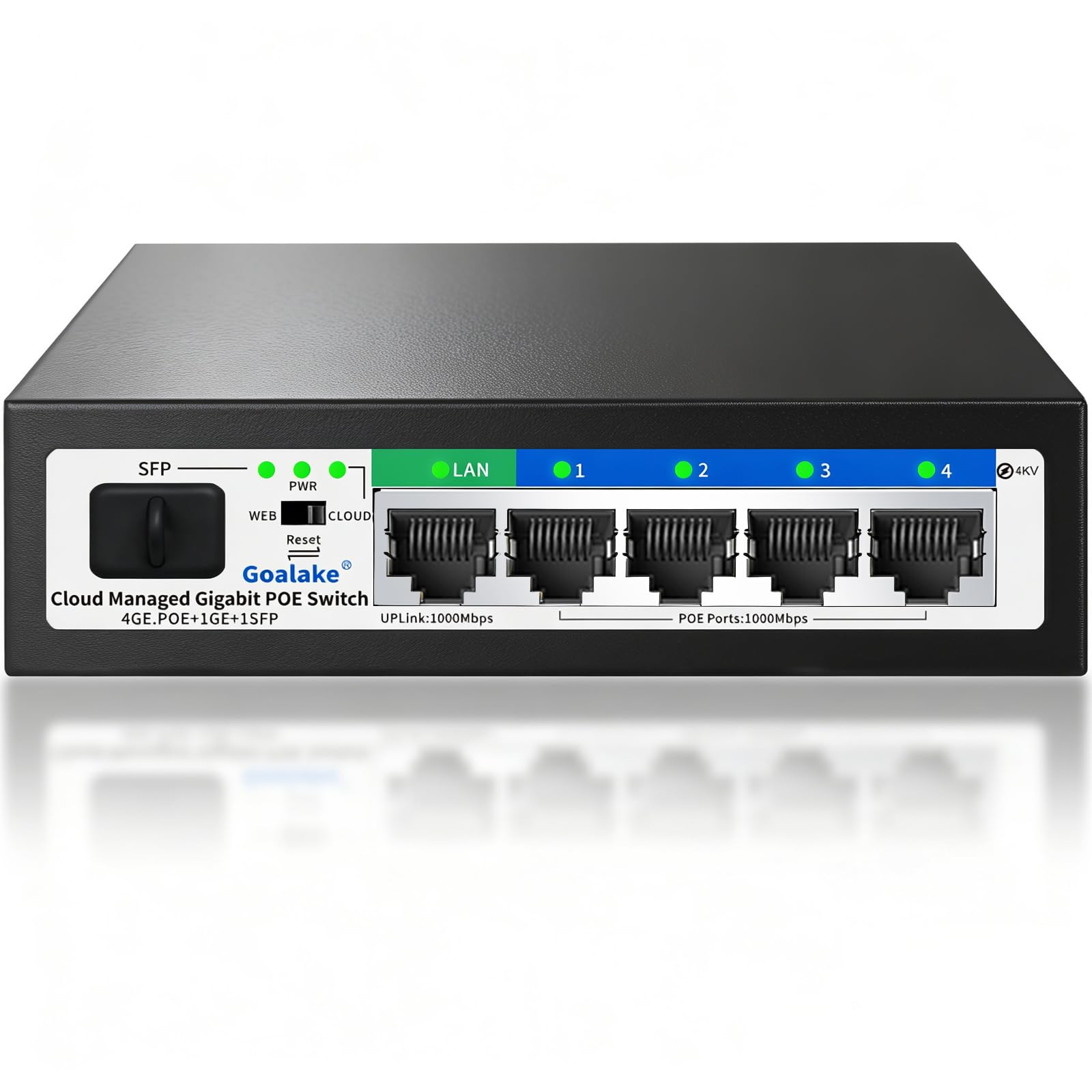
⚡ Power your network like a pro—smart, silent, and unstoppable!
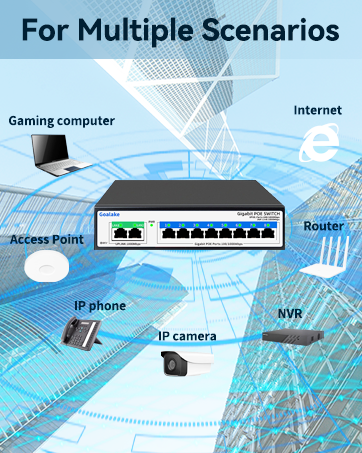
The Poe Switch by GL is a 6-port gigabit Ethernet switch featuring 4 PoE+ ports delivering up to 52W total power, plus 1 uplink and 1 SFP slot. It supports IEEE802.3af/at standards, enabling data and power over a single cable up to 250 meters. Cloud-managed via web and app interfaces, it offers remote monitoring, automatic cable diagnostics, VLAN, QoS, and lightning protection. Its fanless metal design ensures silent, reliable operation, making it ideal for professional home offices and small business networks.










| ASIN | B0D2X4M1R7 |
| Best Sellers Rank | #36 in Computer Networking Switches |
| Customer Reviews | 4.4 4.4 out of 5 stars (858) |
| Data Transfer Rate | 1000 Gigabits Per Second |
| Date First Available | April 29, 2024 |
| Interface Type | RJ45, SFP |
| Item Weight | 1.21 pounds |
| Item model number | 4 PoE Ports | Easy Managed |
| Manufacturer | GL |
| Maximum Power | 52 Watts |
| Product Dimensions | 5"L x 4.5"W x 1.3"H |
T**N
Great for my PoE security cameras!
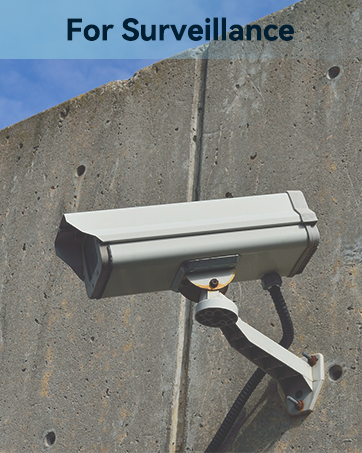
This switch works great for my PoE security cameras.
S**A
great power supplier for cctv
I plugged this to my computer then put my poe switch cameras and bridged the connection and it works fantastic. It can power the 4 cameras i have of 12 volts each and the box doesnt even get warm. The led blinking can alert if there is issues without having to hop into the nvr server, overall great and easy to setup box.
G**S
Great value for the price
works great, exactly what it says it will do. Grest price! High speed! Just plug it in and its working.
Q**S
stable hub
I don't need a very fast speed switch but stable connection is needed for PoE cameras. It has been installed to my project for one year. It still runs very good.
N**L
Slug inside
I purchased this switch about half a year ago and it has been running strong outside in non ideal conditions: inside a power cord box under a small tarp. It has been running 3 Poe cameras and has no issues until yesterday. The cameras suddenly powered off and wouldn’t turn on. After disassembling the switch, there were 2 slugs inside. One was dried by one of the ethernet ports shorting some pins, but was luckily the only one with nothing plugged in. After lifting up the power supply I discovered a wet slug and a big burn mark on the protective plastic. Lesson learned. Great switch but if you need one for your cameras that will be outdoors, just buy an outdoor Poe switch.
D**X
Works great, easy setup!
Works great for what I needed and was easy to get up and running. I used it to expand the LAN capacity of my new Verizon 5G Home Internet Gateway.
R**K
Great Price
Works Great easy to setup, Great Price for POE with Extended range.
J**S
It will maliciously allow access to your network!!!! Be careful Cyberwar Hack.
I have a pretty complex network (for a home) and purchased this for the connection between two of my POE cameras and the synology NAS with Surveillance Station. Within 24 hours after installing this device, the synology server started reporting international IP addresses trying to login into my synology server via SSH. You could see how they were auto trying different combinations of user and password combinations via an automated system, bombarding the server with logins. I had to contact my ISP and change my gateway IP address. I removed this and purchased a Netgear POE switch (I've used these for several years). Don't know what I was thinking. There's a serious cyberwar going down and I think this is the beginning of getting these malicious hack devices into US homes. Update 12/14: They increased the frequency of login attempts to the server. It’s now two times for every attempt. Will post pics of this evidence shortly. Update 12/19: After locking down and analying their work. They appear to be focusing on the my synology servers and the randomized hacking of root access to these servers. I just uploaded the picture for supporting evidence of the multitude of IP addresses they're using so as to not be blocked by my servers. What you're seeing in that list occurred in a matter of minutes. I removed my server name and ip address for security reasons.
T**6
Solid Switch with good options, setup working well with my connections.
J**N
Väldigt bra pris för en 2.5gb switch. Fungerar utmärkt det lilla jag hunnit testa den.
J**R
El Goalake Switch PoE+ Gigabit Ethernet de 6 puertos ha demostrado ser una pieza esencial en mi red, especialmente para aplicaciones de vigilancia IP y puntos de acceso. Este switch no gestionado tiene una serie de características que lo hacen destacar y aquí están algunas razones por las que estoy encantado con este producto: Potencia PoE+ Eficiente: Los 4 puertos PoE+ aportan una cantidad de potencia de 52W, lo que es más que suficiente para alimentar varios dispositivos, como cámaras de vigilancia, puntos de acceso WiFi, teléfonos IP y más. Esto simplifica la instalación y elimina la necesidad de múltiples adaptadores de corriente. Enlace Ascendente de Alto Rendimiento: El puerto de enlace ascendente de 1 Gigabit proporciona una conectividad rápida y confiable a la red principal. No he experimentado retrasos ni interrupciones en mi red gracias a esta característica. Puerto SFP Adicional: La inclusión de un puerto SFP proporciona flexibilidad para conectar dispositivos a larga distancia a través de fibra óptica. Esto es una ventaja adicional para quienes necesitan conexiones de alta velocidad a través de distancias más largas. Detección de Inteligencia Artificial (AI): La detección de inteligencia artificial incorporada es una característica innovadora que permite la identificación y la asignación de energía de manera eficiente a dispositivos compatibles. Esto optimiza la administración de la energía y mejora la eficiencia en el consumo de energía. Facilidad de Uso: Este switch no gestionado es muy fácil de instalar y usar. No se requieren configuraciones complicadas, por lo que es perfecto para usuarios que no tienen experiencia en administración de redes. Construcción Duradera y Robusta: El switch tiene una construcción sólida y duradera que inspira confianza en su calidad y rendimiento a largo plazo. Excelente Relación Calidad-Precio: Dada su capacidad PoE, rendimiento y características avanzadas, el precio de este switch es muy asequible en comparación con otras opciones en el mercado. En resumen, el Goalake Switch PoE+ Gigabit Ethernet de 6 puertos es una solución integral para aquellos que buscan una forma eficiente de alimentar y conectar dispositivos en su red. Con potencia PoE+ confiable, enlace ascendente de alto rendimiento y características avanzadas como la detección de inteligencia artificial, este switch ha mejorado significativamente mi red y ha simplificado la administración de dispositivos PoE. Lo recomiendo encarecidamente para aplicaciones de vigilancia IP y puntos de acceso, así como para cualquier entorno donde la alimentación y la conectividad sean críticas. Este producto ofrece un gran valor por su precio y ha superado mis expectativas.
H**.
Prima. Solide metalen behuizing. Doet wat het moet doen.
J**K
perfect voor een kleine prijs, nog een kopen dus.
Trustpilot
1 day ago
4 days ago