We remain fully operational. Our teams are working around the clock to ensure your deliveries continue safely.

DOWNLOAD THE APP


Customer Services
Copyright © 2025 Desertcart Holdings Limited
DOWNLOAD THE APP
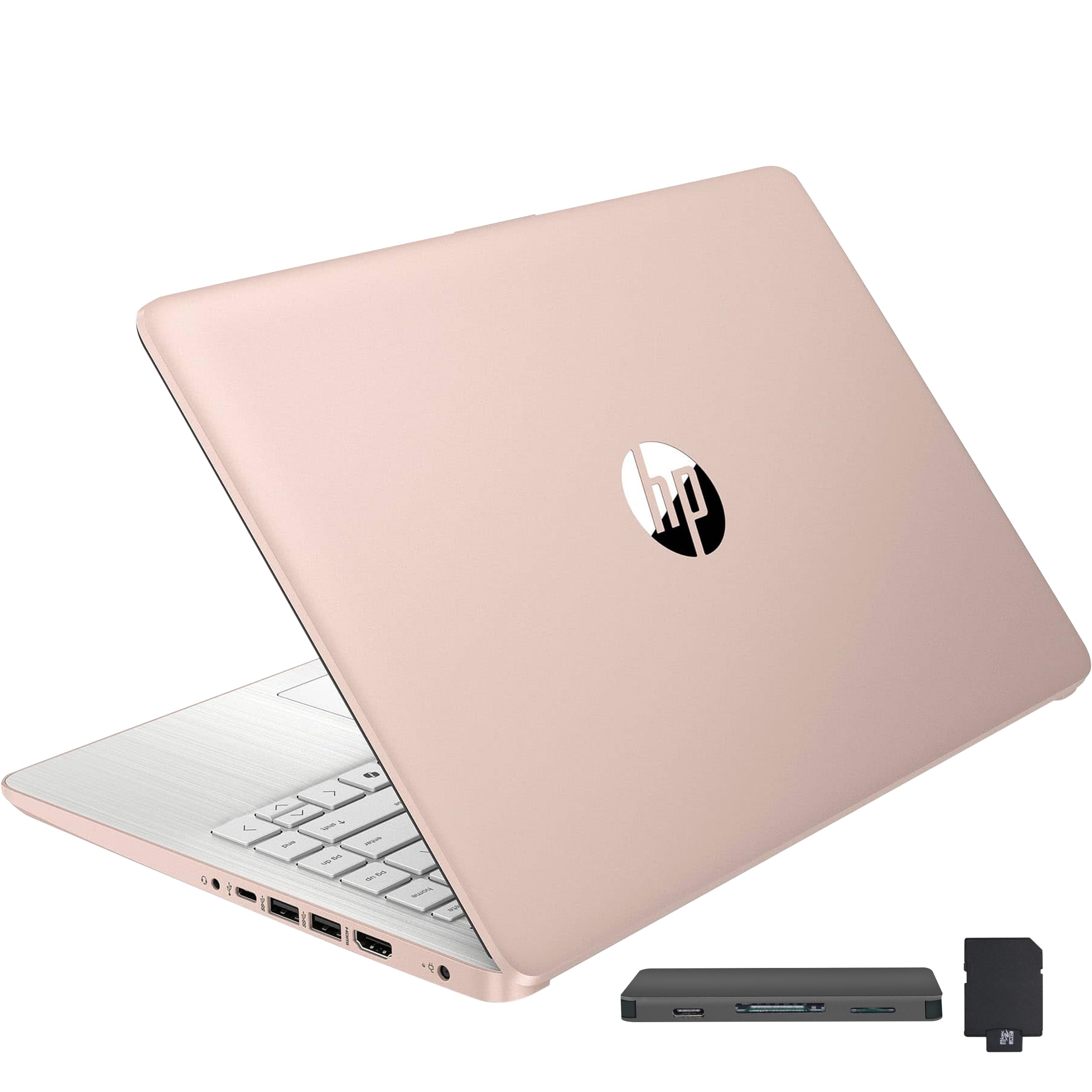
HP Stream 14" HD BrightView Laptop Intel Celeron N4120 Review: Windows S Mode and McAfee are glitchy performance killers and restrictive applications. Switching out of Win 11 S mode should be a straight forward process but it just does not work as it should, along with McAfee installed, whether you want it or not. McAfee acts like a worm virus, intrusively imbedding itself deep into system architecture instead of being a gate keeper like other anti-virus apps. Windows S Mode dose not allow you to install and run any app that is not Microsoft verified and found on the Microsoft Store. In S Mode, you cannot install and run any browser other than MS Edge or Bing. There is an app within the MS Store to switch out of S mode but it will not work because, I suspect, of the bloated software that launches when you first turn on and set up this laptop. Switching out of S Mode is permanent. All the advise and direction I found to get this switch to work had failed. Lots of frustrated people out there with the same issue. I finally got MS Support on the phone and they told me this is a very common problem with this product and the only way to resolve it was to reset the PC. A total reset, wiping the OS and all files you may have added. No big deal as this is a new PC and I did not transfer anything from my old PC. After the PC was reset, I was able to switch out of S mode so that I now have Win 11 Home instead of Win 11S Home. At the same time, a McAfee install popup was automatically prompted so I could select Do Not Install. This was all a bit of a pain but other than that, this laptop is not so bad. The display colors are not as vibrant as I hoped but with a resolution of only 1365 x 768, I should have expected that. However, the graphics display very well on a connected higher resolution monitor and it handles steaming video from desertcart Prime Video beautifully. I hope this information can help someone avoid the frustration of dealing with what was intentionally sold as a very restrictive operating environment. Getting rid of S Mode and McAfee gives you back unrestricted use of your laptop. One more annoying detail is that, by default, this operating environment is set to save everything to the MS cloud. The default storage of Document, Downloads, Pictures, etcetera, are all MS cloud folders which is where every file is stored unless you go through a few more clicks to store the files on your local laptop drive. By default, initially you cannot even boot up this laptop without entering your MS PIN to log onto your laptop, and thereby logging into your MS account at the same time. I found this a bit presumptuous that MS thought this was a good idea. Perhaps good for their own marketing efforts though, as some bot scans your files for things you do in order to tailor marketing ad pushes to you personally, but I digress. If you do not want Big Brother holding on to all your personal, professional, private, or other data, then you need to go in to system settings and turn off the MS log in PIN. Doing so allows you to boot up your laptop to your local drive account only. You can always log in and log out of your MS account if and when you choose at any time. Of course, you can even turn off your own laptop log in password so it just simply turns on. without a password. Your choice, as it should be. Review: Love this computer had an older model this is the best size


| ASIN | B0CZL2SLCJ |
| Amazon Bestseller | #430,635 in Computers ( See Top 100 in Computers ) #10,761 in Traditional Laptop Computers |
| Are Batteries Included | No |
| Audio Details | Headphones |
| Brand | HP |
| Computer Memory Type | DDR4 SDRAM |
| Connectivity Type | Wi-Fi |
| Customer Reviews | 4.2 4.2 out of 5 stars (509) |
| Date First Available | May 24, 2024 |
| Form Factor | Laptop |
| Graphics Card Description | Integrated |
| Graphics Chipset Brand | Intel |
| Hard Disk Description | Emmc |
| Hard Drive Size | 128 GB |
| Item Weight | 1.47 Kilograms |
| Item dimensions W x H | 48.3 x 30.5 x 7.6 cm |
| Item model number | HP Stream |
| Memory Clock Speed | 2400 MHz |
| Operating System | Windows 11 |
| Processor Brand | Intel |
| Processor Count | 4 |
| Product Dimensions | 48.26 x 30.48 x 7.62 cm; 1.47 kg |
| RAM Size | 16 GB |
| Standing screen display size | 14 Inches |
| Voltage | 3.6 Volts |
| Wattage | 65 W |
| Wireless Type | 802.11ac |
M**I
Windows S Mode and McAfee are glitchy performance killers and restrictive applications. Switching out of Win 11 S mode should be a straight forward process but it just does not work as it should, along with McAfee installed, whether you want it or not. McAfee acts like a worm virus, intrusively imbedding itself deep into system architecture instead of being a gate keeper like other anti-virus apps. Windows S Mode dose not allow you to install and run any app that is not Microsoft verified and found on the Microsoft Store. In S Mode, you cannot install and run any browser other than MS Edge or Bing. There is an app within the MS Store to switch out of S mode but it will not work because, I suspect, of the bloated software that launches when you first turn on and set up this laptop. Switching out of S Mode is permanent. All the advise and direction I found to get this switch to work had failed. Lots of frustrated people out there with the same issue. I finally got MS Support on the phone and they told me this is a very common problem with this product and the only way to resolve it was to reset the PC. A total reset, wiping the OS and all files you may have added. No big deal as this is a new PC and I did not transfer anything from my old PC. After the PC was reset, I was able to switch out of S mode so that I now have Win 11 Home instead of Win 11S Home. At the same time, a McAfee install popup was automatically prompted so I could select Do Not Install. This was all a bit of a pain but other than that, this laptop is not so bad. The display colors are not as vibrant as I hoped but with a resolution of only 1365 x 768, I should have expected that. However, the graphics display very well on a connected higher resolution monitor and it handles steaming video from Amazon Prime Video beautifully. I hope this information can help someone avoid the frustration of dealing with what was intentionally sold as a very restrictive operating environment. Getting rid of S Mode and McAfee gives you back unrestricted use of your laptop. One more annoying detail is that, by default, this operating environment is set to save everything to the MS cloud. The default storage of Document, Downloads, Pictures, etcetera, are all MS cloud folders which is where every file is stored unless you go through a few more clicks to store the files on your local laptop drive. By default, initially you cannot even boot up this laptop without entering your MS PIN to log onto your laptop, and thereby logging into your MS account at the same time. I found this a bit presumptuous that MS thought this was a good idea. Perhaps good for their own marketing efforts though, as some bot scans your files for things you do in order to tailor marketing ad pushes to you personally, but I digress. If you do not want Big Brother holding on to all your personal, professional, private, or other data, then you need to go in to system settings and turn off the MS log in PIN. Doing so allows you to boot up your laptop to your local drive account only. You can always log in and log out of your MS account if and when you choose at any time. Of course, you can even turn off your own laptop log in password so it just simply turns on. without a password. Your choice, as it should be.
M**A
Love this computer had an older model this is the best size
M**Y
Perfecta tal cual la descripción y exactamente a tiempo su entrega
I**S
It's the perfect size I wanted, not too small, just too big. I loved it. It arrived in perfect condition, exactly as described in the listing.
M**N
Me encantó esta laptop HP. Tiene un diseño elegante en rose gold, es liviana y muy fácil de usar. Funciona rápido y fluido, perfecta para trabajo en línea, estudios, redes sociales y negocios desde casa. La batería dura bien y la pantalla se ve nítida. La recomiendo 100% por su estilo, comodidad y rendimiento. 💻✨
Trustpilot
2 weeks ago
1 month ago