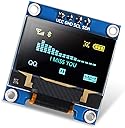
✨ Elevate your microcontroller game with OLED brilliance! ⚡
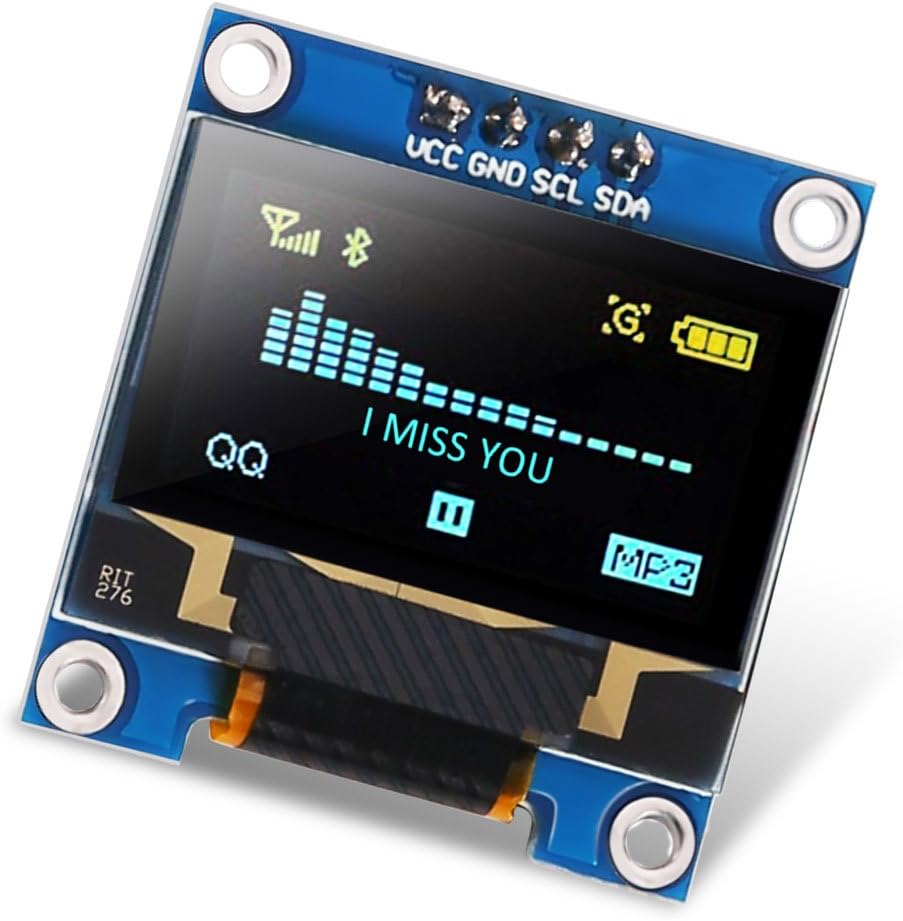
The Dorhea 0.96 inch OLED I2C Display Module delivers a sharp 128x64 pixel resolution with vibrant yellow-blue colors and ultra-wide viewing angles over 160°. Operating at a low voltage range of 3.3V to 5V and consuming minimal power (0.04W normal), it’s designed for seamless integration with popular platforms like Raspberry Pi, Arduino Nano, and STM32. Its customizable I2C address and easy mounting options make it a versatile, energy-efficient display solution for professional and hobbyist projects alike.


| ASIN | B07FK8GB8T |
| Best Sellers Rank | #212 in Single Board Computers (Computers & Accessories) |
| Date First Available | July 12, 2018 |
| Is Discontinued By Manufacturer | No |
| Item Weight | 0.634 ounces |
| Item model number | 15628-0.96 |
| Manufacturer | DORHEA |
| Package Dimensions | 2.24 x 1.38 x 0.75 inches |
J**E
Great product
Functions perfectly, easy to set up, great value as you get 6 of them. Fits perfectly in a 3d print I made for it, IDEA: homemade tomagachis are awesome
M**S
Great display for my pi zero
I needed to replace the display on a ham mmdvm board and this worked perfectly!
C**N
Each display in a box, great brightness
I love the deep blue color of this display. Any displayed item looks nice and bright. Works very reliably. I was able to install this in minutes and got it up and running in minutes with no issues. Price can be cheaper though. Refresh speed is also fast. Size is small enough for most applications.
J**R
Take note of Vcc and GND positions before ordering.
Essentially, there are two types of screens. On one, pin 1 is Vcc and on the other type pin 1 is GND. For MMDVM boards you typically want the Vcc on Pin 1 version. Other than that they are great little screens. I have both types for various projects and the only thing I have to say about them is just to ensure you get the right one. I've been using these OLED screens for years. Five stars.
9**3
Easy to use, very clean.
Connected to a FT232H on my PC and was able to write a little Python script to test. The display looks "off" until you start writing to the screen. Very crisp contrast. If writing text, there are 4 rows and the top row is yellow. It does not have a Stemma/QWIIC connector, and the pins are not arranged the same, but they are neatly/correctly labelled.
J**7
Wrong Pin orientation - Beware!
I have several small IOT projects where I use a I2C SSD1306 OLED display. The standard pinout on ALL my devices that I bought in the past were (from left to right): GND, VCC, SCL, and SDA. Google it yourself - search on “oled display i2c ssd1306”. So bought a pack of 6 from this outfit because the prices were so low. When I received the units, I plugged it into my pre-wired breadboard without looking at the small pinout labels (my bad!). I fired up my application and the screen did not work. I reexamined the code, I made sure the wires were in the right positions, and made sure the wires had solid connections … it still did not work. Upon closer examination, I realized that pin orientation on the devices were different! What the heck! Does the manufacturer not know what ‘industry standards’ are? The screen that I first installed turned out to be bad, or not working. I don’t know if I broke it because I was putting power on the GND pin and ground on the VCC pin, or if it was bad from the beginning. I swapped out the GND and VCC wires on the breadboard and installed a new screen. It worked fine! So, here is what I think happened. The manufacturer wanted to copy another manufacturer’s product and sell it for a cheaper price, which is what the Chinese like to do. However, they wanted to make a small change to avoid patent protections. They swapped the pin orientation and claimed that they made a significant modification to a product and therefore can sell it. Or, the other scenario is that they just don’t know how to copy a product. Until this manufacturer can adhere to industry standards, I will give them the lowest rating. BOTTOM LINE: if you don’t care about the pin orientation on the display, ignore this review (other than I got one bad screen, but that could have been caused by me). In my case, I have pre-printed circuit boards that are expecting the correct pin orientation on the display.
S**.
Impressive display for the price. Simple to connect, tougher to program,
Simple to connect and demo if you follow any of the many online tutorials. You may need to add a couple additional libraries, but then a simple I2C 4-wire connection is all it takes to run it (data, clock, power, grnd). The attached video is of it powering up and running the adafruit SSD1306 example sketch after loading it up in an ESP8266. This obviously is the 2-color version, which is permanently yellow on top and blue on the bottom. The pulsing/stripes are figments of the recording and are not visible to your eye. One gotcha to watch for is the I2C address. The display comes default as 3C (can be switched to 0x3D by resoldering a resistor), but the example sketch I used was set to 3D. Simple code change and up it came. Convincing the display to do exactly what you want looks to be a bit tougher, but doesn't seem too difficult and should be fun to figure out. You can't beat the price. I got the 6-pack @$3 each and now need to get creative and figure out where to use them. Each comes in a small, secure plastic container to keep them safe in your parts box too. Nicer than just stuck in a piece of foam.
M**H
Great display
I use in a class i be taken
Trustpilot
1 week ago
2 weeks ago