We remain fully operational. Our teams are working around the clock to ensure your deliveries continue safely.

DOWNLOAD THE APP


Customer Services
Copyright © 2025 Desertcart Holdings Limited
DOWNLOAD THE APP

⚙️ Power your network with speed and control — because your data deserves the best!
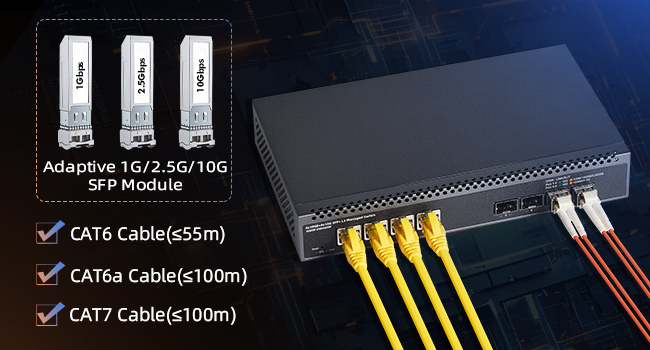
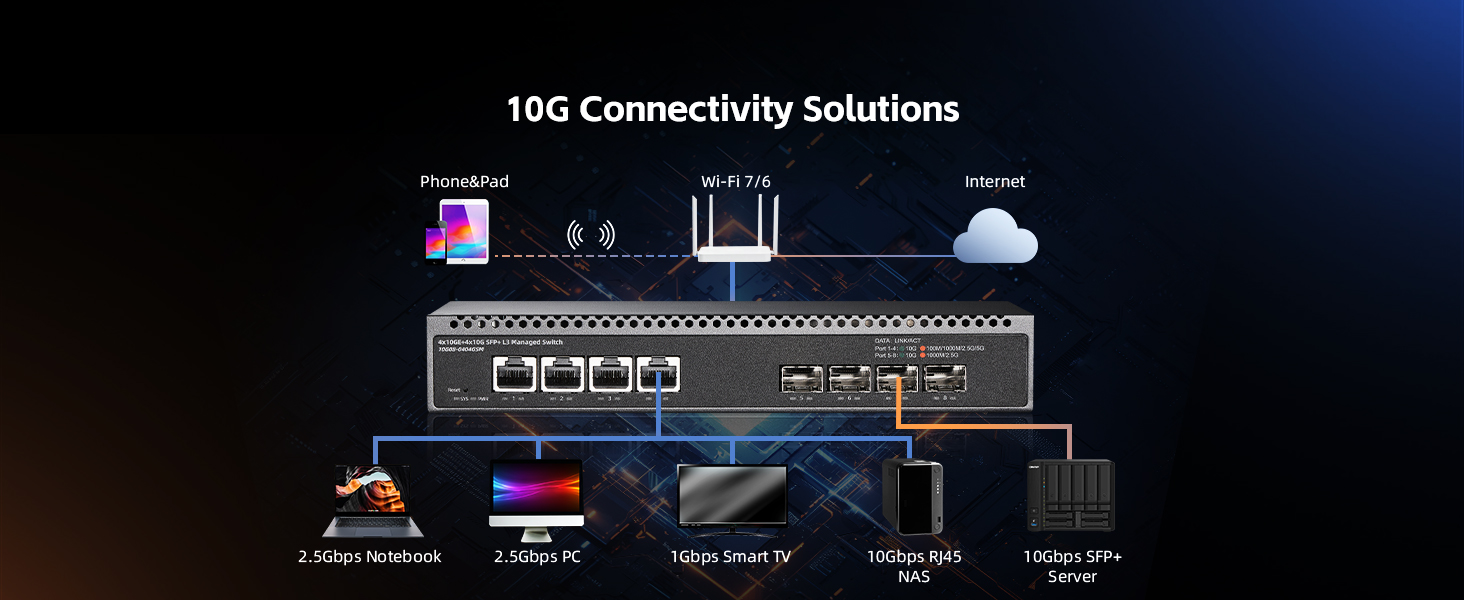
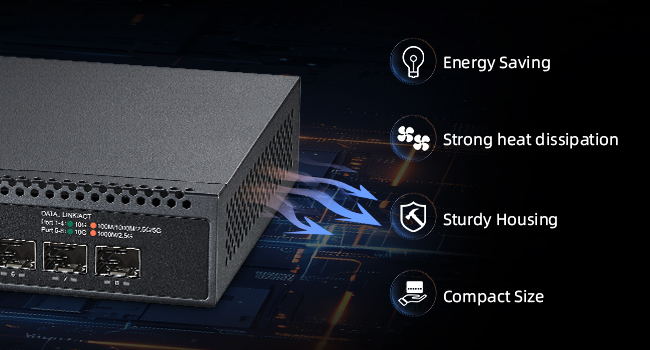
The 8 Port 10 Gigabit Managed Switch by Binardat delivers enterprise-level performance with 4 auto-adaptive 10G RJ45 ports and 4 flexible 10G SFP+ slots, backed by a massive 160Gbps switching capacity. Featuring advanced L3 web management protocols and a compact, quiet metal chassis, it’s designed for professionals demanding high-speed, reliable, and scalable network infrastructure in any environment.

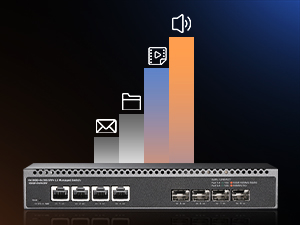
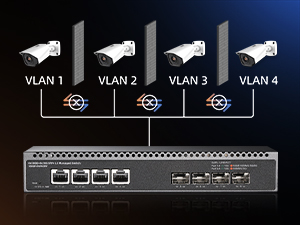
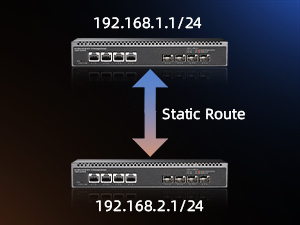
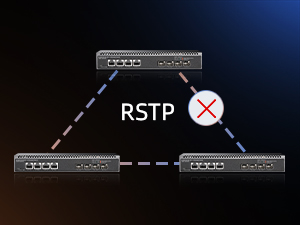
| ASIN | B0DQ77BS64 |
| Best Sellers Rank | #670 in Computer Networking Switches |
| Customer Reviews | 4.1 4.1 out of 5 stars (327) |
| Data Transfer Rate | 160 Gigabits Per Second |
| Date First Available | December 12, 2024 |
| Interface Type | RJ45,SFP+ |
| Item Weight | 2.86 pounds |
| Item model number | 4x10G Eth + 4x10G SFP Managed |
| Manufacturer | Binardat |
| Package Dimensions | 12.32 x 8.03 x 3.27 inches |
| Upper Temperature Rating | 55 Degrees Celsius |
M**W
Not the easiest to setup, but it was also not the hardest and in the end, it seems to work well.
OK , I got these in yesterday and it took me a few moments to get connected and figure out how to save the config after I made changes, but other than that I am impressed. I haven't tested any speed yet, but I was able to trunk several vlans to and between the switches and then out to an AP without issue. I am pleased and seriously looking at the bigger versions now. If they die randomly I will update, but so far, so good.
M**G
Worked right out of the box. 10gb/2.5gb
Worked with 10gb spf+ connections and 2.5 gb rj45 right out of the box. Really very, very small. Spf+ connectors will not fit but reach “outside” the units front. Not a Big thing, but beware if you think it goes all the way in. Cheap too. Like it a lot.
T**3
Can be good, maybe not what I needed tho
Let me be clear, it is exactly as advertised in the sense that you can absolutely vlan off all 4 2.5 gig ports also I can if I wanted bond them all or any combo to achieve up to a total of 10gb via the 2.5gb ports... I think these LACP features were the primary reason for me going with a managed version vs an unmanaged version, the truth is I would rather just have a transparent switch that is also capable of aggregation on those ports but also alows me the full bandwidth pass threw of the sfp ports because the plan was to add this into a low cost 10gb sfp+ enabled homelab setup that is just an amalgam of various systems of a variety of specs and one of those NAS systems that is ultra low power with super low wattage archive smr drives is a always on target that is only equipped with dual 2.5gb nics and uses large capacity nvme solid start targets for write caching but not at crazy speeds just better than the slow SMR drive speeds especially when not in a stripped array and I thought perhaps this will enable me to tie into the in place sfp+ network and also give me a few slower options so I can retire one whole system that is acting exclusively as networking fabric with hot copper 10gb nics and similar quad 2.5gb nics that end up taking to many pcie lanes and power but that system also has dual 1gb nics onboard that provide my "management" network for all the servers in the rack but iv only recently upgraded from unstable copper 10gb ethernet that is running more that 30m to my rack with a 2.5gb backup but now the same copper that was the 2.5gb backup can be used as a dedecated management line while the cat7 copper can be downgraded to either 2.5gb or even 5gb which all my 10gb hardware can do 5gb and 2.5gb and at 5gb that 30m copper is more than enough and my new 10gb sfp+ network is stupid stable with some low cost mellanox connectx 3 nics so i dont have a need for a 10gb copper backup so i was going to instantiate a 5gb copper network for the allways on ring of my homelab and reserve the sfp+ network for when my hypervisor based container orchestrator determins that HPC is needed for the task... This is all well and good but I need a switch that is low power and can transparent to my firewall provide these different tiers of network and all be in the same subnet as the master and this switch seems to be setup more like a firewall or DHCP device than a transparent switch but an unmanaged one won't have the same LACP features I need and many of this same port spec ones iv seen don't enable the use of both sfp+ bridged so one can be the uplink and the other simply a pass threw with the switching bandwidth to also provide all 4 2.5gb nics with there max bandwidth of course at the cost of bandwidth to the client sfp port when the slower nics are fully utilized... Perhaps I'm the dense one and there is some other layer level that would better serve these needs... But also at what cost, if it's cheaper to keep the low cost n300 mini itx system in place that serves this exact application well than that is what I shall do... I am also going to purchase the exact same switch but the unmanaged version so I can test it against my very asscentric usecase lol... I actually was considering purchasing 2 more of these to see if I can bond all 4 ports on both and get basically a 4port sfp+ switch going that is considerably cheaper than any low port count sfp+ 10gb switch iv ever seen and short cat6e cables are super cheap so... Ya ... Just a curiosity... ...but I'm also addicted to buying s#!t at this point so it's probably still going to happen even if they end up in a box after never to see the light of any of my blinking lights weird servers setups again lol...but no if I did that I would certainly use them as these switches are ultra low power realtek based and are far cheaper than mini PCs simply for networking lol... That basically why I ended up with so many odd ball systems in my homelab to begin with, just me opting for cheaper pcie nics than shelling out hundreds for dedecated switching with the added bonus of more compute and memory and storage to nievly offer up to the misunderstood container master in an etempt to win favor and maybe eliveate some of my troubleshooting tribulations ...but alas more systems of a varity of archetcturs and performace capabilities with some being required for basic communication is an exacerbation of my troubles... Who could have thunk it... Lol
J**Y
Great port configuration - perfect for a 10G homelab
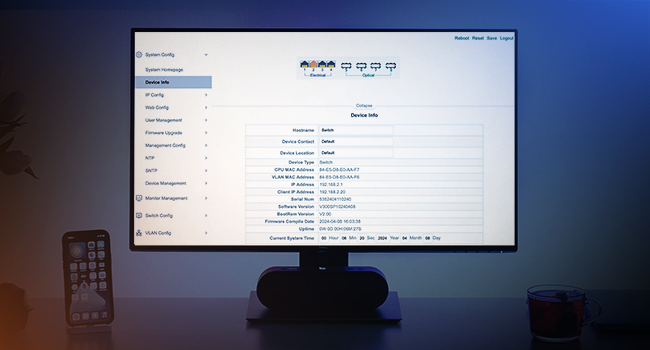
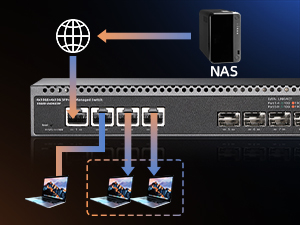
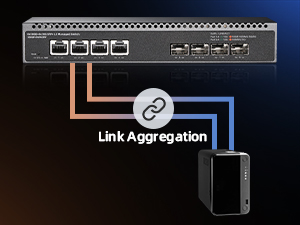
Small 10G switch perfect for home NAS with SSDs. The 4 + 4 port setup seems to be unique on the market at time of launch, and is convenient for Link Aggregation with multiple clients. Note: I can't confirm this is a full L3 switch. Pros: - It's quiet. The case, heatsink, and fan seem to be redesigned. - The user interface is an upgrade over the cheapest switches. Con: - HTTP management is enabled by default and insecure. Immediately switch to HTTPS and disable HTTP.
S**E
Cheap, hard a pain to configure, but did the job in my case.
I have purchased at least 4 different brands of fiber/ethernet switches and brands I have come across for my particular. application. My fiber network is runs with all Netgear switches as Netgear is the best brand for my budget. The remaining fiber/ethernet switches could be replaced with RJ45 SFPs, but I preferred to try the cheap Chinese knock-offs. I get the impression that most of the Chinese equipment has designs shared amongst many companies or families as the software interface (on manages switches) are almost the same and are all a pain in the ass to master. Oh well. You get what you pay for. I have finally settled on Binardar 4-port ethernet switched (really fiber to Ernet) to feed my NAS boxes. You may not want to follow this path as my NAS boxes do not need to be high speed, necessarily. For the High-speed, I use a Dell box with a fiber port to feed the AV data. When I come back in my next life, I will upgrade to CISCO, but, that will have to be seen... :) The brands I've tried (excluding Netgear) are Binardat, RealHD, Trendnet, and Mokerlink.
C**S
Junk
Did not work right out of the box. Would not establish a connection to my pc.
M**Y
Great!!! works at is it should be
Perfect for the price. I would have supper impressed if the os was the same as it bigger brother where I can define its IP per VLAN.
G**L
Good item
I use this and work perfect for my network
M**X
Para ja funciona como pretendido.
P**N
Very good switch! Gets a bit hot but no issues so far!
N**.
Le produit fonctionne très bien, pas de perte de débit ni de connexion malgré un prix très intéressant par rapport aux cadors du marché. A voir sur la durée !
S**I
ottimo
A**R
The product works well. I needed a pair of switches capable of supporting VLANs as I had to use an existing Ethernet connection to support both the devices serviced by the existing cable and to connect the WAN connection from the NBN service to the WAN port of my WiFi router located elsewhere. The manual for the switches did not cover the Web interface of the switches however once connected to the switch via a browser, the configuration was intuitive.
Trustpilot
3 weeks ago
1 month ago