

Desert Online General Trading LLC
Dubai, United Arab Emirates
Desert Online General Trading LLC
Dubai, United Arab Emirates
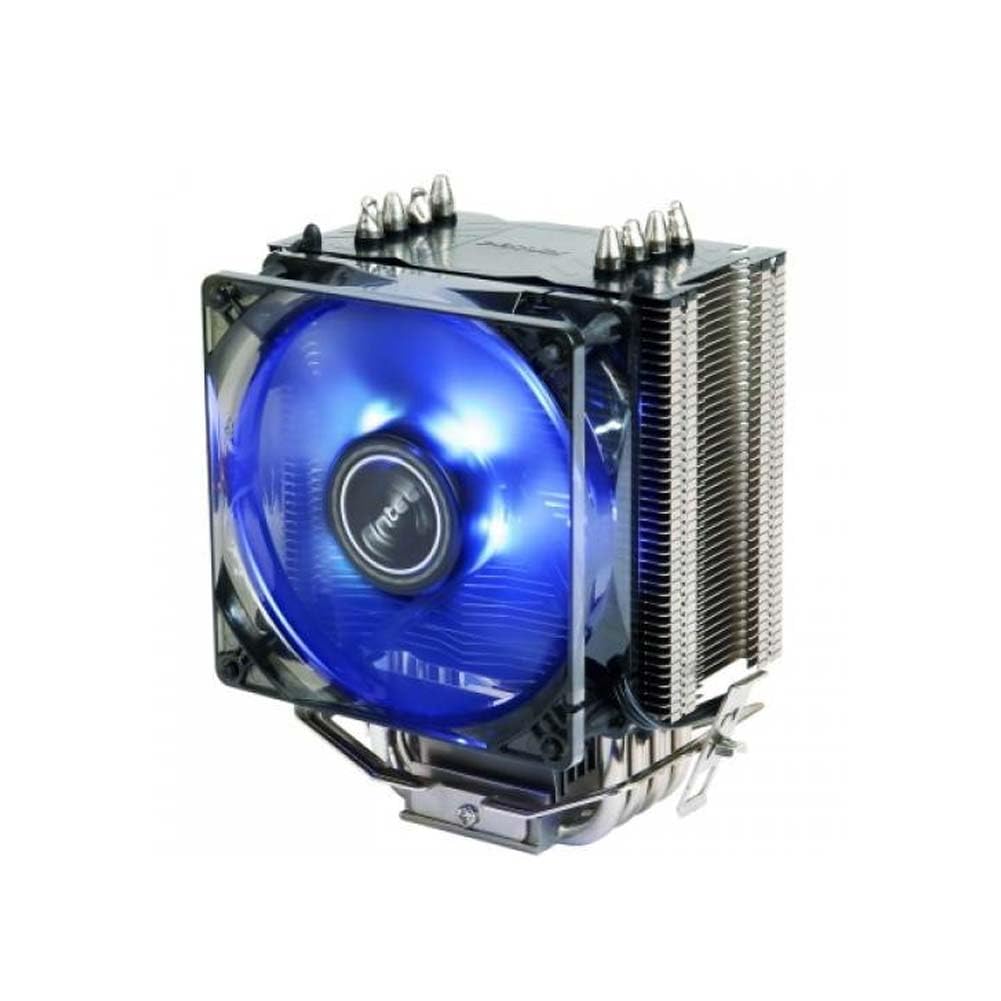

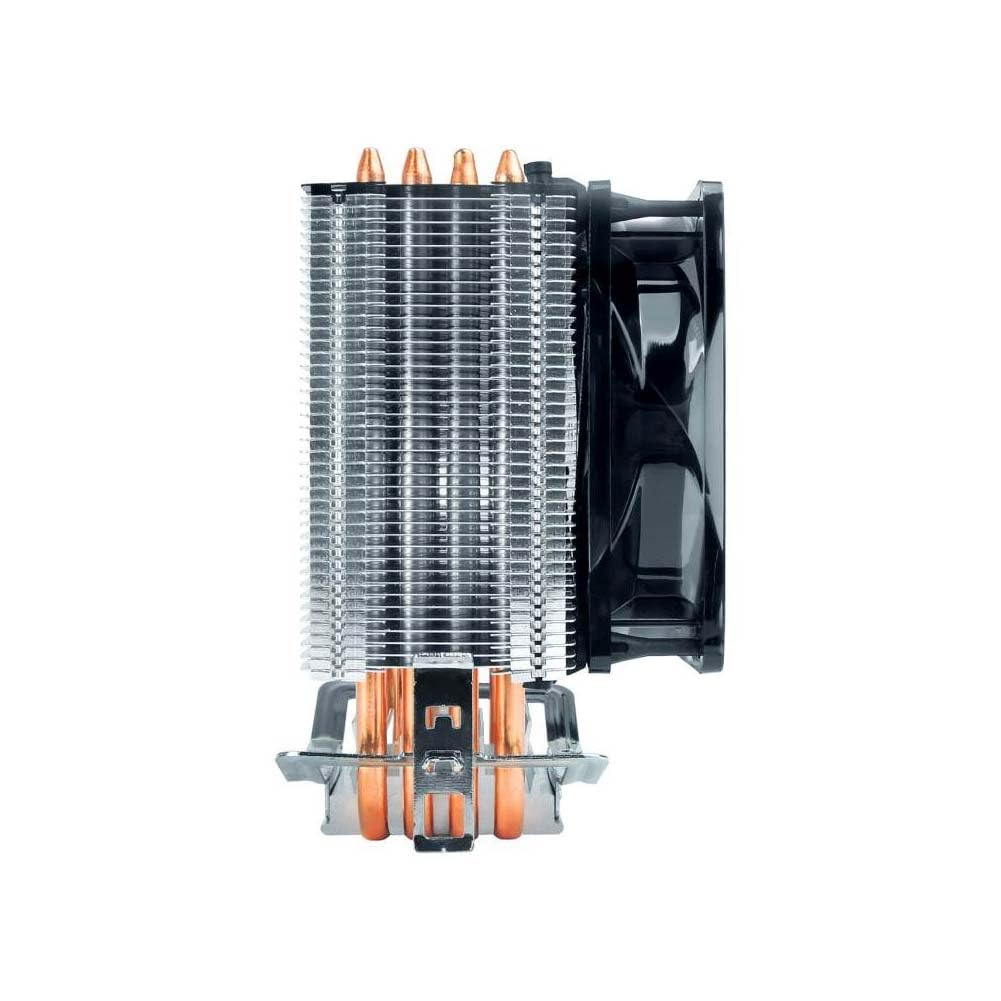
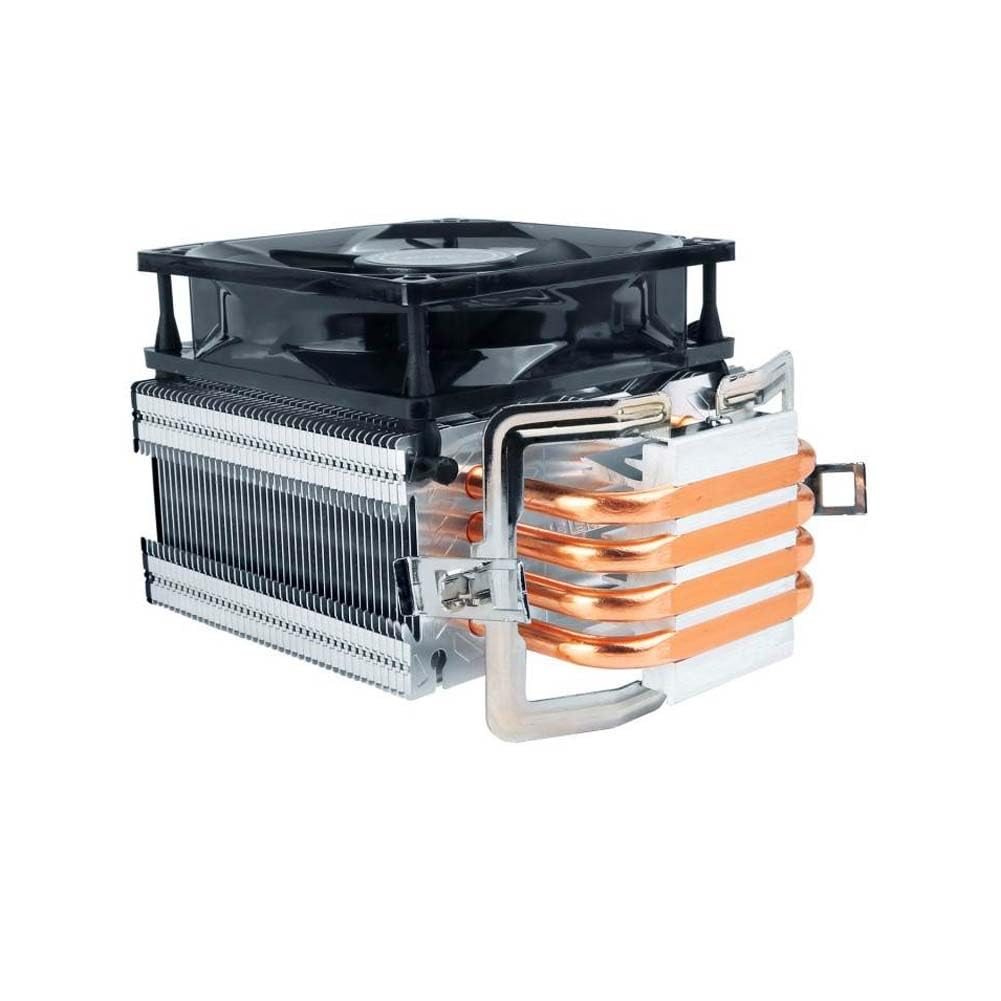
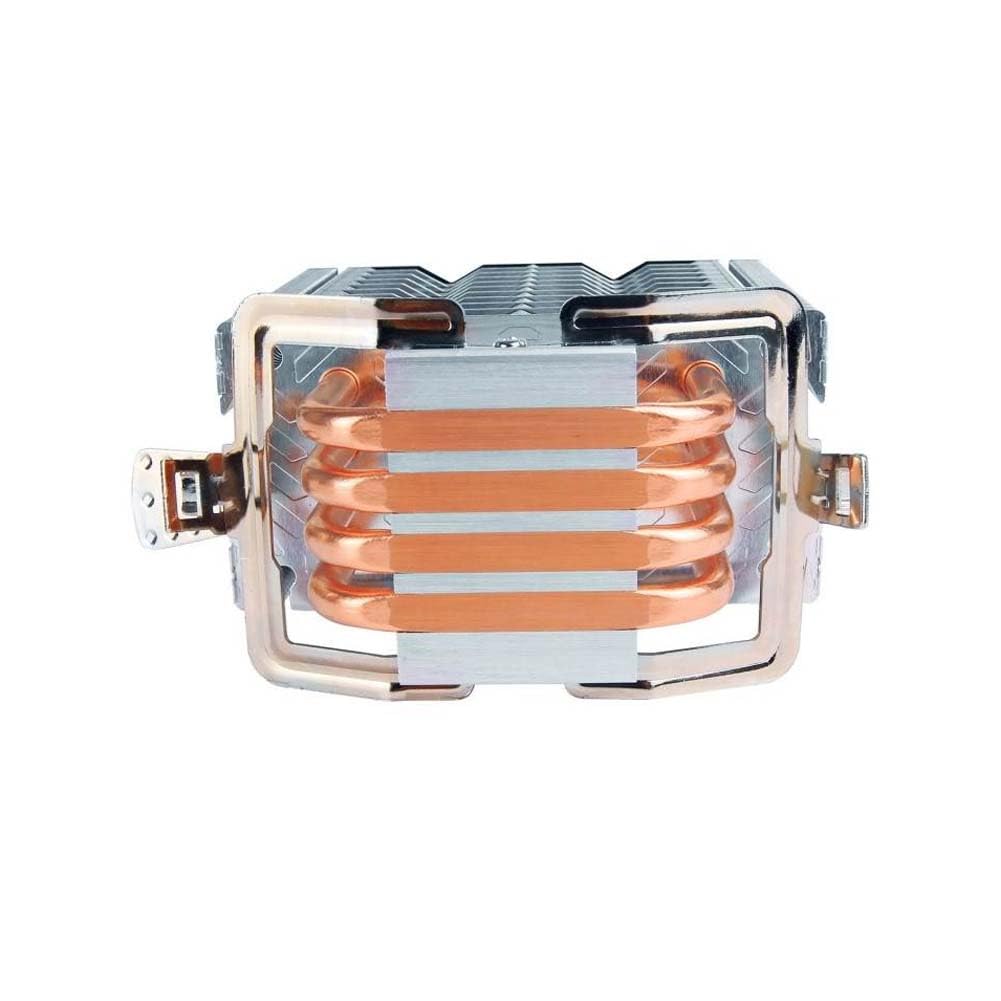
❄️ Cool your core, own the floor.
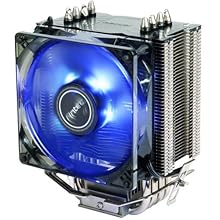
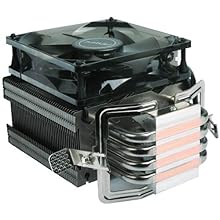
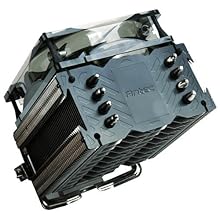
The Antec A40 Pro Tower Air Cooler combines a whisper-quiet 92mm blue LED fan with four direct touch copper heat pipes and a robust aluminium heatsink. Designed for broad Intel and AMD compatibility, it delivers efficient, reliable CPU cooling with easy installation and a stylish glow—perfect for professionals who demand performance and aesthetics in their desktop setup.


| Brand | Antec |
| Power Connector Type | 4-Pin |
| Voltage | 12 Volts |
| Wattage | 125 Watts |
| Cooling Method | Fan |
| Compatible Devices | Desktop |
| Material | Aluminium, Copper |
| Maximum Rotational Speed | 1900 RPM |
| Air Flow Capacity | 77 Cubic Feet Per Minute |
| UPC | 761345109239 |
| Global Trade Identification Number | 00761345109239 |
| Manufacturer | Antec, Antec Inc. 8F, No 107, Jhouzih St, Neihu District, Taipei City 114, Taiwan |
| Number of Items | 1 |
| Colour | Black |
| Item Height | 8 Centimeters |
| Item Width | 13 Centimeters |
| Product Dimensions | 10 x 13 x 8 cm; 500 g |
| Batteries | 1 Lithium Ion batteries required. |
| Item model number | 0-761345-10923-9 |
| Processor Brand | Intel |
| Processor Type | Core i7 |
| Processor Count | 1 |
| Computer Memory Type | DDR3 SDRAM |
| Are Batteries Included | No |
| Lithium Battery Energy Content | 5 Watt Hours |
| Lithium Battery Weight | 1 g |
| Number of Lithium Ion Cells | 2 |
| Included Components | Cooler |
| Manufacturer | Antec |
| Imported By | Acro Engineering Company, 522/1 Jonapur Village , Dew Delhi - 110020 |
| Item Weight | 500 g |
B**I
Great Cooling Performance at a Budget Price!
The Antec A40 Pro is a solid air cooler that delivers excellent performance for its price. It keeps my CPU temperatures low even under load, and the 92mm blue LED fan adds a nice touch to the build. Installation was straightforward, and it's noticeably quieter than the stock cooler. Perfect choice for budget-conscious gamers or PC builders looking for efficient cooling without breaking the bank!
N**.
Great CPU Budget Cooler for mid range Gaming PCs
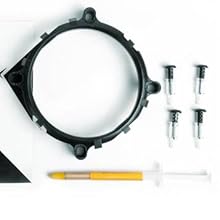
It actually works! Before installing this CPU cooler, the temperature of my core i7 CPU on normal performance would range anywhere between 50-70 degree C, however, post install, the temperature rarely touches 40 degrees while and while gaming, remains stable.It has a 4 pin socket which can be plugged in the CPU FAN port of your motherboard and the you can then create profile with different rpm ranges for different temp.Comes with thermal paste which is really good, however, make sure not to use too much of it, otherwise you will make a mess while installing the cooler.Installing the cooler can be a bit tricky and complicated as you will have to check how to install it's base plate properly so that the fan is facing the right direction and then latching it on to that place while installing it above the CPU can be bit challenging, specifically if the space is congested with other things around the processor on your motherboard.Anyways, with a little bit of struggle, you should be able to fix it in place and believe it or not, it runs really quiet.
K**.
Worth the money, good temps all around.
The installation is not as straightforward as I'd like but the instructions were clear enough.If you're looking for the eye-candy, this really isn't your thing. The blue LED is better left unmentioned.The cooler is fairly quiet and the temperatures are lower compared to stock on my 10400k, but don't expect it to do the business on a higher end cpu.All in all, this is a pretty good entry-level custom cooler for the discerning gamer.
T**E
Cheapest Cooler with 4 Heat Pipes & PWM
The media could not be loaded. Well, I purchased this cooler for 1,189/- on the deal and am using this for the last 3-4 weeks on my Ryzen 5 2600x. I have some decent airflow with 5 fans on the cabinet which makes this cooler perform even better.Installation;Well if you are new to this kind of tower CPU cooler installation, then it might be a little bit difficult processor for you to install/uninstall this cooler on your board.Cooling;AMD Ryzen 5 2600x is quite a hot processor if you know. Good cooling is required for stable clock speed. Antec A40 Pro does a quite good job on my 2600x. The minimum temp on ideal was around 41C & averages around 50C. While Prime95 Stress testing the cooler the maximum temperature reaches around 70C which is way good than my stock wraith spire cooler.Pro Tip- Use a High-Performance Thermal Paste for awesome results.Overall the price I pay for the Antec A40 CPU cooler, I can say that I am completely satisfied with the results. And yea for more info and temp and statistics check the attached Pictures and Video.
S**M
will not work with am4
it will not work with am4 socket if u dont have the mounting bracket that was given with the motherboard.if u have a am4 motherboard plz do with DEEPCOOL GAMMAXX 400 V2 as it will give better performance and u can install it with screws so no need of mounting bracket
R**E
Best VFM CPU cooler under Rs.2000. 25°C drop in temperature(max) of AMD Ryzen 5 3600
My PC is running on AMD Ryzen 5 3600. Before buying this CPU, I checked the temperature reviews of it and got to know that Stock cooler is not upto the mark. On idle, CPU was operating at 52-61°C. And while benchmarking on Cinebench, temperatures reached upto 93°C. Then I started searching for coolers in budget and found out Antec A40 Pro to be better than Cooler Master Hyper 410R and ordered it(Rs. 1634). Got it delievered in 4 days but Product was damaged(Manufacturing defect). So,replacement came in 3 days after that. After installing this fan(Thermal paste - Arctic MX4), results were amazing. On idle, CPU operated at 42-45°C. And In Cinebench benchmark test, max temperature reached 65°C which is way less than that of Stock cooler. Thanks to Antec for this amazing product and thanks to amazon for quick response to replacement of order.
N**N
First Impressions : Okay
Build Quality : Above averageThin aluminium fins with adequate gaps in between, huge tower style. Fan quality not so good with relatively thin plastic than any of my cheap and aged old case fans.Fits almost as expected. Due my custom case, I was initially worried that it would possibly overlap with the additional case fans. But it did fit well with a tiny gap of 2-3mm between top surface of the radiator and the case-fan body. Note the actual height of the product is 13.5 cm after mounting on the processor.Performance : AverageBefore using the product, at normal operating stateCPU Temp - at least 48°C or moreMain board Temp - at least 48°C or moreAfter using the product, at normal operating stateCPU Temp - 44°C - 46°CMain board Temp - 43°C - 45°CBefore using the product, while running CPU Mark stress testCPU Temp - at least 58°C or moreMain board Temp - at least 48°C or moreAfter using the product, while running CPU Mark stress testCPU Temp - no more than 54°C, Yay!Main board Temp - 43°C - 45°CVerdict : Little above averageAlthough not impeccable temperature drops, the overall heat dissipation in the Case did improve.Said that, certainly not for over-clockers and also considerably expensive @2300 INR, however the included thermal paste made my GPU happy, with a temperature drop of 5°C :-p
Trustpilot
5 days ago
2 weeks ago