We remain fully operational. Our teams are working around the clock to ensure your deliveries continue safely.

DOWNLOAD THE APP


Customer Services
Copyright © 2025 Desertcart Holdings Limited
DOWNLOAD THE APP
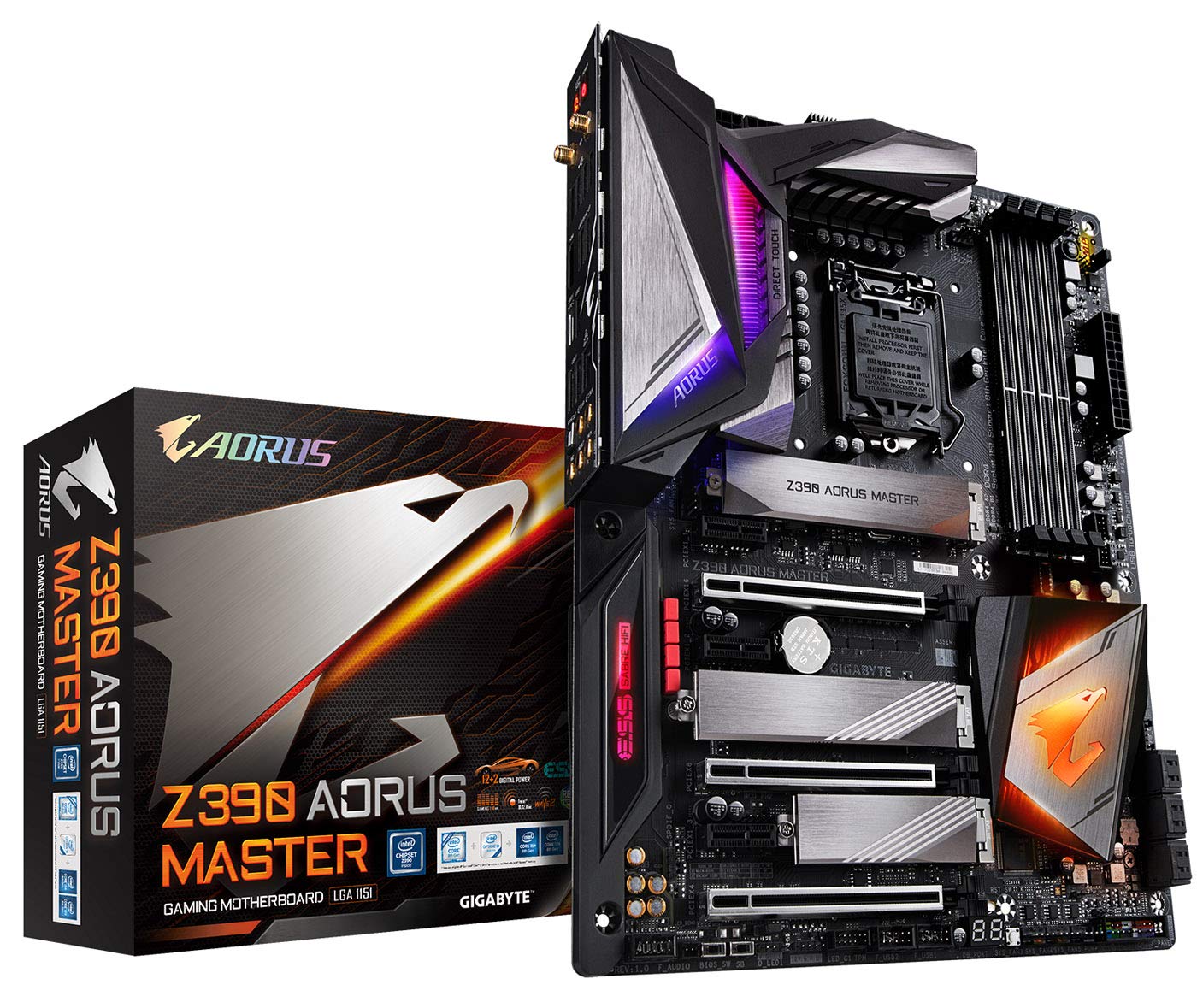
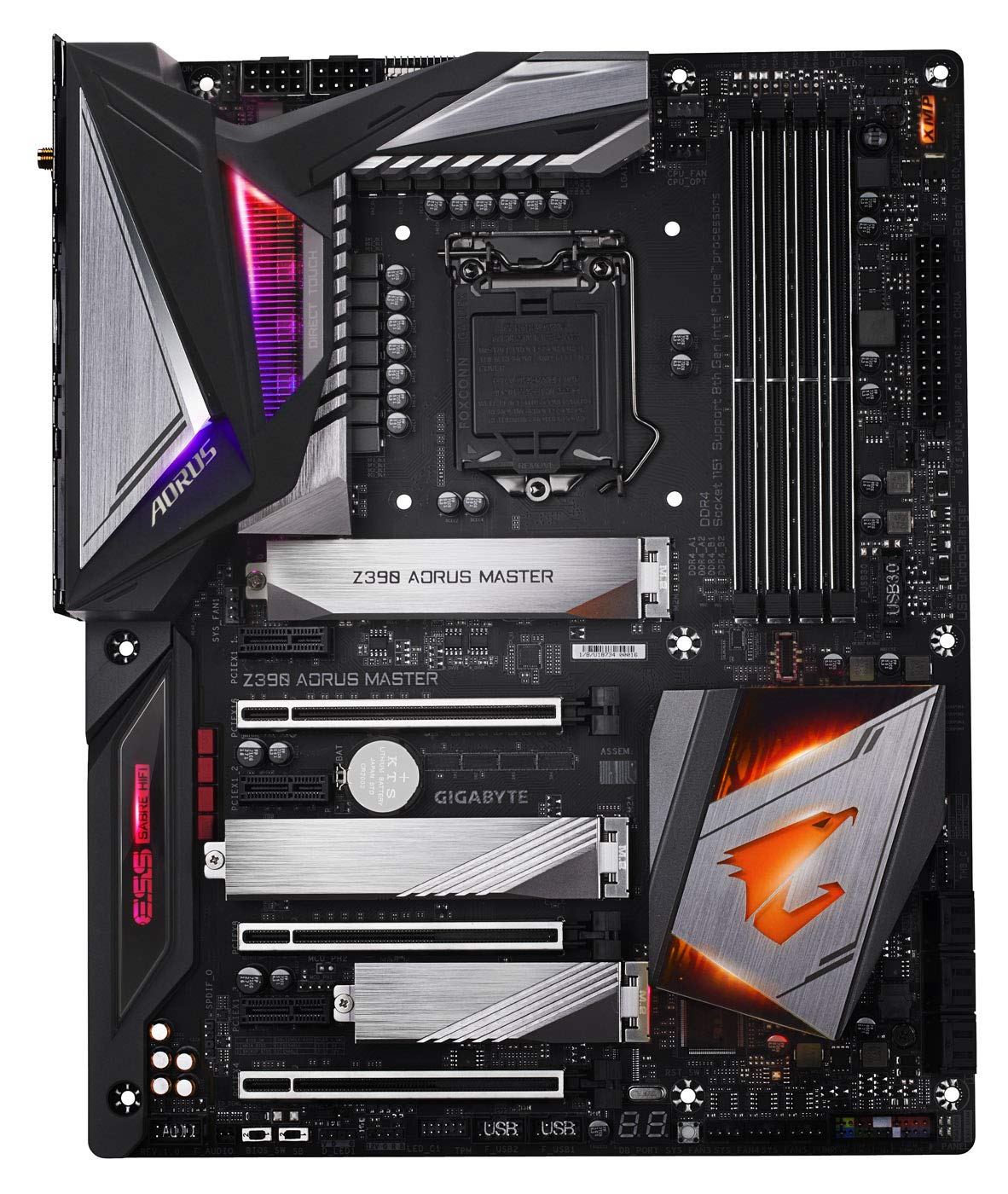

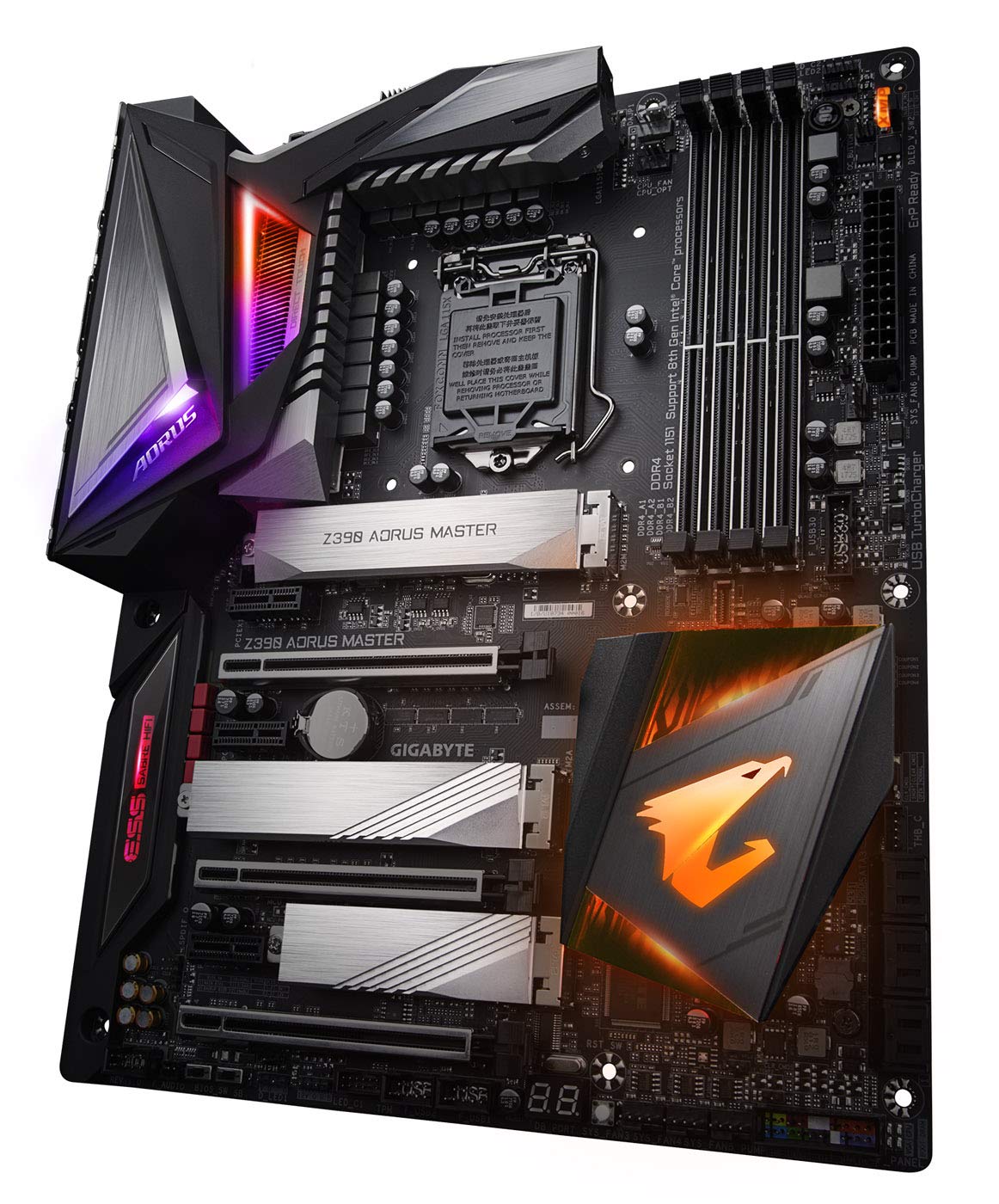
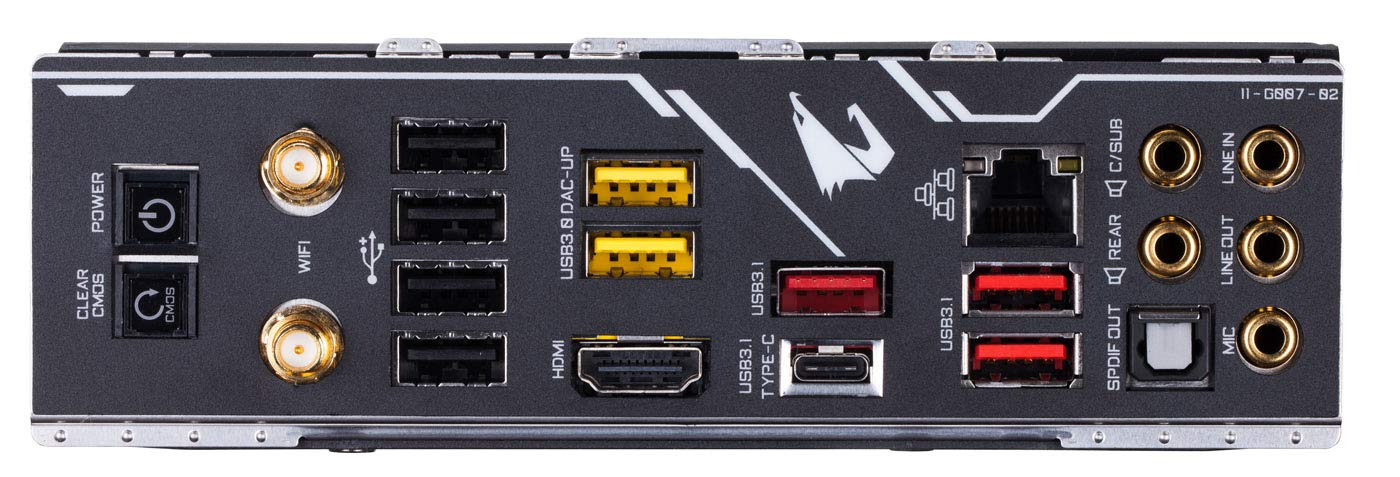
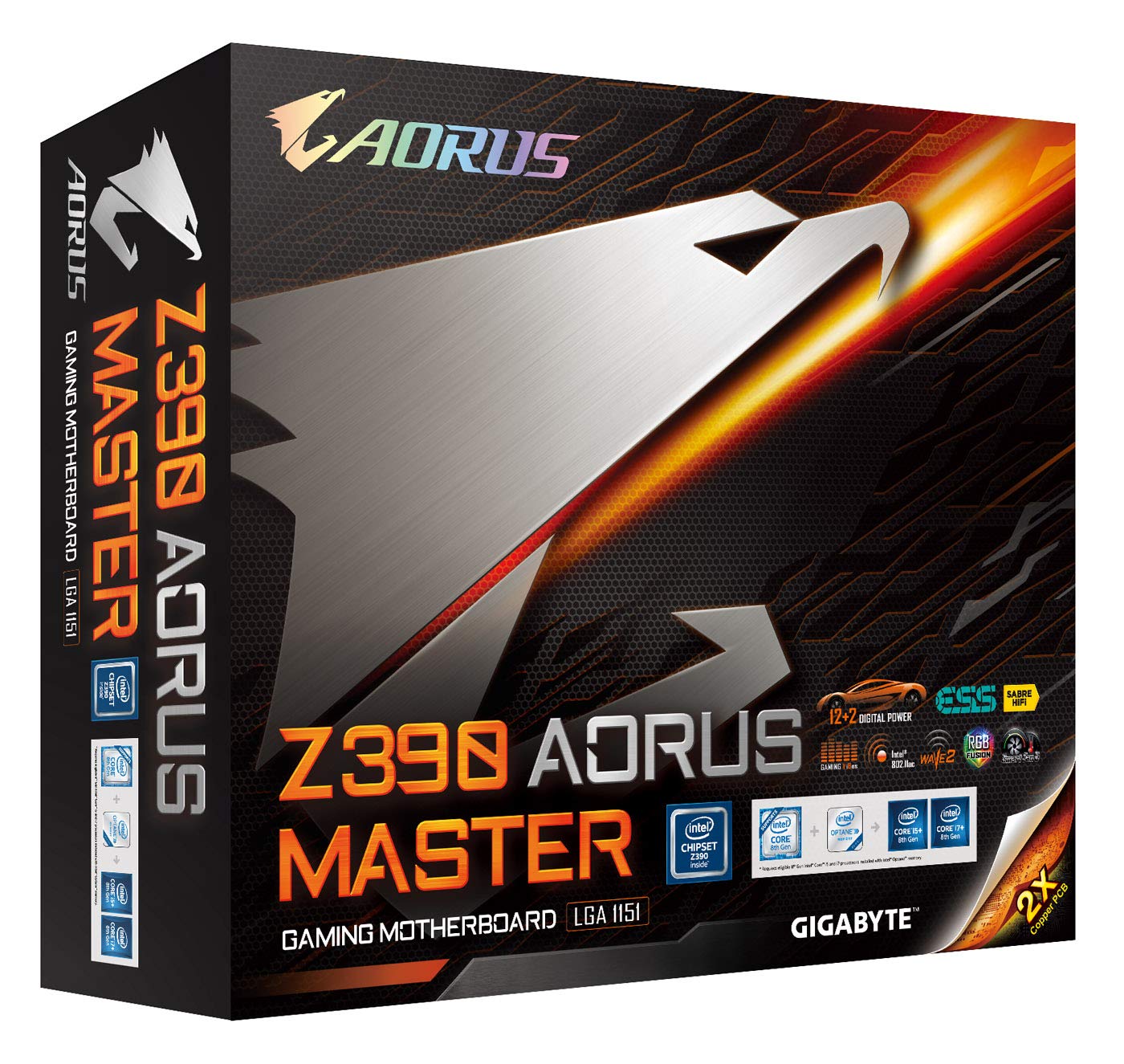
⚡ Level up your gaming setup with the Gigabyte Z390 GAMING X – where power meets style!
The Gigabyte Z390 GAMING X motherboard supports Intel 8th and 9th Gen processors with an LGA 1151 socket, features an advanced LED lighting system, multi-way graphics support with Dual Armor, and supports up to 64GB of DDR4 RAM at 4400 MHz. Designed for durability and high performance, it’s the perfect foundation for a cutting-edge gaming PC.


| ASIN | B07HS31GYB |
| Are Batteries Included | No |
| Best Sellers Rank | 95,912 in Computers & Accessories ( See Top 100 in Computers & Accessories ) 944 in Motherboards |
| Brand | Gigabyte |
| Colour | Black |
| Computer Memory Type | DDR4 SDRAM |
| Connectivity Type | Wi-Fi |
| Customer Reviews | 4.4 4.4 out of 5 stars (495) |
| Date First Available | 8 Oct. 2018 |
| Form Factor | ATX |
| Graphics Card Interface | PCI Express |
| Guaranteed software updates until | unknown |
| Item Weight | 1 kg |
| Item model number | Z390 AORUS MASTER |
| Manufacturer | Gigabyte |
| Maximum Memory Supported | 128 GB |
| Memory Clock Speed | 3200 MHz |
| Memory Technology | DDR4 |
| Number of Ethernet Ports | 1 |
| Number of USB 2.0 Ports | 4 |
| Processor Brand | Intel |
| Processor Socket | LGA 1151 |
| Processor Type | AMD Ryzen 7 |
| Product Dimensions | 10 x 10 x 10 cm; 1 kg |
| Series | Z390 AORUS MASTER |
| Wattage | 3600 |
| Wireless Type | 802.11b, 802.11g, 802.11n |
A**M
I'm very hard to please but this board has done it!
Instantly strikes you as quality the minute you take it out of its box. Super sturdy and just really well made. Upgraded from a hero xi and its night and day. Has every feature you could wish for. I've a water cooled build so my cpu and gpu blocks are using the 2 addressable rgb headers. My ek d5 pump res combo is in a standard rgb header, so for the first time ever I have one piece of software controlling all my rgb and it works flawlessly. The vrm is incredible. Made even better by the back plate that actually works and the decent finned heatsink. There was a bit of controversy that the cheaper boards in the aorus line up had a better vrm as they use 50amp power stages and smart doublers but in controlled testing with all heatsinks removed the all ir vrm with its 40 amp power stages ran 1.5c cooler. So what's better on paper doesn't always equate to reality. I've heard a lot of people complain about gigabytes bios but I've had zero issues with it and it's my first gigabyte board. Every setting you could ever wish for, plus an ez bios for simple adjustments. The only flaw I can find with it is its automated oc'ing options. Just dont go near them. They use an insane/dangerous voltage. Just enabling mce my 9900k was using up to 1.45v!! Even my hero xi only used about 1.32v. Oh yeah, nicest looking mb I've ever had too. Just the right amount of rgb in the right places. Making my dad a pc out of all my old bits and pieces so was the perfect excuse to get a new mb. One last thing, when you put your pc to sleep, the rams rgb turns off, yey!!
R**Y
Well worth the money a quality product with fantastic Onboard Audio
Brilliant well made board everything you could need Gigabyte have done themselves proud with the Aorus Master. Onboard audio has improved dramatically in the last couple of years and that is what the focus of my review is about. I had a usb dac bypassing the onboard audio on my previous board and delivering direct to my amplifier and on to my speakers. The usb dac stopped working and i had to connect the amp up to the onboard audio via a single jack plug to rca splitter cable. I was impressed how good the sound was using the just the onboard ALC1200 Realtek on my Z370 board, so much so that when i spotted the Gigabyte Z390 Aorus Master and read the reviews and specs and found out that it had not only a Realtek ALC1200 dac but also a ESS Sabre 9118 dac as well as other improved audio components i just had to see and hear if it was any good, i took a gamble and made a purchase. Really glad i did. I don't know the technicalities of how the two dacs work together, but it works and boy does it ever deliver . The sounds are much more cleaner and clearer i think the audio is of a high quality, high enough certainly to be classed real HI-Fi. I have it connected via the jack plug rca splitter to my Yamaha S301 amp using pure direct coupled to a pair of Q Acoustics 3020 speakers and a Q Acoustic 2070s subwoofer. The sound is in my opinion way better than the very expensive standalone usb dac that i owned previously and better than the Z370 Realtek ALC1200 on it's own. My headphones are Sennheiser hd 650 and these i plug into my amp. Listening to music on my headphones is heavenly crystal clear best ever i've heard. I'm using mp3 files most at 320 bit but also a fair few Flac files which play superbly and i am using JRivers as the music player with playback set to (Realtek (R) Audio) [ WASAPI ] Hope this review helps anyone looking for a good audio using onboard rather than paying inflated prices for standalone dacs, the board may seem expensive but it is cheaper than a paying hundreds of pounds for overpriced audio dacs
D**R
Great motherboard
The master is great, well built and good looking motherboard. The build quality is excellent from the power delivery to just the physical construction of the board. The RGB is tastefully implemented without looking tacky or to gamer-ish Tye on-board audio is also excellent when paired with a solid pair of headphones. Gigabyte had come a long way in terms of motherboard design and construction but one places they always fall sort is the bios. The new upgraded has helped get another easier but is still lagging behind companies like Asus and msi, however I don't spend a lot of time the bios so it's not a huge negative.
P**W
Best choice for a Z390 motherboard.
I did a lot of research before I decided to buy this particular make and model of Z390 mobo. As well as having all the features and functionality that one should expect of the Z390 class, this mobo stands out because it has. in my opinion, the best VRM [voltage regulator module] implementation. This coupled with the excellent heat sink design and the substantial, integral metal backplate ensures that your CPU of choice will never suffer from thermal throttling. I have been using this model for over a year now and it has really lived up to expectations. Recommended.
G**M
Solid motherboard
This is a beast, very Heavy and well built, has back plate and heat sinks on all 3 M. 2. Overall its excellent works well with my Intel i9 9900K, I do miss the Asus Bois which is more user friendly. This is pricy but has many features Inc Bluetooth and wifi
M**N
Great motherboard for overclocking
Great motherboard to use with 9900K CPU. Fantastic overclocking ability using the BIOS, I'm truly impressed by the plethora of options available to tweak for a stable OC. If you're not going to overclock the board still has great features and looks great when installed.
M**Ş
Ürünü iade ettim bozuk diye ama üründe hata yokmuş powerde cıktı sorun ürünü aldim Wi fi si çok sağlam anakartimin arka sından da pover düğmesi olması çok güzel olmuş ana kartın arka kısmının metal olması ayrıca güzel ve sağlam görünüme sahip ve soğutma süper
W**.
Ho acquistato la mobo da warehouse deals di amazon, marchiata come "buone condizioni". Arrivata in confezione originale perfetta, completa di tutti gli accessori in lista, probabilmente mai usata per incompatibilità visto che non presenta alcun segno di attività o usura (i graffi riportati nella descrizione erano solo sulla pellicola sopra ai componenti lucidi). Detto questo, ho acquistato la Z390 Aorus Master per realizzare un loop custom montando i9 9900k e 2080 Ti, quindi nessun componente ha mai visto raffreddamenti ad aria e non posso giudicare le temperature della mobo in maniera completa. L'ho scelta perchè a "parità" di prezzo offre di più rispetto alle ROG. 8 + 8 pin di alimentazione sulla cpu sono senza ombra di dubbio una chicca rara ed efficace se si vuole spingere, e sono rimasto piacevolmente sorpreso di scoprire che i miei due kit da 16Gb di Corsair Vengeance LED e RGB hanno immediatamente retto il loro XMP (che sulla precedente asus non volevano neanche vedere, essendo due kit separati mi ero rassegnato a farli girare a velocità standard). La scheda è contemporaneamente caccara ed elegante, il gioco lo fate voi con l'amministrazione delle luci, molto semplice. i 3 bay per ssd m.2 hanno il loro ottimo dissipatore spesso mezzo centimetro con annesso thermal pad già predisposto e presente. Il BIOS non è nulla di stupefacente, senza troppi fronzoli vi permette di fare ogni cosa purchè sappiate cosa state facendo. Nulla a che vedere con i bios a prova di scimmia di ASUS, ma essendo abituato a fare OC spinto da 20 anni, quando ancora UEFI nemmeno esisteva, non ho avuto problemi e ho trovato tutte le impostazioni necessarie e non solo. Il comparto audio è stupendo invece, qualità e ottime funzionalità nonchè componentistica di ottimo livello per essere un PC. Il WiFi integrato vola, niente da dire. Spettacolo invece tutto il comparto di troubleshooting su post ecc...tasti esterni per On/Off e BIOS reset, display interno per sequenza avvio e codici errore, 4 led che vi indicano cosa la scheda non vede (CPU, VGA, RAM, BOOT), insomma una gioia. PRO: - design elegante e personalizzabile, qualità costruttiva impressionante - ottima dissipazione con i suoi radiatori passivi - ottima gestione dell'alimentazione e 8 + 8 pin ATX sulla 12v - comparto audio superiore ai competitor - 3 spazi dissipati per m.2 - meraviglioso il comparto di gestione errori e post - esagerata quantità di porte per led rgb, led argb, ventole, pompe CONTRO - non riesco a farmi andar giù la mascherina posteriore integrata - BIOS non a prova di scimmia come asus, rog, ecc...utente alle prime armi rimane spaesato - i 2 spinotti led rgb 12v sul software sono gestibili separatamente, ma in realtà il loro controllo risulta appaiato e prendono lo stesso colore - 250€ per una MoBo sono e saranno sempre troppi, tutto ciò che è sopra i 150€ sarà sempre ingiustificato e veniamo turlupinati dalla scritta GAMING Consiglio la z390 Aorus Master a chi vuole il massimo, senza compromessi, per giocare o fare rendering montandoci un processore top. A chi piace smanettare piuttosto che premere un tasto e avere tutto pronto. Gigabyte ha lavorato veramente bene, è la prima volta che compro un loro prodotto e non me ne pento, contando che se non fosse per questa avrei preso una rog maximus. PS: chicca la scritta XMP illuminata quando attivate il profilo! -
J**S
J'utilise cette carte mère couplé a un i7 8700k pour remplacer une Asus Maximus X Hero ayant rendu l'âme en moins d'un an pour des raisons plutôt obscures. J'ai été obligé de passer en Z390 sachant que trouver des cartes mères en Z370 neuves devient plutôt compliqué en ce moment. Tout d'abord, niveau fonctionnalité je dois dire que je suis satisfait. Naturellement au moment de remplacer mon ancienne Asus Maximus X Hero je songeais a prendre sa remplaçante en Z390, la Asus Maximus XI Hero mais les retours concernant la qualité des VRMs et le prix, bien plus élevé que la version Z370 (250€ contre 350€ pour la Z390) m'ont fait hésiter J'ai lu des retours positifs sur la Aorus Z390 Master qui possède des VRMs de qualité et surtout des fonctionnalités que sa concurrente la Asus Maximus XI Hero ne possède pas (Wi-Fi et Bluetooth, non disponible sur la version a 350€ sinon il faut prendre la version Wi-Fi qui se trouve a 360-370€) tout ça pour 50€ moins chère. Le choix me paraissait donc évident Niveau bios, même si il est pas mauvais je dois quand même admettre que je trouvais celui d'Asus bien plus simple a prendre en main en plus d'avoir une meilleur lisibilité mais bon il reste tout de même bon, aucun soucis a ce niveau Au niveau de l'overclock, rien a dire les éloges pour cette carte mère sont fondés avec de bons reglages bios, les valeurs sont correctes. Je vais trop m'etaler dans les détails mais avec un overclock manuel et des paramètres similaire j'ai besoin d'un Vcore moins elevé pour atteindre 5 ghz sur ma Aorus Z390 Master par rapport a mon ancienne Asus Maximus X Hero (1,26V contre 1,28V) Même en charge les VRMs restent a une température correcte (55°c sur la sonde VRM MOS) en pleine charge sur Prime95 small FFT L'overclocking me semble plus stable sur la Aorus Z390 par rapport a la Asus Maximus Hero Z370. Personnellement je recommande cette carte mère, si elle peut tenir mon 8700k a 5 Ghz sans broncher nulle doute qu'elle puisse accueillir un 9900k/kf/ks elle est faite pour ça, de plus le rapport qualité/prix me semble très bon par rapport a ses concurrentes les plus célèbres (Asus, MSI) qui sont a mon goût plus chère pour des performances similaires voir inférieures pour certains modèles. Seul bémol, le bios Gigabyte qui pourrait être perfectible a mon sens.
S**.
Sağlam ve stabil bir anakart.
S**A
Ottima scheda madre, dotata di componenti di qualità, e di moltissime connessioni esterne. Sul retro abbondano le prese usb, e la scheda è dotata di Wi-Fi e bluetooth. E’ possibile montare fino a tre dischi M2 NVMe, vari dispositivi S-ATA, e naturalmente mancano connettori P-ATA e floppy. La scheda è dotata di due connettori EPS a 8 pin per alimentare la cpu, permettendo di provare overclock anche spinti. Purtroppo internamente ci solo due connettori usb 2.0 per schede interne. Volendo, è anche possibile usare questa scheda per configurazioni hackintosh, a patto di rinunciare alla scheda Wi-Fi, al bluetoth, e settare opportunamente il bios. La componente che gestisce l’audio del sistema è più che sufficiente per la maggior parte degli utenti, e compatibile con macOS Catalina e Mojave. Presenti sia uscite analogiche che digitali (Toslink). Abbondano i connettori per ventole da montare nel case, e ci sono due sonde di temperatura, da posizionare dentro al case dove si ritiene più opportuno (ma possono anche non essere installate). La scheda ha diversi led, controllabili da software o bios, e il bios permette a chi volesse cimentarsi in overclock più o meno spinti, di controllare tutto in modo preciso. Presenti diversi programmi Windows, che consentono di controllare la scheda, a partire dai led, fino alle ventole, o agli aggiornamenti firmware. Abbondante il materiale fornito a corredo, come cavi, viti e co.
Trustpilot
1 week ago
1 day ago